
Check how long it takes to approve employee requests. Use this data to reduce delays and improve your workflows.
You can see the execution time next to each workflow. This value shows the average time across your company. It helps employees decide when to submit requests for leave or business trips.
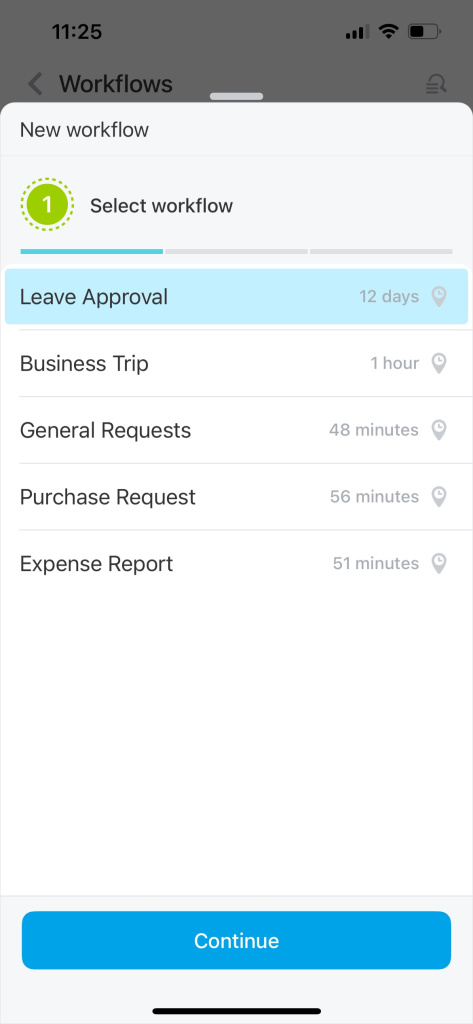
If a workflow takes too long, review its structure and steps. Look for common issues:
-
No backup during vacation. If an employee is out, their tasks may be delayed. Reassign responsibilities to other team members.
-
Unclear starting point. If users don’t know what to do first, the workflow slows down. Add clear instructions to each field.
-
Delayed approvals. Approvers may miss requests. Add reminder notifications to keep things moving.
Use the Workflow Designer to update templates and automate task assignments.
All workflow setup consultations and support are provided exclusively by Bitrix24 partners.