
CRM Payment lets you accept payments directly from a deal. It uses payment systems connected to Bitrix24.
Why use CRM Payment
-
Simple
Send a payment link by SMS. The customer opens the link and pays. -
Fast
Create and send a payment link in a few minutes. Each step is saved in the deal timeline. -
Builds customer loyalty
Stay available even if your store is closed. Customers value quick and easy communication.
How CRM Payment works
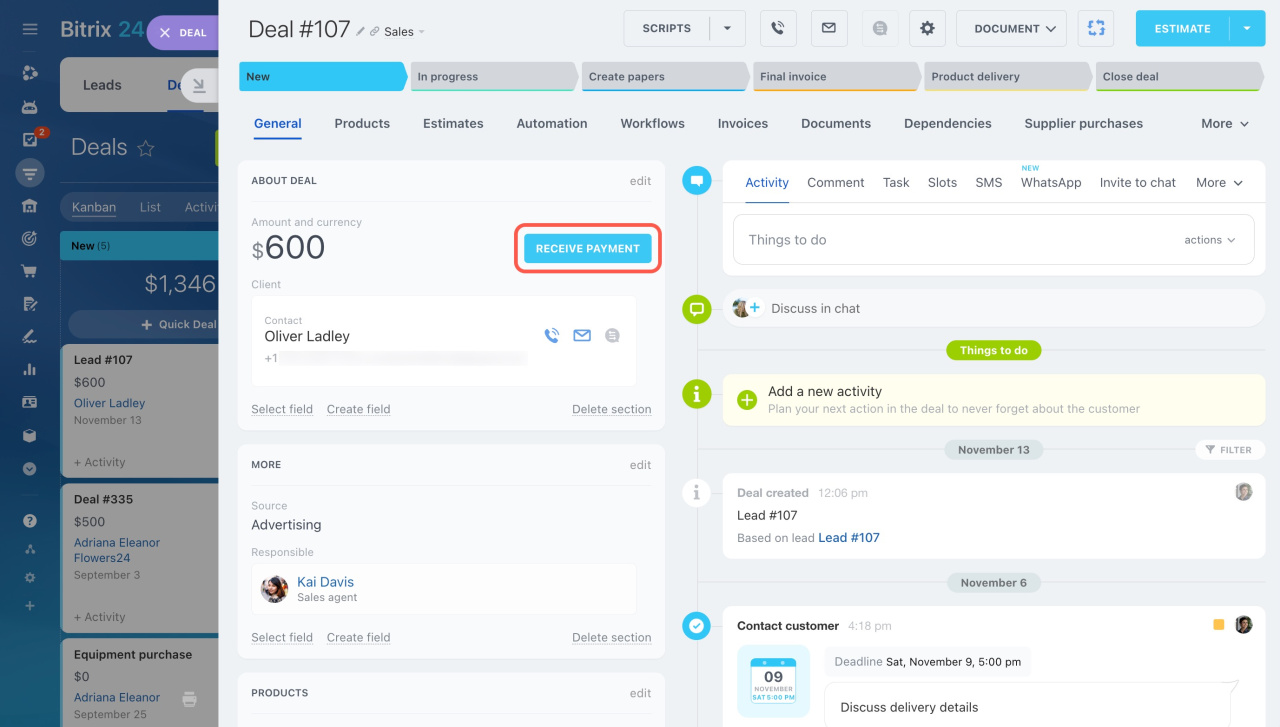
Open a deal and click Receive payment. The settings panel opens on the right.
Set up and send a payment
Follow these steps:
-
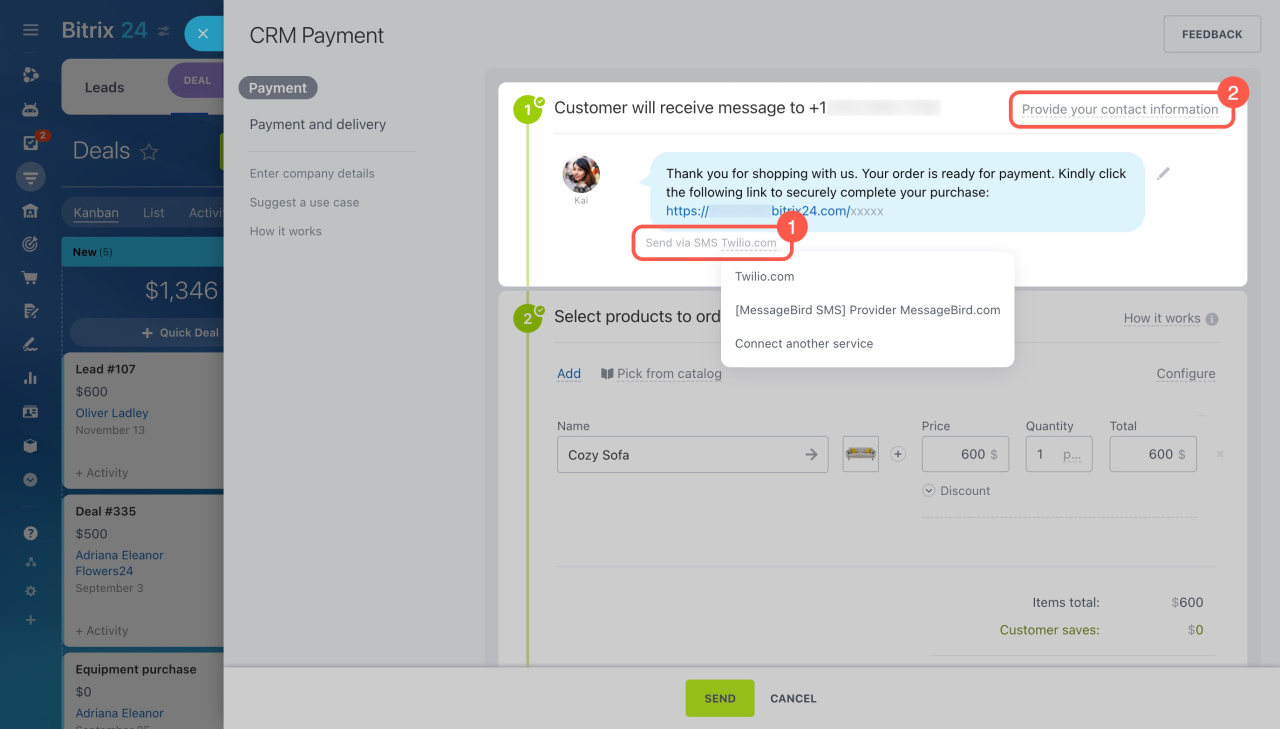
SMS
Send a payment link by SMS. Choose a messaging service.To use SMS, set up an integration first. You can use the built-in Twilio integration or find an app in the Bitrix24 Market. -
Contact information
Add your contact details. Customers will see them on the checkout page. -
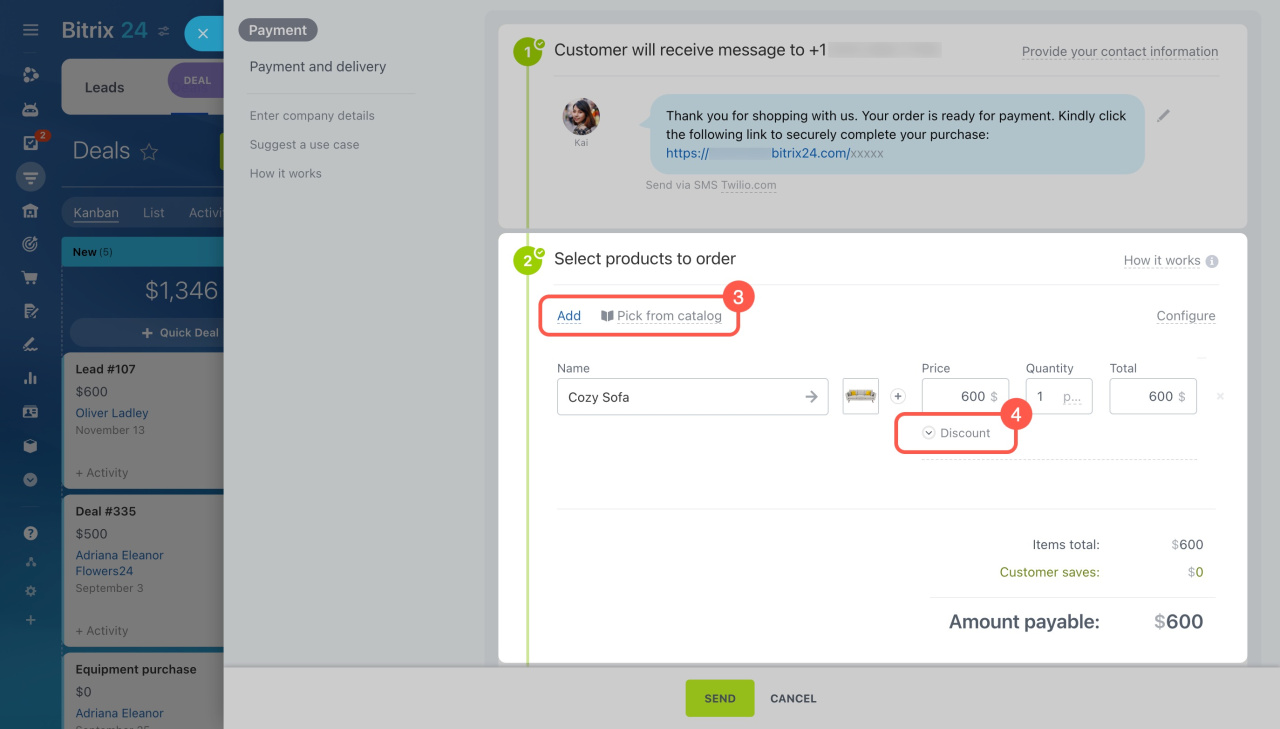
Products
Select items and apply discounts if needed. -
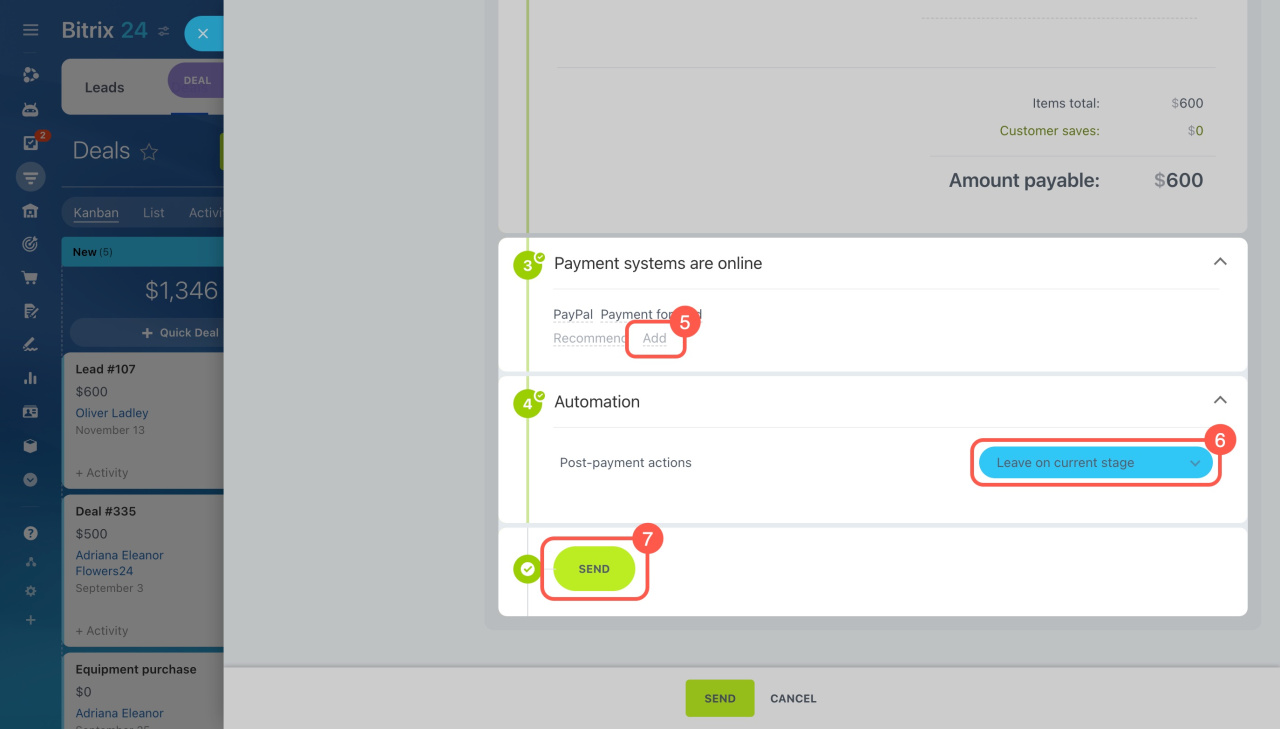
Payment systems
Choose and configure payment methods.
Connect payment systems -
Automation
Choose if the deal stage should update after payment.
Click Send. The customer receives an SMS with a payment link.
After payment, the status appears in the deal timeline.
Timeline in CRM item form
In brief
-
Accept payments directly from a deal.
-
Set up payment systems and an SMS service.
-
Send a payment link by SMS and track the result in the timeline.