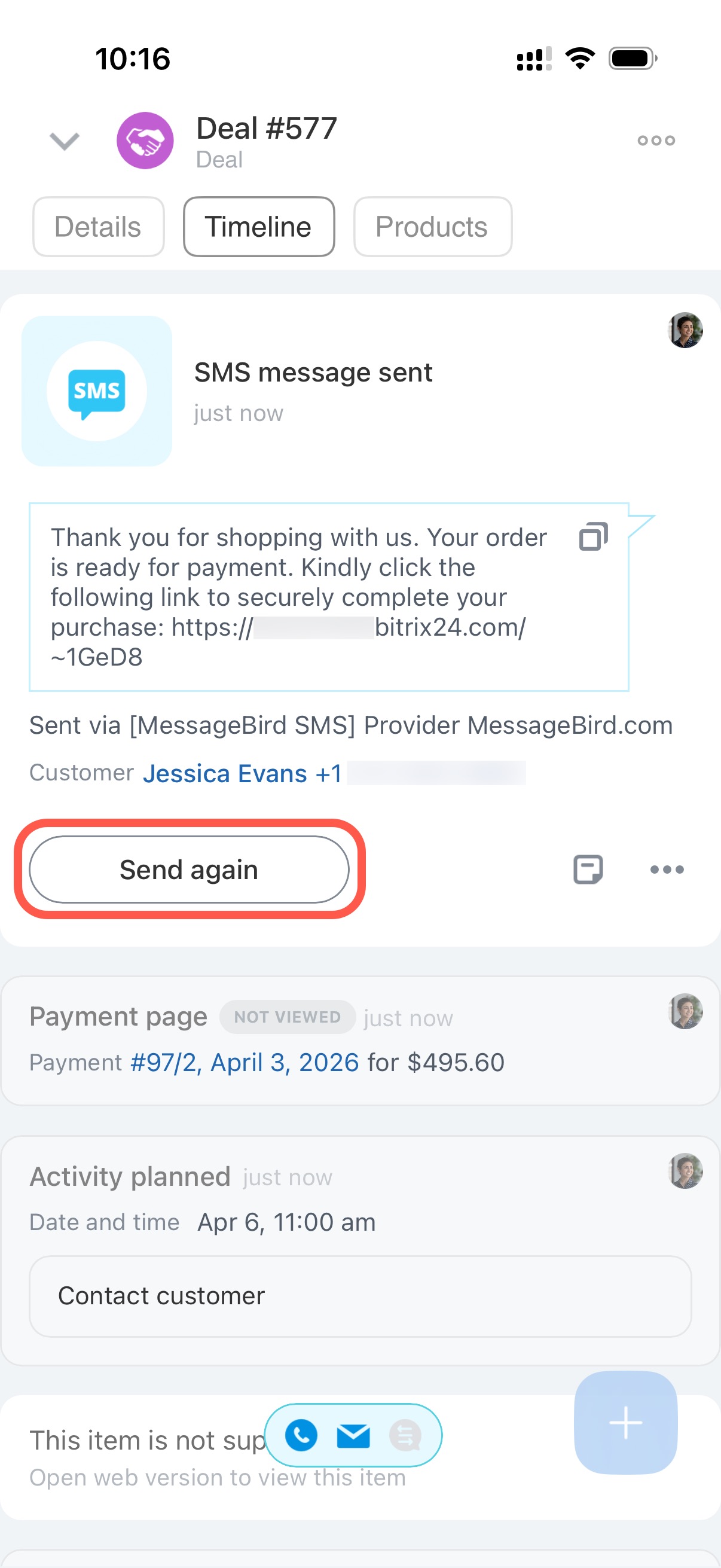
Accept payment in the mobile app using link. Your client will receive an SMS with a link to pay for a product or service.
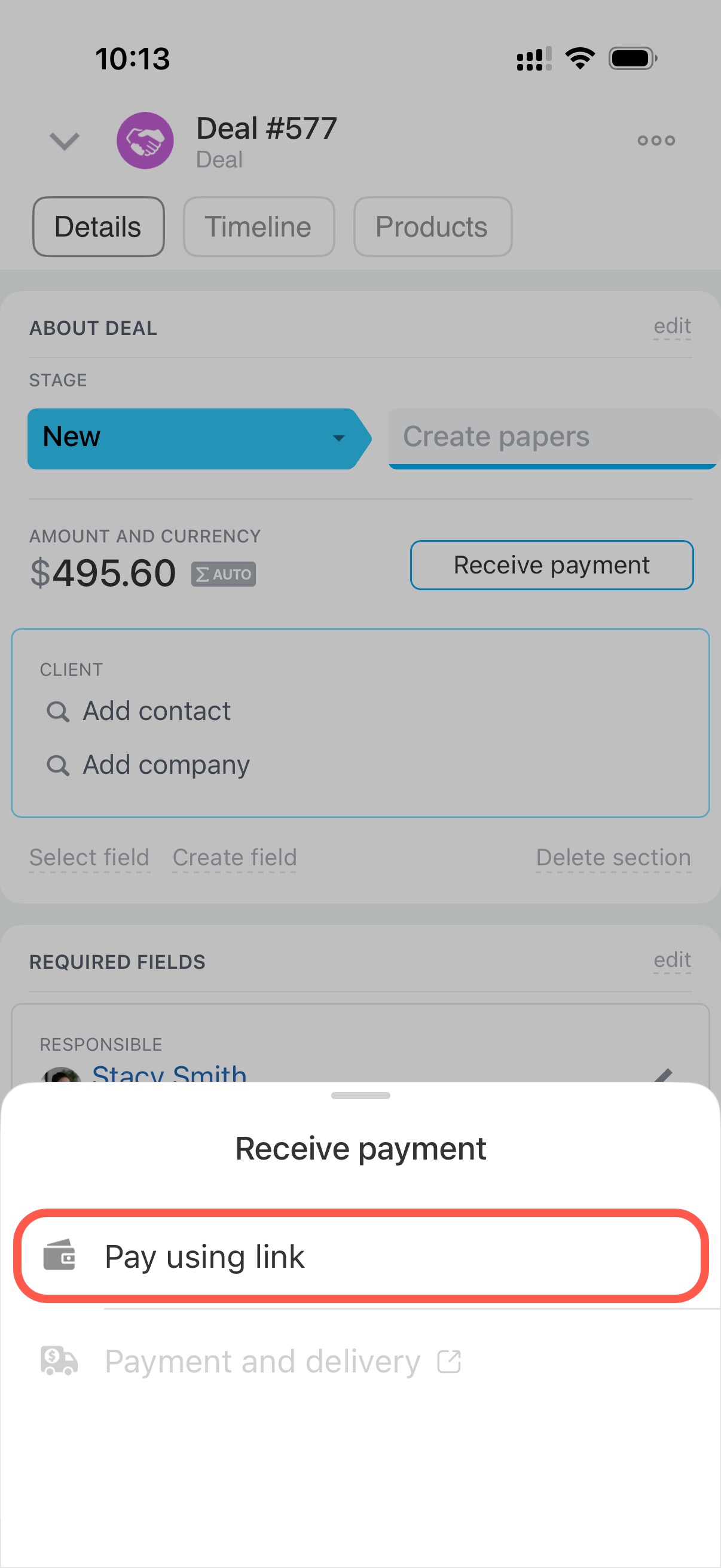
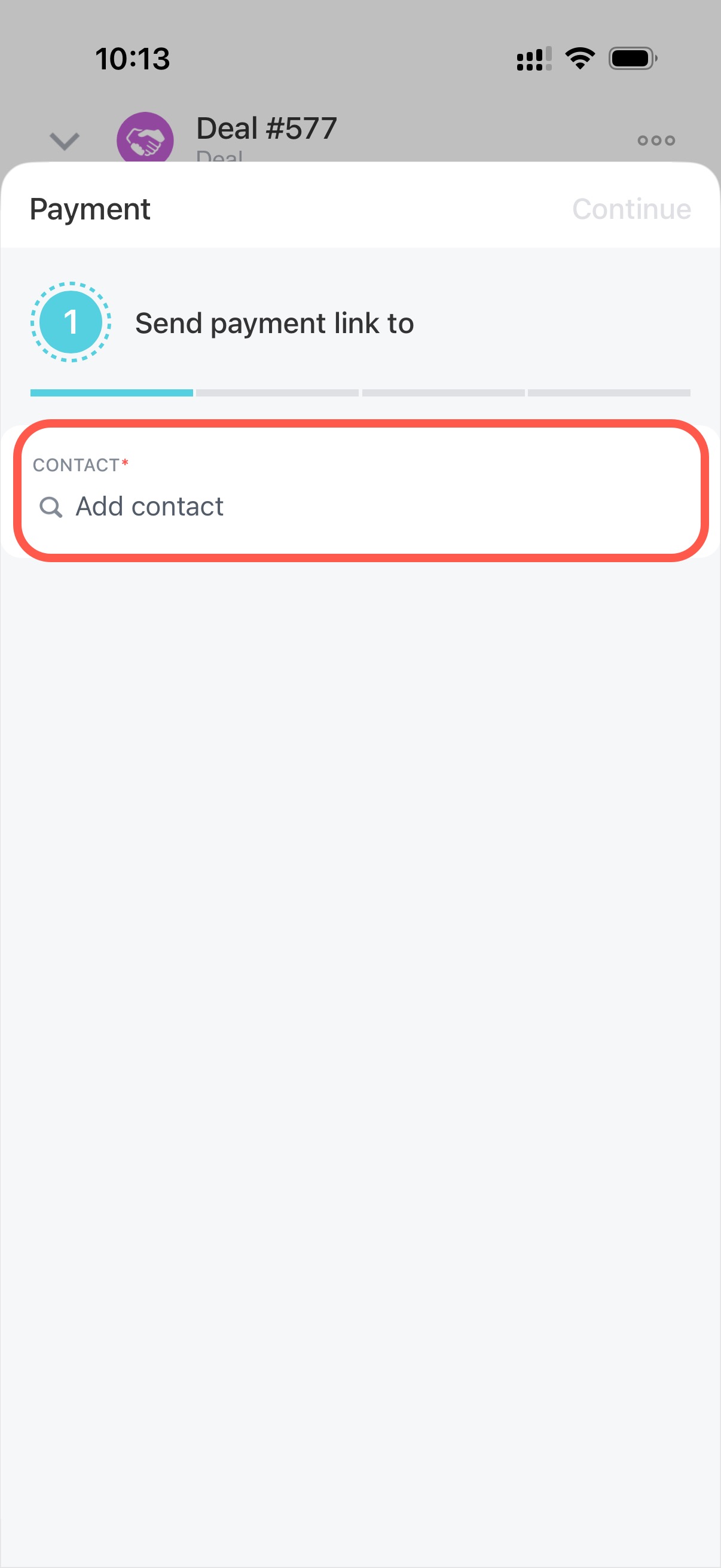
Tap Add contact and select the customer who will receive the payment link.
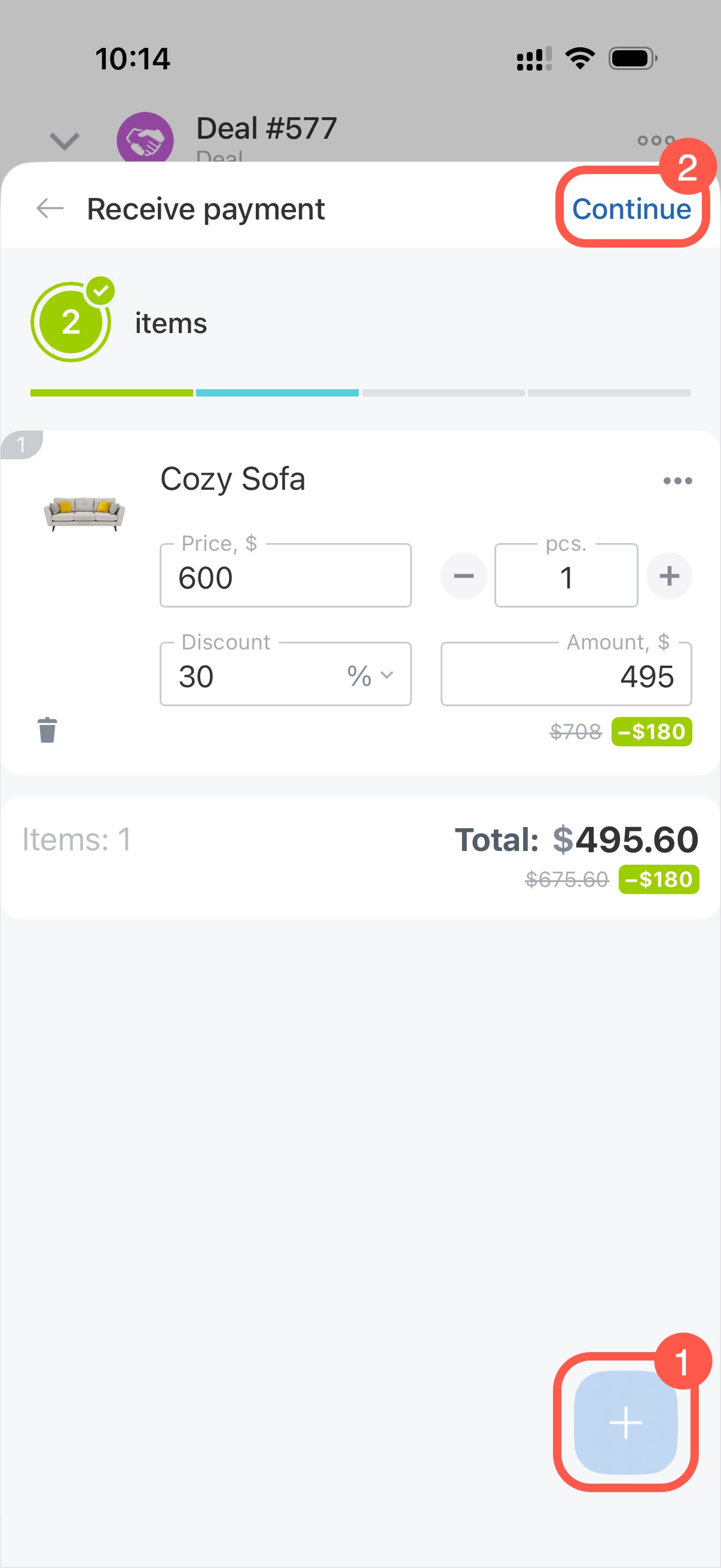
Check the product list. If needed, tap on + to add more products. Then tap Continue.
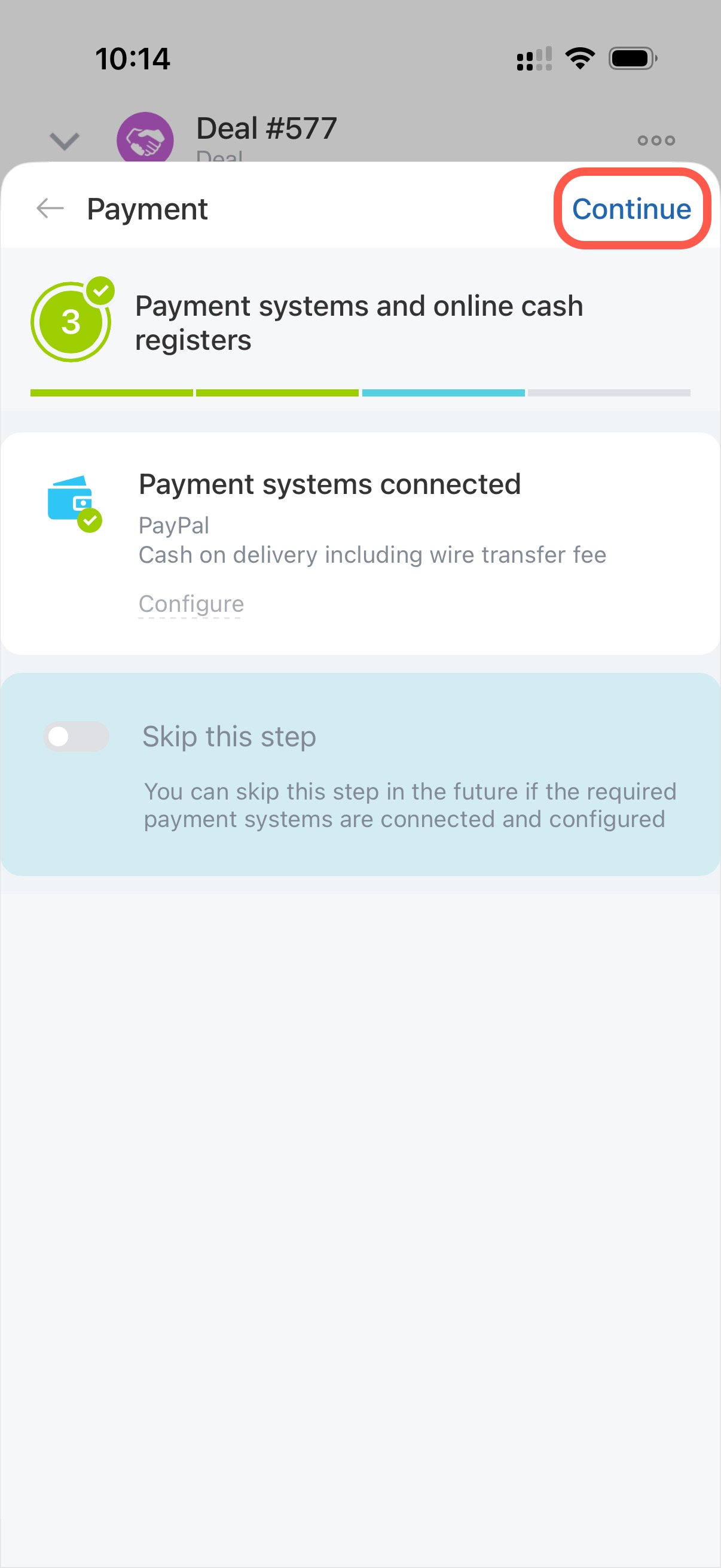
Connect payment systems and the online cash registers. Tap Continue if the required ones are already connected.
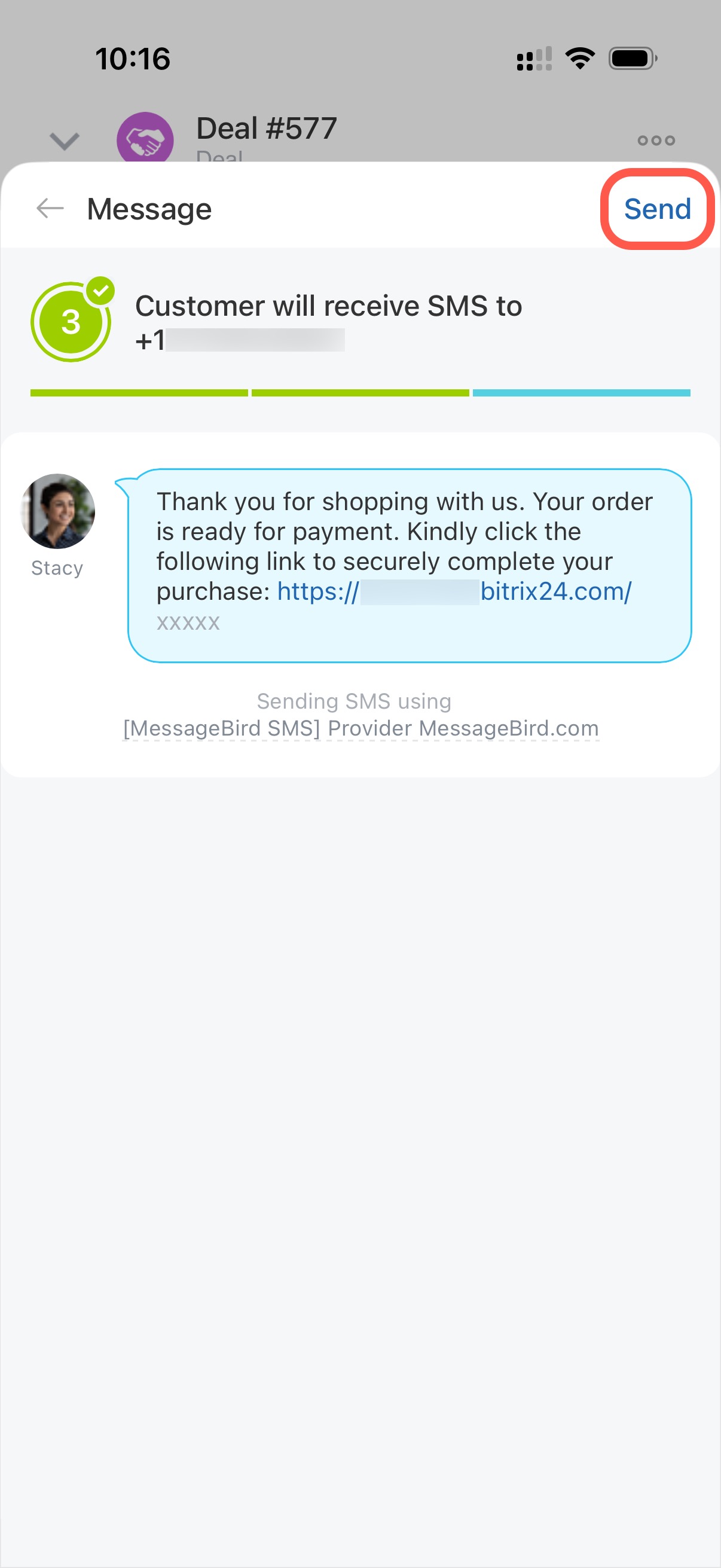
Then tap Send, and the client will receive an SMS with a payment link.
SMS and payment details are saved in the deal timeline.
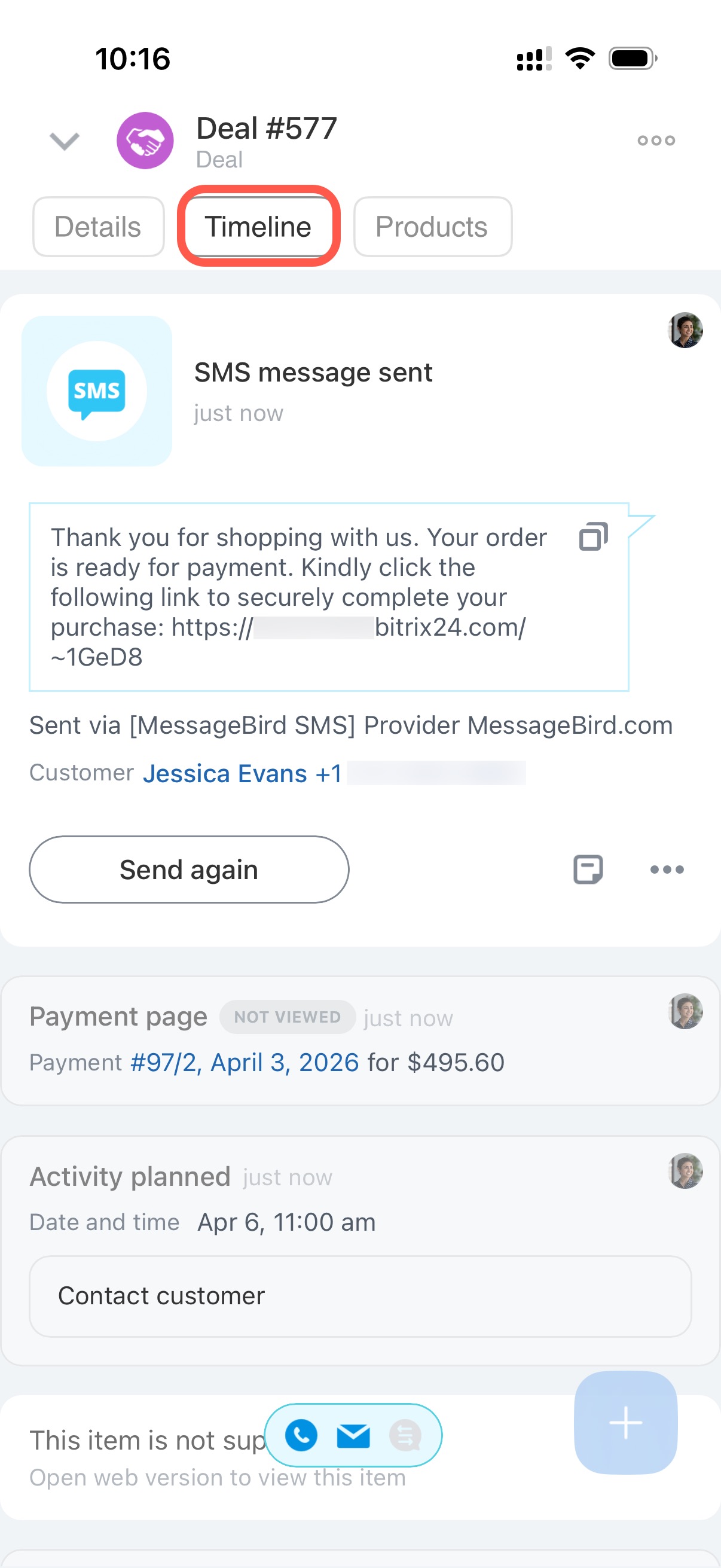
If your client has not received the link, tap Send again.