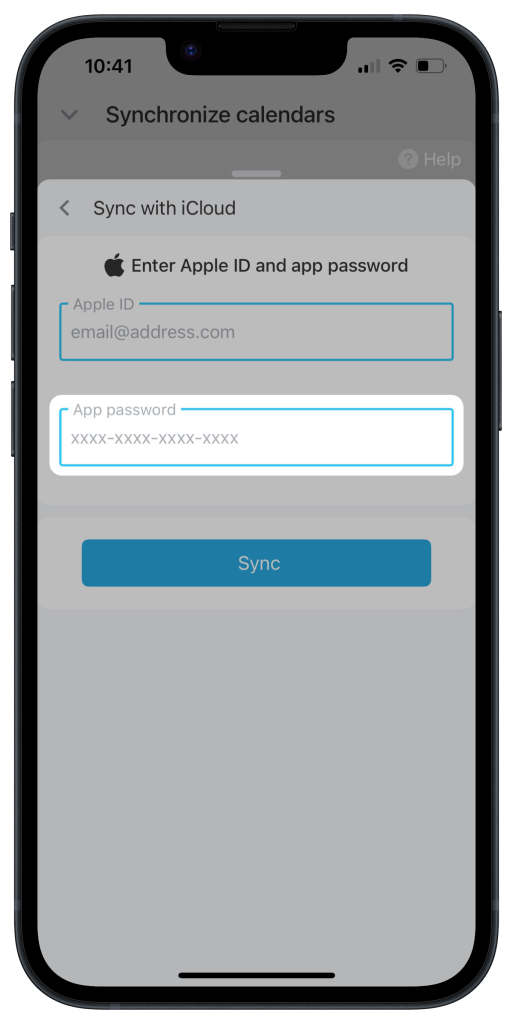
An app password lets a third-party app access your Apple account. It is different from your regular login password and helps protect your data.
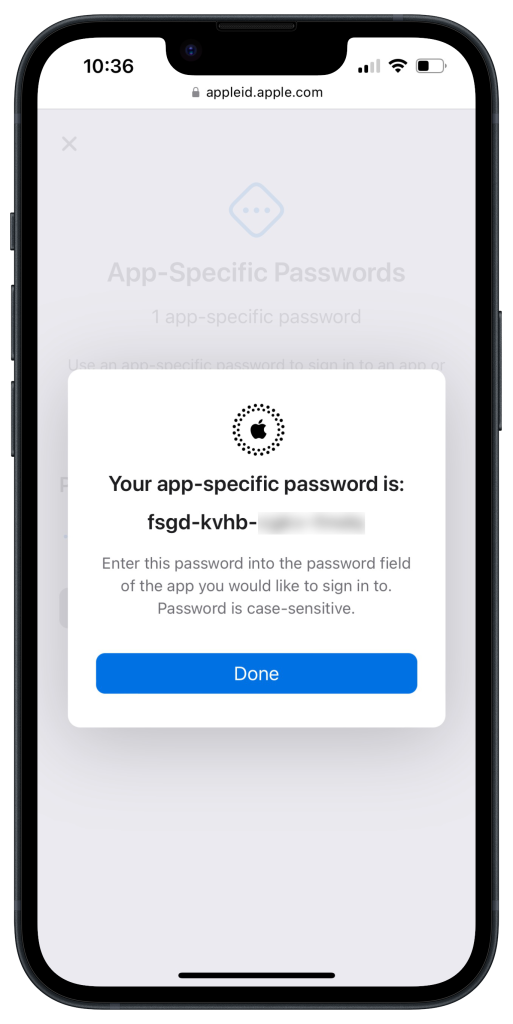
An app password has 19 characters. It includes letters, numbers, and dashes, for example:
yj2h-plj5-****-****.Generate an app password
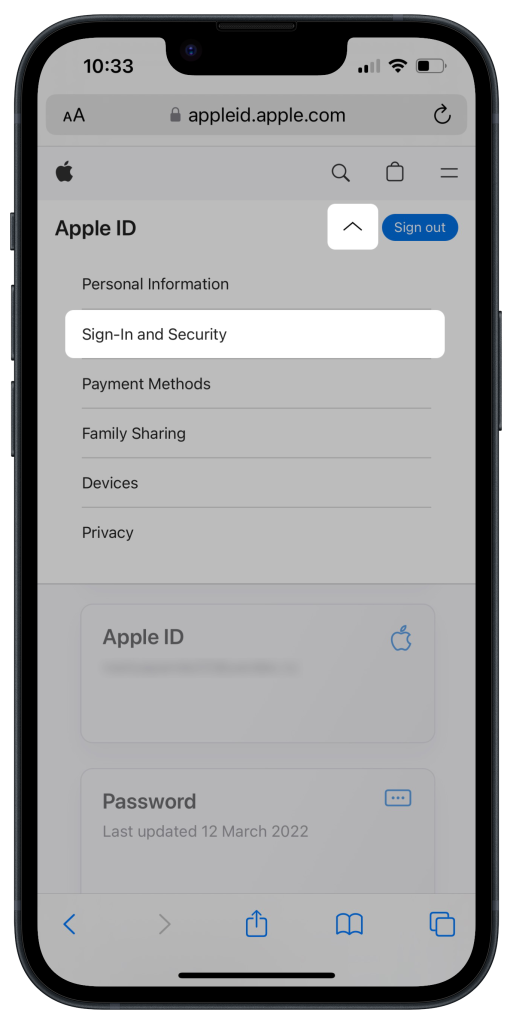
1. Sign in to your Apple ID account and go to Sign-In and Security.
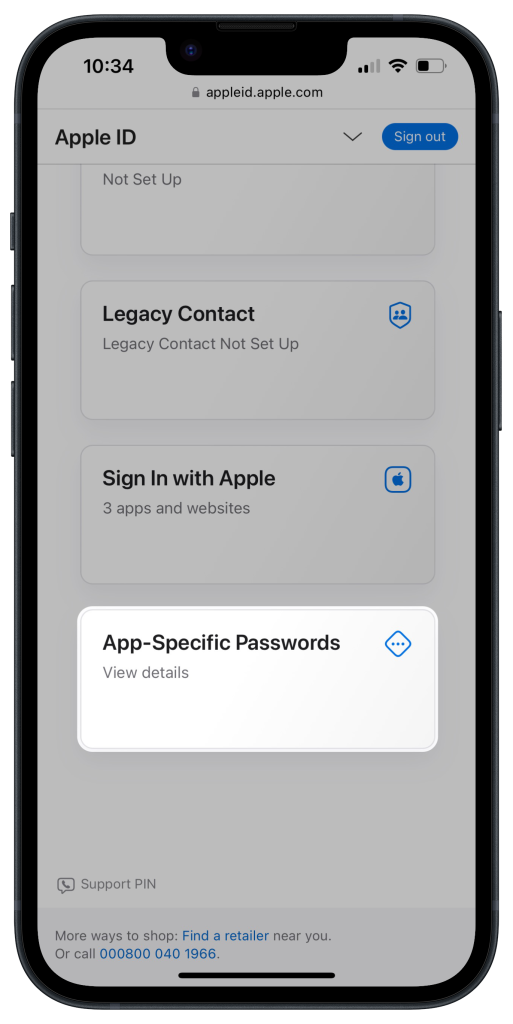
2. Scroll to the bottom of the page and select App-Specific Passwords.
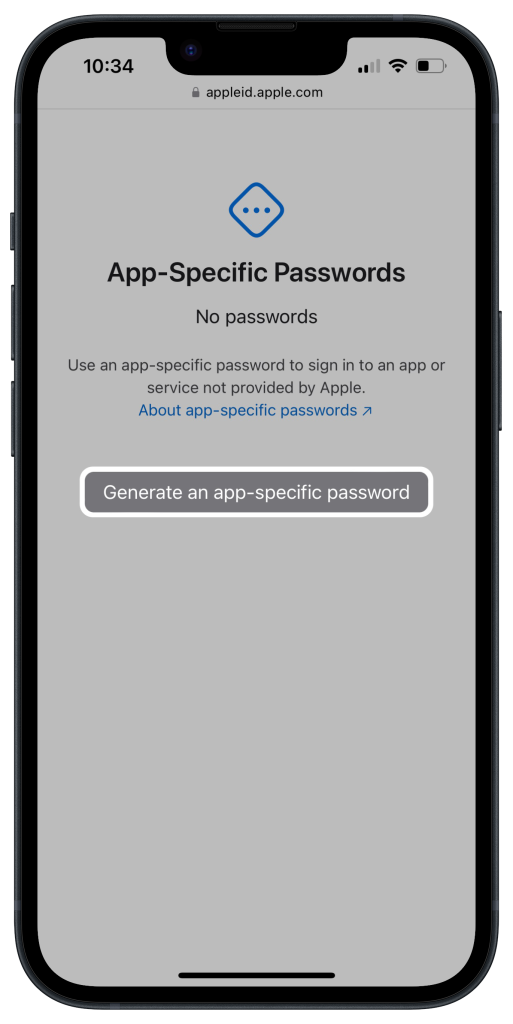
3. Tap Generate an app-specific password. If you already have one, tap the Plus (+) icon.
4. Enter a name for the password and tap Create.
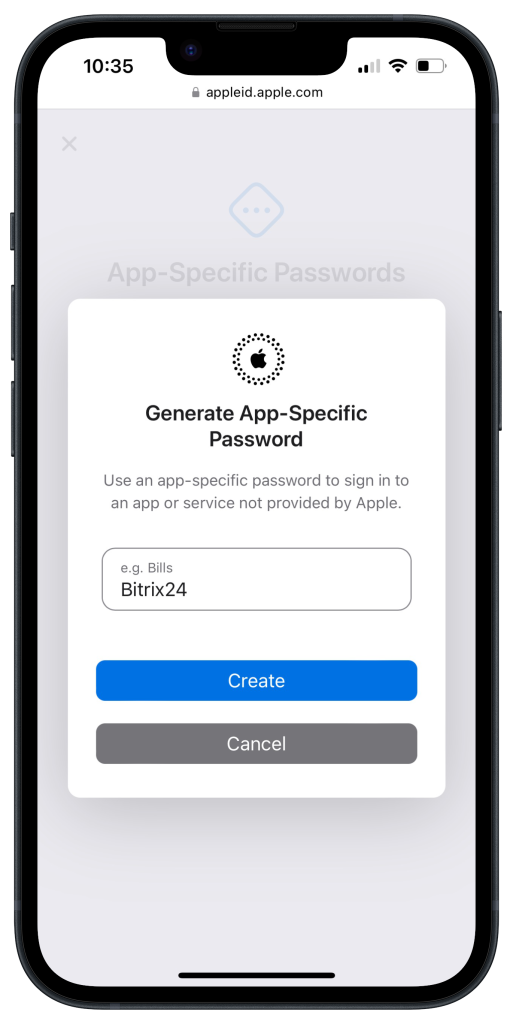
5. Copy the password.
Use the app password in Bitrix24
- Open Bitrix24.
- Paste the copied password into the App password field.