By default, the Bitrix24 mobile app uses your device language. For example, if your phone is set to English, the app interface also appears in English.
If needed, you can choose a different app language. For example, your device language might be English, but you may prefer to use Bitrix24 in Spanish.
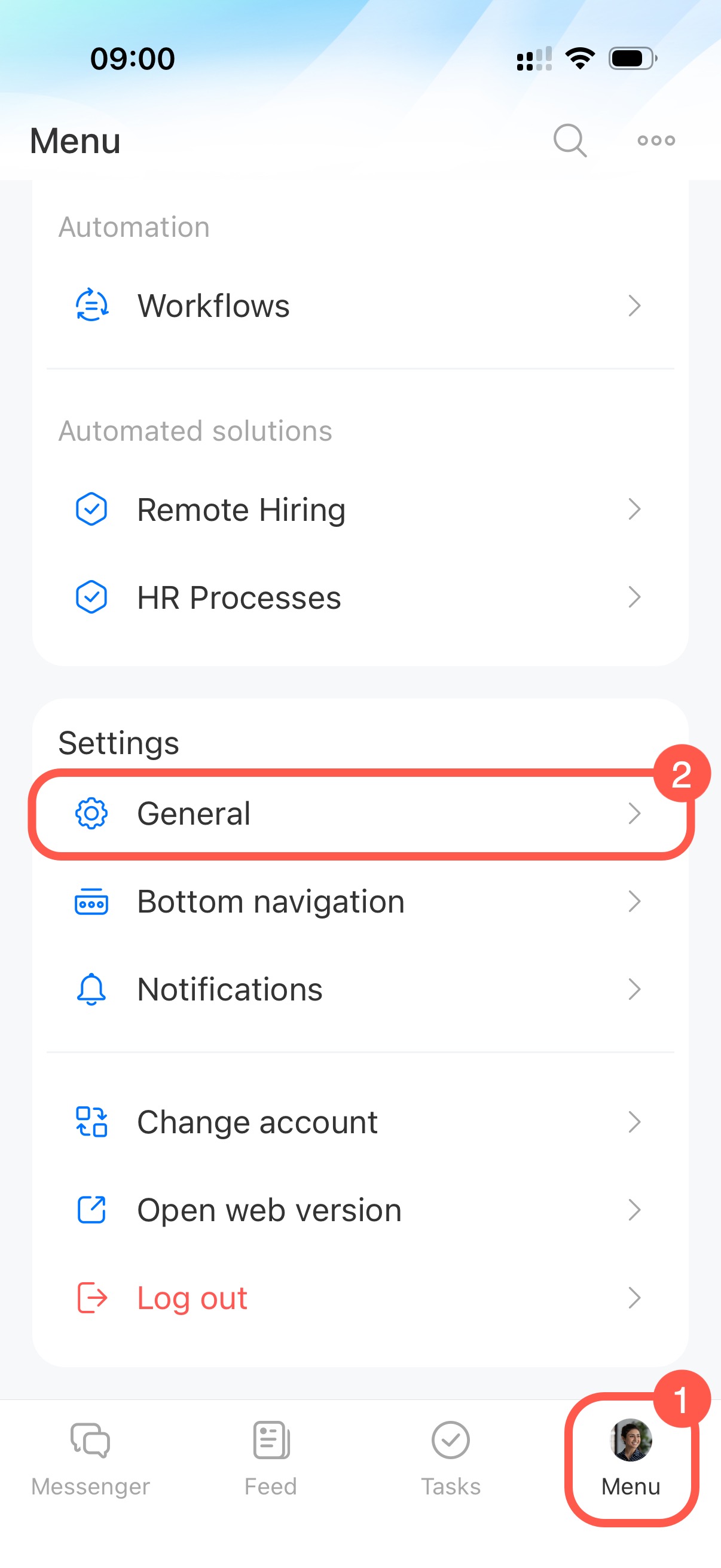
To change the language, open the Menu tab in the bottom-right corner and go to General settings.
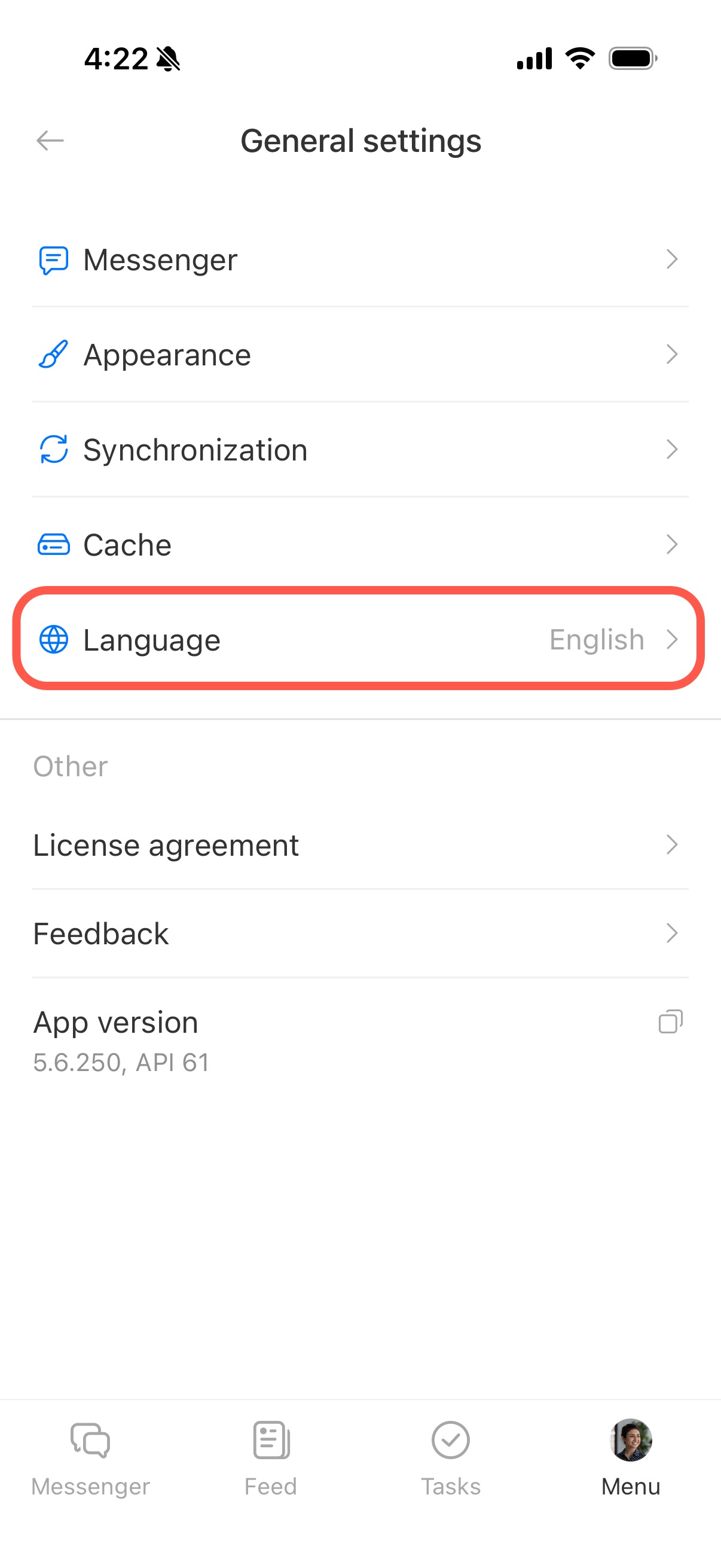
Tap Language.
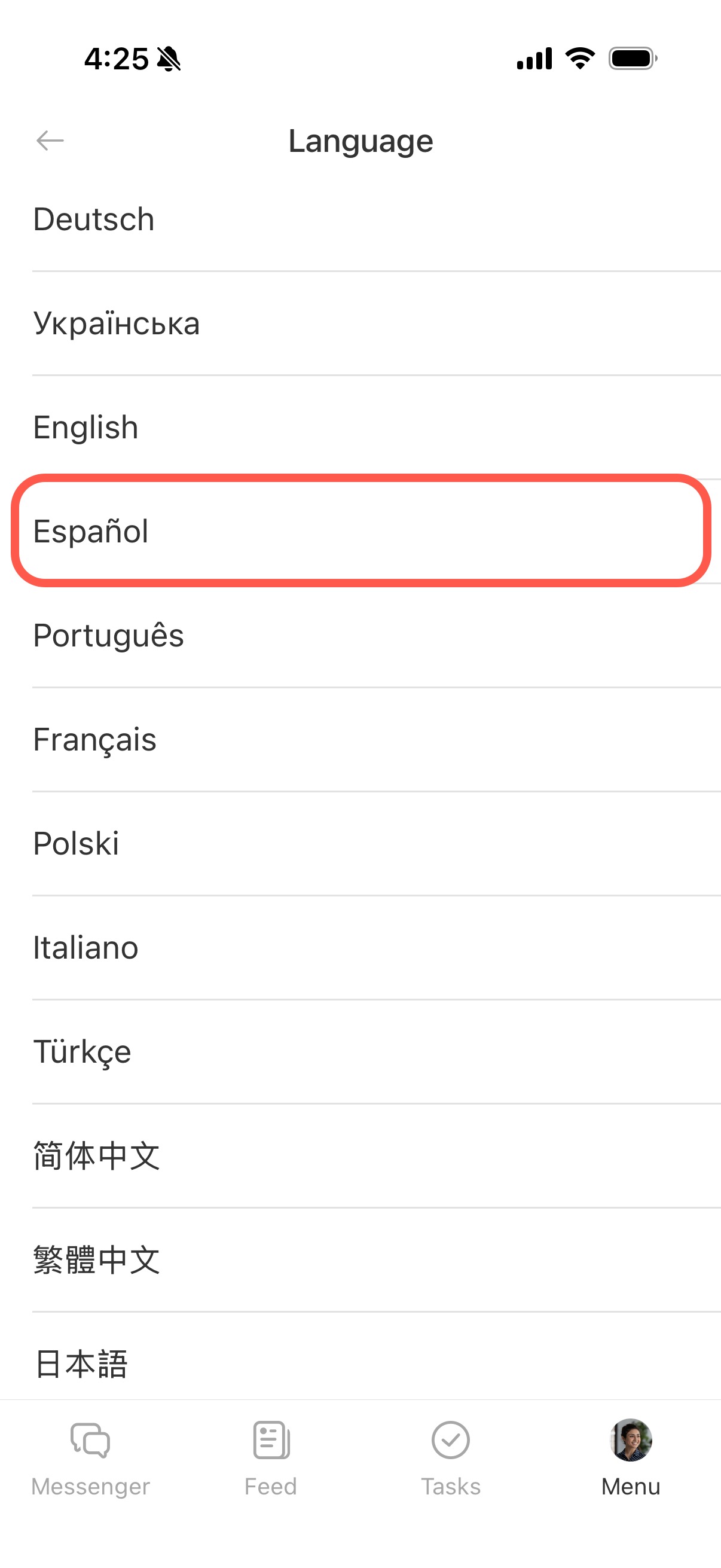
Select the language you want to use. If you choose By default, the app uses your device language.
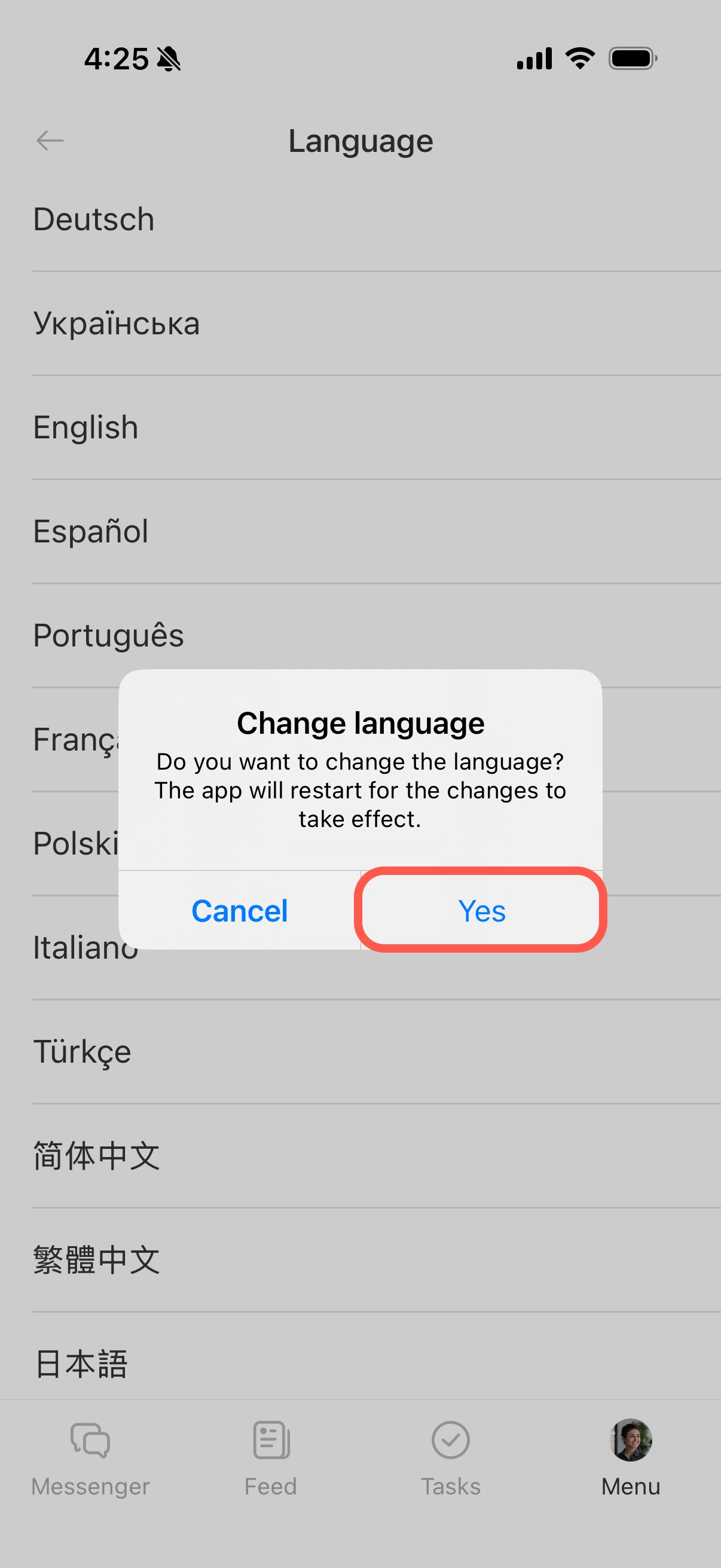
Tap Yes to confirm. The app will restart automatically and apply the selected language.