Scrum is a project management framework that breaks work into short cycles called sprints. Each sprint ends with a clear result.
Scrum tasks appear in the main task list. In the mobile app, you can manage Scrum tasks the same way as regular tasks. They look the same, so use search to find the right one by Scrum name or task name.
Open the Tasks section from the bottom menu and tap Search.
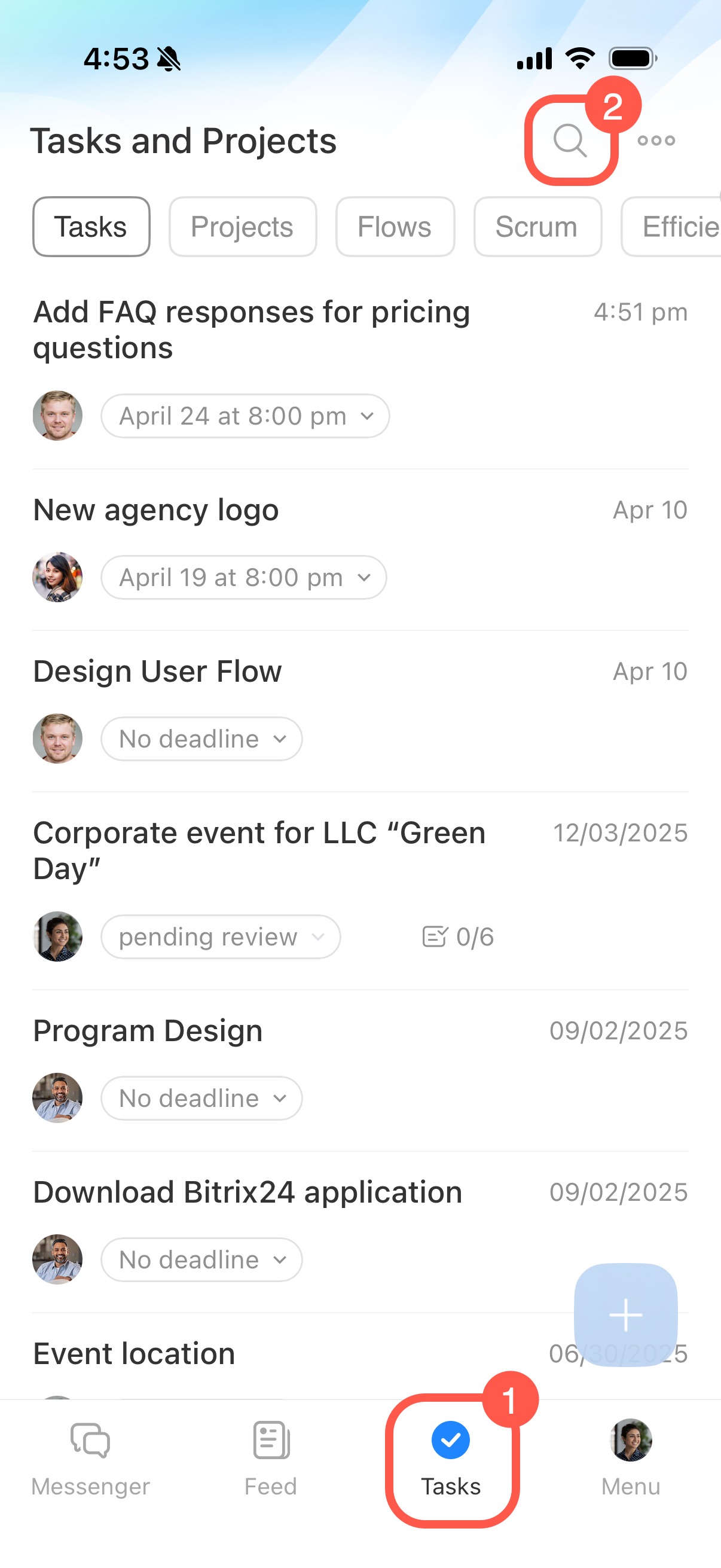
Enter the Scrum name or task name in the search field. For example, if your company has a Scrum project called Customer Support Bot, the search results show all tasks from that Scrum. The results may also include other tasks with the same words in the title.
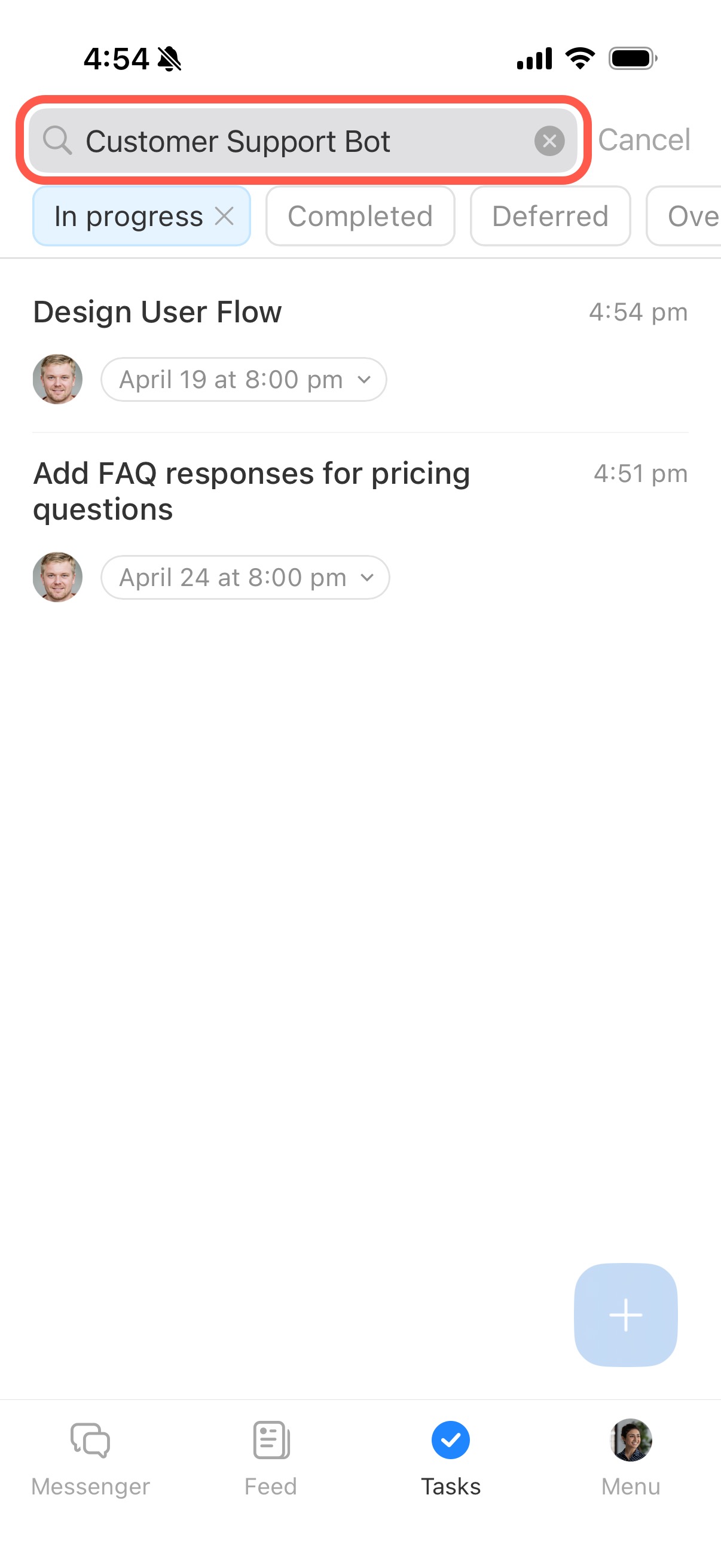
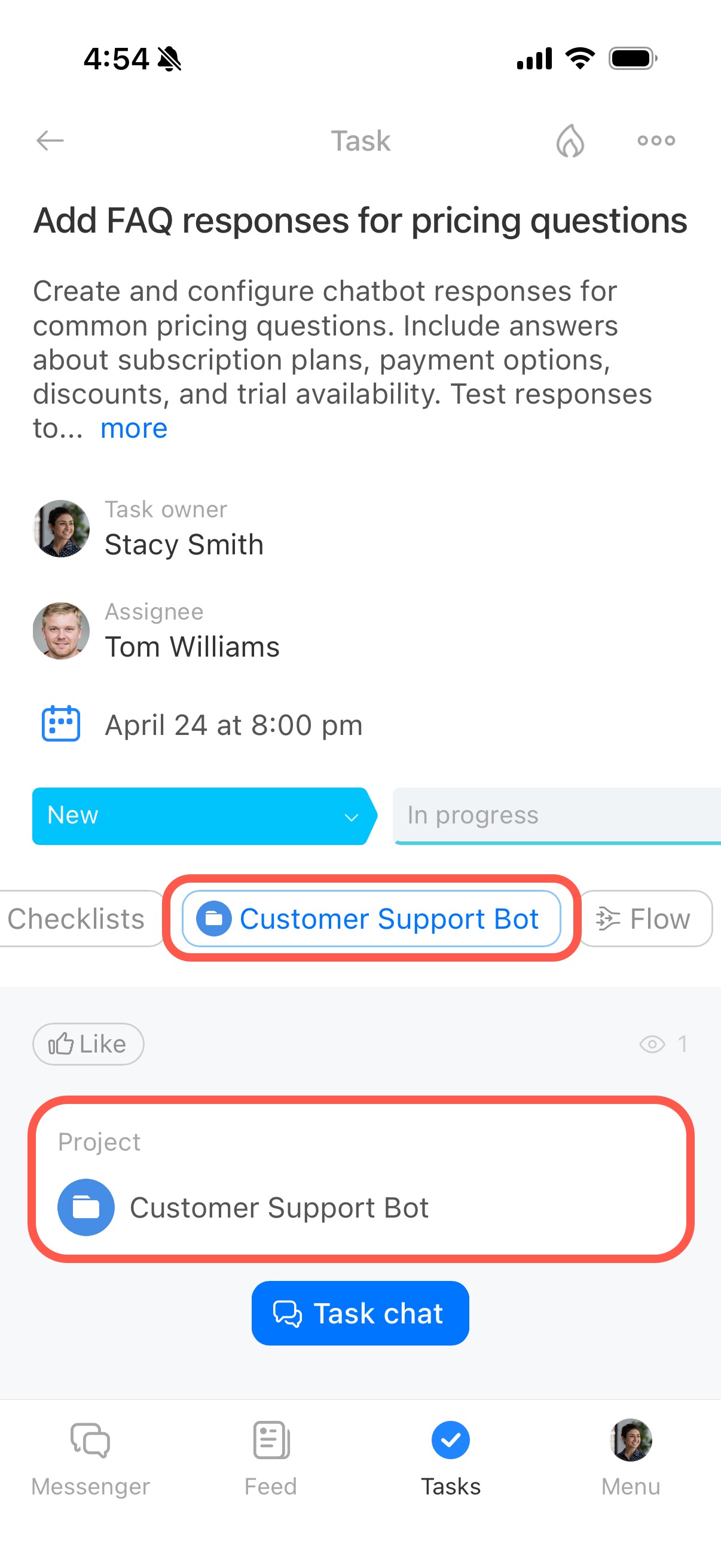
Open the task to make sure it belongs to the right Scrum. The Scrum name appears in the Projects section.