You can disconnect a branch from a branch network in these cases:
- You are switching from a paid plan to a free plan. Bitrix24 blocks connected branches, so after you disconnect the branch, it can work independently.
- You are moving a branch to another branch network. Before you connect it to a new network, you need to disconnect it from the current one.
Only an administrator of the main Bitrix24 can disconnect a branch.
To disconnect a branch:
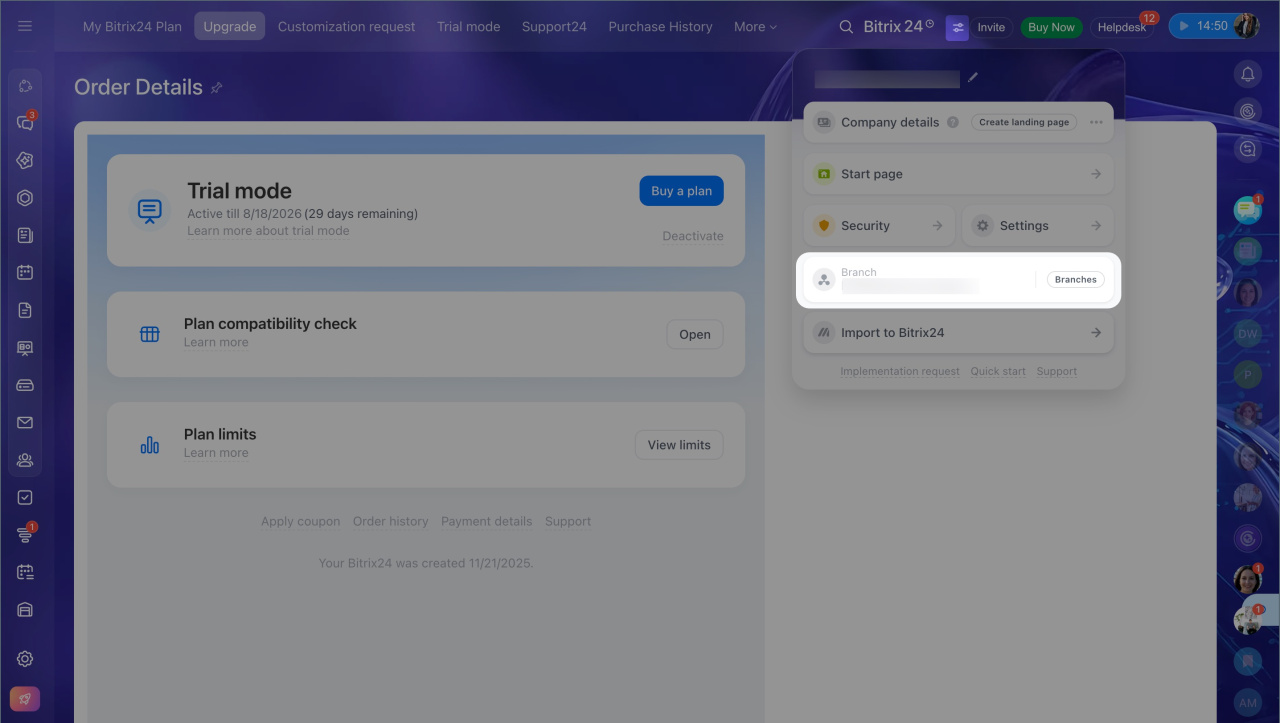
- Open the Bitrix24 widget.
- Select Branches.
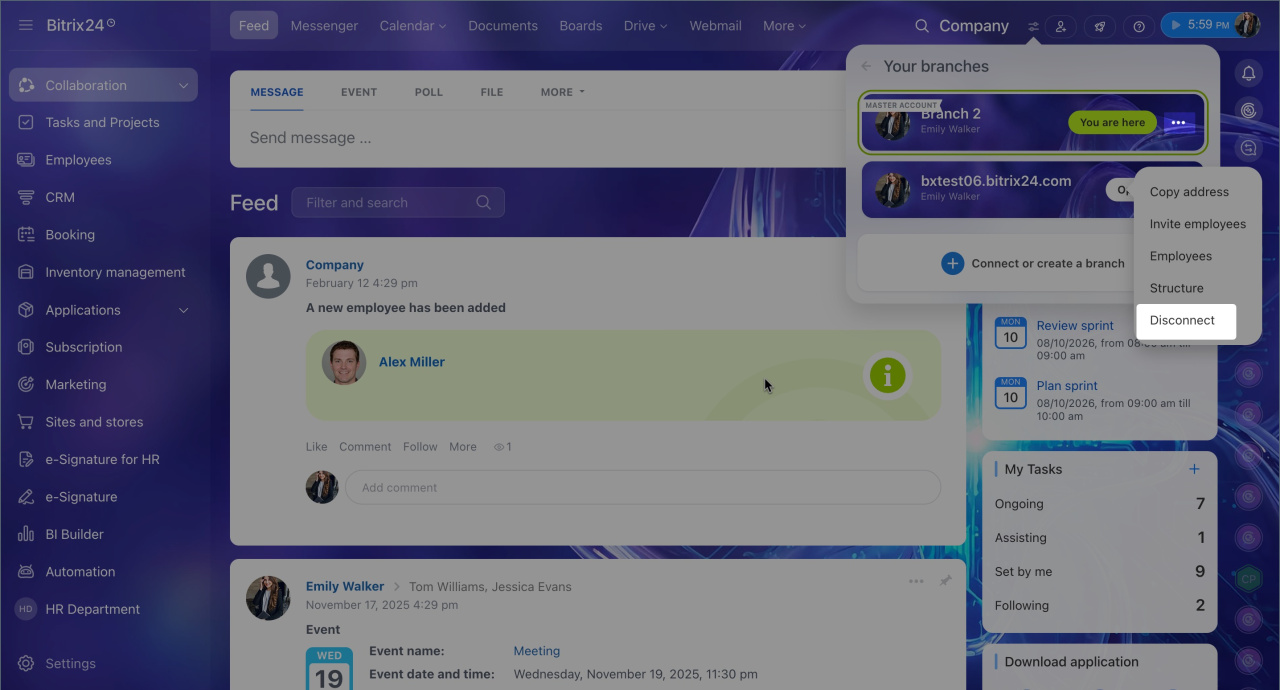
- Click Three dots (...) next to the branch you want to disconnect.
- Select Disconnect.
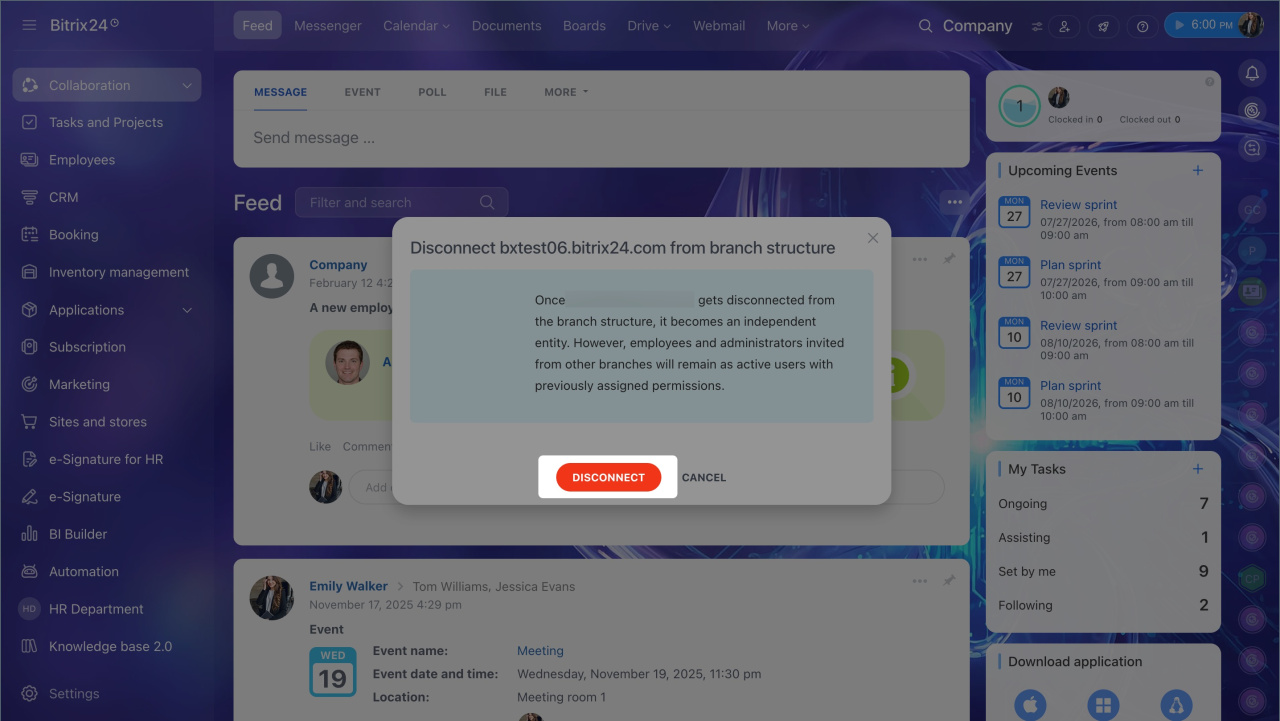
- Confirm the action in the dialog.
After you disconnect a branch from the branch network, it becomes independent. Its administrators and employees stay in the account and can keep working.