
You can connect multiple Bitrix24 accounts into one branch network. This works well when different departments already use their own Bitrix24 accounts. You do not need to create new accounts or move data.
Only an employee with administrator rights in each Bitrix24 account can connect it to a branch network. If the Bitrix24 account you connect is on a free plan, you have 15 days to switch to a paid plan. Otherwise, the account will be blocked.
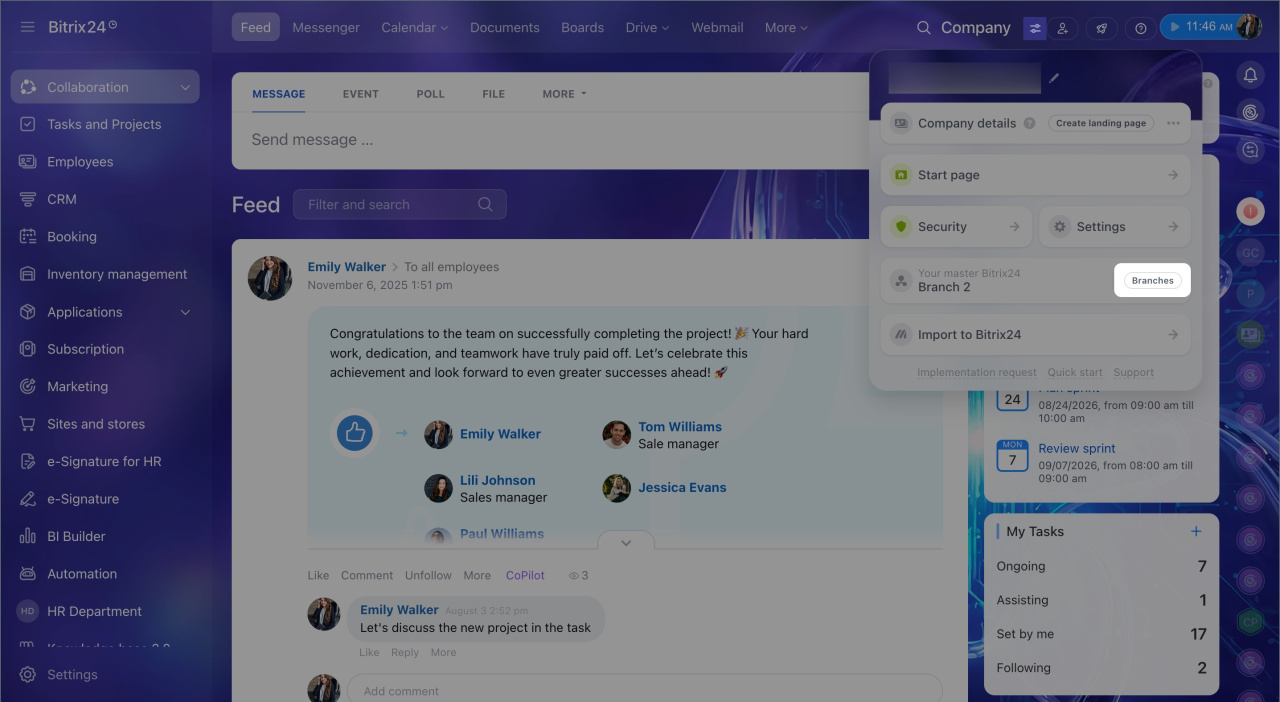
- Open Bitrix24 settings > Branches.
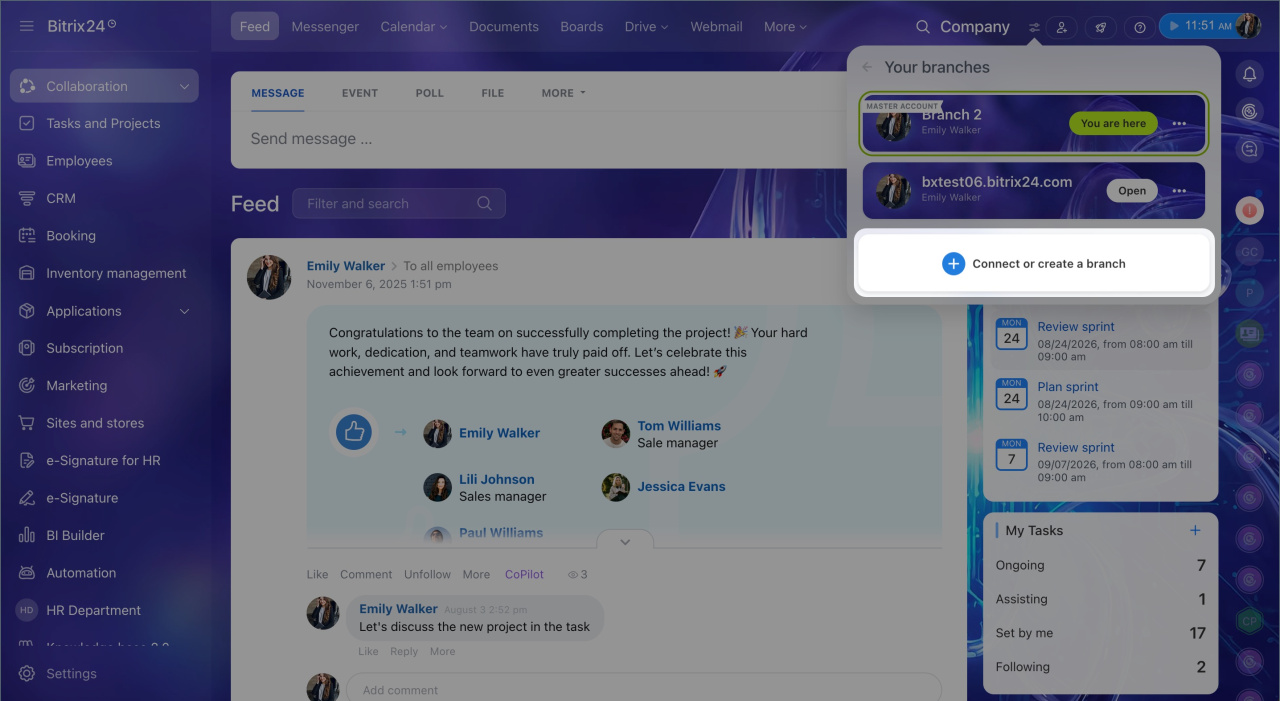
- Select Connect branches.
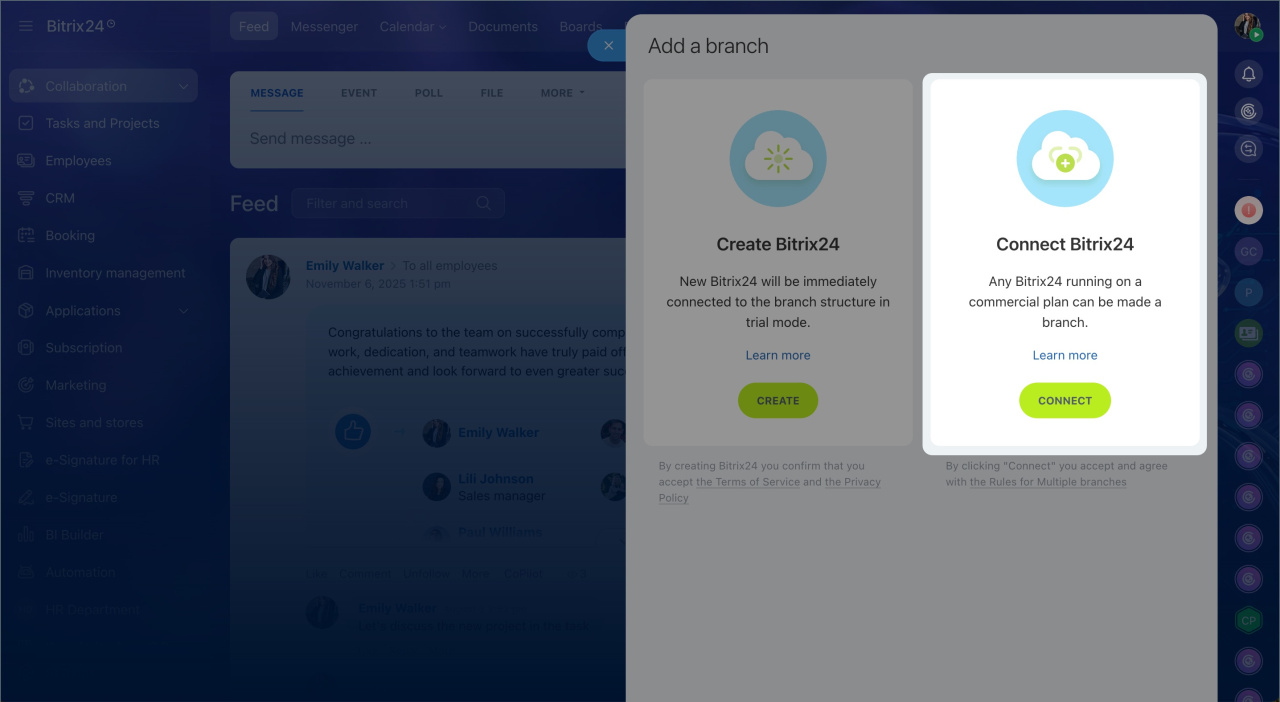
- Click Connect to link an existing Bitrix24 account.
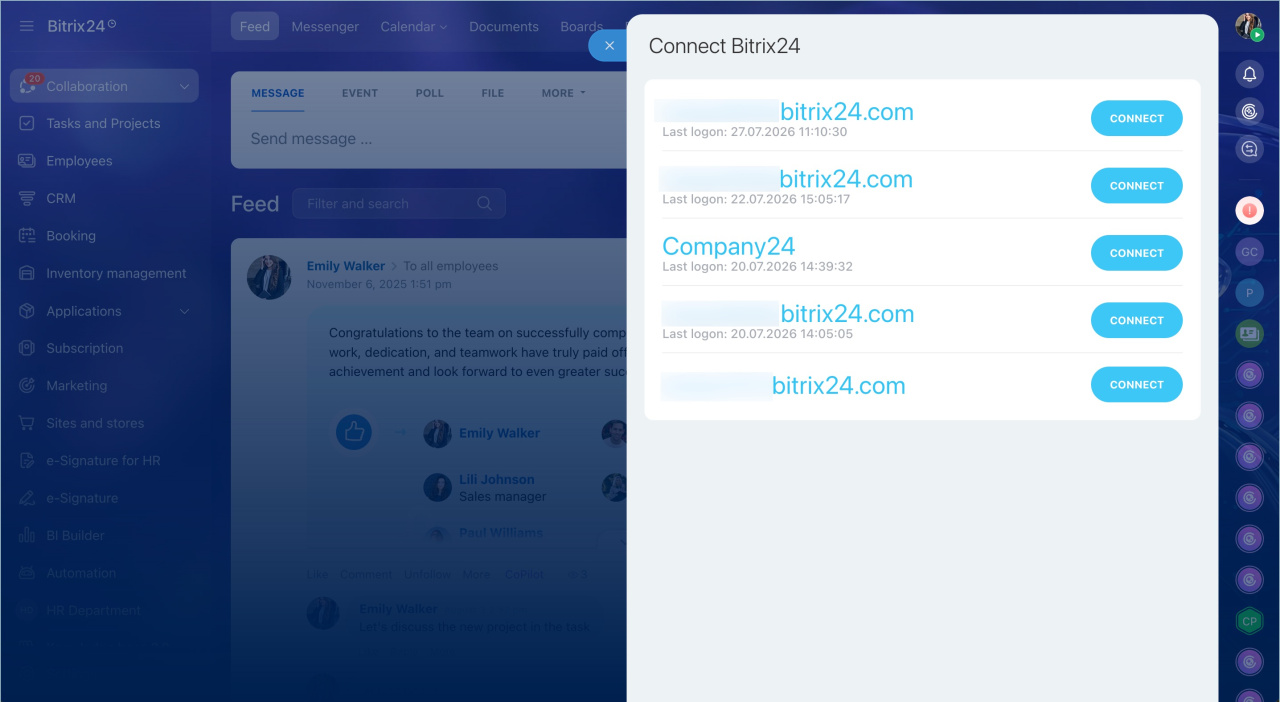
- Select the Bitrix24 account you want to connect.
The Bitrix24 account joins the branch network right away. It then appears in the Branches section of the main Bitrix24 widget.
In brief
- You can connect any existing Bitrix24 account to a branch network. Data and employees stay in place.
- You need administrator rights in both Bitrix24 accounts to connect them.
- If the Bitrix24 account you connect is on a free plan, you have 15 days to switch to a paid plan. Otherwise, the account will be blocked.
- All branches appear in the main Bitrix24 widget.