
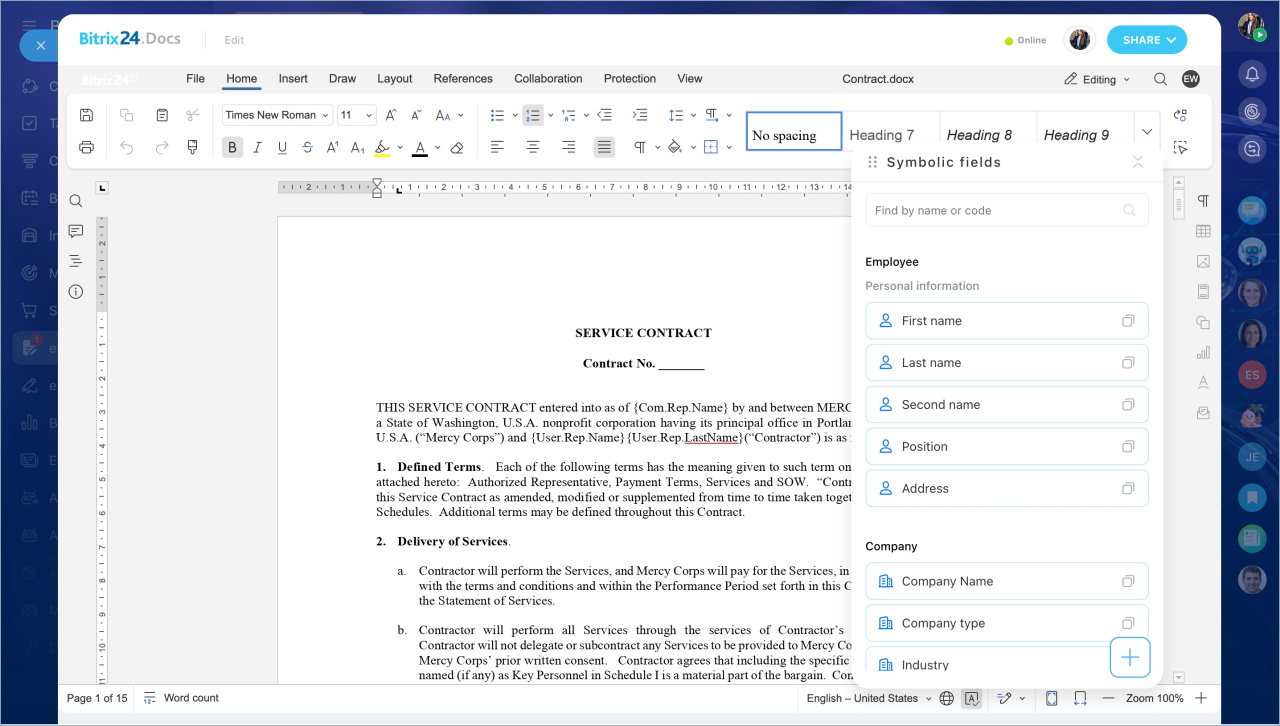
e-Signature for HR includes an online document editor. HR specialists can prepare a document for signing without leaving e-Signature for HR. You can edit text, add symbolic fields for auto-fill, and send the document for signing in one window. You do not need to download the file, edit it, and upload it again.
Open the document editor
You can open the document editor in e-Signature for HR from several places.
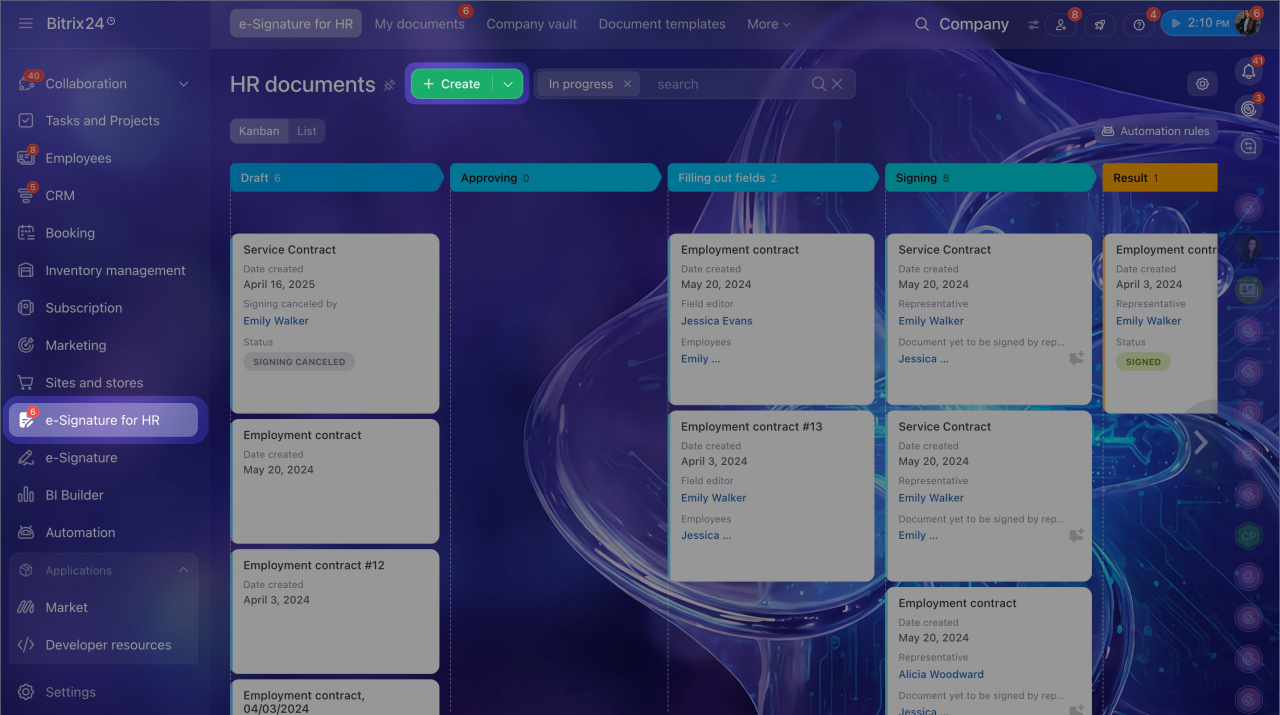
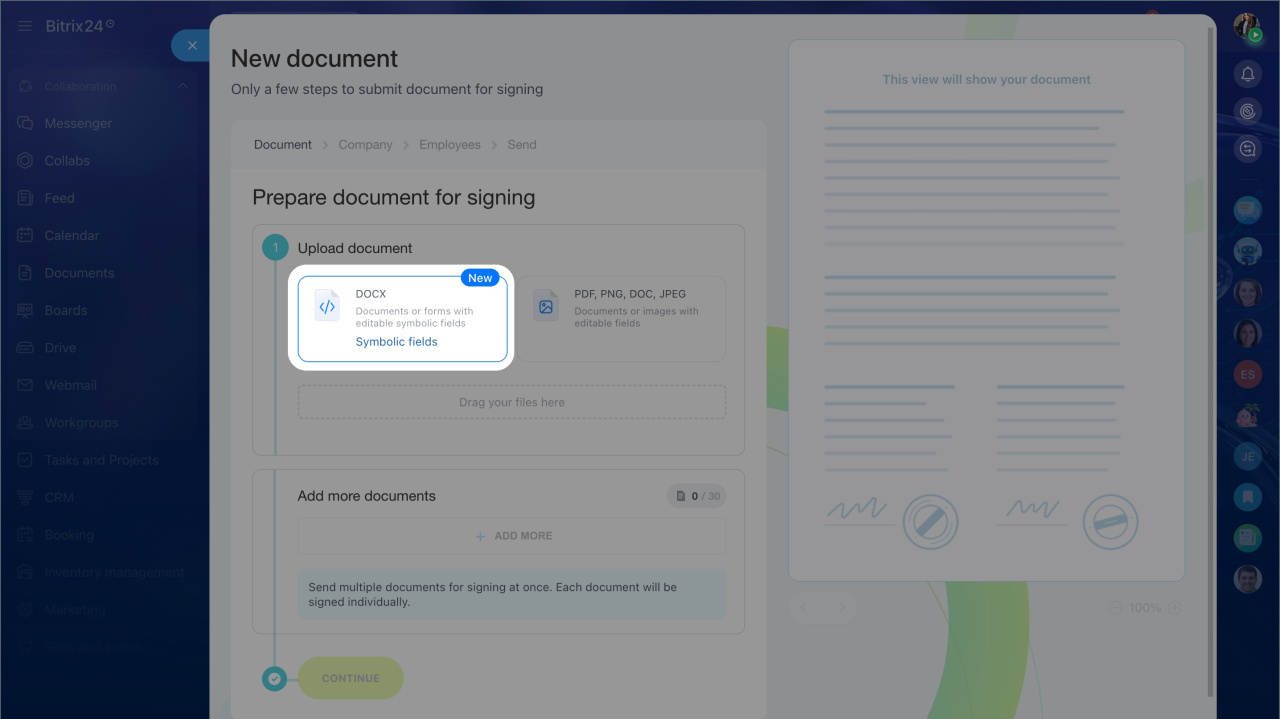
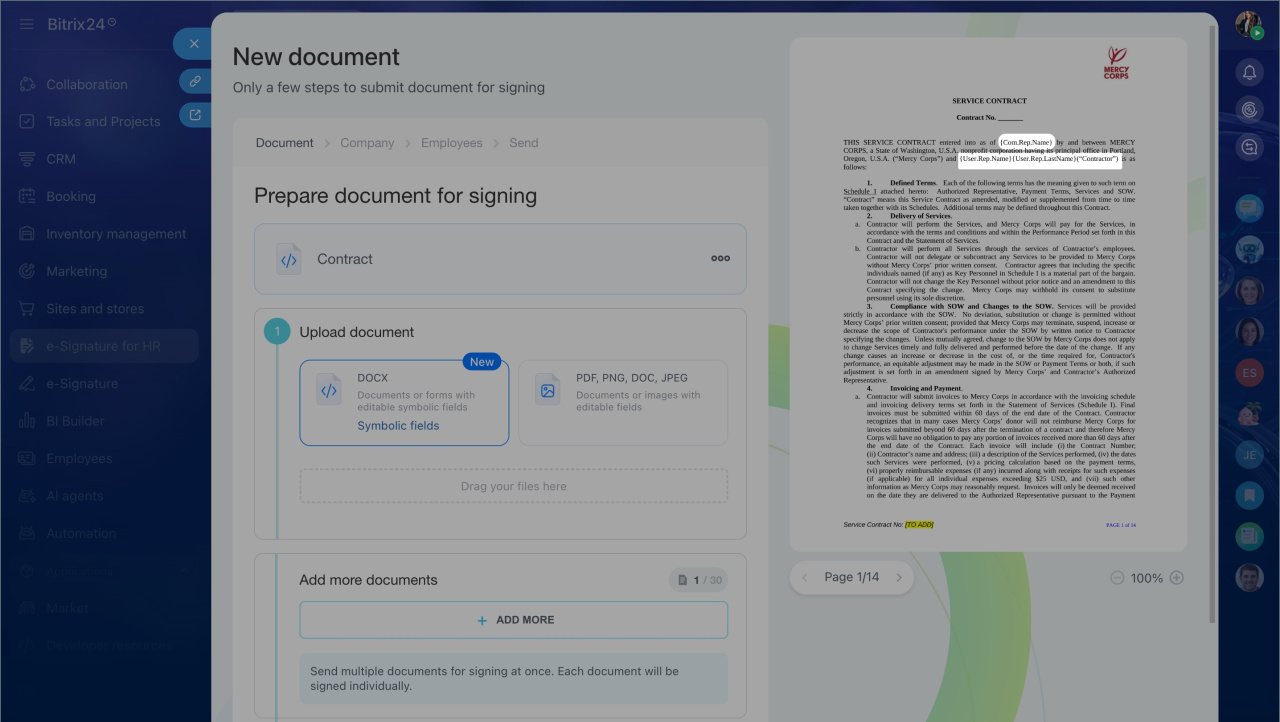
When creating a new document. e-Signature for HR > Create > DOCX > Three dots (...) > Edit
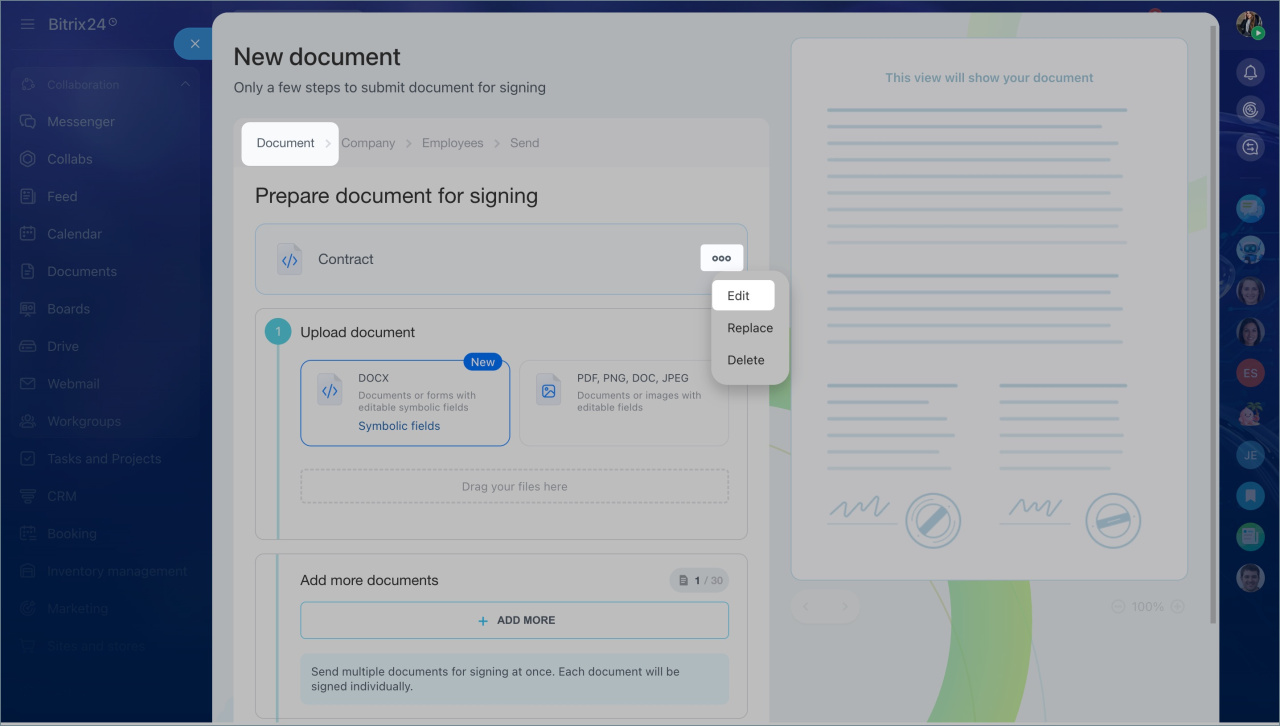
When sending a document. To edit the document, click Edit.
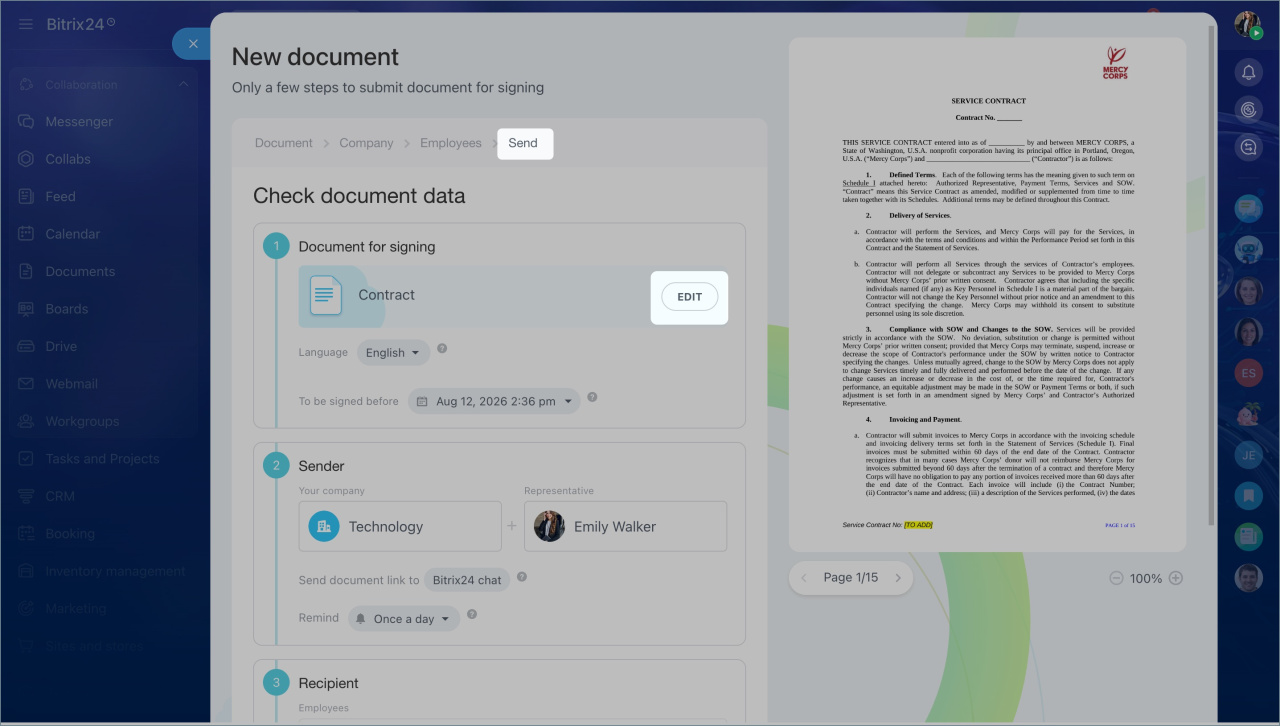
Edit a document
You can edit document text and insert symbolic fields at the same time. Symbolic fields are special placeholders that the system automatically replaces with employee or company data. If you need a different data format, add a modifier to the code.
When an employee receives a document, the symbolic fields are automatically replaced with actual data. The text also adjusts to fit the length of the values. You do not need to guess how much space a name, job title, or other value will take.
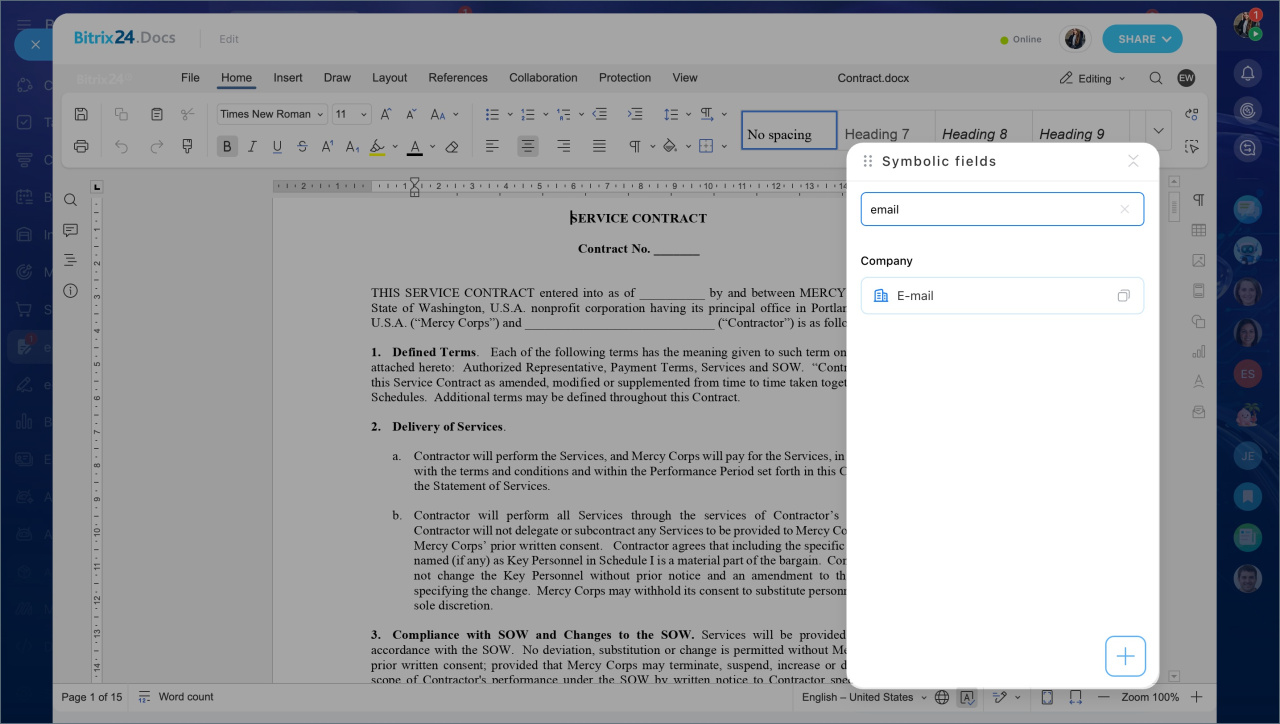
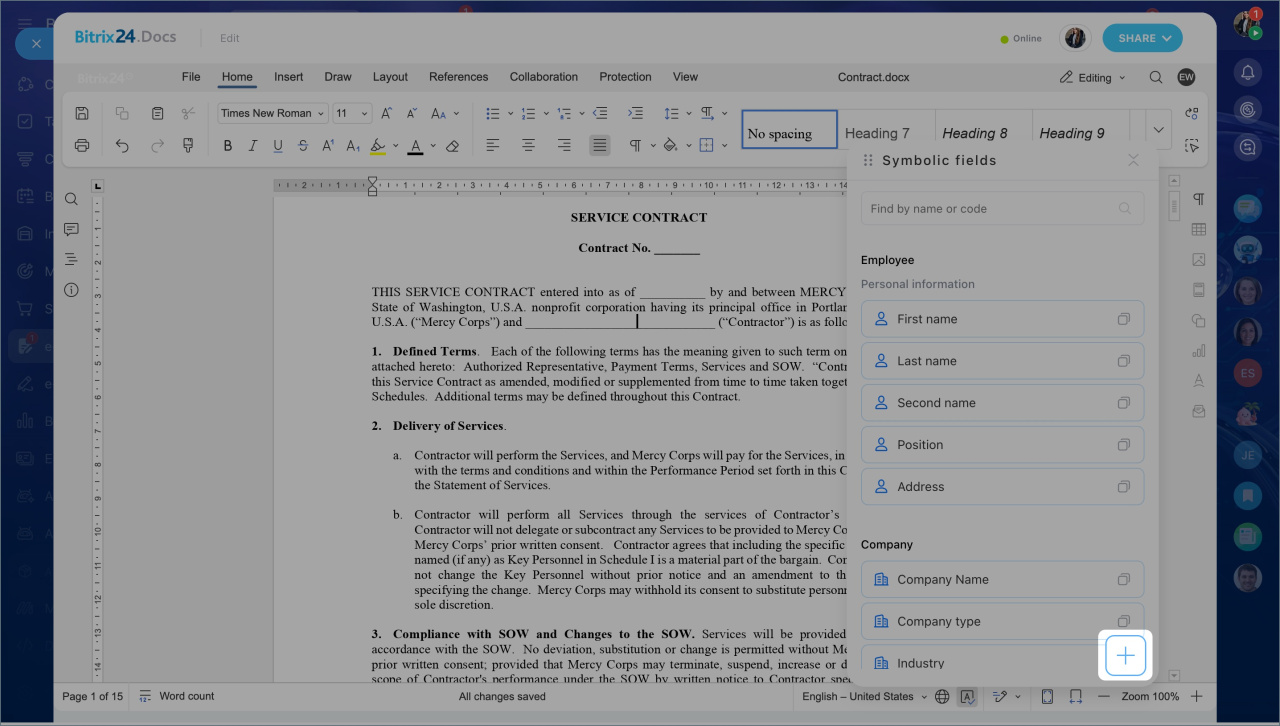
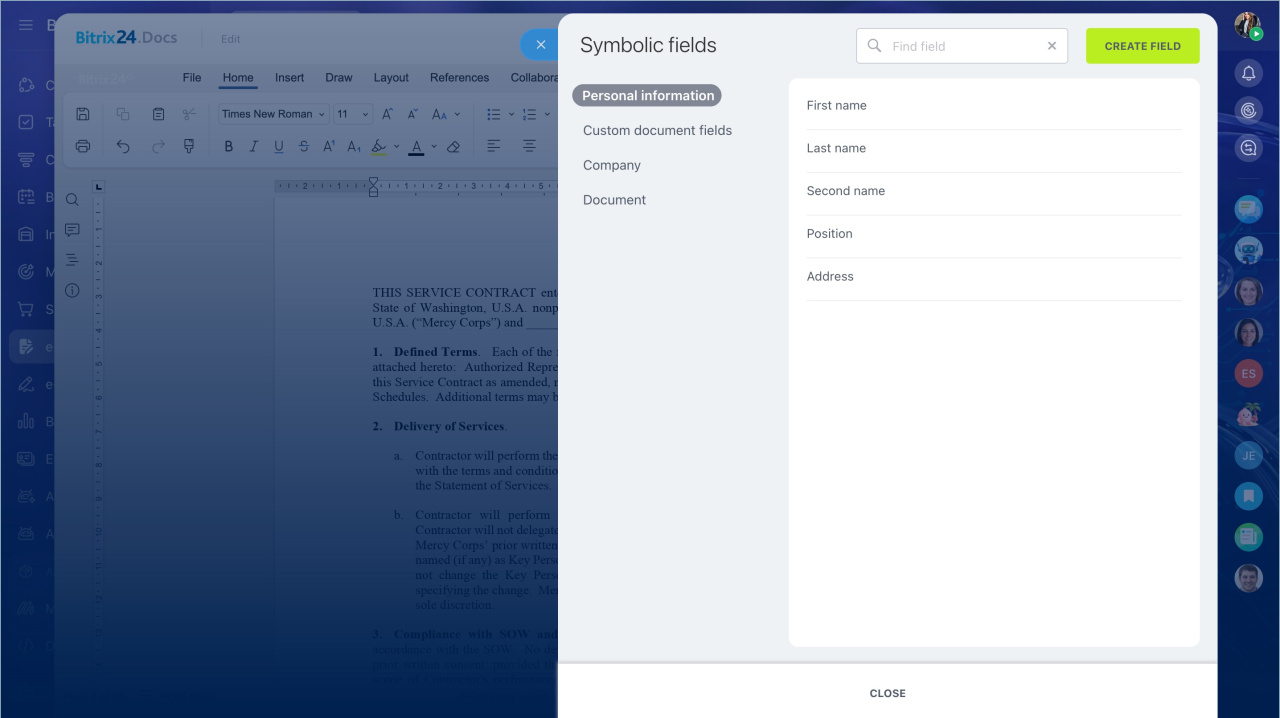
The code list opens automatically. Fields are grouped by section, such as employee personal information, representative data, company data, and document information.
To add symbolic fields:
1. Find the field you need by name or code.
2. Click the copy icon next to the field.
3. Place the cursor where you want in the document and paste the code. The mnemonic code appears.
4. Add a modifier if you need to change the data format.
5. If the field you need is not in the list, click Plus (+) at the bottom of the list.
6. Select Create field and fill in the settings. You can only create fields for Bitrix24 data.
7. Close the editor. The document saves automatically. The version with symbolic fields appears on the right side of the page.
8. Click Continue.
After that, you can send the document to employees for signing.
Send HR documents for signing using Bitrix24 e-Signature for HR
In brief
- e-Signature for HR includes an online document editor. Use it to edit text, add symbolic fields, and send the document for signing in one window.
- You can open the editor when creating or sending a document.
- In the editor, you can edit document text and insert symbolic fields at the same time.
- If you need to change the data format, add a modifier to the code.
- You can add data from Bitrix24 fields. The field list is grouped by section.
- When you close the editor, the document saves automatically.
- The sender sees symbolic fields in the document, but signing participants receive the document with all data already filled in.