
Bitrix24 includes five task views: List, Deadline, Planner, Calendar, and Gantt.
List view
The task page opens in List view by default. This view shows the most complete task data, including activity, title, status, and deadlines.
You can sort tasks by any column. Select a column header to reorder the list based on that field.
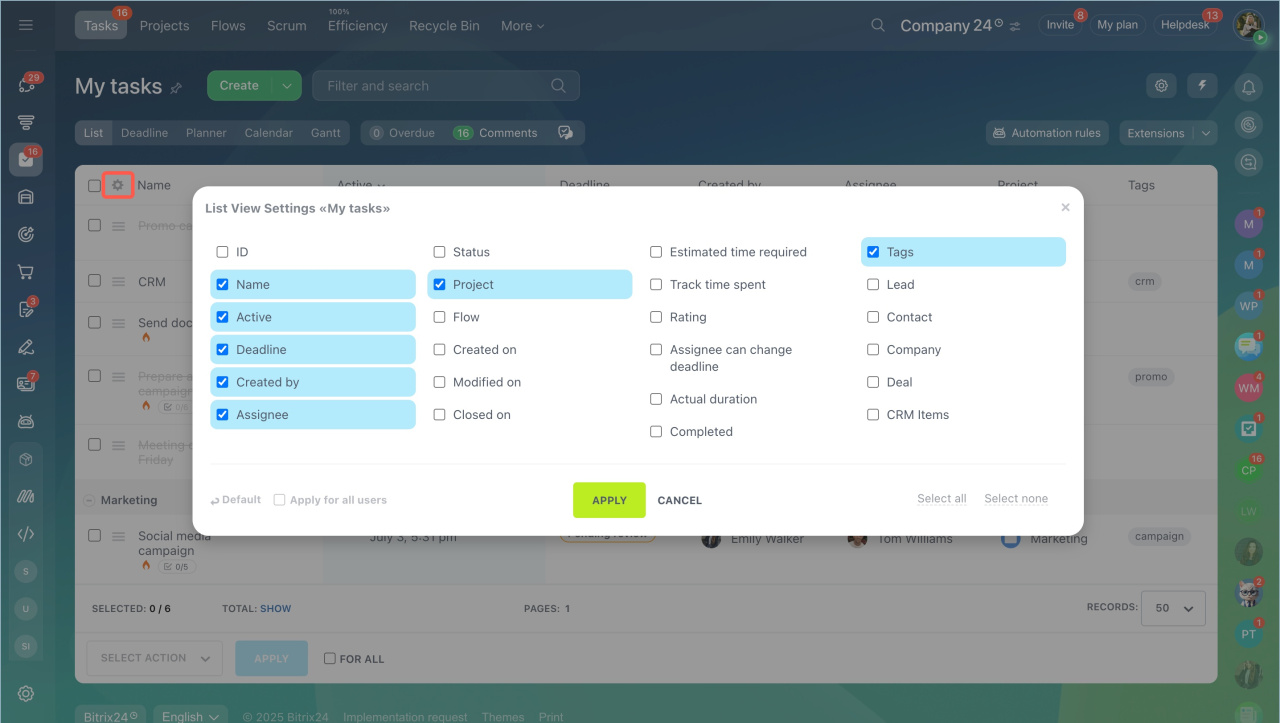
Configure the List view
Customize the columns to show only the data you need.
- Select the Settings icon in the top-left corner of the list.
- Choose the fields you want to display as columns.
- Save your changes.
Search for tasks
Use filters and search tools to find tasks quickly.
Use filters and search tools to find tasks quickly.
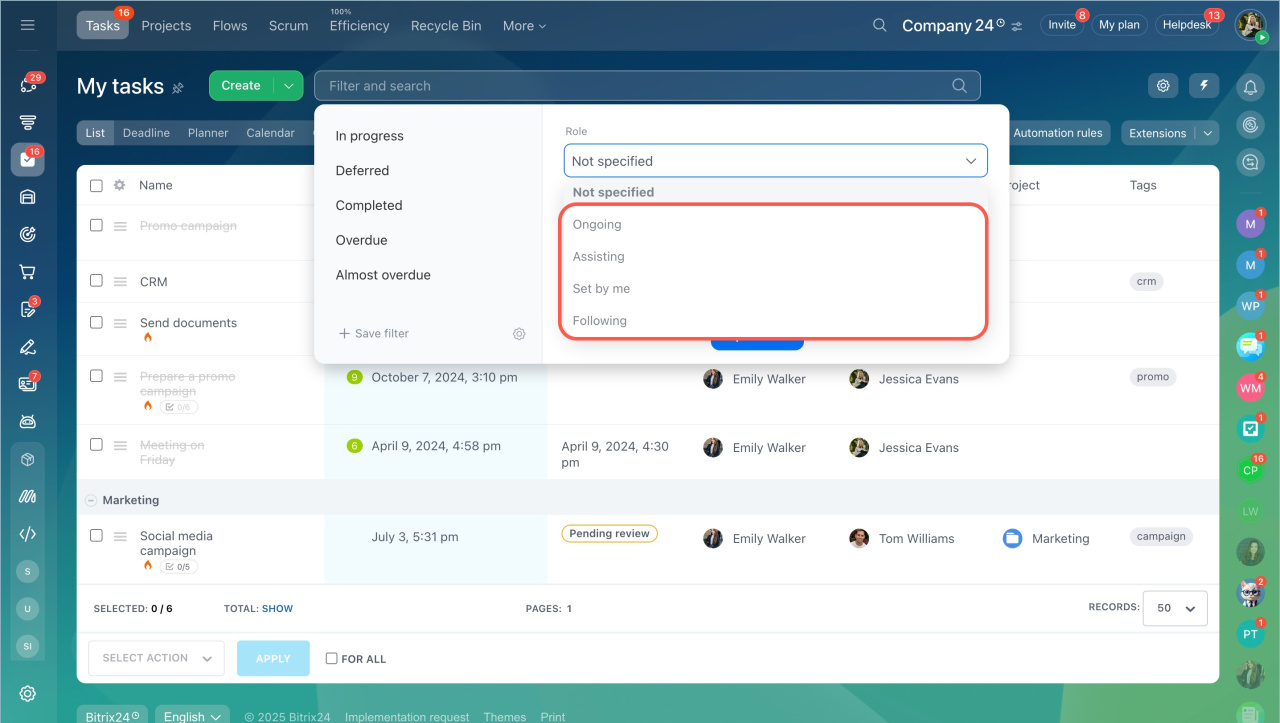
Search by role
Filter tasks based on your role:
- Ongoing
- Assisting
- Set by me
- Following
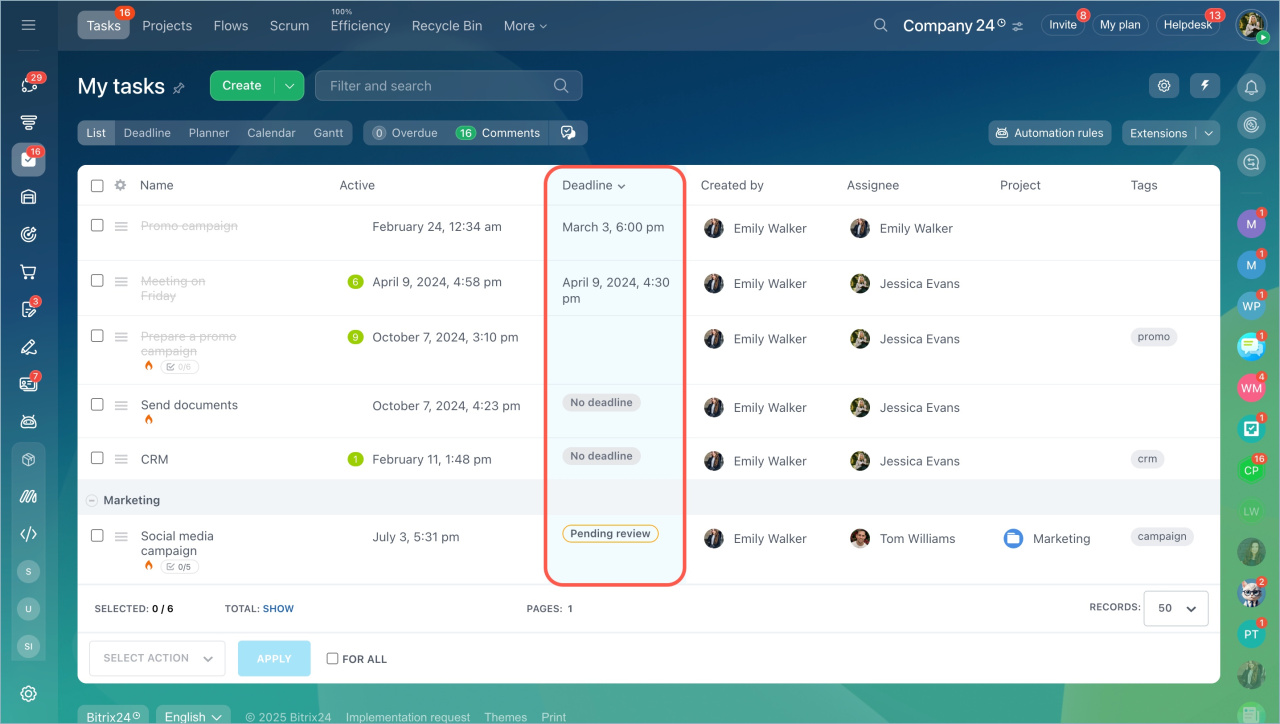
Sort tasks
By default, tasks are sorted by activity (recent updates appear first).
To change sorting, select any column. For example, select Deadline to sort by due date.
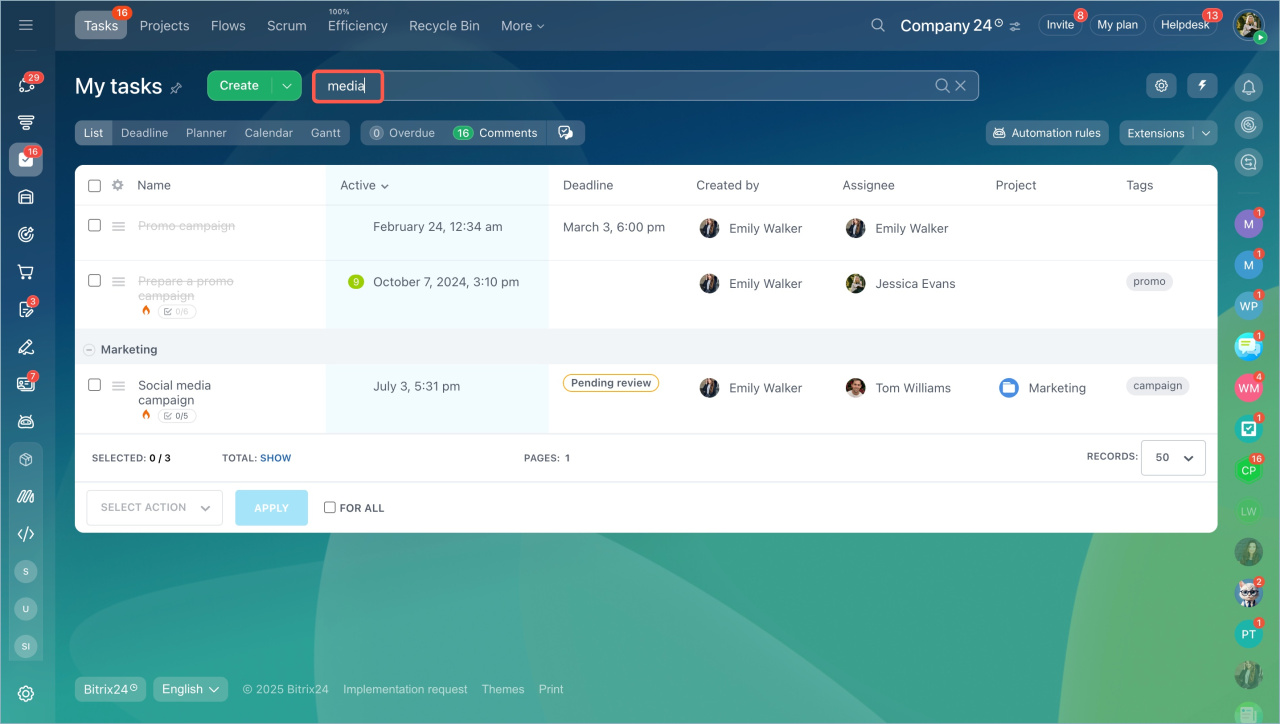
Quick search
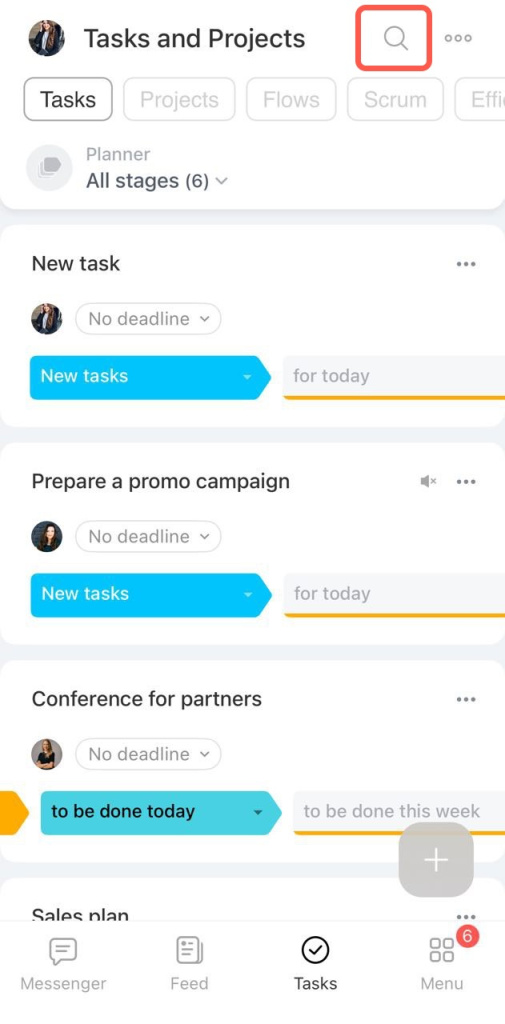
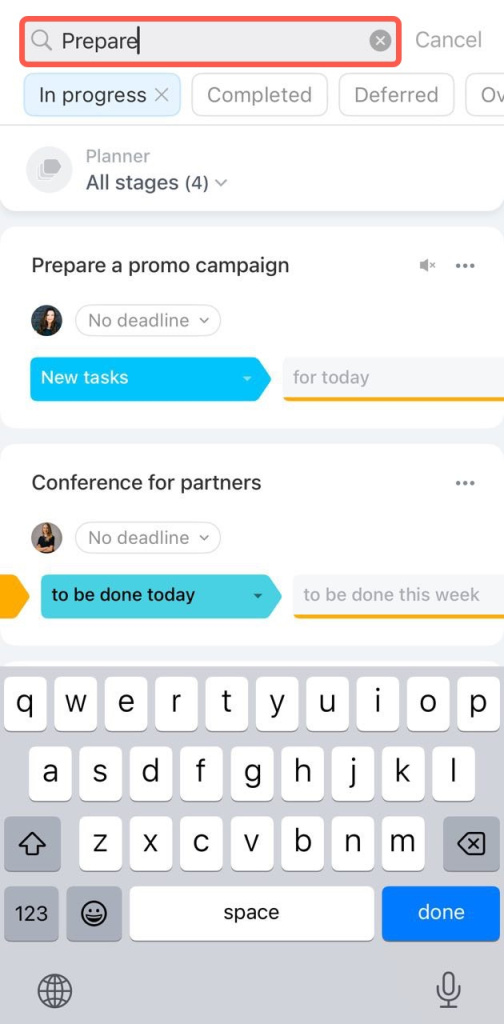
Tap the search bar and enter the task name.
Search by status
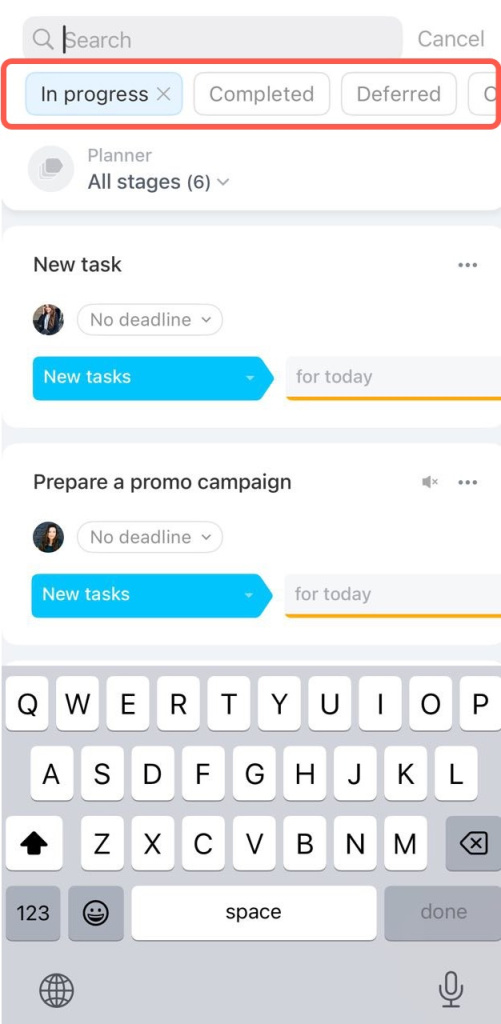
Tap the search bar and choose a status from the horizontal menu.
Sort tasks
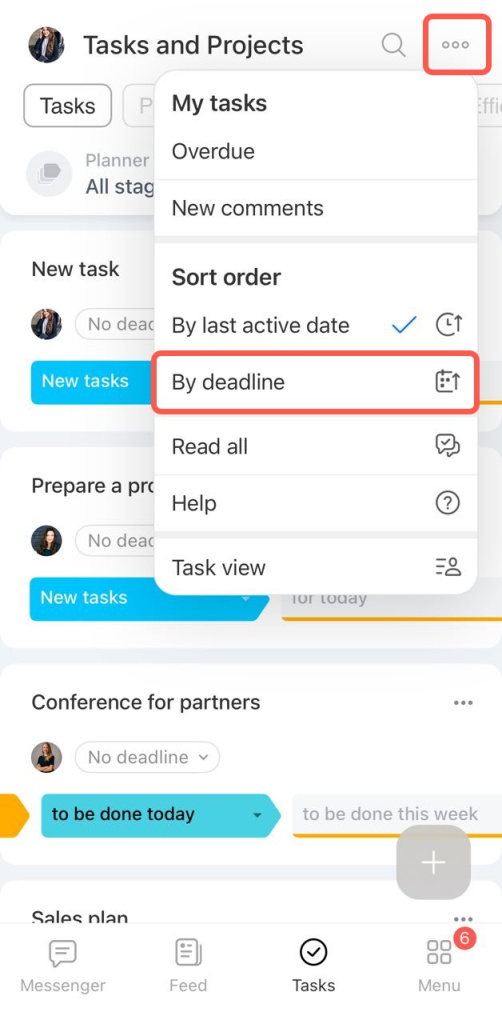
Tasks are sorted by activity by default.
To change this:
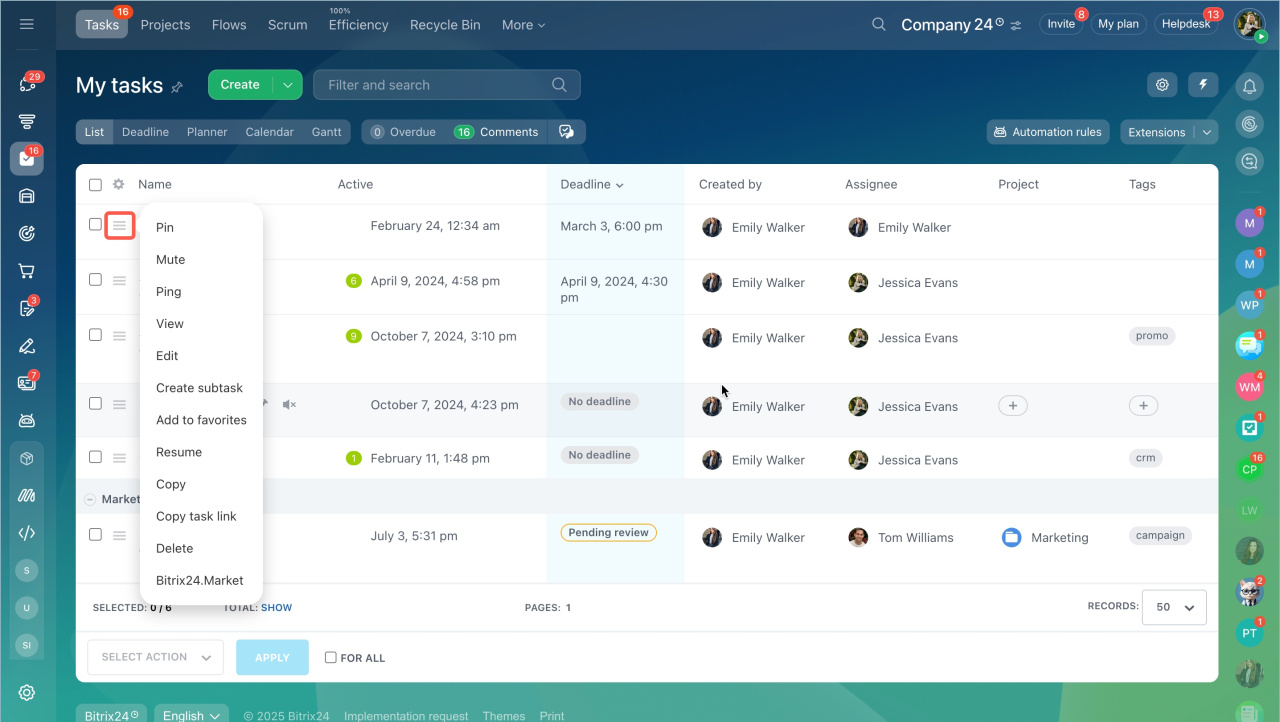
Quick actions in the list
You can perform some actions on tasks in the list without opening the task.
- Tap the menu icon (three dots) in the top-right corner.
- Select By deadline or another sorting option.
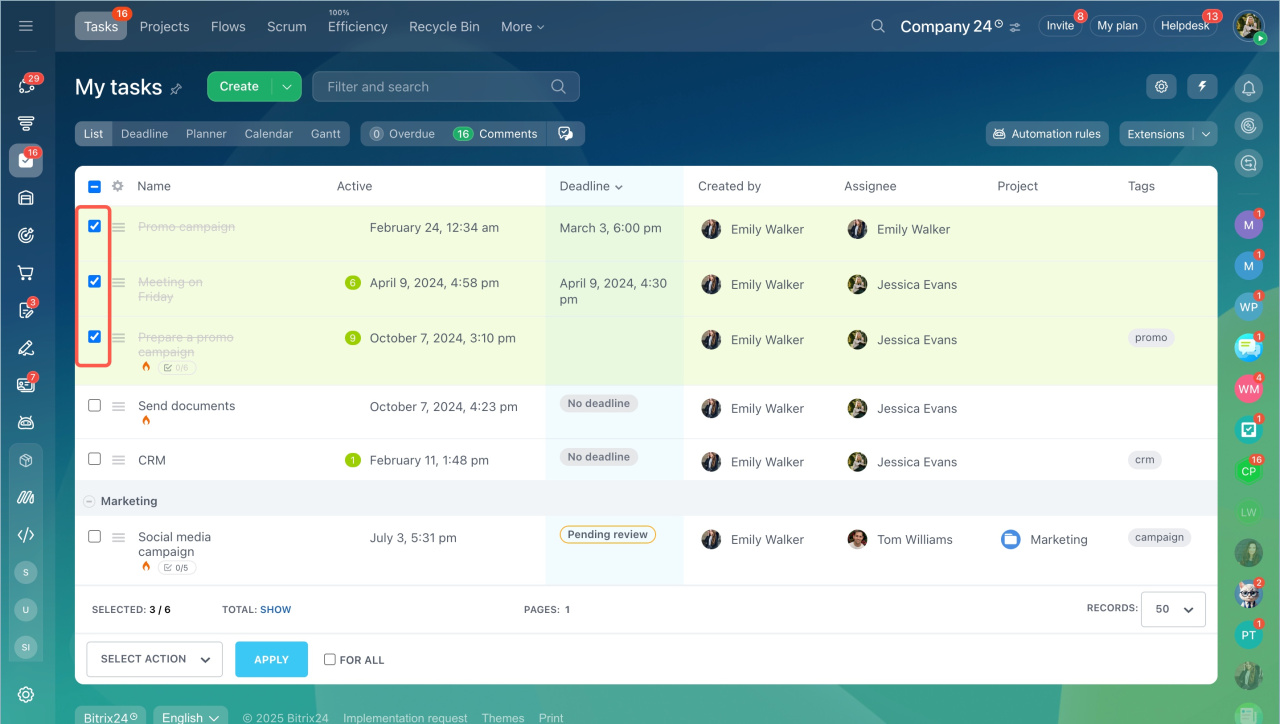
If you need to perform an action on several tasks, use a group action. Select the tasks from the list, select an action and click Apply.
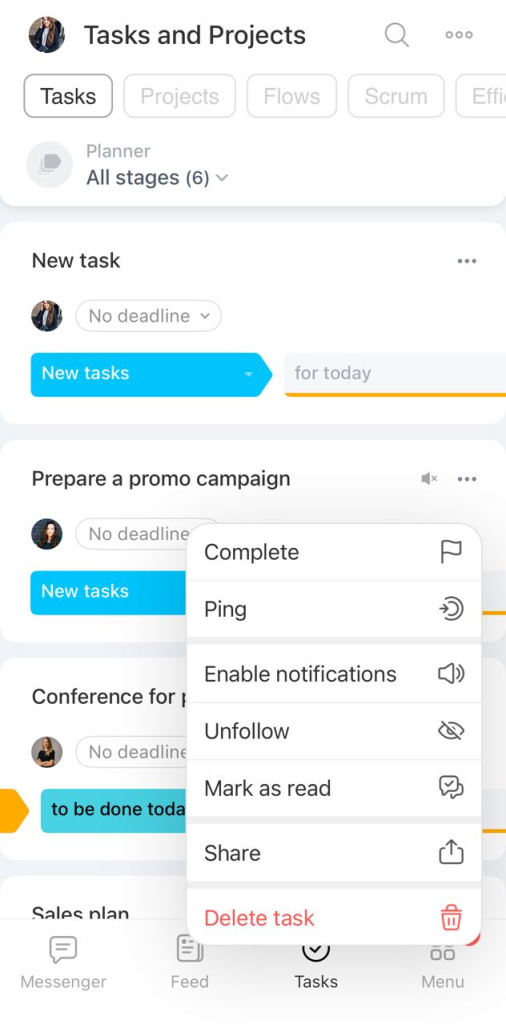
A long press on a task in the list will open the action menu.
- The List view focuses on task activity and key details.
- It is available in both web and mobile versions.
- Use filters and sorting to find tasks faster.
- You can perform actions directly from the list, such as pinning a task, sending a ping, or adding a subtask.