
Alaio Vibecode is a platform for building apps and chatbots that work with your Bitrix24 data. Ready-made solutions get automatic access to CRM, Tasks, Chats, Drive, and other tools. You do not need to set up access or sync data manually.
In this article:
- Access Alaio Vibecode
- Programming skills required
- Vibecode vs Market, automation rules, and Workflows
- AI agent supported languages
- Security in Alaio Vibecode
- What to do if an access key is compromised
- Pricing and free trial
- Is the Vibe balance personal or shared?
- What happens when the Vibe balance runs out
- When purchased Vibes expire
- Subscription refunds
- How long it takes to create an app
- How to edit or delete an active app
- What to do if the AI agent misunderstood the task
- How to describe a task to the AI agent
- Can you publish an app to the Market?
- What to do if an app will not open
- What to do if the AI agent stops responding
- Can you work with Market apps through Vibecode?
Access Alaio Vibecode
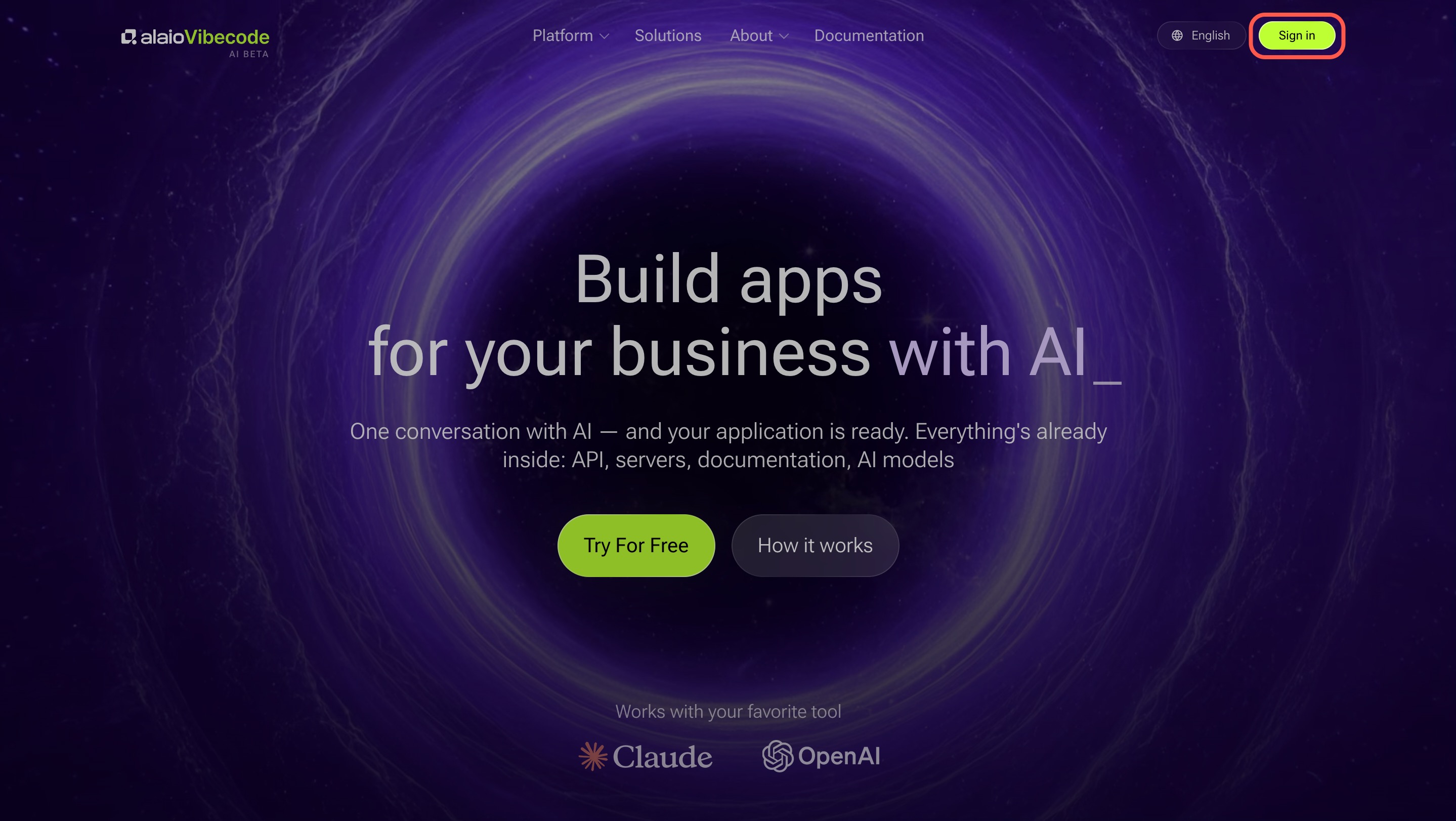
To get started, open the Alaio Vibecode website.
1. Click Sign in.
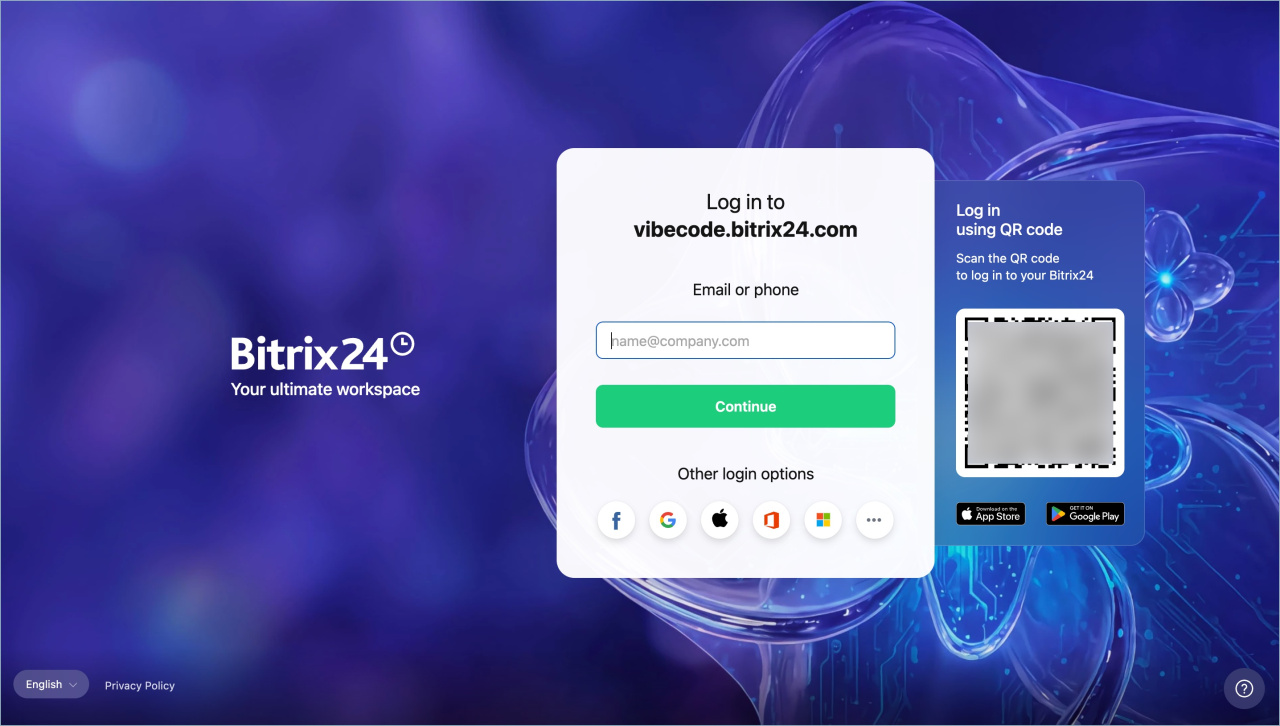
2. Sign in to Bitrix24 using any available method, such as a QR code.
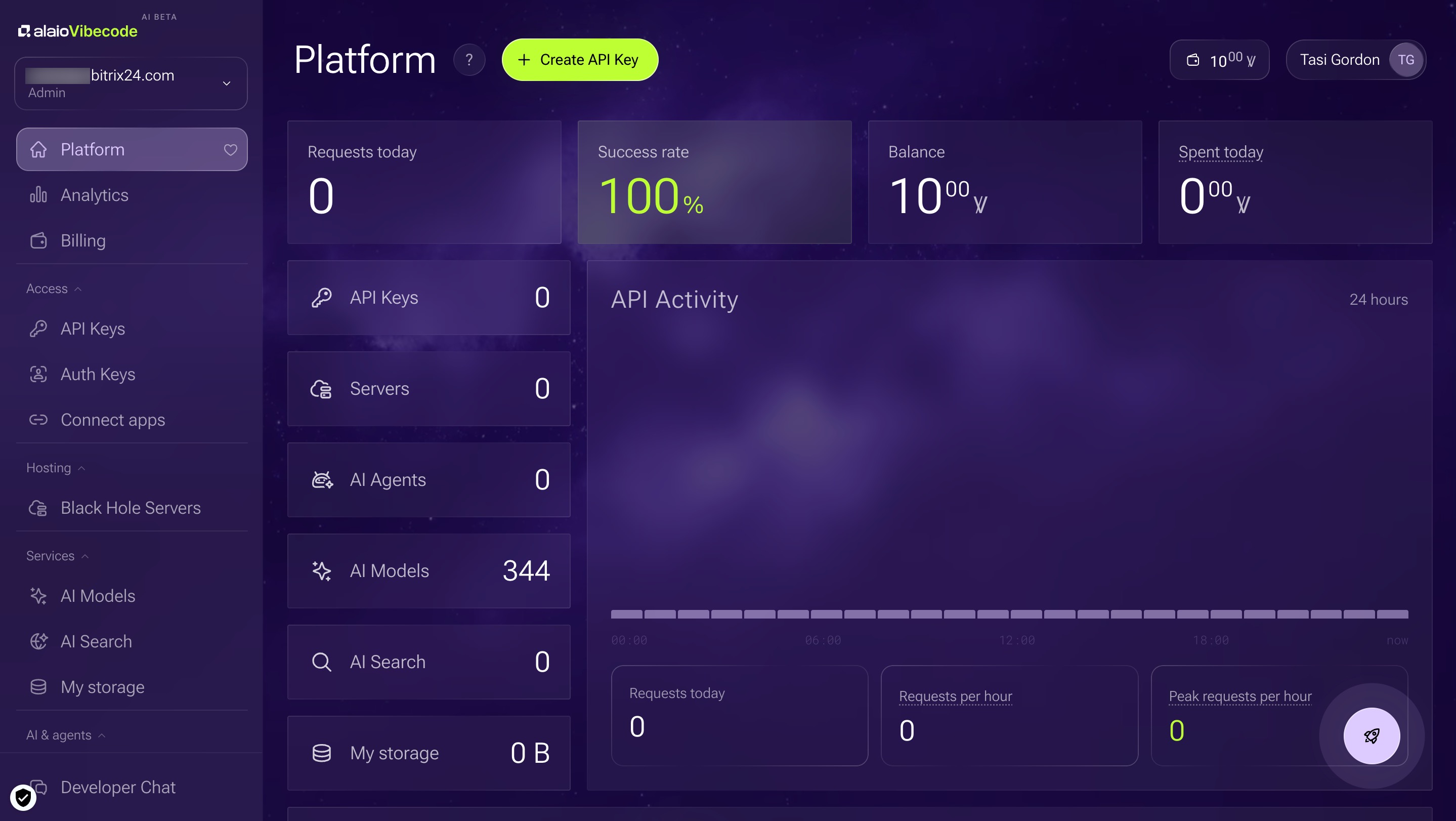
3. Alaio Vibecode opens. You can now build your own apps.
Alaio Vibecode: Getting started
Programming skills are not required to use Alaio Vibecode
You do not need programming skills to use Vibecode. Describe the task clearly, just as you would explain it to a teammate. The AI agent will build and launch the app for you.
How Vibecode differs from the Market, Automation rules, and Workflows
The Market is a catalog of ready-made apps for common tasks. Alaio Vibecode is a platform for building an app specifically for your task.
Automation rules and Workflows handle standard automation already built into Bitrix24, such as sending an SMS or moving deals between stages. Alaio Vibecode is for tasks that ready-made tools do not cover. For example, if you need a chatbot that checks warehouse stock and replies to a manager directly in Bitrix24, you can build it with Alaio Vibecode.
Languages supported by the AI agent
You can describe tasks in English and other language.
Security in Alaio Vibecode
Client data, deals, and messages stay in your Bitrix24 account. Alaio Vibecode accesses them through a secure channel. It does not copy or share them with third parties.
Each app server is hidden from the public internet. It does not have a public IP address. The only way to reach it is through the internal Alaio Vibecode tunnel.
What to do if an access key is compromised
If you think someone else may have your key, delete it right away.
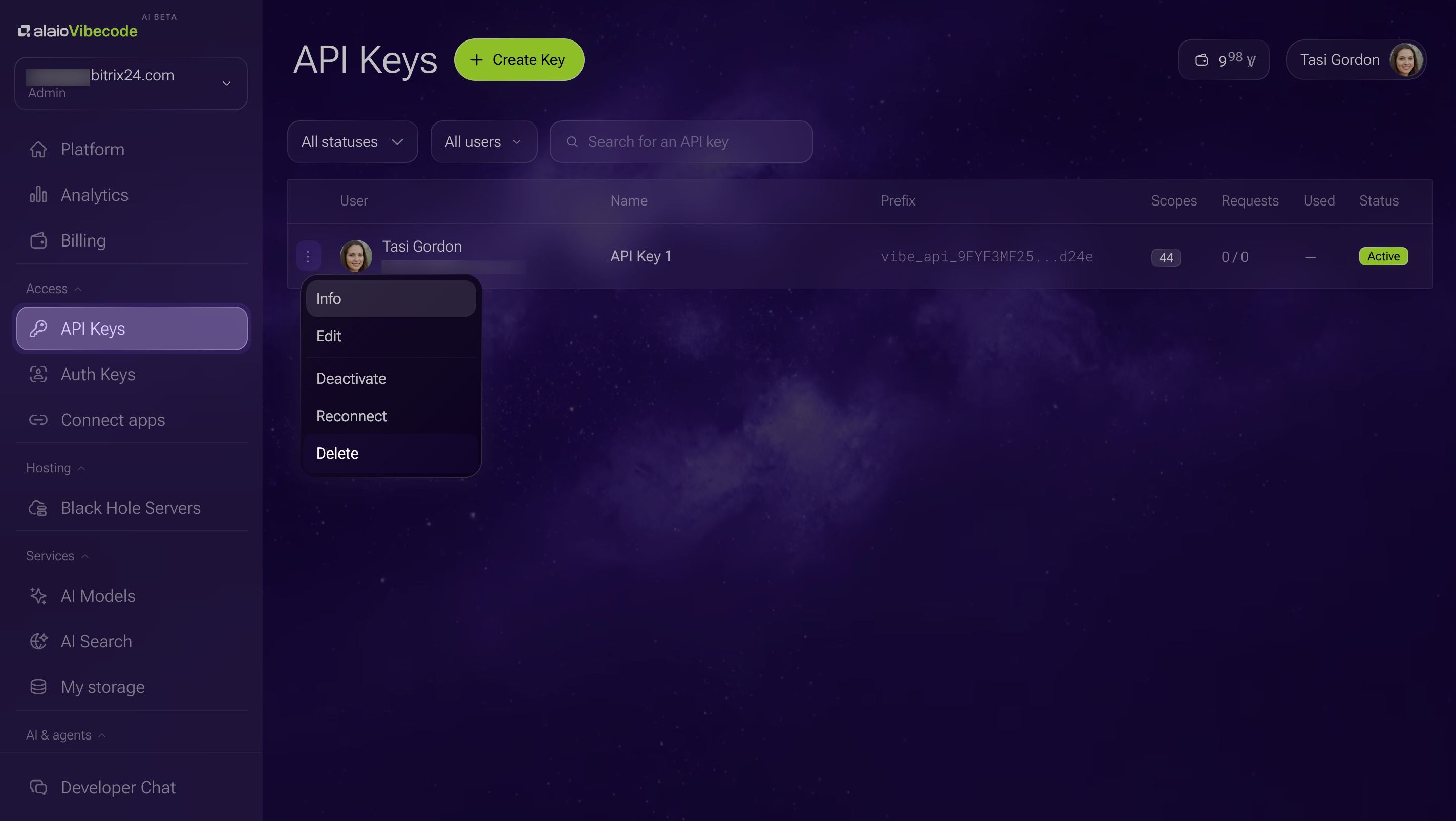
1. Go to the API Keys section.
2. Click the Three dots (...) next to the key you want to revoke.
3. Select Delete. You cannot restore a deleted key.
Then create a new key and update it in every app that used the old one.
Pricing and free trial
Every new Bitrix24 account gets 10 welcome Vibe credits automatically. This is enough to build one simple app and try the platform. Vibe credits are the platform's internal currency.
Bitrix24 plans and pricing
You can buy a Vibe package in Bitrix24 by card or invoice. Available packages:
- Starter — 20 Vibe credits.
- Team — 50 Vibe credits.
- Pro — 100 Vibe credits.
Is the Vibe balance personal or shared?
Vibe credits are linked to the Bitrix24 account, not to an individual user. Any employee with access to Alaio Vibecode can spend them.
What happens when the Vibe balance runs out
When Vibe credits run out, app servers stop working, but the apps themselves are saved. As soon as you top up the balance, the apps will start running again.
When purchased Vibes expire
Vibe credits are valid for 365 days from the date of purchase. The oldest Vibe credits are spent first. Any unused balance expires after 365 days.
Subscription refunds
You can request a refund through Bitrix24, just like any other subscription. The terms depend on how many Vibe credits have already been spent — contact Bitrix24 support for details.
How to contact Bitrix24 support
How long it takes to create an app
The time required depends on the complexity of the app. A simple task may take just a few minutes. The AI agent decides how many steps are needed and builds the app in the background.
How to edit or delete an active app
Edit. Describe to the AI agent, such as Codex, what you want to change — it will rewrite the code and rebuild the app.
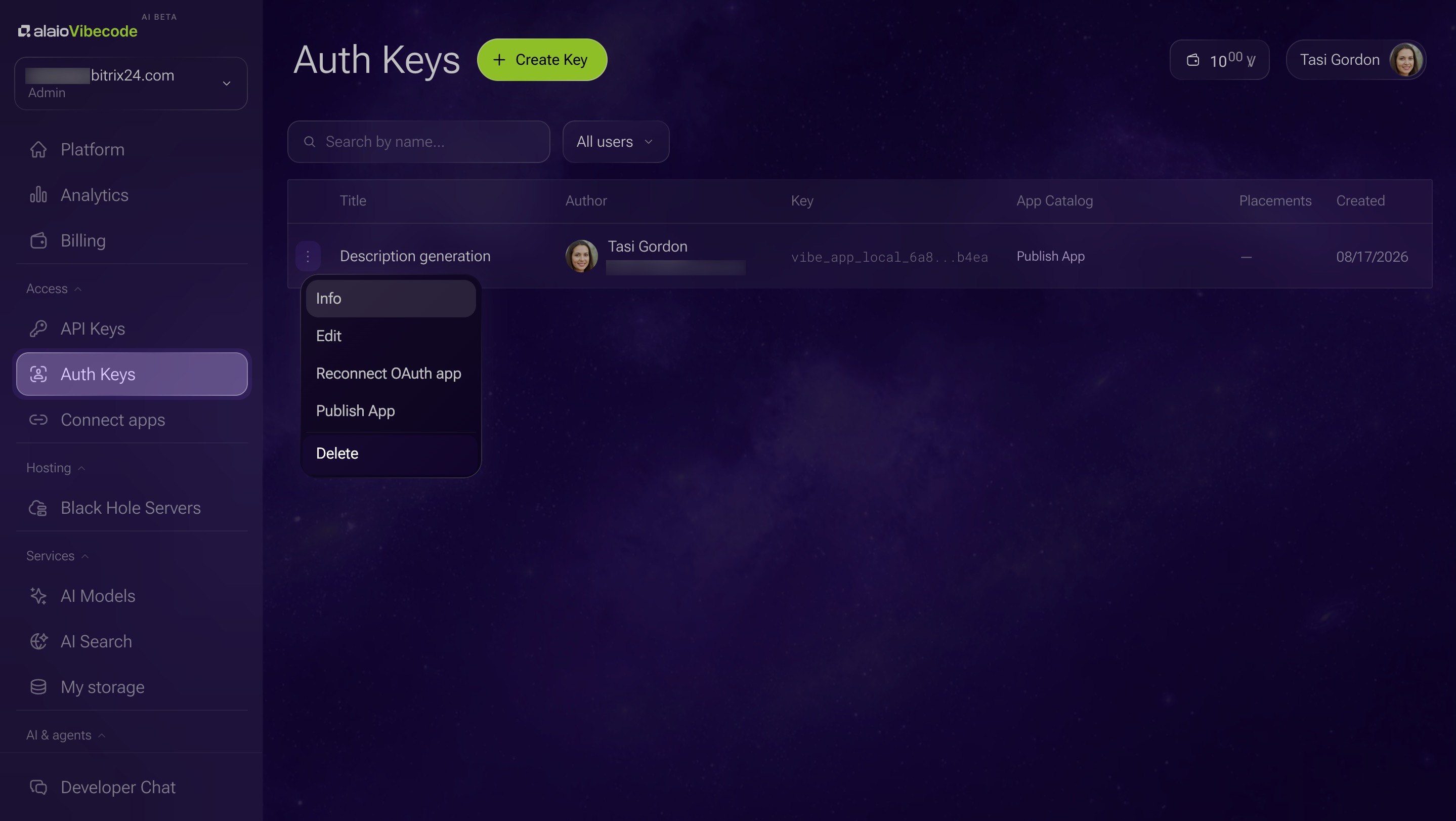
Delete. Go to the Auth Keys section in the left menu. Click the Three dots (...) next to the app and select Delete.
What to do if the AI agent misunderstood the task
Explain what went wrong and ask the AI agent to fix the errors. This is normal — complex tasks rarely work perfectly on the first try.
How to describe a task to the AI agent
Describe the task in your own words — what you want to get, in what form, for whom, and what data is needed. The AI agent will ask clarifying questions from there.
Can you publish an app to the Market?
Publishing apps to the Market is not available yet. This feature will be added in the future.
What to do if an app will not open
Check that you have:
- An active CoPilot
- A Vibe balance greater than zero
- Access to the app.
If that does not help, contact Bitrix24 support.
How to contact Bitrix24 support
What to do if the AI agent stops responding
Check your Vibe balance in the Balance section. If Vibe credits have run out, click Top Up and choose a package:
- Starter — 20 Vibe credits.
- Team — 50 Vibe credits.
- Pro — 100 Vibe credits.
If you still have Vibes but the AI agent is not responding, contact Bitrix24 support.
How to contact Bitrix24 support
Can you work with Market apps through Vibecode?
You cannot access the source code of Market apps through Vibecode. However, if an app saves data to CRM items — such as deals, leads, or contacts — Alaio Vibecode can work with that data through the REST API.