
You can customize the product form to meet your team's needs. Choose which fields to display, hide fields you don't need, or add new ones.
To let employees customize the product form, grant them the appropriate access permissions. For example, you can allow employees to customize their own form layout and let supervisors apply a standard layout for everyone.
Inventory access permissions
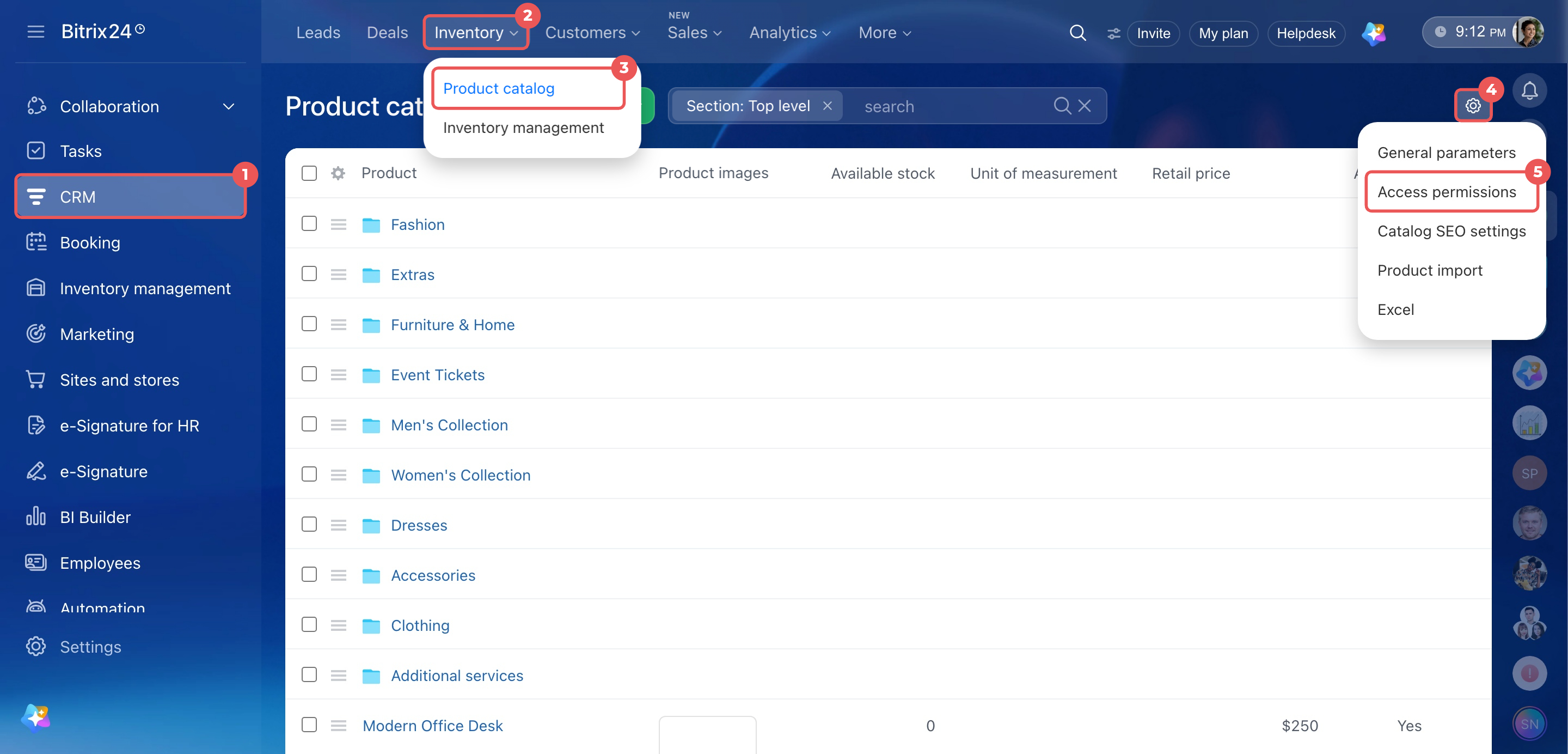
Go to CRM > Inventory > Product catalog. Click Settings (⚙️) in the upper-right corner and select Access permissions.
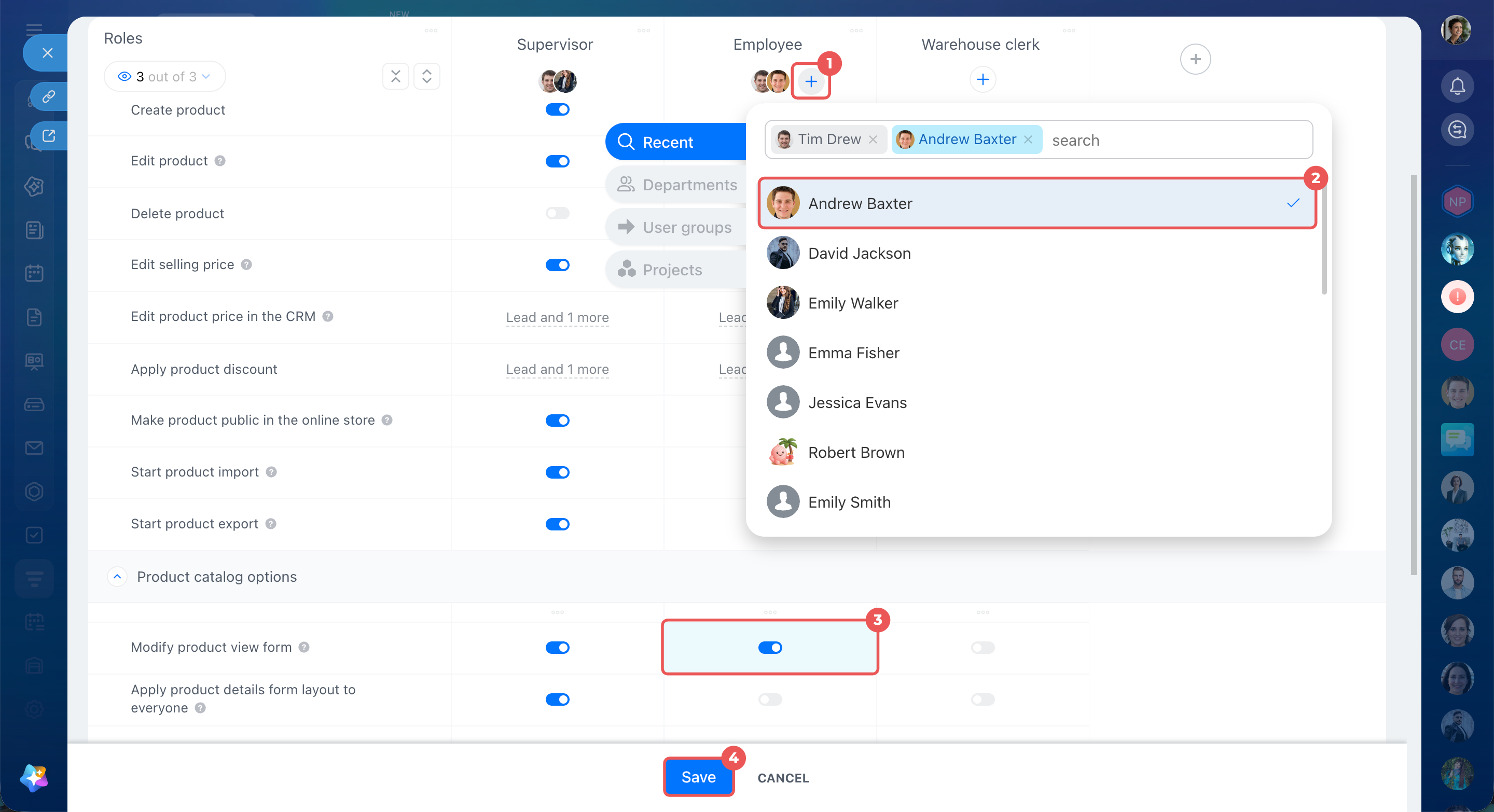
Let employees customize their own product form layout. For example, an employee can display the Activity field or hide the Created by field.
- Click Plus (+) next to the Employee role and select employees.
- In the Product catalog options section, turn on the Modify product view form permission.
- Save your changes. The employee can now set up fields in the form.
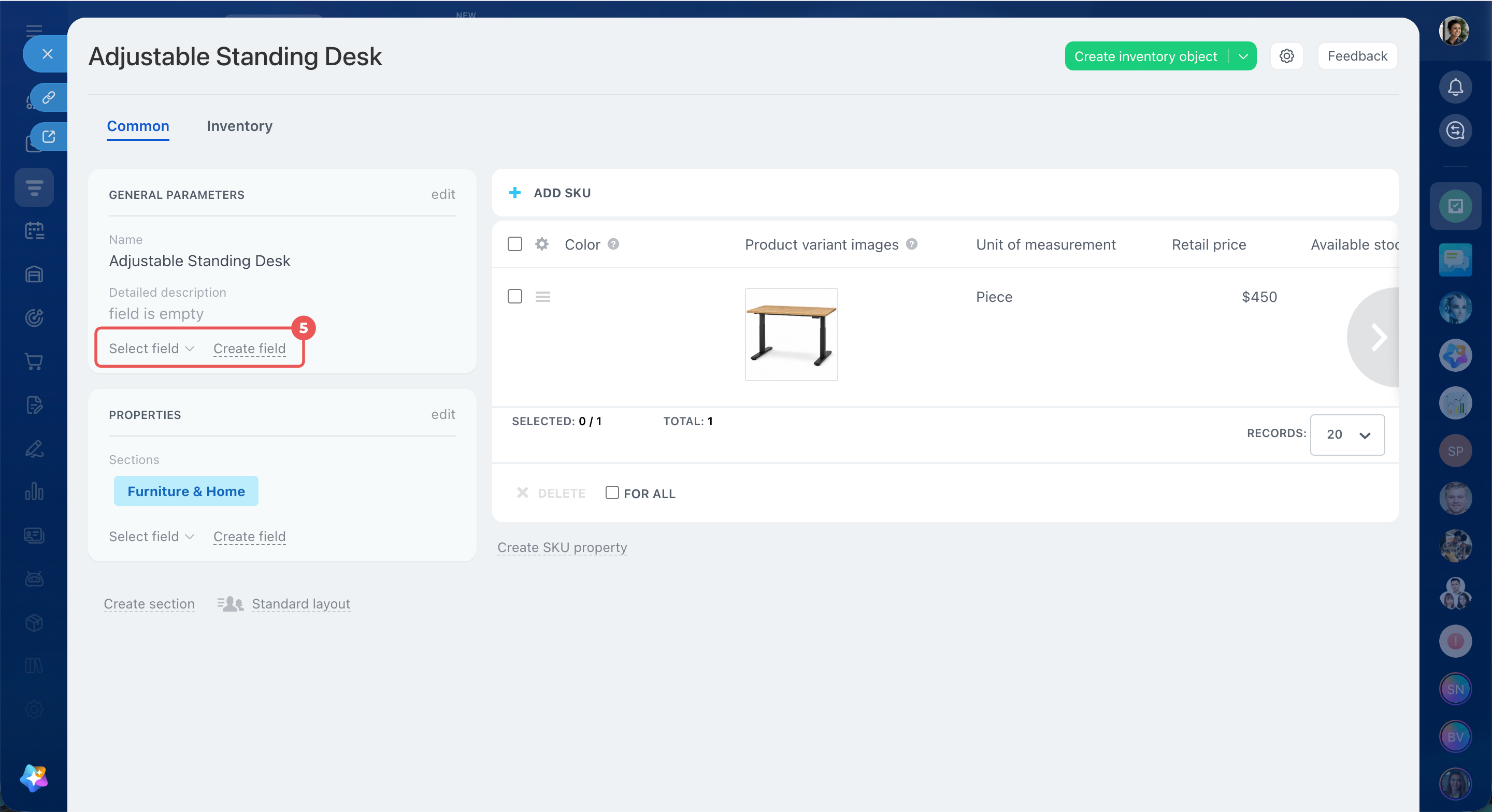
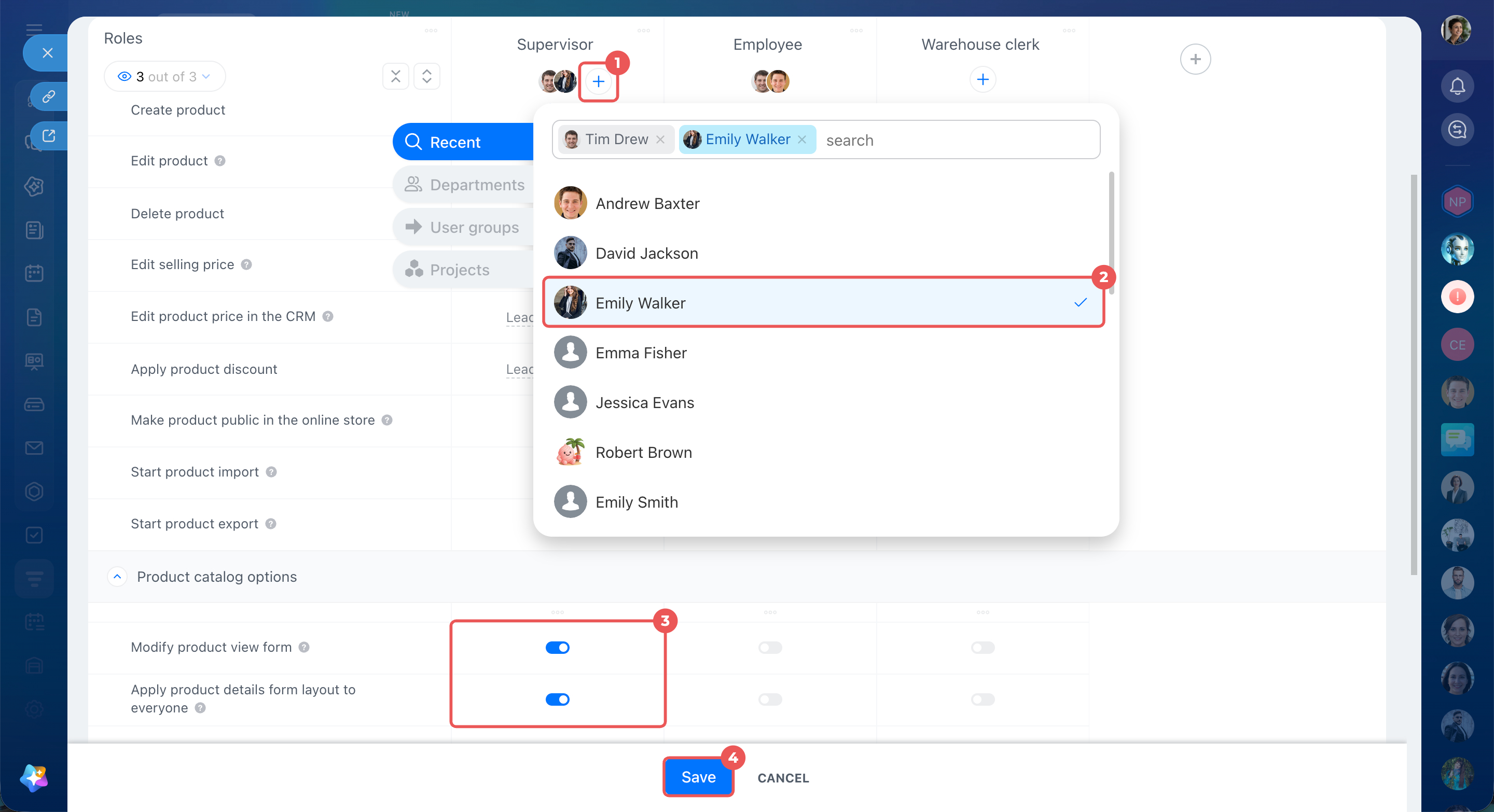
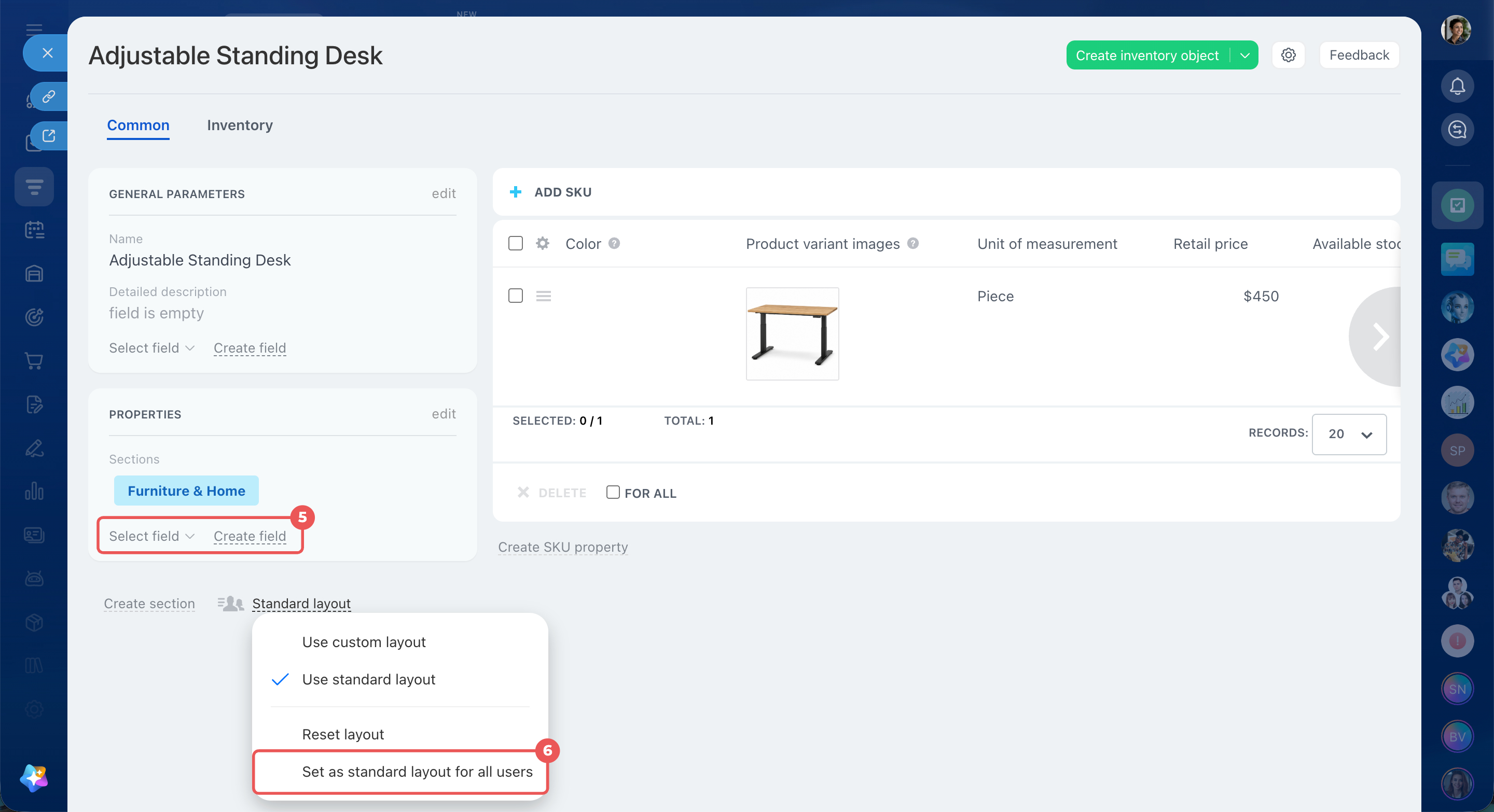
Let a supervisor apply a standard product form layout for all employees. For example, they can choose which fields everyone needs to see and apply the same layout for all employees.
- Click Plus (+) next to the Supervisor role and select an employee.
- Make sure the Product catalog options section has the Modify product view form and Apply product details form layout to everyone permissions turned on.
- Save your changes. The supervisor can now set up fields and apply this form layout for all users.
In brief
- The Modify product view form permission lets you add, change, and hide fields in the form.
- The Apply product details form layout to everyone permission lets you apply a shared form layout for all employees.
- To let an employee set up fields in the form, assign them a role with the Modify product view form permission turned on.
- To let a supervisor apply the form layout for all employees, assign them a role with the Modify product view form and Apply product details form layout to everyone permissions turned on.