After a long online meeting, it's not always easy to remember all the details and agreements that we mentioned during that meeting. "So, what are we doing now? Who is responsible for what?" and so on.
To deal with this, you can either have someone write everything down for you (which is not always productive), or you can use CoPilot.
CoPilot Follow-Up
CoPilot Follow-up acts as your meeting secretary: it transcribes the call and prepares a detailed analysis.
How it works
CoPilot works with calls that are longer than one minute. With 4+ participants, call processing starts automatically. If the call has fewer than 4 participants, you need to turn it on manually. Once a call ends, CoPilot begins analyzing it. In a few minutes, you get the report in the same chat.
I came back from vacation and caught up on all the important updates in 20 minutes. CoPilot saved summaries of all meetings – I didn't have to bother colleagues.

Sergio
Team lead
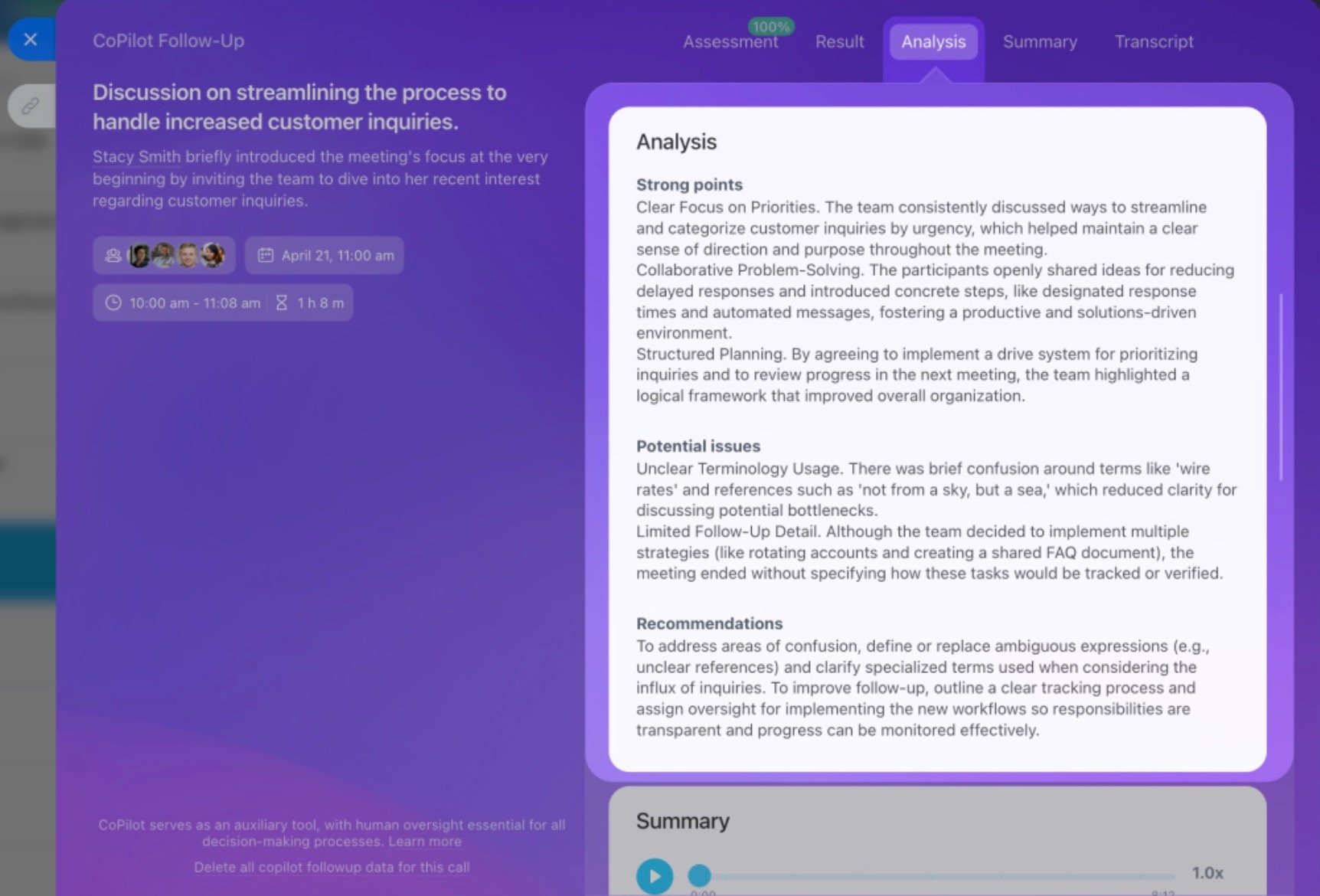
CoPilot Follow-Up doesn't just provide call audio/video recording – you receive a detailed call report that features:
- Call assessment + rating
- Call summary
- Call transcript
- Call analysis
Assessment
CoPilot determines the type of meeting and evaluates it according to various criteria, depending on the type. It measures efficiency using four criteria:
- agenda was clear
- discussion was productive
- summary was made
- call didn't exceed time allotted
Result
CoPilot logs all decisions and follow-up actions. You can create a task or schedule another meeting right from this section.
Summary
A short call digest with timestamps – perfect for refreshing key highlights of the call quickly.
Transcript
The transcript is synced with the audio. Click any timestamp to jump to that moment in the recording.