Routine operations in sales may take up to 30% of working time. Instead of talking to clients, sales reps often spend hours filling out CRM fields, trying to remember who said what over the phone, and otherwise manually handling information.
Meanwhile, sales managers spend hours each week reviewing calls – but even checking a few doesn't show the full picture. As a result, growth opportunities get overlooked, affecting revenue and team development.
CoPilot in CRM: overview
CoPilot in Bitrix24 CRM takes routine tasks off the team's shoulders, freeing your sales reps for client work, while also allowing you to focus on strategic development instead of micromanaging.
With CoPilot, your CRM can:
- Autocomplete CRM fields after a call or chat with a client
- Check calls against a particular sales script and provide feedback
- Identify repeat sale opportunities in your CRM and suggest actions
CRM field autocompletion
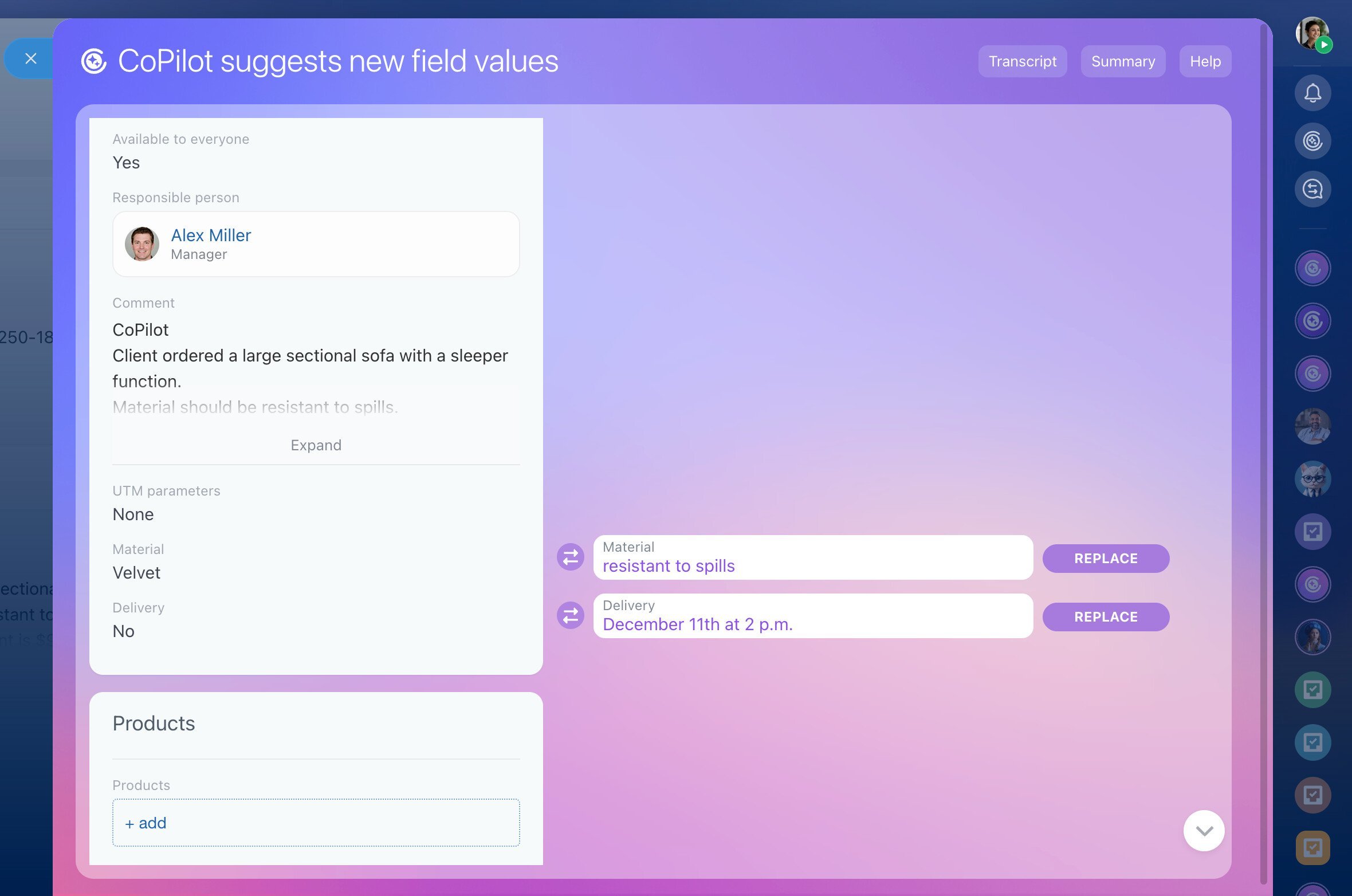
Sales reps no longer need to spend time entering CRM data after each client interaction. Just click a button in the lead or deal, let AI transcribe the phone call and extract data, check if the autocompleted data is correct, and move to the next client.
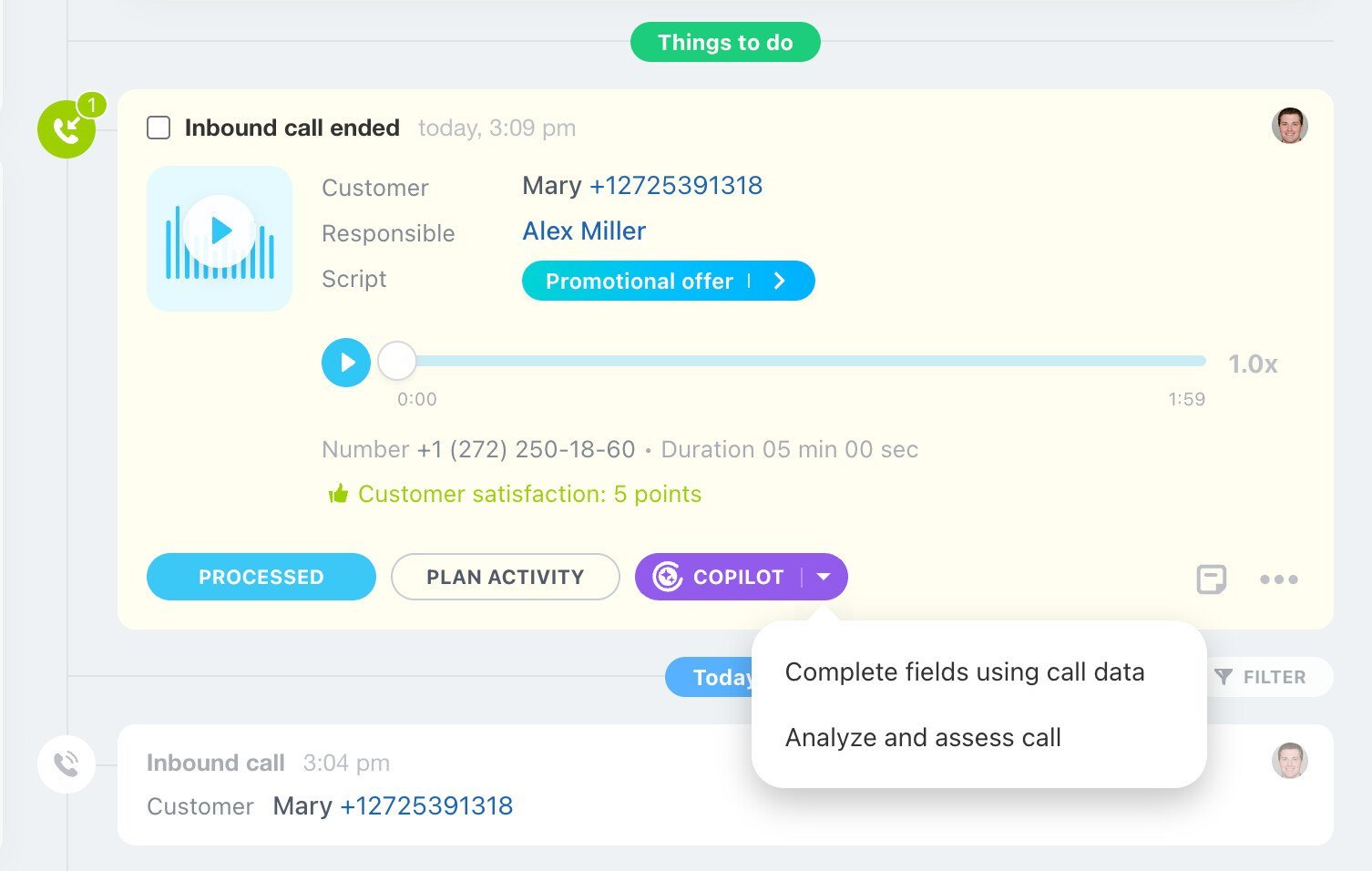
Example
A client orders a cake for an event over the phone, discussing things like size, flavor, and decoration. After the call, all the corresponding CRM fields are filled by AI automatically. If the client updates their request later, CoPilot will suggest updating the CRM data. You only need to check and confirm it.
Processing client calls used to take a lot of time: I had to type everything into CRM and sometimes go back to my notes to check if everything was correct. With AI, it's totally different: talk, click, done!

Max
Sales manager
Quality control without listening to calls
CoPilot has the potential to become a personal growth assistant for each of your sales reps – especially with checking their calls against sales scripts and providing feedback and recommendations instantly.
You, as the manager, no longer have to waste time reviewing calls. Use our built-in scripts or upload your own: describe the ideal conversation – what to ask, how to present the product, how to handle objections, etc. After processing, you will see a detailed call analysis and recommendations.
When I just started, it was hard to keep all these things in my head when talking to clients, so I did mess up quite a few times. With CoPilot call summaries and recommendations, I can now revisit my calls and see what exactly went wrong and fix it next time.

Jennifer
Junior sales associate
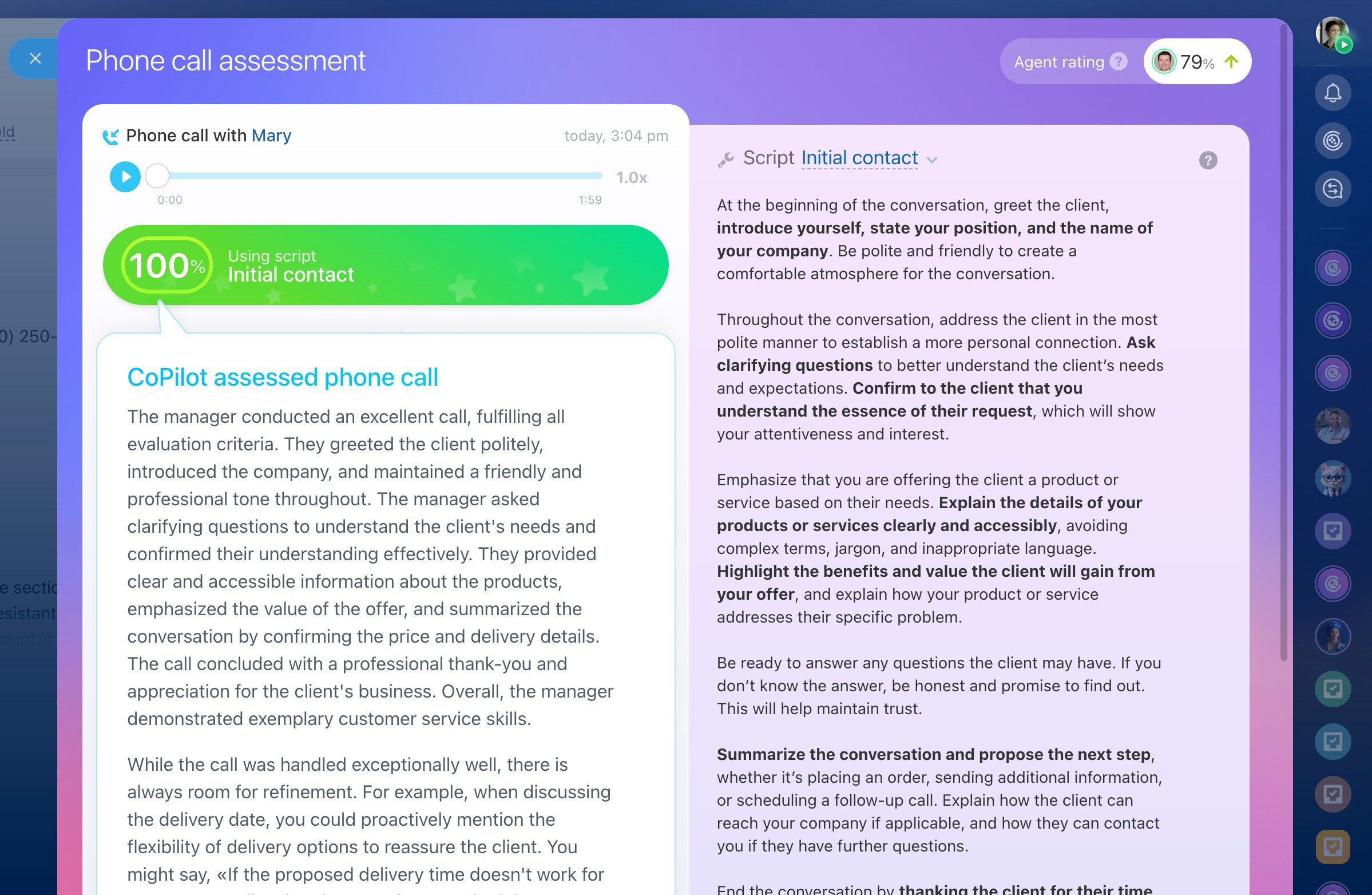
Now I get to see detailed, unbiased analysis for every call that each of sales reps make and can instantly see what's done right and what can be improved. Those hours spend on doing selective checks are gone, thankfully.

Ann
Head of sales
AI-assisted repeat sales
Turn your client database into a revenue engine with AI-assisted repeat sales in CRM. This tool analyzes your client interaction history and past deals every day to identify repeat sale opportunities. It uses preset sales cycles: monthly, semi-annual, annual purchases.
Example
A client buys a gym membership every month. AI will create a deal in advance with the suggestion "Offer renewal." The deal will include AI-generated recommendations (optional, can be turned off in settings).
As a result, all these little scenarios work together as one powerful system – turning your CRM into an AI-powered revenue growth machine.
How to improve CoPilot efficiency in CRM
The better your CRM data, the better AI fills fields, analyzes deals, and finds repeat customers.
-
Use simple, easy-to-understand field names
AI relies on labels. Instead of slang, jargon, and abbreviations, use simple names for your fields – this will help CoPilot to understand where to place the data. -
Structure data by fields
Don't put all the data into one generic field named something like "Comment." Use separate fields for each meaningful piece of information (e.g., "Color", "Material", "Deadline") to help AI process the data correctly.
How to improve AI call processing
-
Create detailed scripts
As a rule, more detailed, comprehensive sales scripts allow for more accurate AI call processing and meaningful feedback and recommendations. -
Separate scripts by client types
Use different scripts for new, repeat, and returning clients. -
Improve scripts continuously
Update your scripts regularly, adding/removing parts based on AI call analysis.