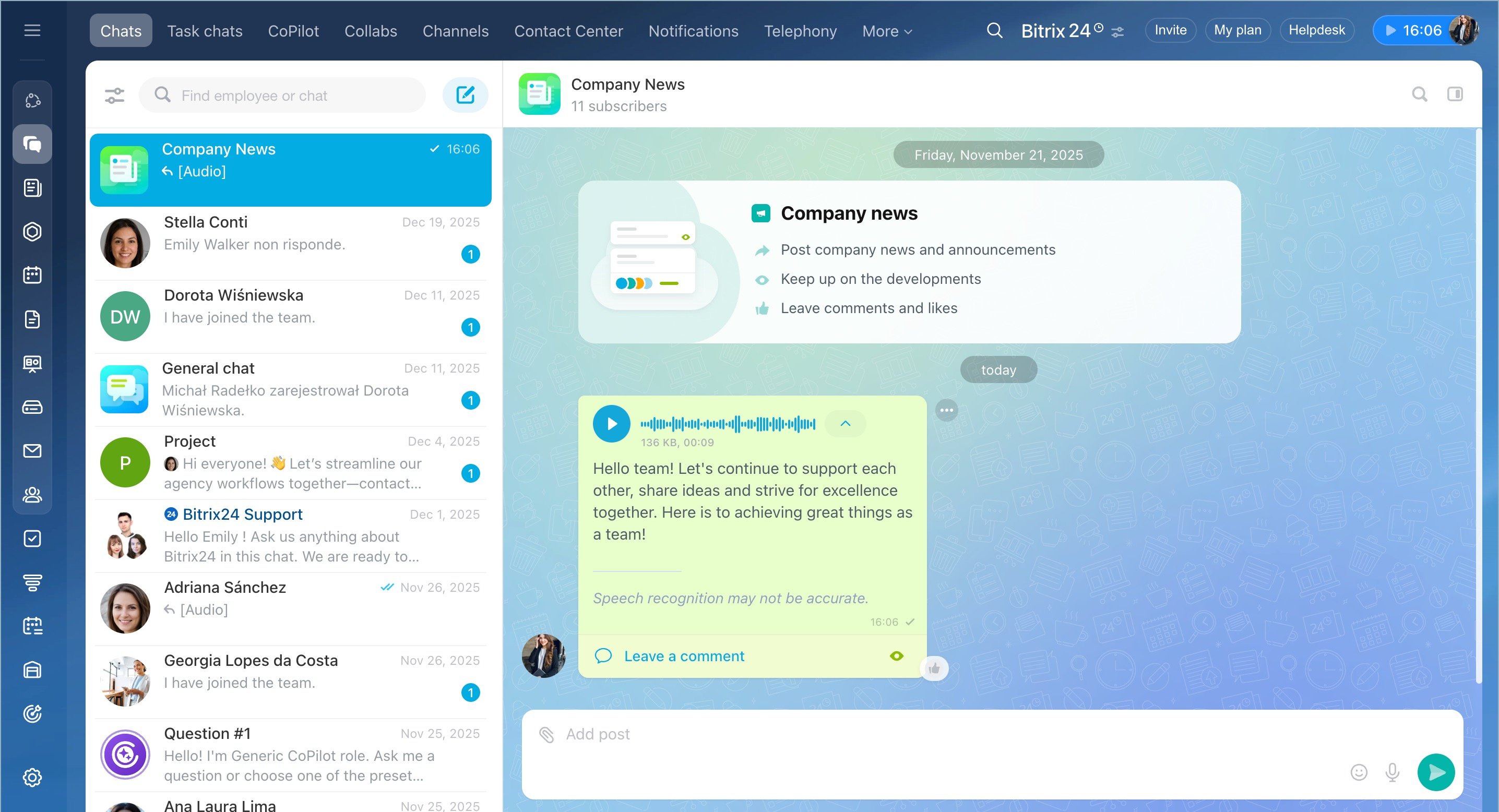
A big part of our daily work still involves some sort of writing. When we assign tasks, follow up with an email, reply to a message, create a post, or make an announcement – all of it does take a sizable amount of time. Sure, some of that body of work can also be facilitated by voice messaging, but it's not always convenient and appropriate.
AI-powered collaboration: overview
CoPilot helps you save time by writing texts and analyzing messages. It also helps you prepare important speeches, turn notes into checklists, turn voice messages into tasks, create thread summaries, and much more.
CoPilot is already built into most common user scenarios throughout Bitrix24, so you're likely to find it right where you want it to be. Don't feel like an expert in prompts yet? No problem! You can use pre-prompts.
Pre-prompts are pre-configured, allowing CoPilot to assume a specific role/angle. They may have simple names, but they often feature an elaborate set of instructions to provide tailored results faster.
CoPilot in Tasks
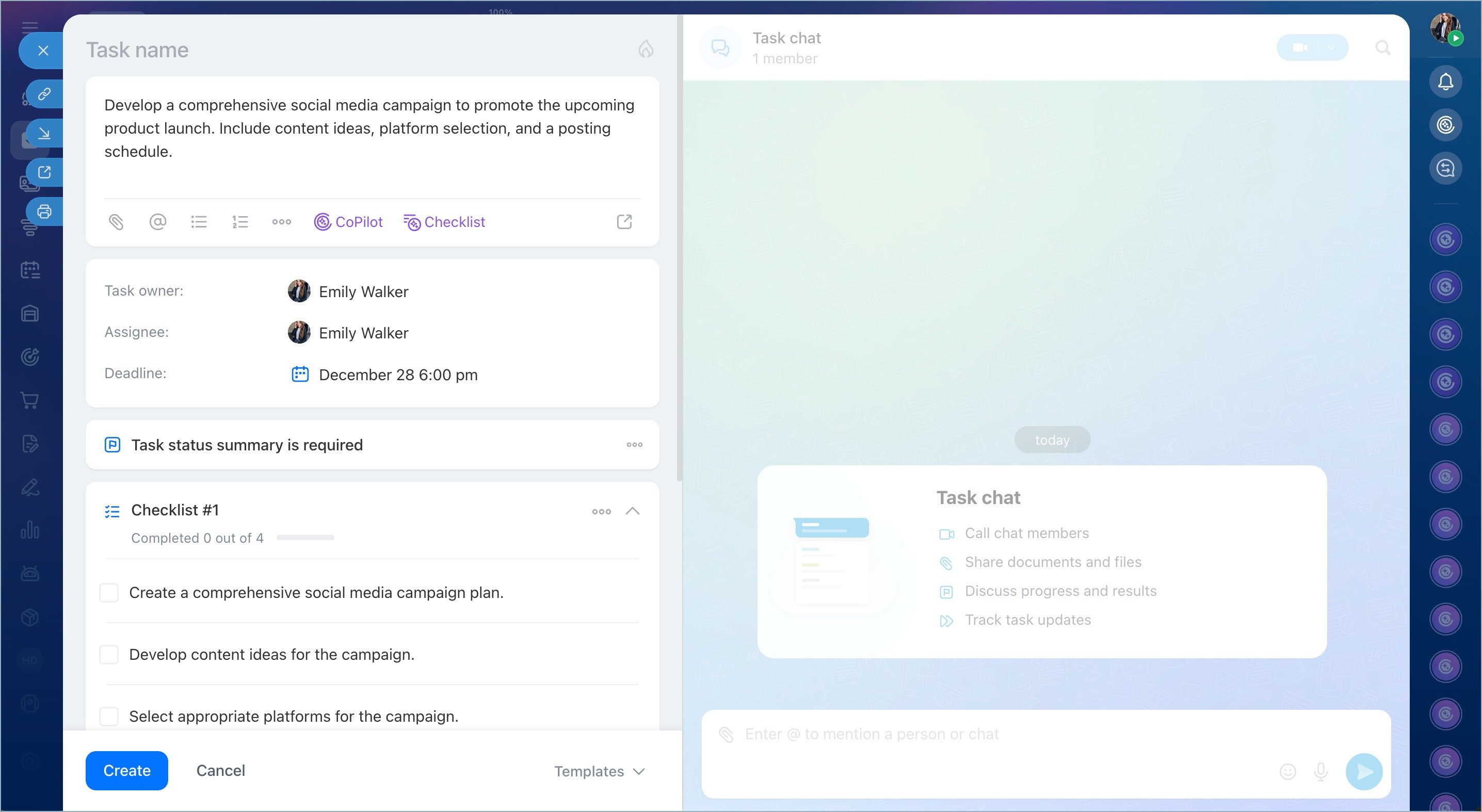
Using CoPilot, you can save time on creating tasks: just write a brief outline, and CoPilot will turn it into a comprehensive description complete with a checklist. Can't be bothered to scroll through dozens of comments? Summarize task comments in one click to highlight the key points.
AI-powered audio and video tasks
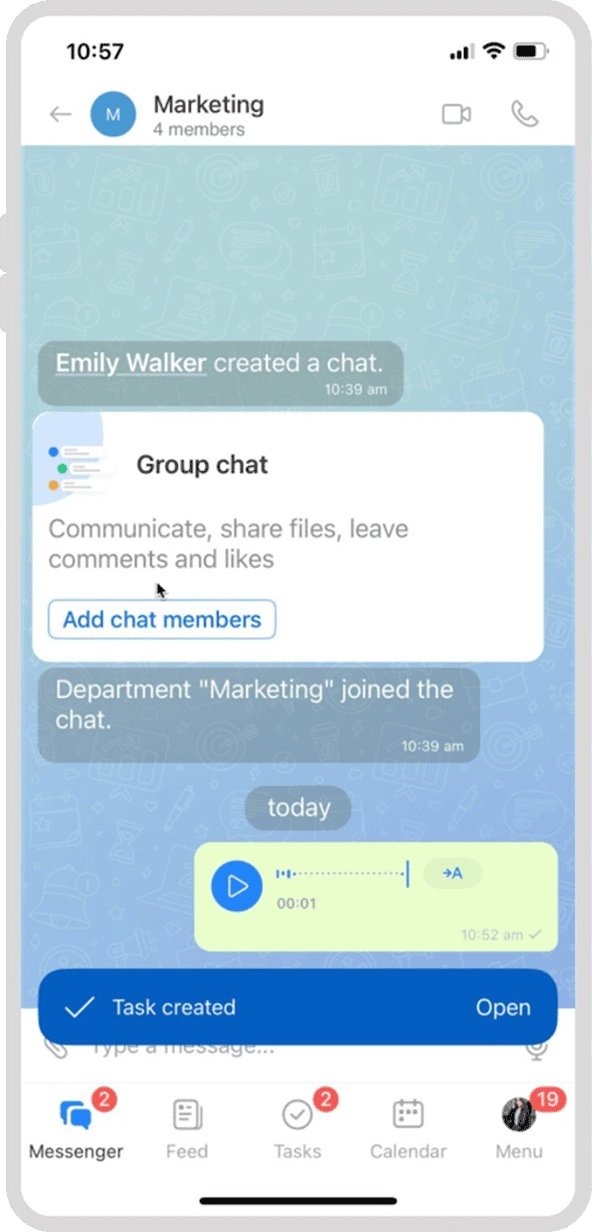
If you do a lot of voice messaging, CoPilot is also here to help. Any voice message sent to a chat can be automatically turned to text and/or task, based on its contents. Here's what CoPilot can do:
- Automatically recognize tasks in voice messages and video notes
- Identify assignee and deadline
- Create checklists and task summary
- You can use CoPilot to create tasks in chats, notes, collabs, and channels
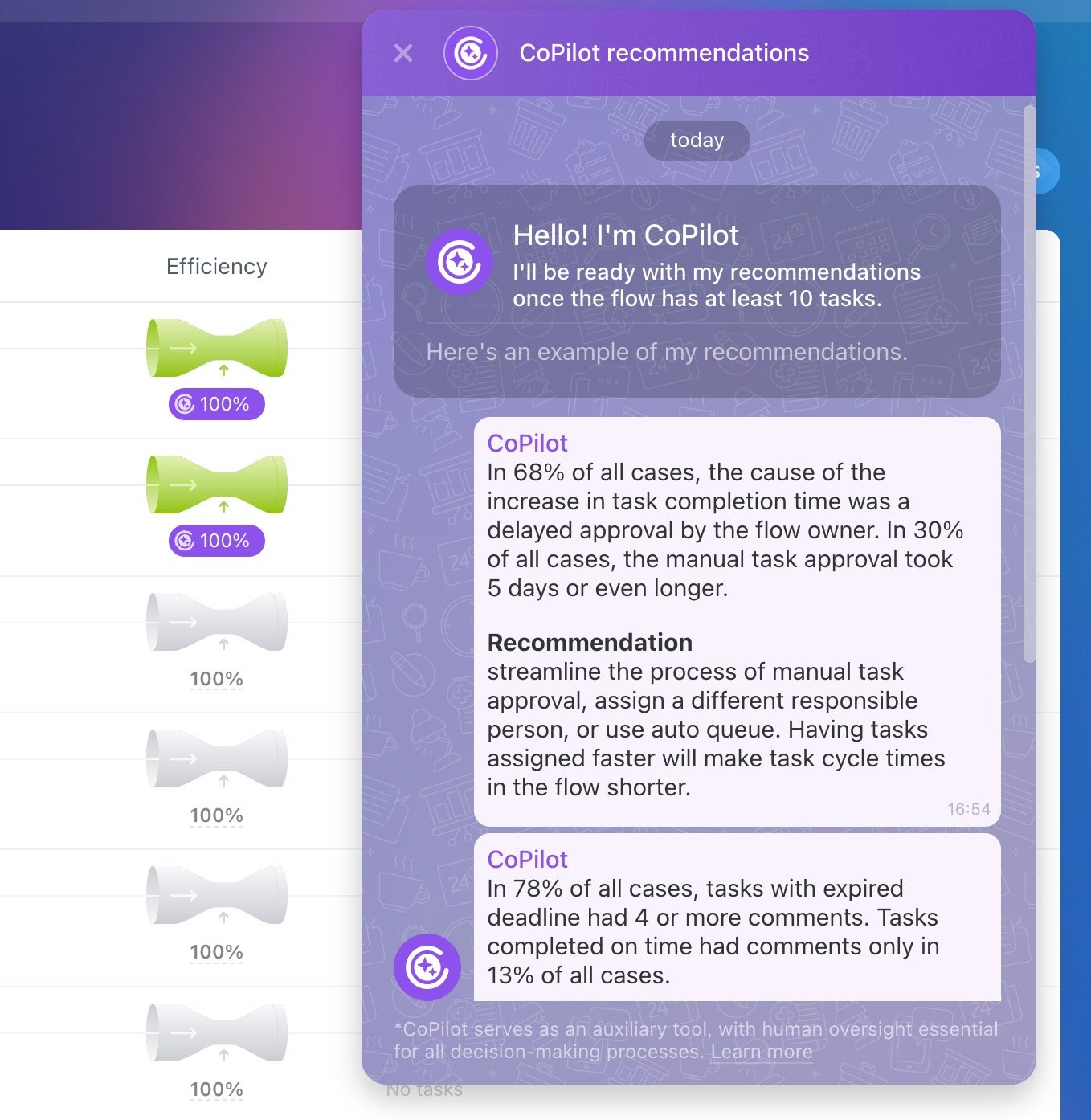
If you're using Flows in tasks, CoPilot will analyze a selected flow, identify weak spots and inefficiencies, and suggest improvements. If the team is performing well, CoPilot will highlight what helps them succeed.
Let's say I need to create 5 tasks, each one with a separate description and a checklist. Doing it manually would probably take me an hour; with CoPilot – about 10 minutes. CoPilot easily breaks complex tasks into logical steps – all I have to do is set the assignees.

Sergio
Team lead
CoPilot in the Feed
When it comes to the Feed in Bitrix24, CoPilot can help you turn a rough draft into a full message or even write a whole announcement in a particular style or tone. CoPilot also analyzes posts from your team members, summarizing them, highlighting key points, turning complex chunks into simple sentences, translating into multiple languages, and more.
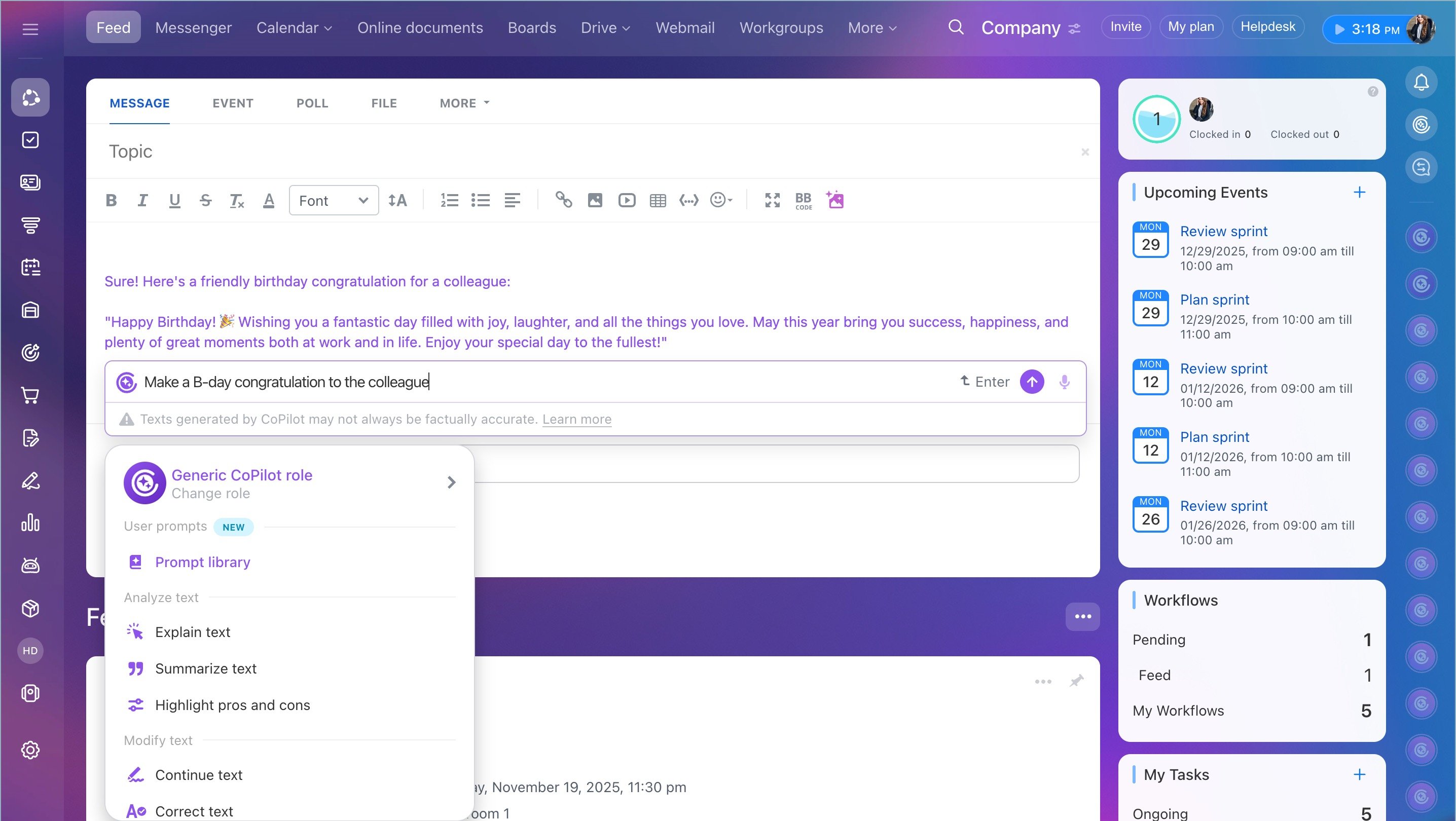
I write a lot of job-related posts, event announcements, and other corporate-related messages. Using CoPilot helps me to come up with perfectly composed texts written in seconds.

Mary
HR specialist
AI in Email
Here, you can use CoPilot to write and reply to client emails, shorten/expand existing texts, prepare offers, and more. These capabilities are available in the "Webmail" section of the main menu and also in CRM.
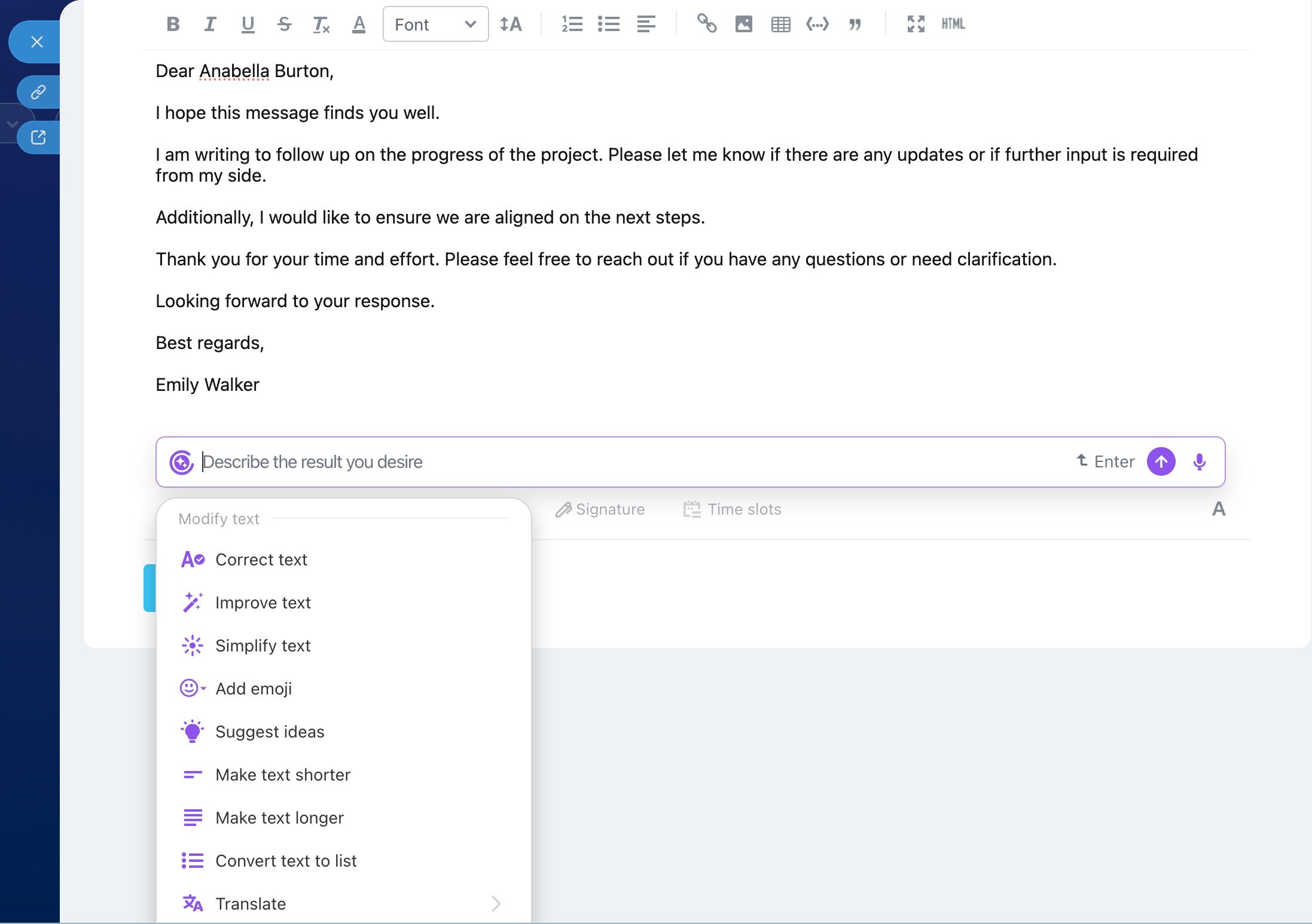
Create your own prompts and share them with colleagues
Prompt library – add your own pre-prompts and use them in tasks, email, and the feed.
Role library – choose a specific CoPilot role (SEO Copywriter, Legal Specialist, HR Manager, etc.) or create your own.
AI in Messenger
Interact with CoPilot right inside your group or private chats in the Bitrix24 Messenger. This is especially helpful when you need to catch up after vacation or sick leave, summarize a long discussion, or onboard a new team member.
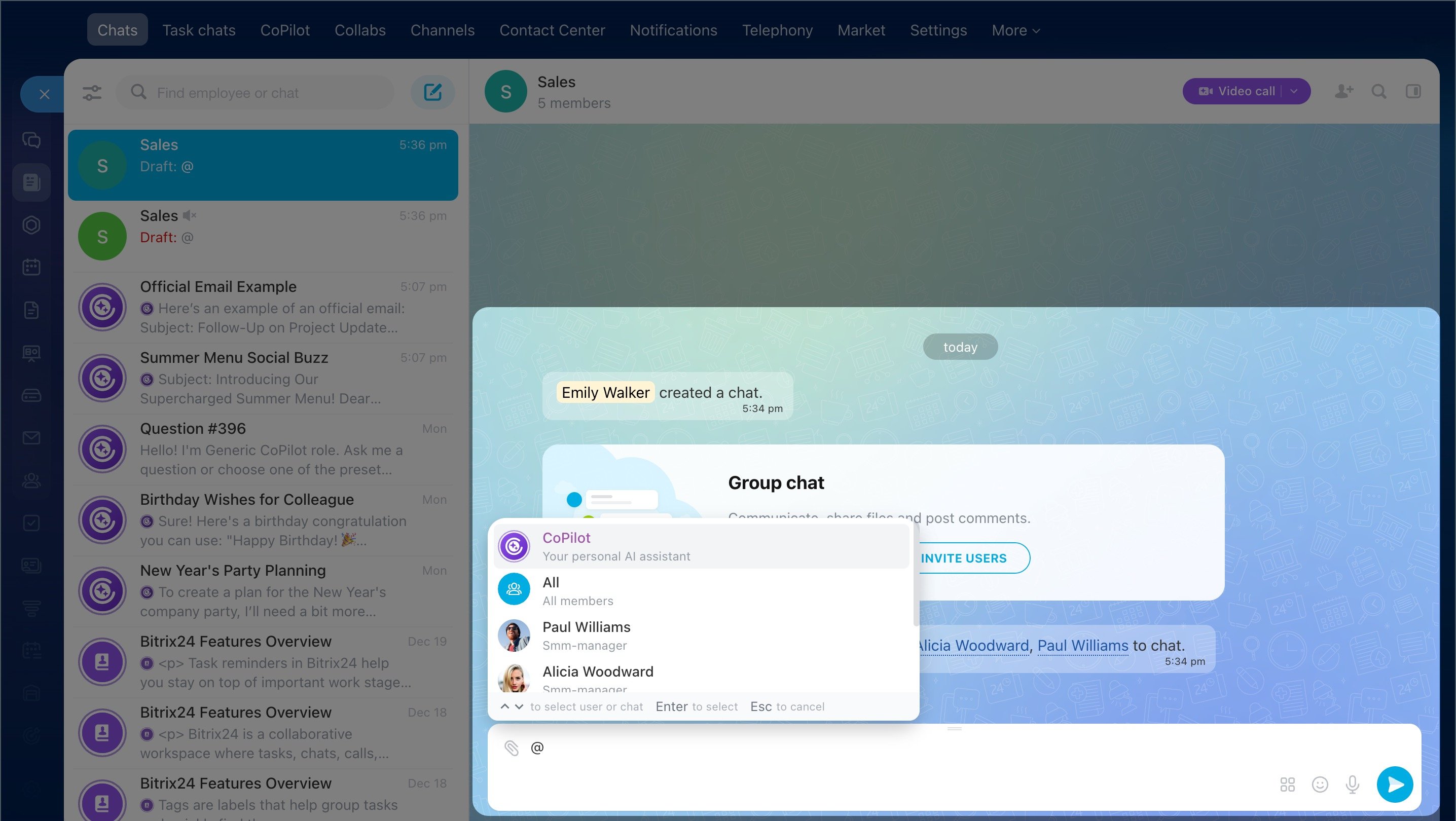
If your colleague sends a voice or video message and you don't have the ability/time to listen, CoPilot will easily convert it to text.