
To accept payments through PayPal, you need a PayPal Business account.
Create a PayPal Business account
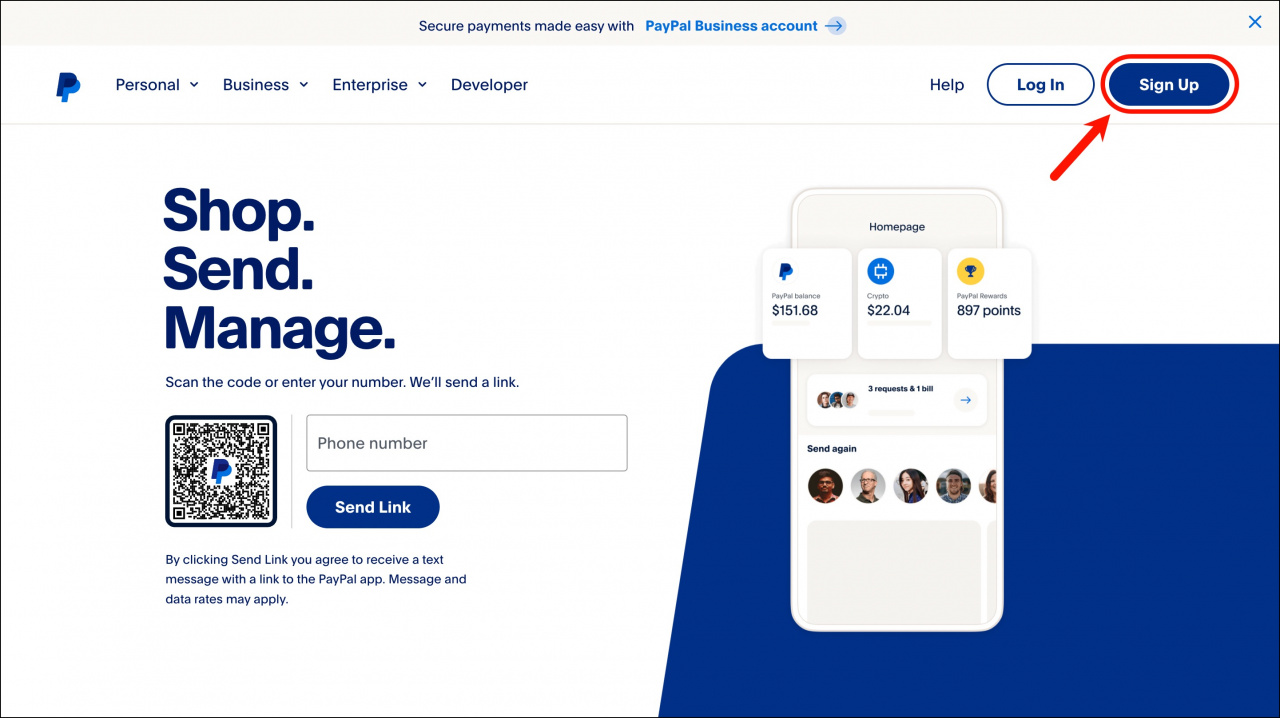
- Go to the PayPal website and click Sign Up.
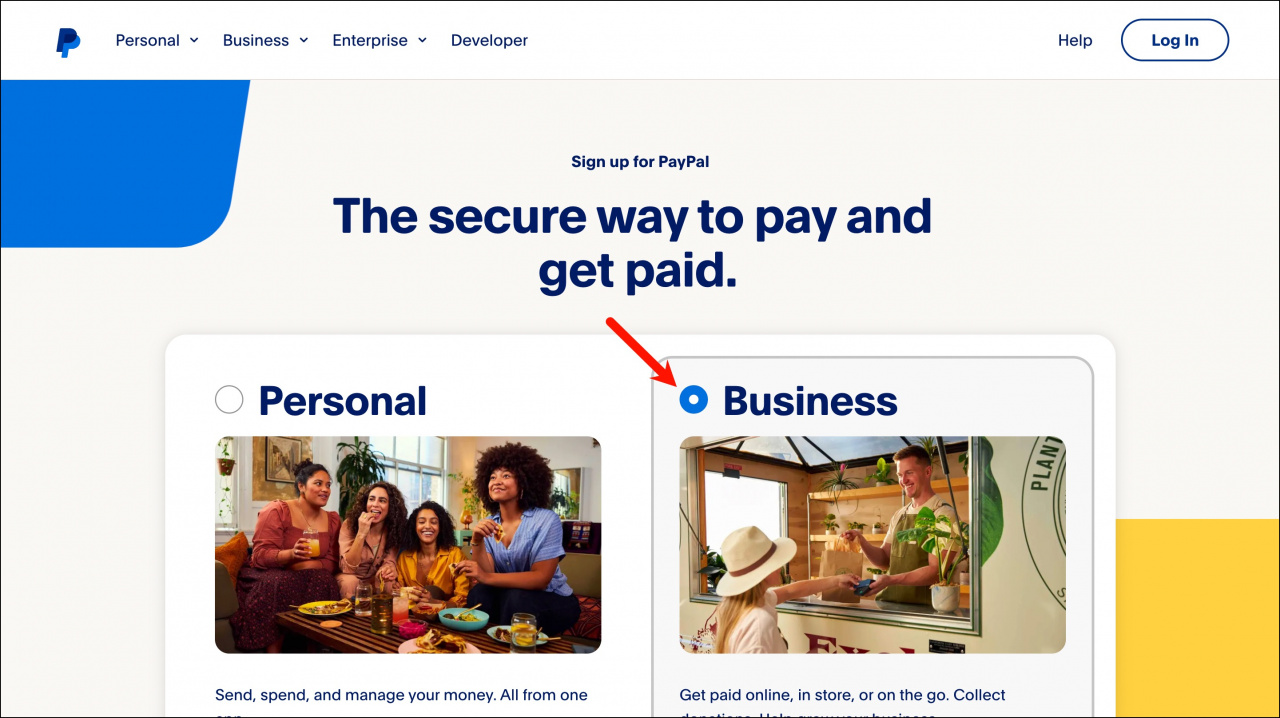
- Select Business Account.
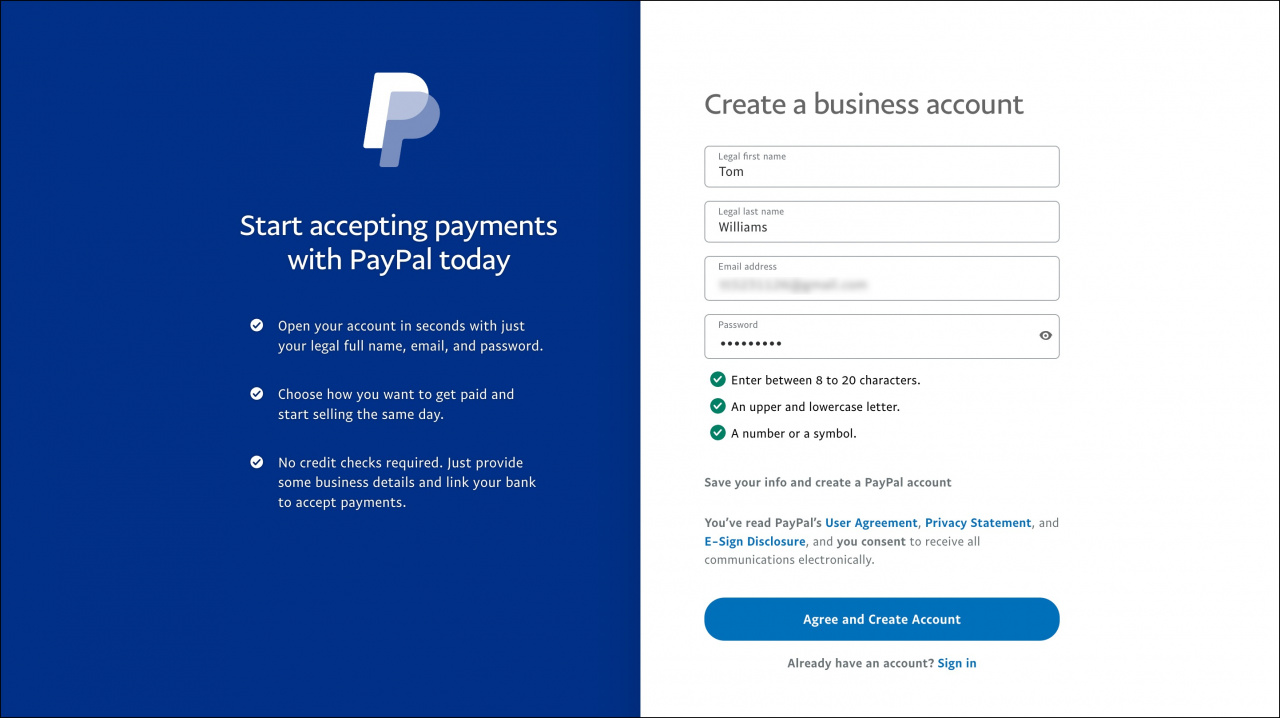
- Enter your name and the email address you want to use for your PayPal account.
- Create a password.
- Save your information and create the account.
Verify your account
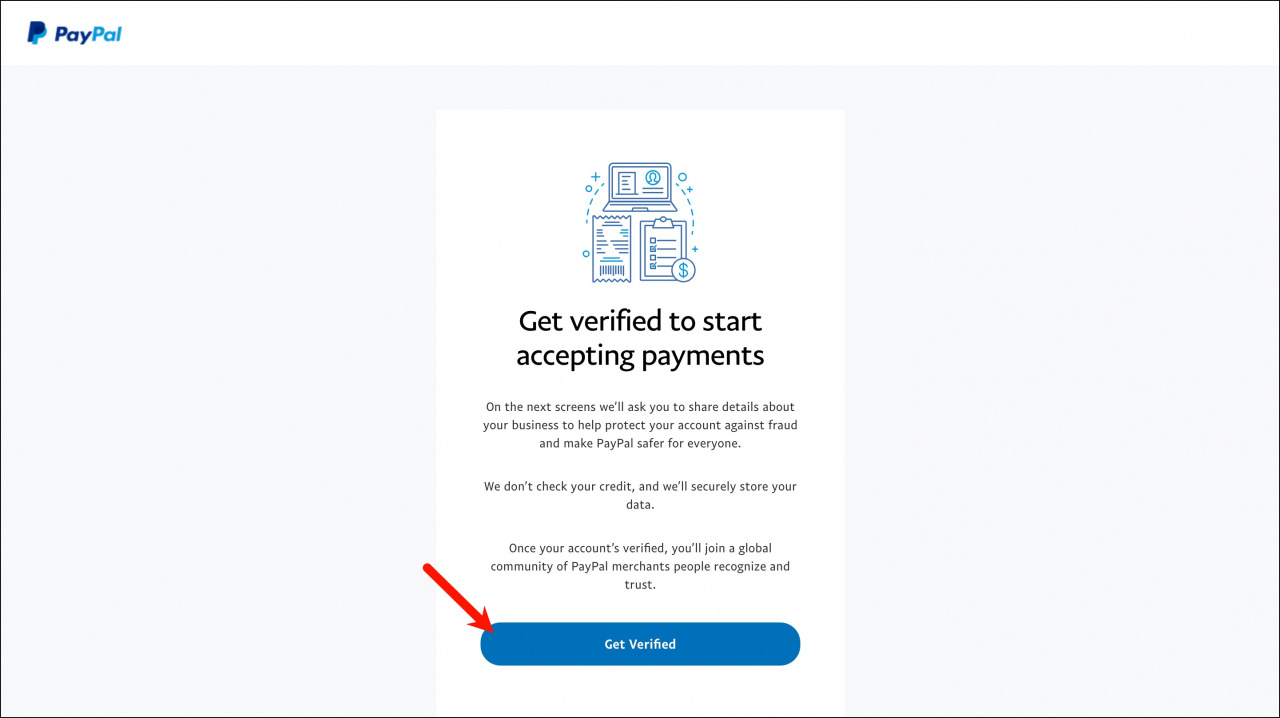
Complete the verification process.
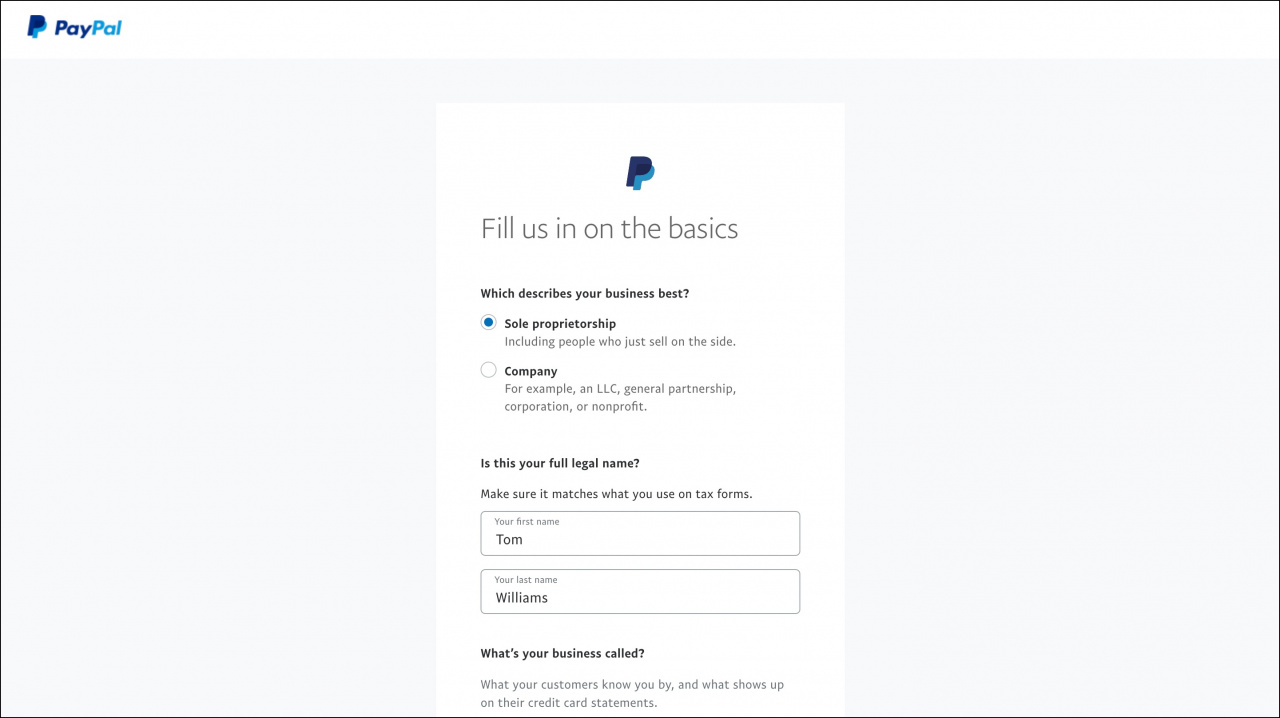
- Enter your business information.
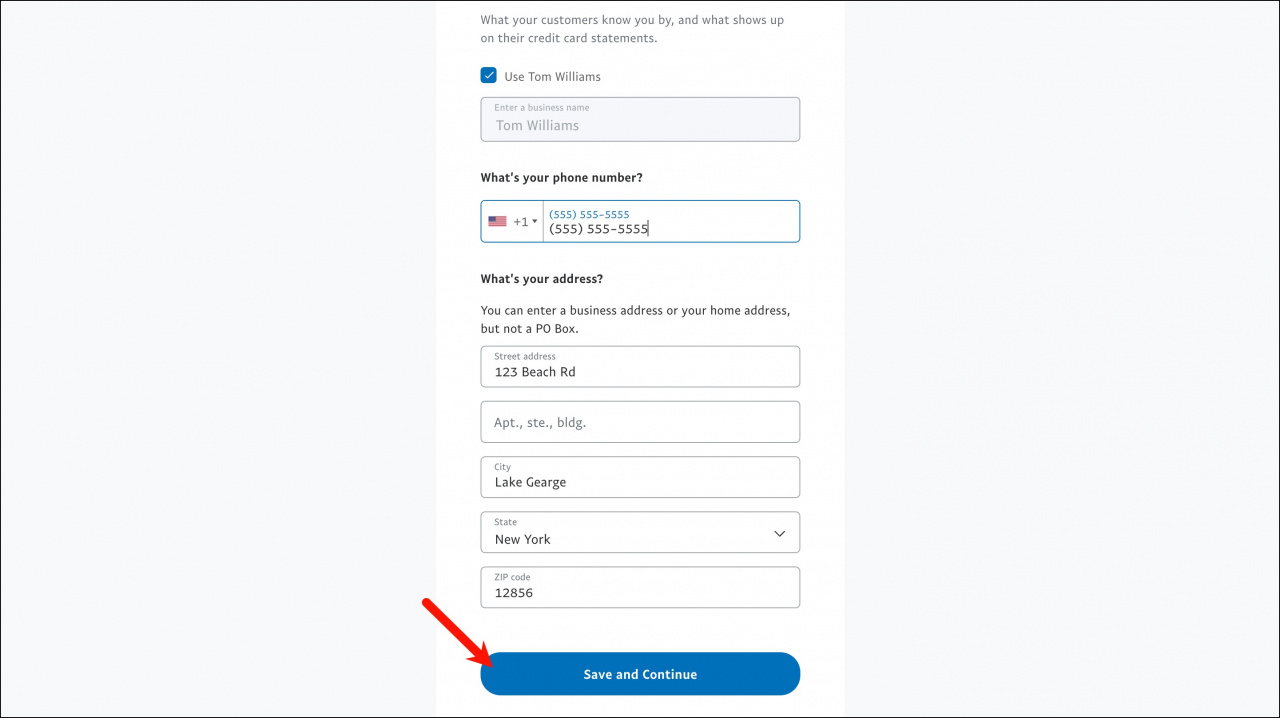
- Add your phone number and business or home address.
- Select your business type.
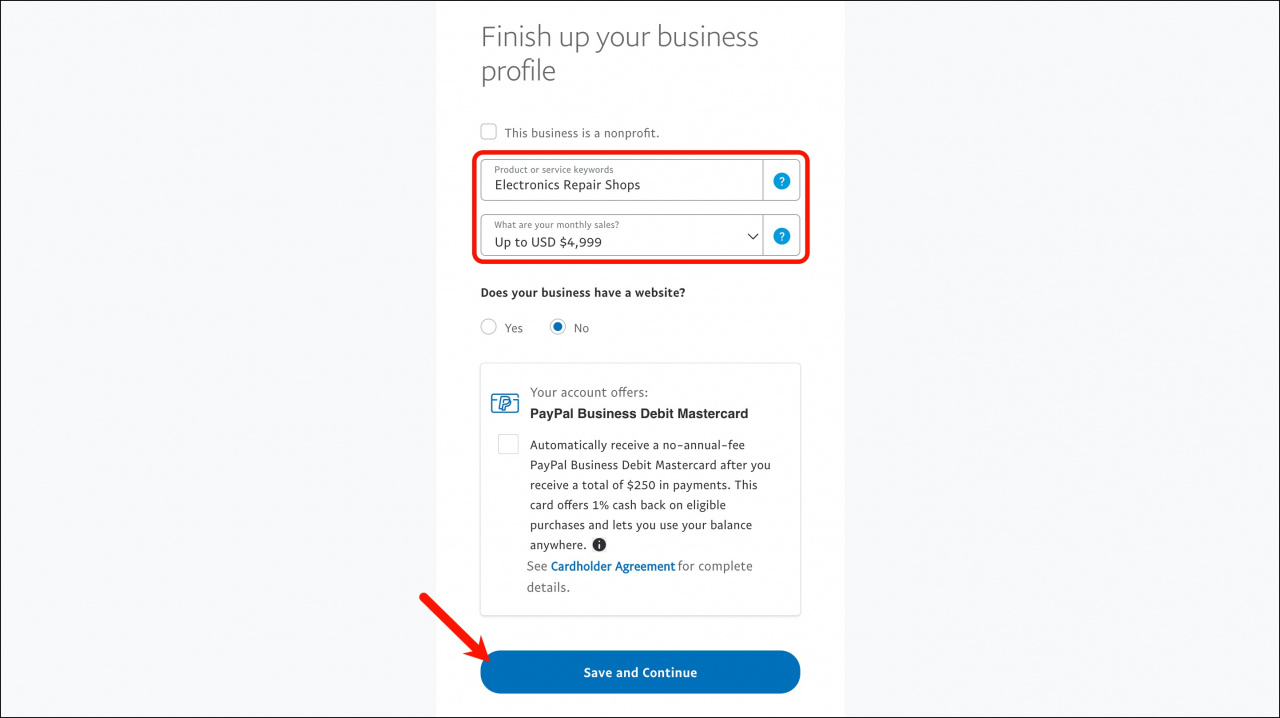
- Add keywords that describe your business.
- Select your estimated monthly sales volume.
- Add your website address if you have one.
- Click Save and Continue.
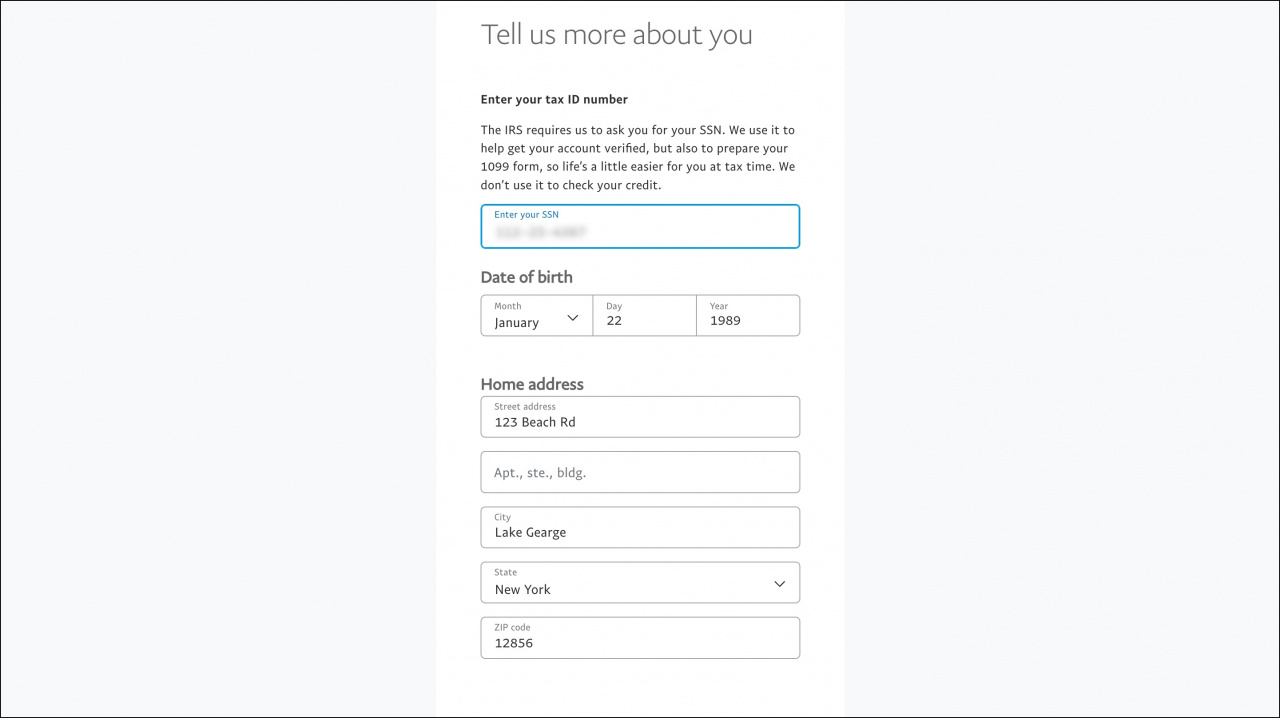
- Enter your personal information and click Submit.
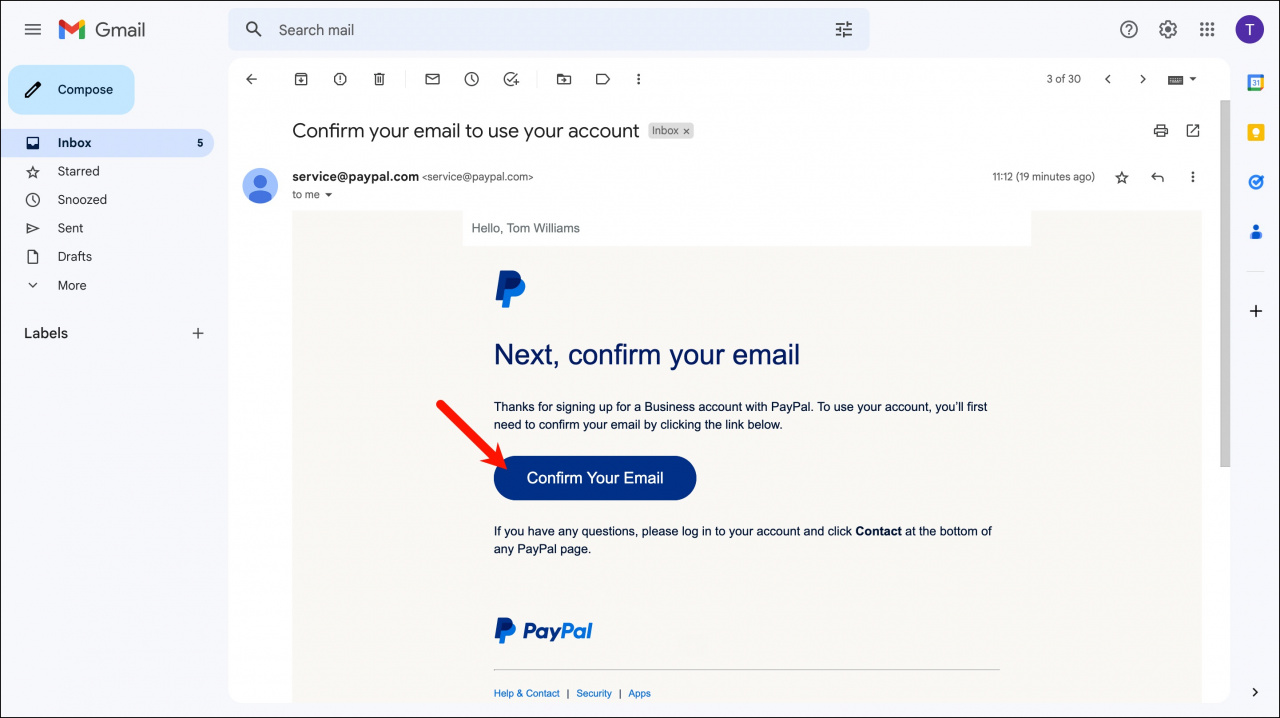
Confirm your email address
Open your inbox and confirm the email address linked to your PayPal account.
Upload verification documents
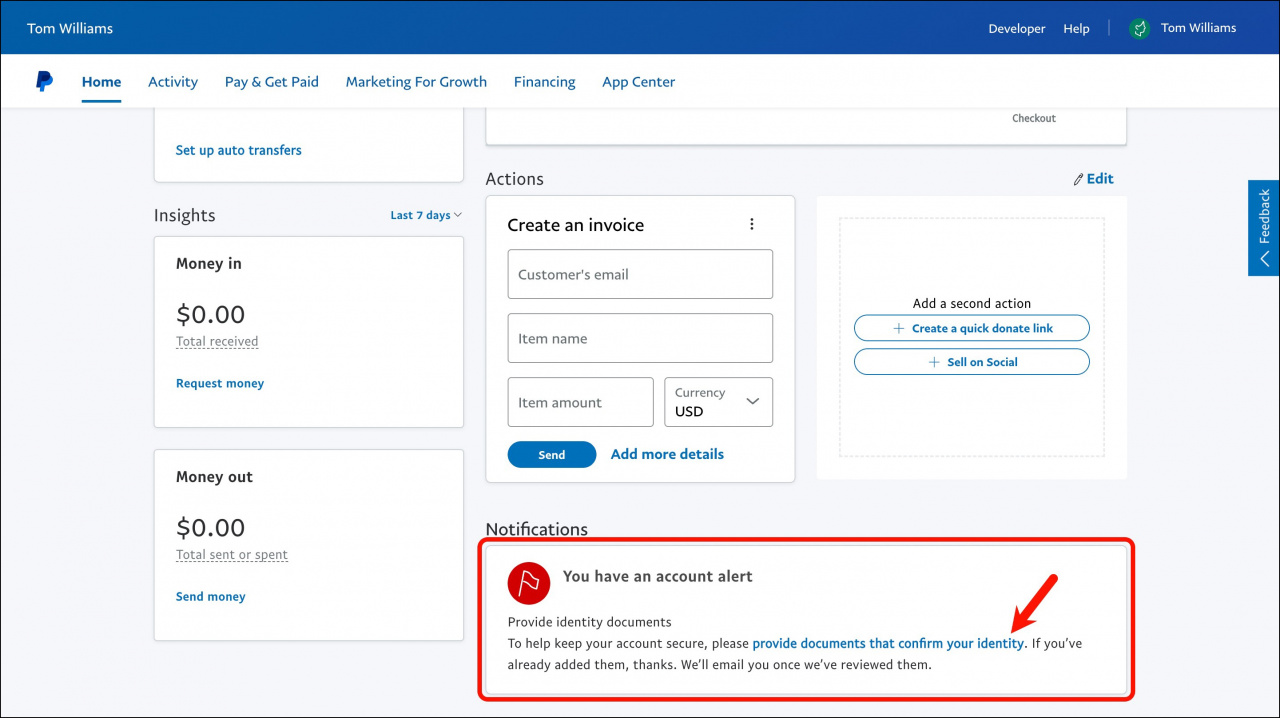
- Sign in to your PayPal Business account.
- Scroll down to the Notifications section.
- Click the link to provide documents that confirm your identity.
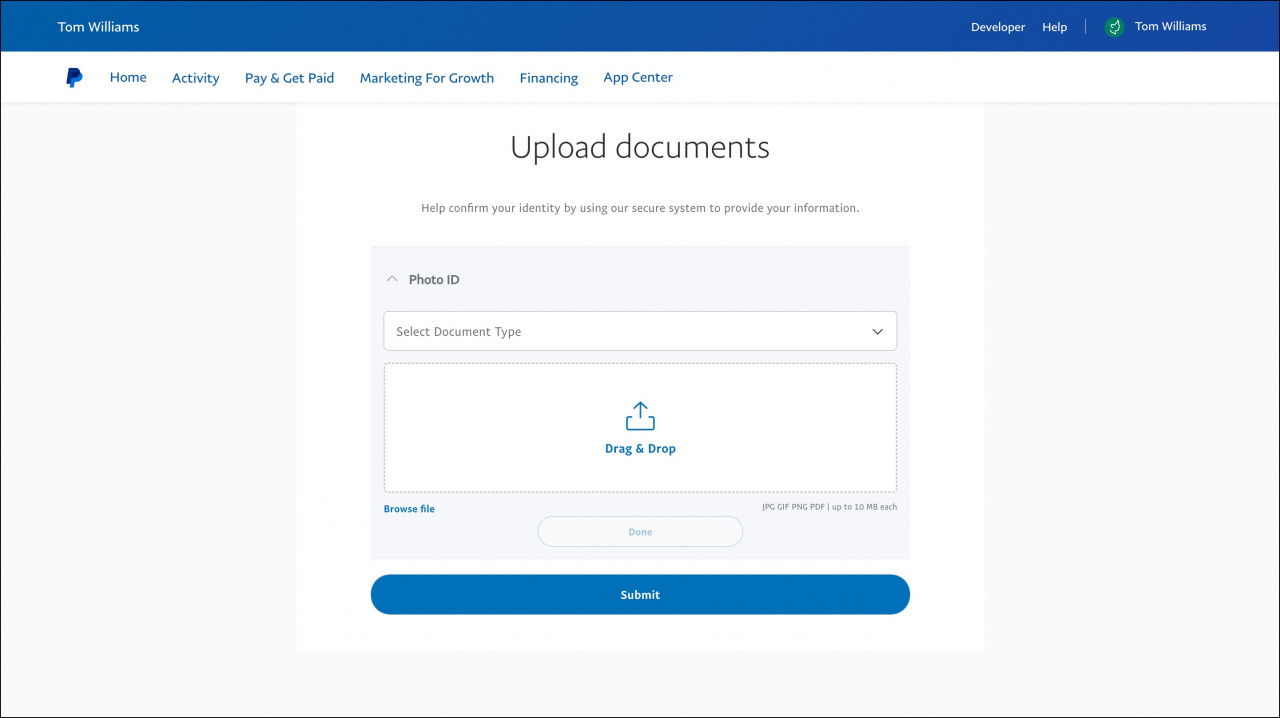
- Upload all required documents and click Submit.
PayPal will review your documents and approve your Business account.
If you have questions about your PayPal account, see the PayPal Help Center.
After PayPal approves your Business account, you can connect it to Bitrix24.