Track deal payment status
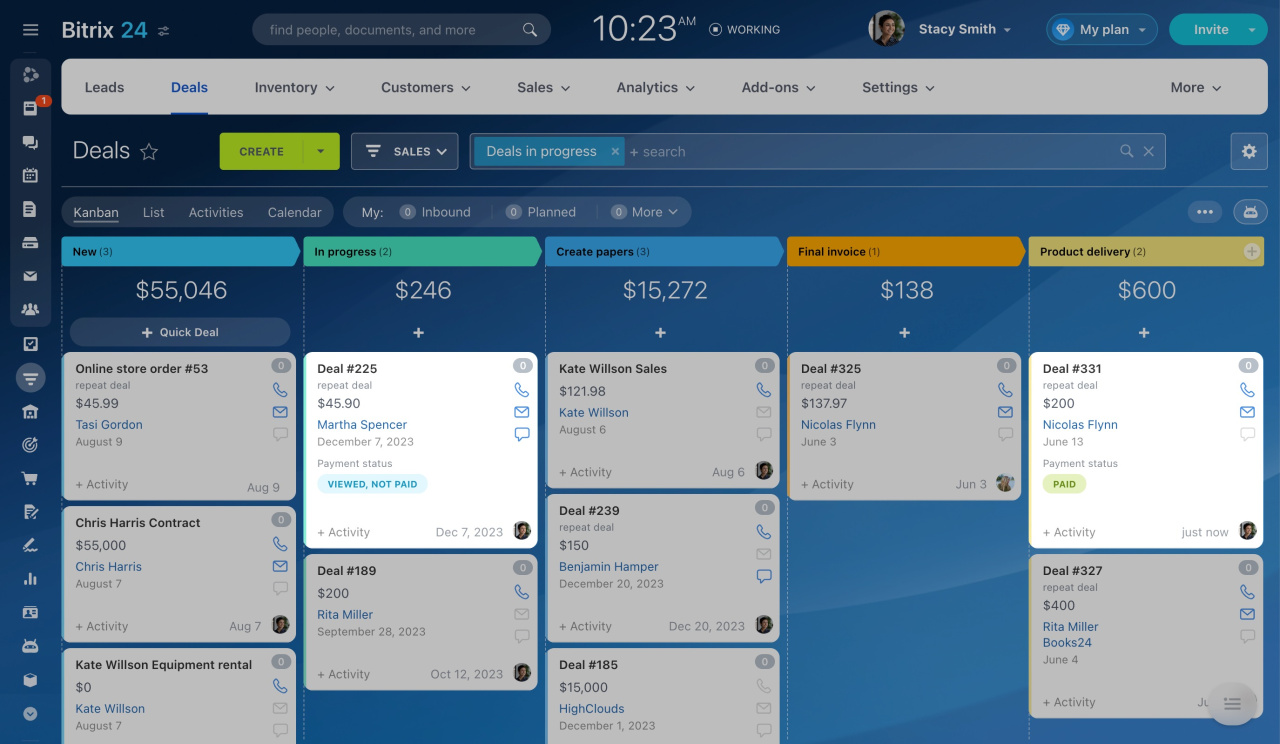
Check the payment status in the list or Kanban view. A client may have missed your SMS, may not see a suitable payment method, or may have opened the order but not completed the payment.
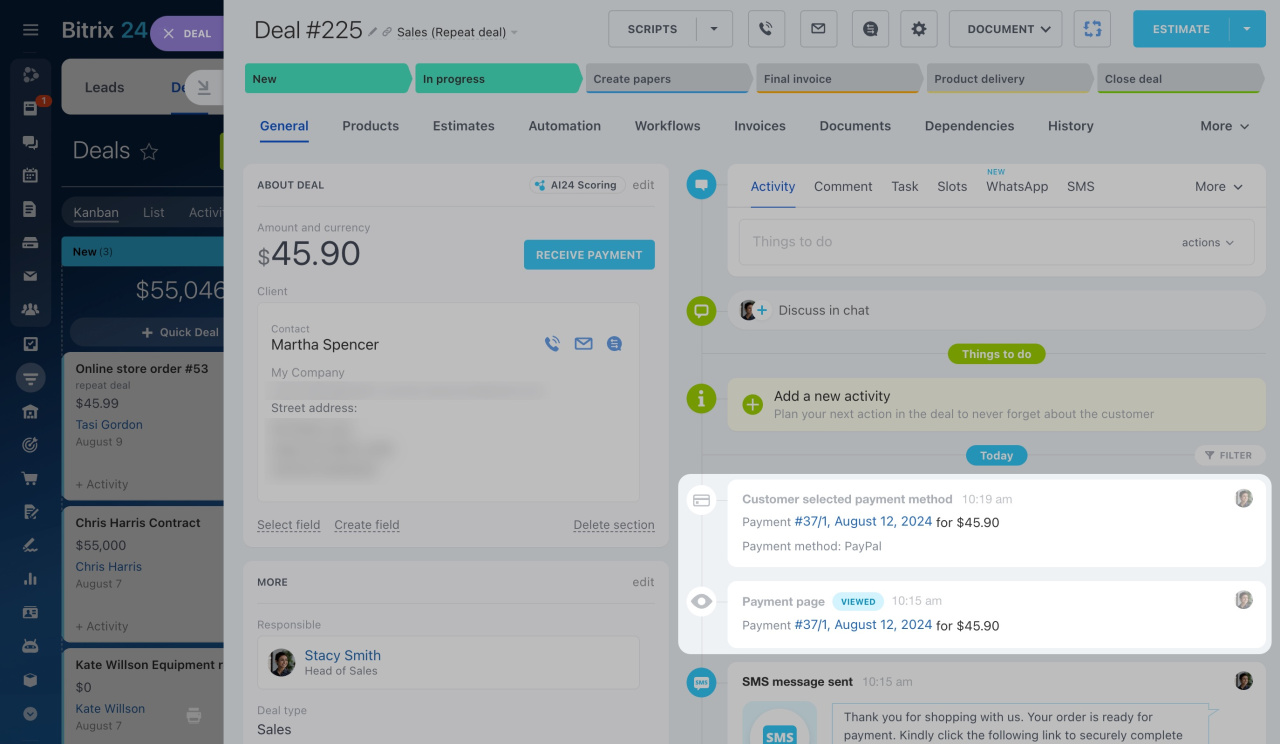
Review the selected payment method. If the client chose multiple options and has not paid, contact them and offer help.
Automate deal stage changes
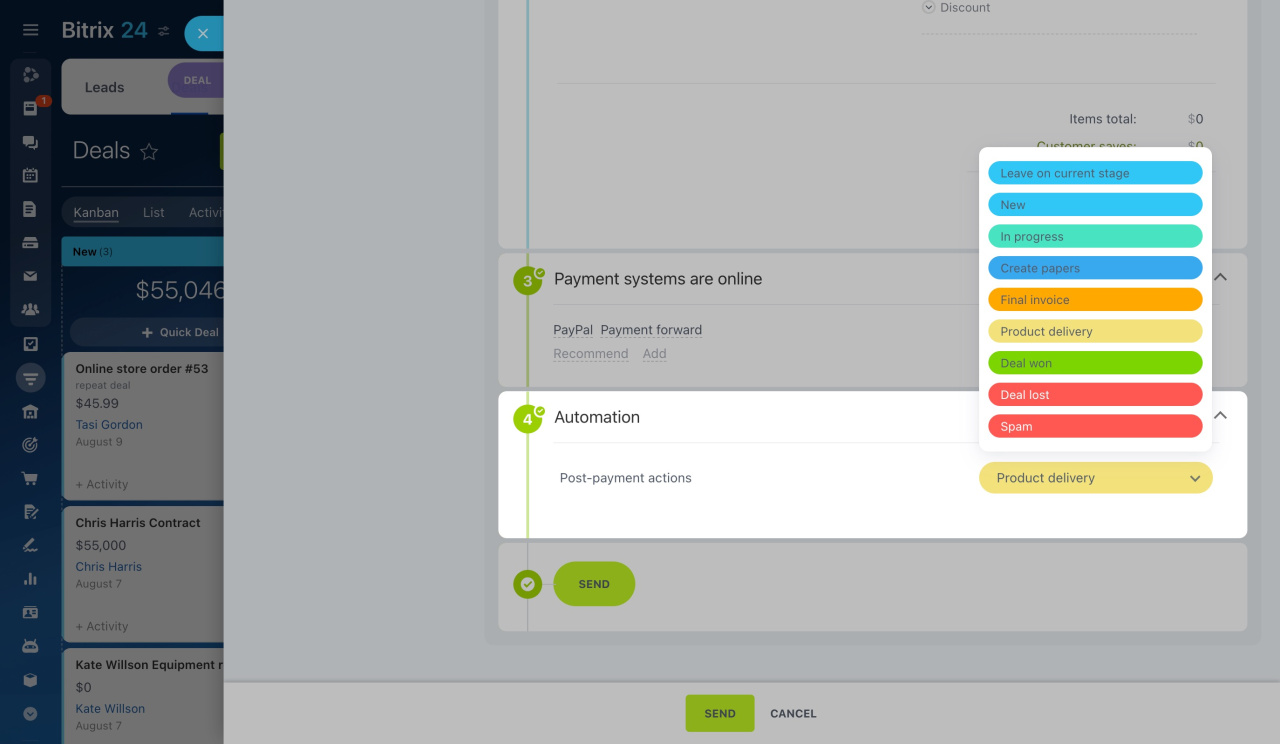
Add a separate stage for paid orders. When you click Receive payment, select this stage in the Automation section. This helps you track paid orders.
After payment, send a receipt and follow up with a thank-you call. This improves customer experience and increases the chance of repeat sales.
Use triggers
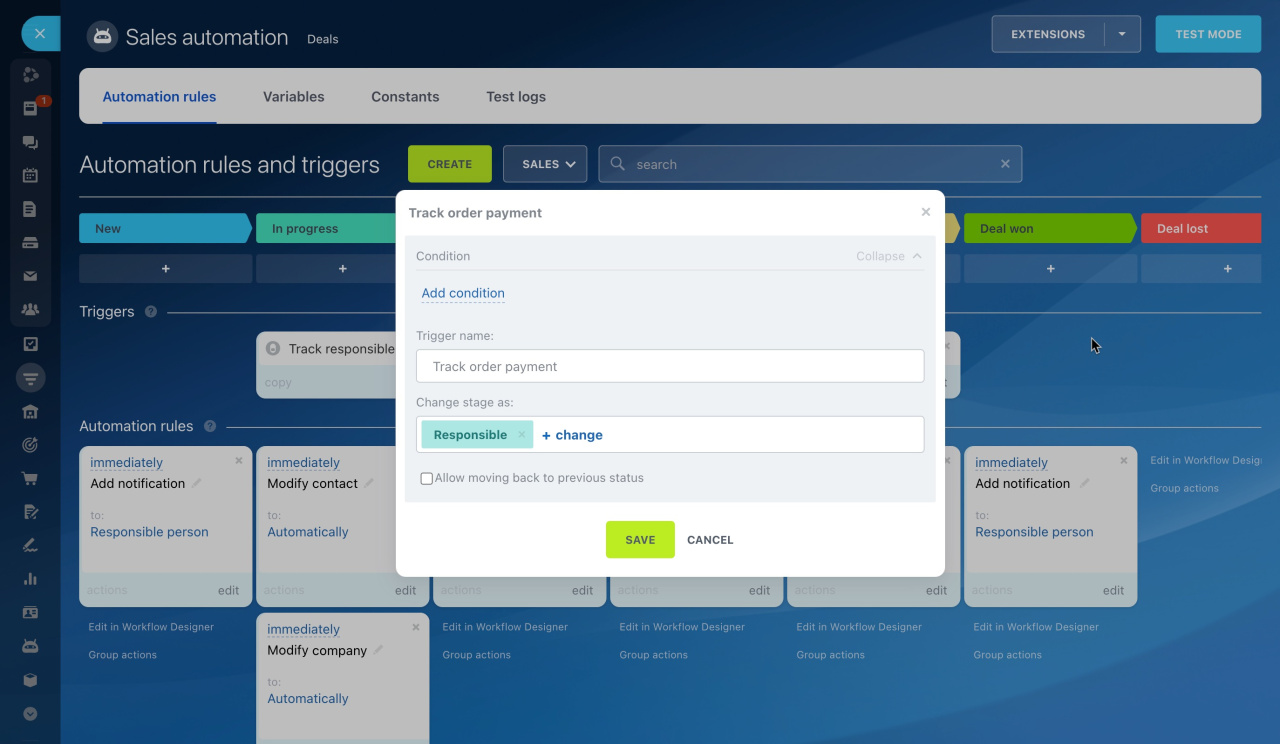
Use the Order payment trigger to track payment status. Move deals to a separate stage and automate post-payment actions, such as calling the client, sending a receipt, or assigning a task.
Use automation rules
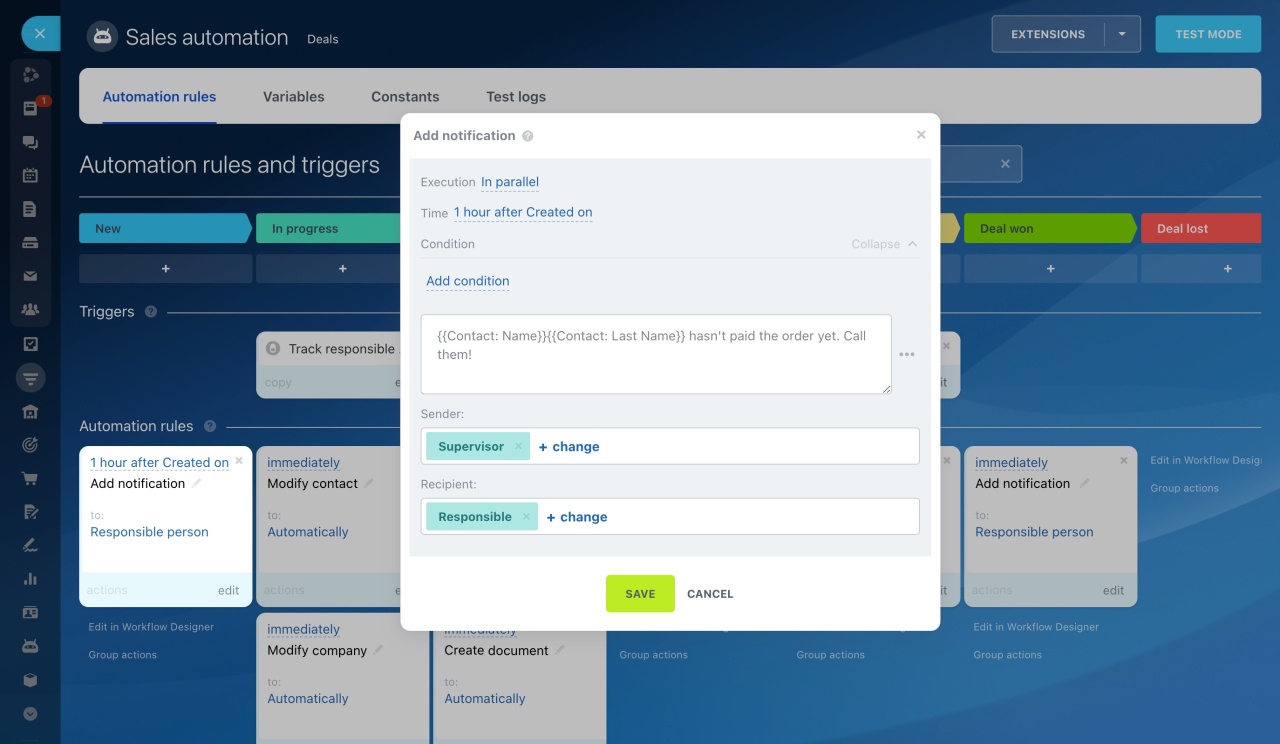
Set up reminders for unpaid orders. Create an automation rule that notifies an employee to follow up with the client.