
Starting in September 2024, you can purchase license renewals, upgrades, and SIP connector subscriptions only through license key verification. This ensures each purchase is tied to a specific license key.
License Key verification
To verify your license key:
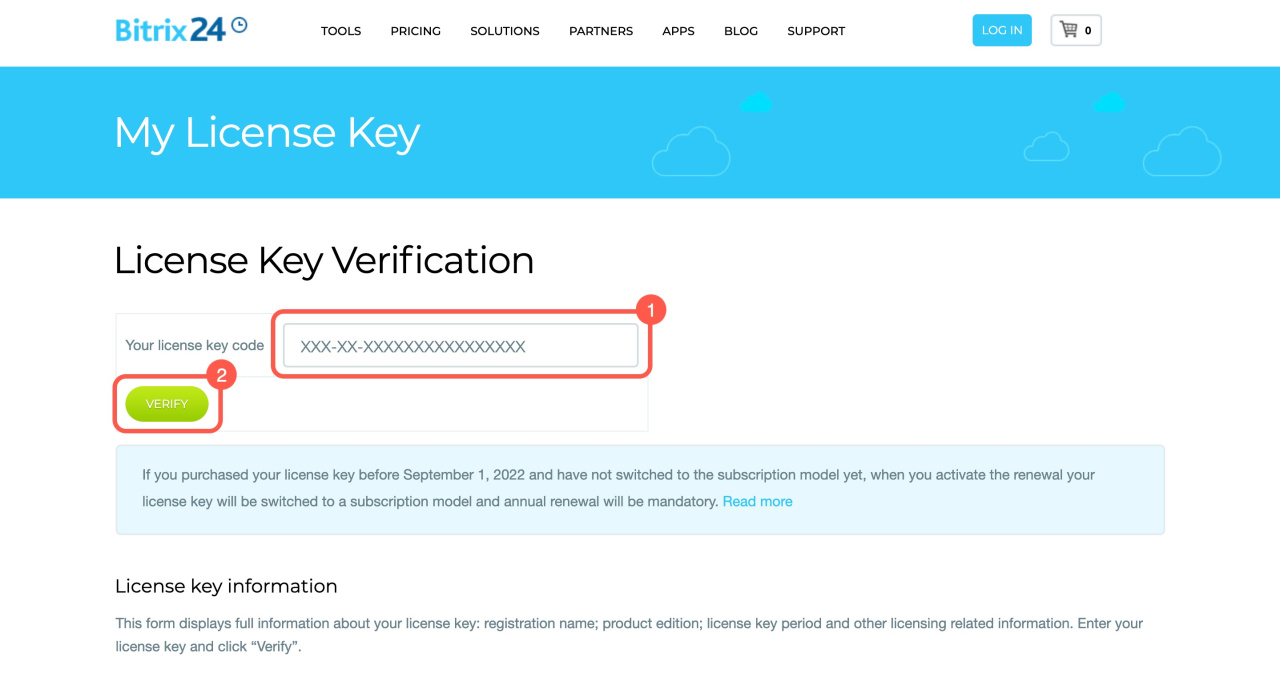
1. Go to the License Key Verification page.
2. Enter your license key and click Verify.
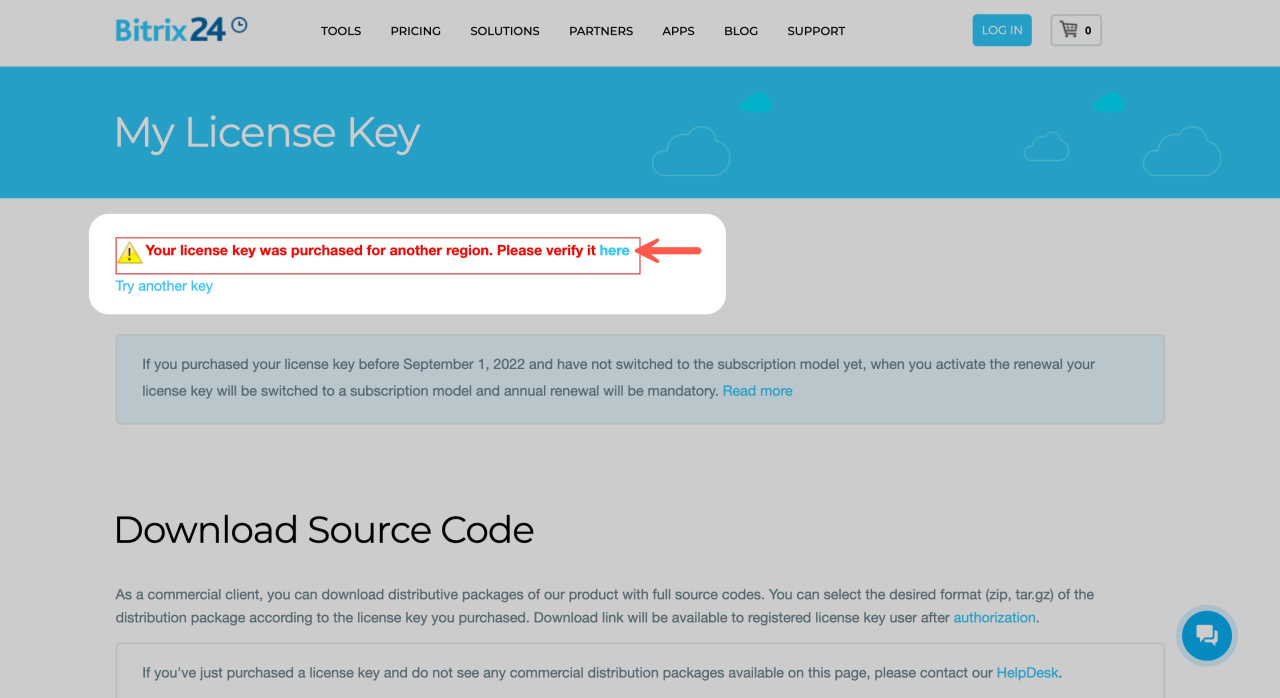
3. If your license belongs to another region, you will be redirected to the correct page.
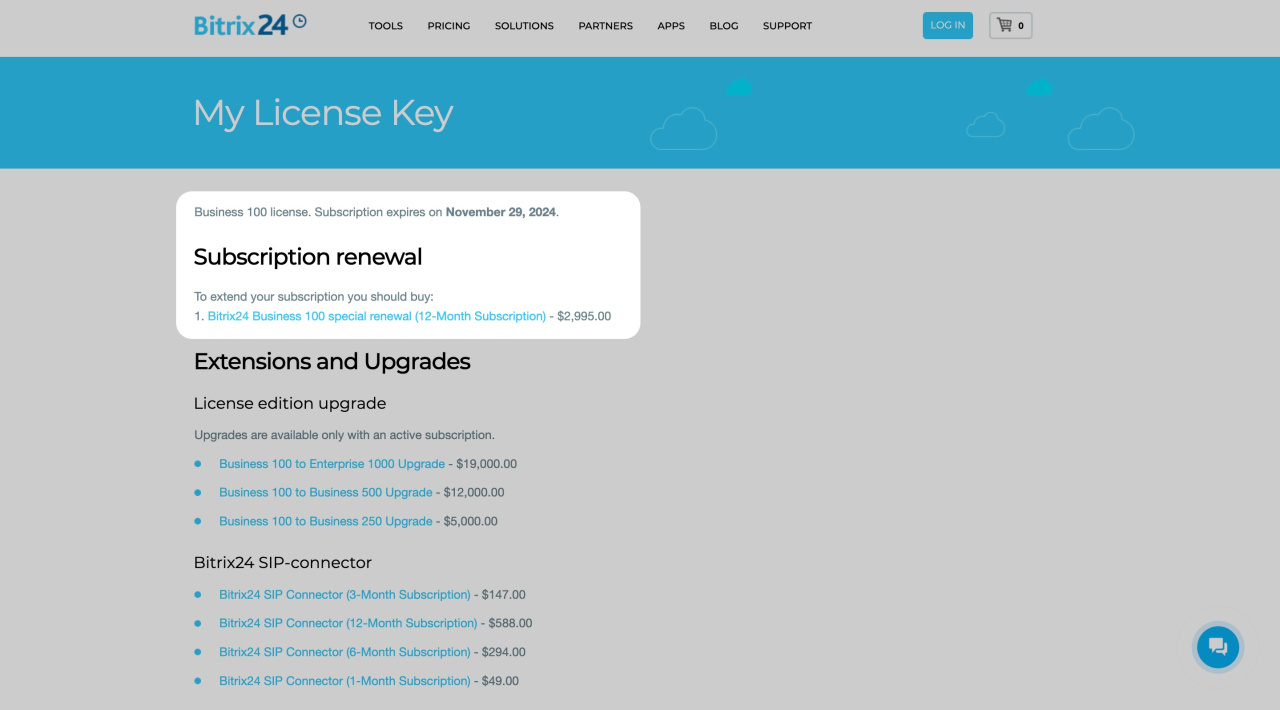
After verification, you will see two sections with available options.
Subscription renewal
If your license is expired or about to expire, you will see a renewal link. By default, each commercial license includes a one-year subscription. After it expires, you can renew it for another 12 months.
Switching Bitrix24 On-Premise license to a subscription model
If your license was not registered when purchased, complete the registration form before renewing.
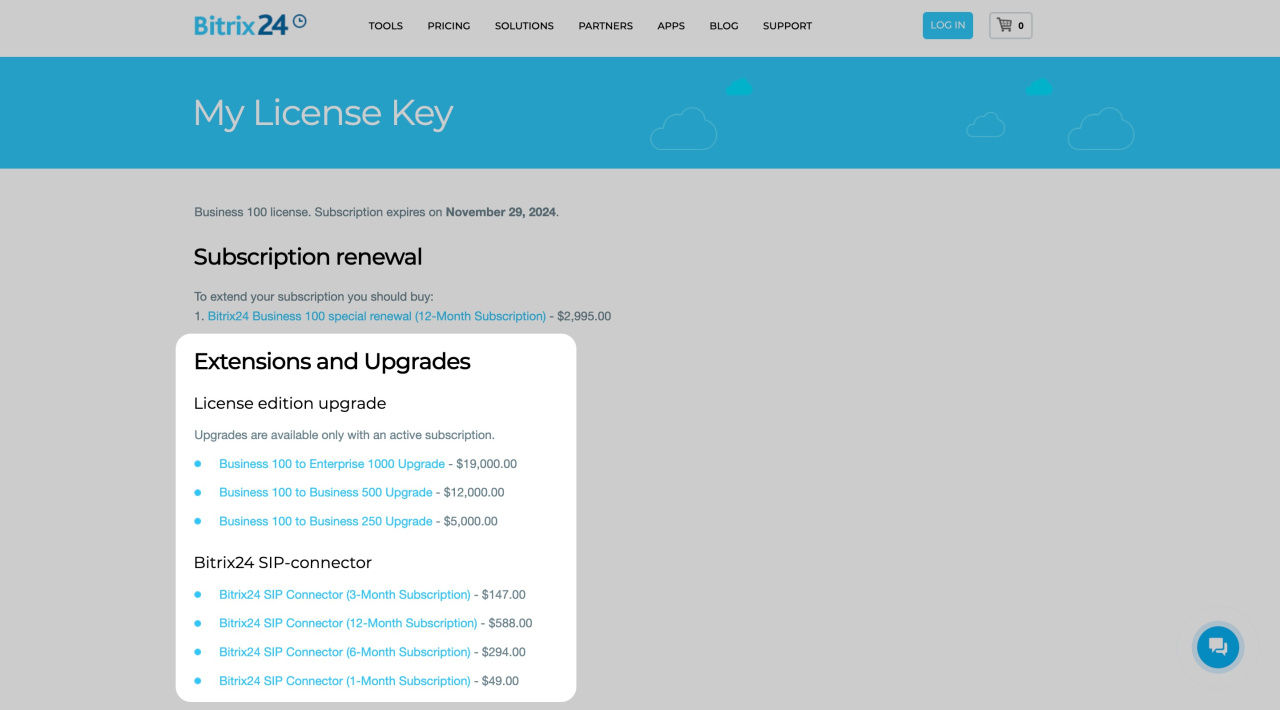
Extensions and Upgrades
License edition upgrades. View all available upgrade options for your current edition.
Bitrix24 SIP connector. This section shows the available SIP connector subscription options. Select the plan you need and proceed to payment.
SIP connector
Additional user packs for Enterprise edition. Additional 1000-user packs are available exclusively for the Enterprise 1000 On-premise edition and are not compatible with any other editions. Upon purchase, the additional 1000-user pack will be automatically applied to your license key, inheriting its current subscription expiration date. Annual renewal of the additional 1000-user pack is required along with the On-premise subscription renewal for access to product installation.
After payment is confirmed, all changes apply to your license key automatically.