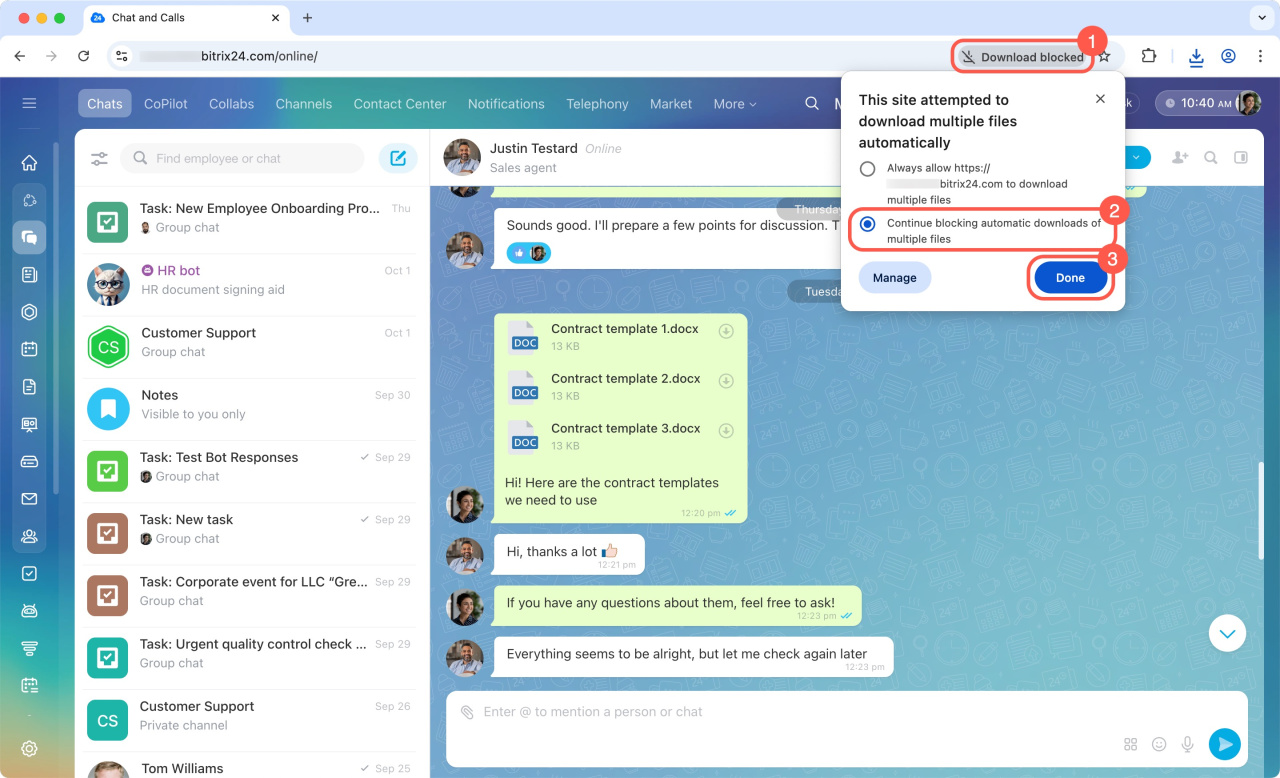
By default, Google Chrome blocks the automatic downloads of multiple files at once. To save several files from Bitrix24 chats, you'll need to change this setting in your browser.
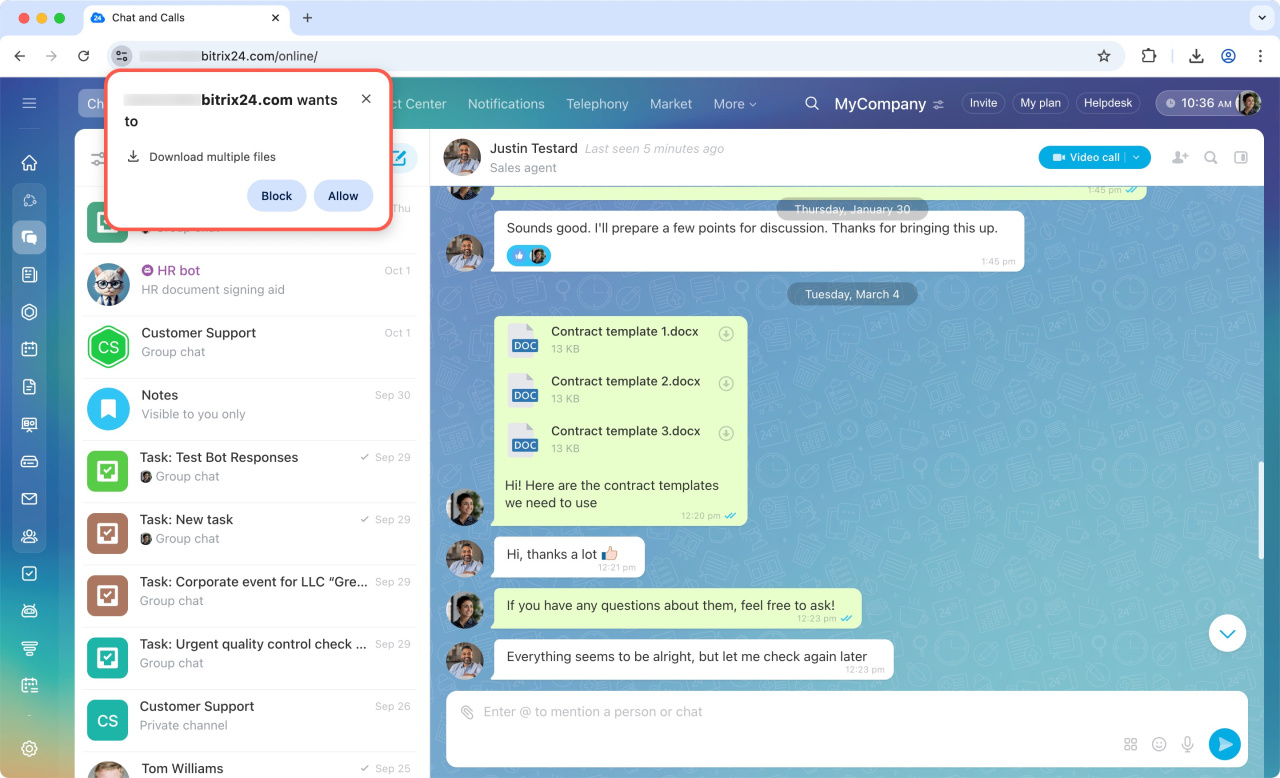
If you've blocked multiple file downloads before, here's how to fix it:
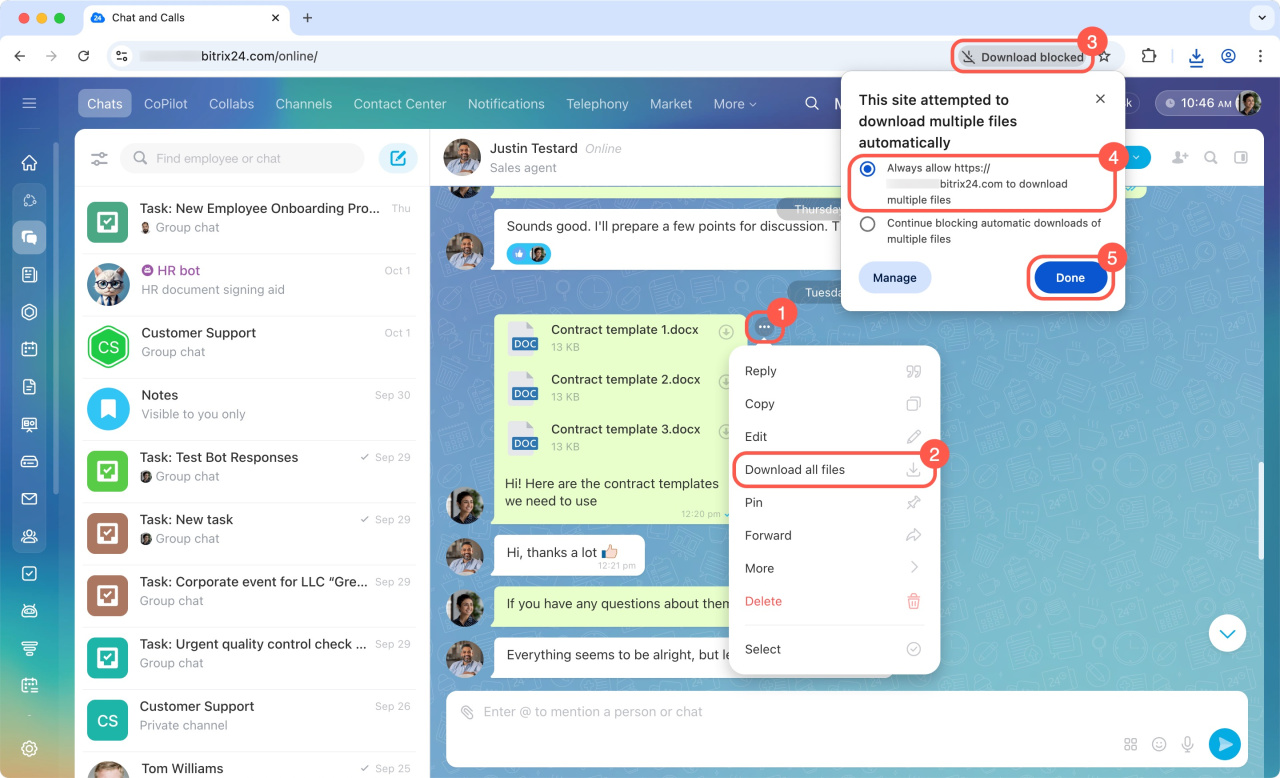
- In the Bitrix24 chat, open the three-dot menu (...) next to the desired message.
- Select Download all files.
- Click Download blocked in the browser.
- Select Always allow xxxxx.bitrix24.com to download multiple files.
- Click Done.
You only need to give download permission once. After that, files will be saved without limitations.
To re-enable the blocking, select Continue blocking automatic downloads of multiple files when saving files.