
Quick answer
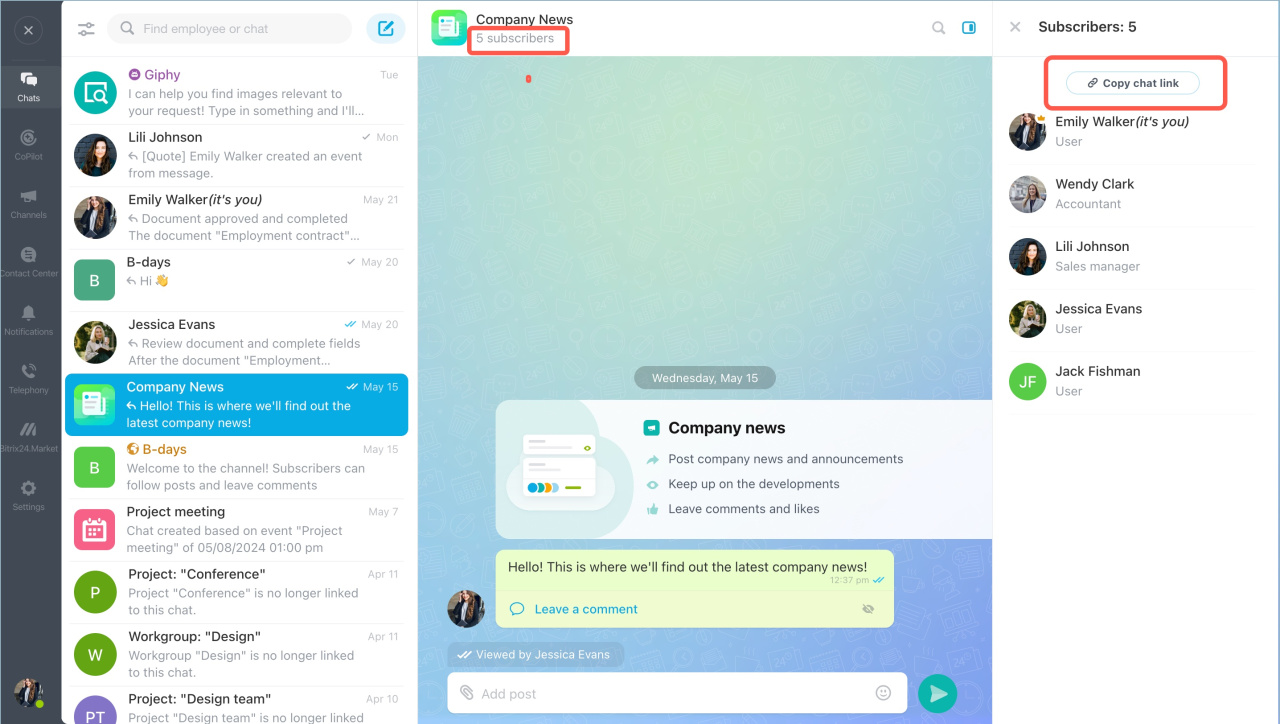
Open the chat. Click Subscribers > Copy chat link. Send the link to your colleagues or add it to the knowledge base.
Detailed answer
In Bitrix24, you can share a link to a group chat. This helps you avoid adding each new employee manually. For example, place chat links in your knowledge base so new employees can join on their own.
Private chats do not support links. Add participants to those chats manually.
Copy a chat link
- Open the chat.
- Click Subscribers.
- Click Copy chat link.
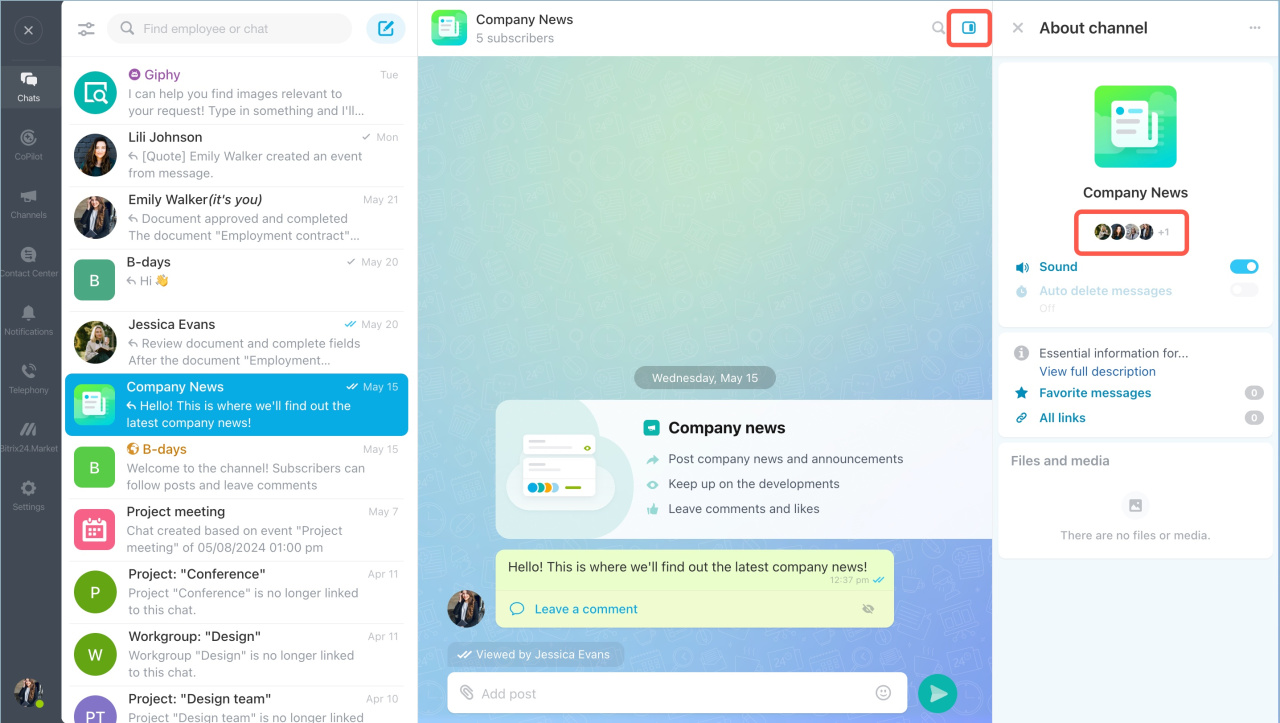
Copy the link from the chat sidebar
- Open the chat.
- Click the sidebar icon.
- Click subscribers' images.
- Click Copy chat link.
Use chat links to speed up onboarding and give new employees quick access to team conversations.