
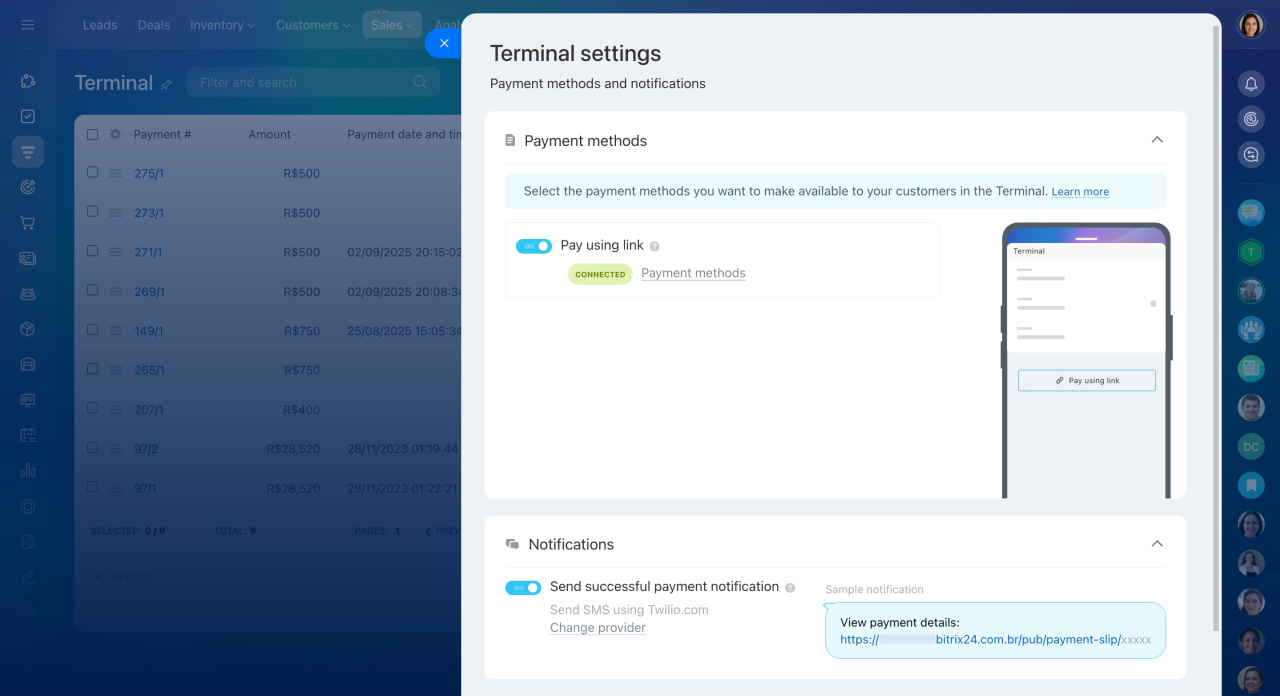
In the Terminal settings, you can configure payment methods and enable sending SMS with proof of payment to your clients.
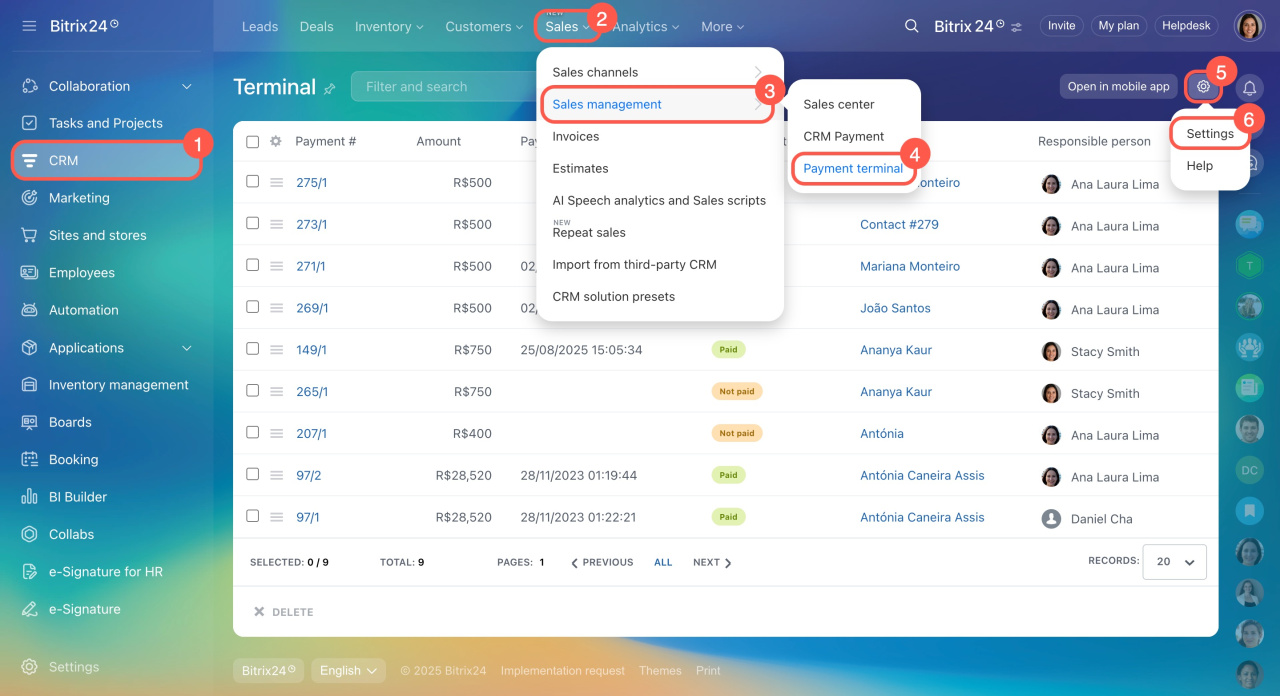
To access the settings:
- Go to CRM.
- Click Sales.
- Expand Sales management.
- Select Payment terminal.
- Click the gear button (⚙️).
- Click Settings.
Here, you can enable the payment methods you want your customers to use in the Terminal. Use the toggle switch to turn SMS with proof of payment on or off.
Send SMS with proof of payment
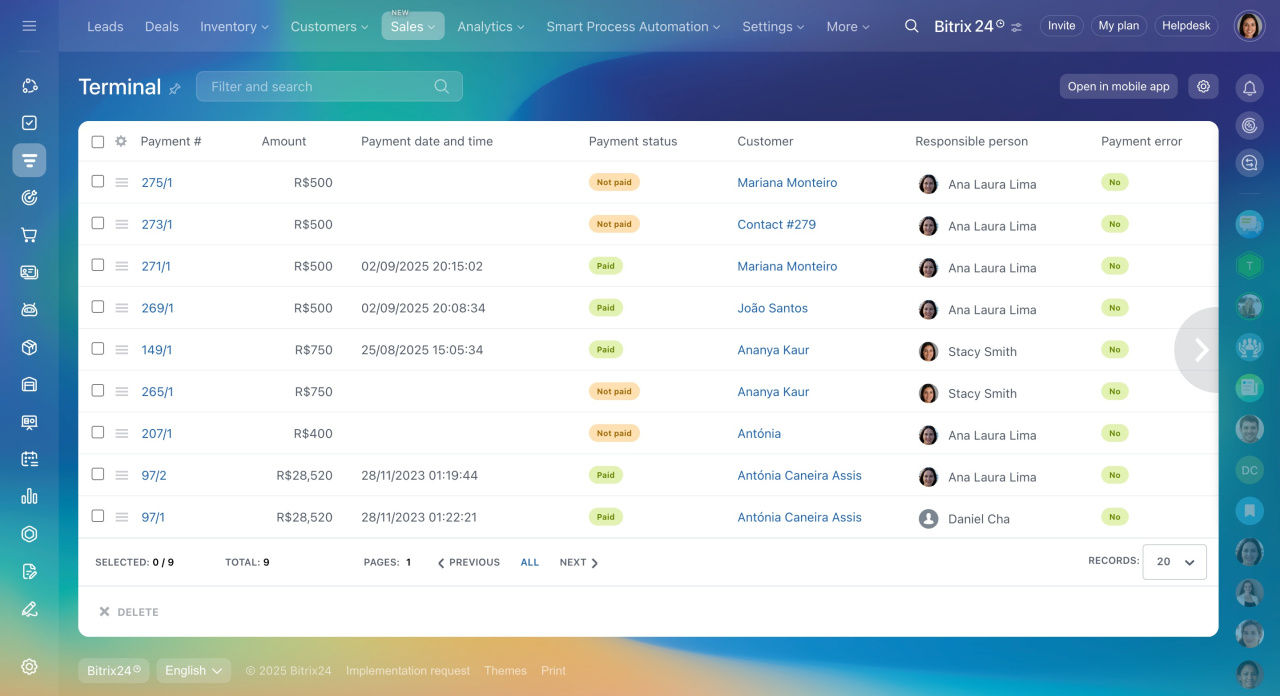
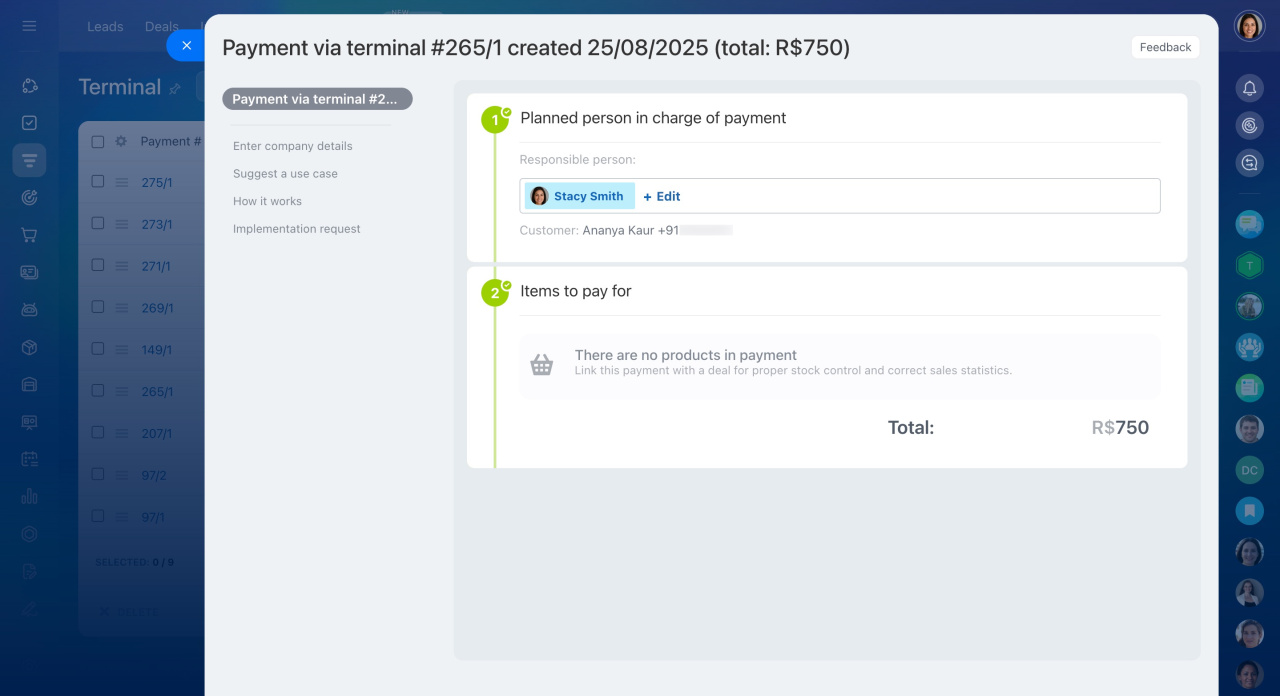
You can also view all payments on the Terminal page. Click a payment name to see its details.
In brief
On the Terminal page, you can:
-
Configure payment methods available to your customers.
-
Enable or disable SMS with proof of payment for your clients.
-
Access all payments and view their details when needed.