
Set up task permissions for each project member to make teamwork more efficient. This helps assign work clearly and gives you better control over tasks.
To configure permissions, go to Tasks and Projects > Projects and open a project.
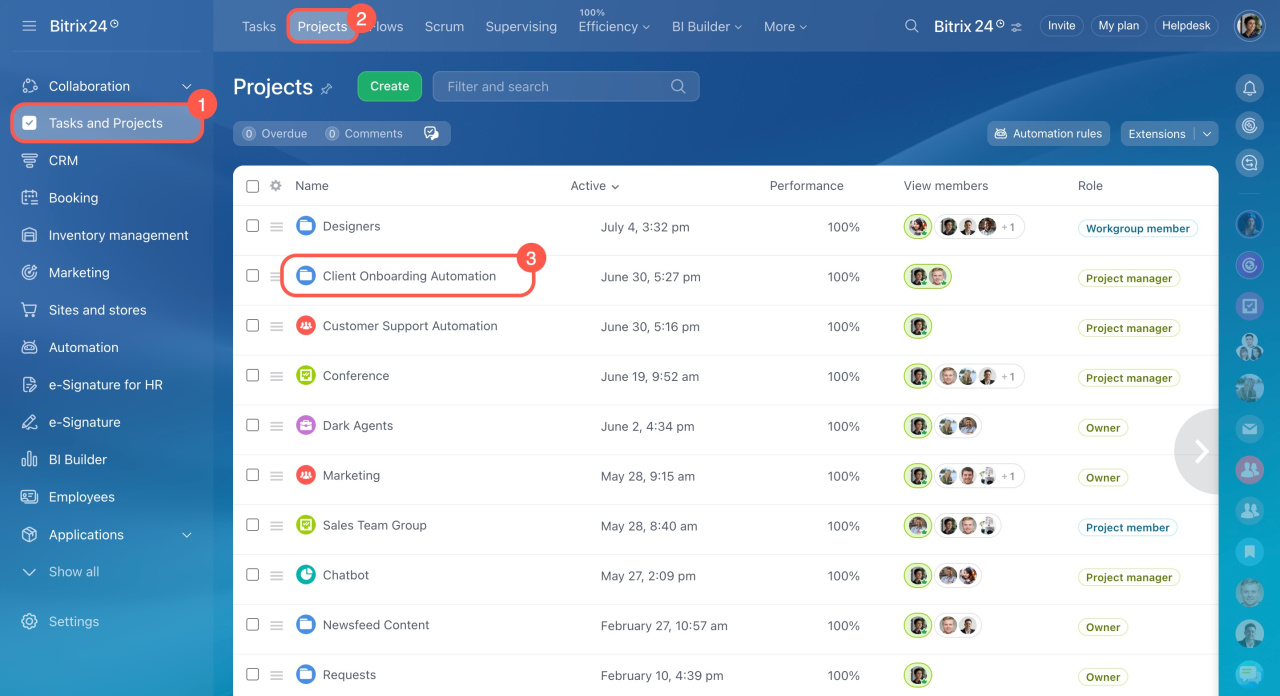
If you do not have a project yet, learn how to create one.
In the upper-right corner, click About Project and select Roles and Permissions.
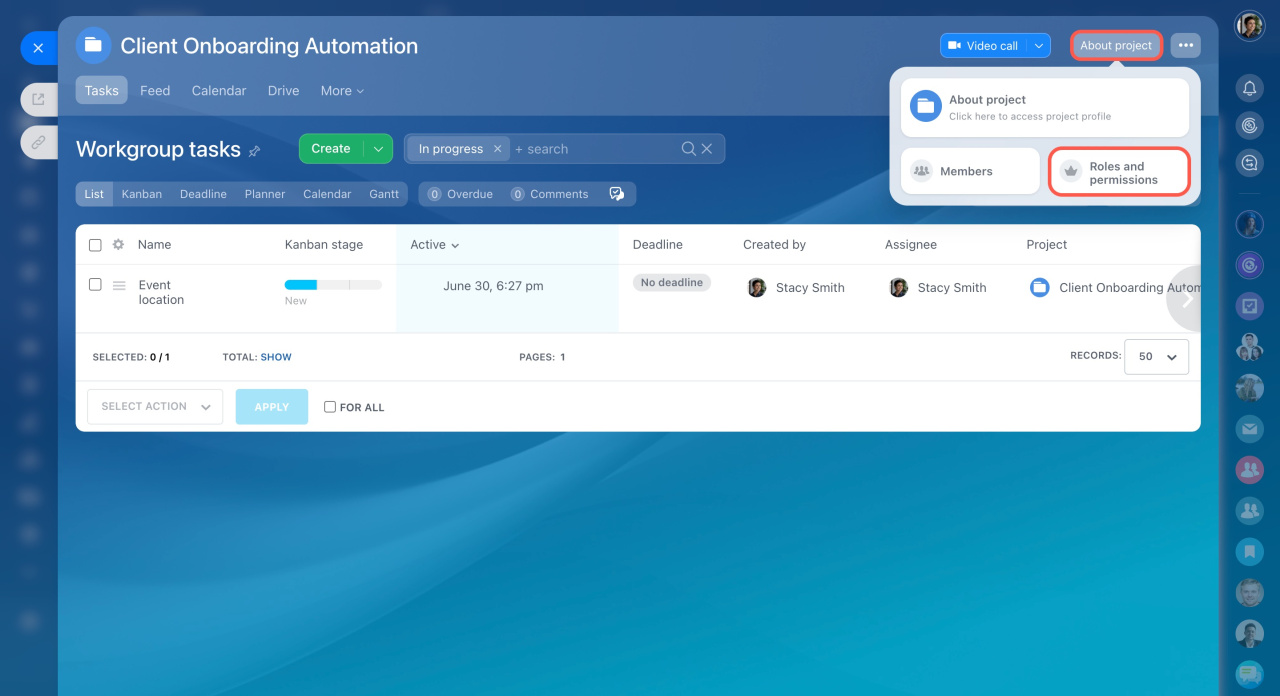
Configure these permissions:
- View private tasks
- View all tasks
- Sort and move tasks
- Create tasks
- Edit all tasks
- Delete all tasks
Select who can use each permission:
- Project owner only
- Project owner and assistants
- All project participants
- Authorized users
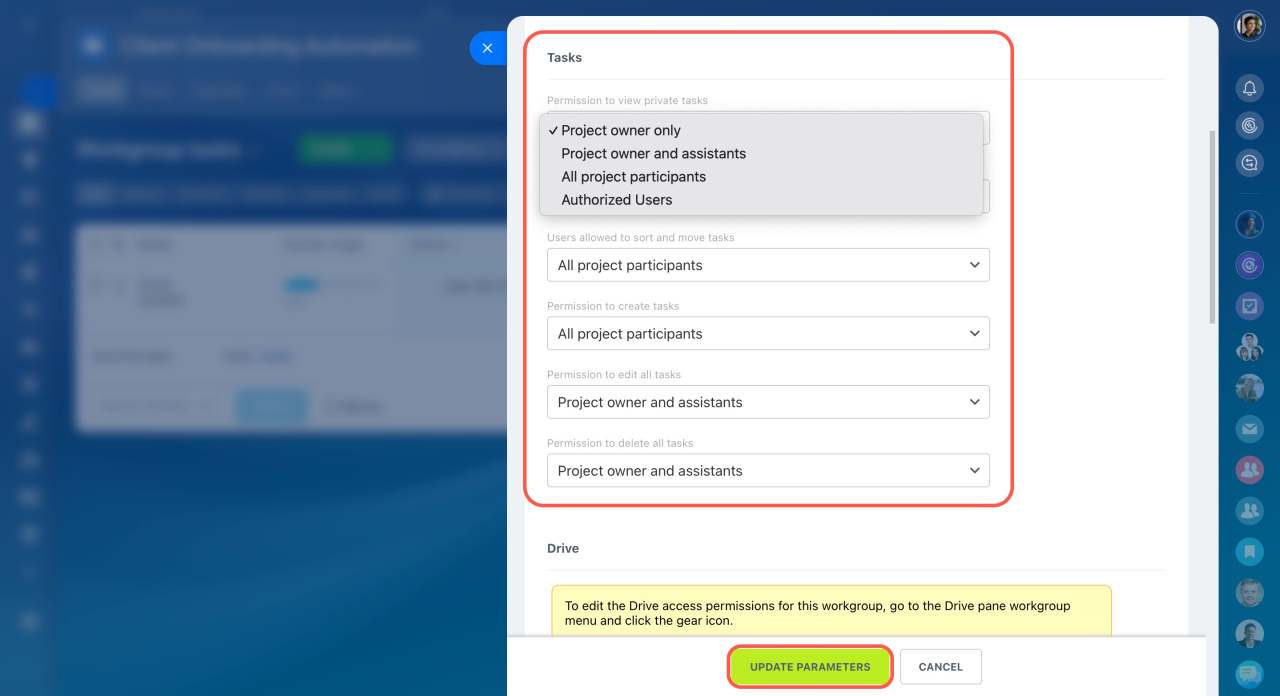
Users can view a task if they have at least one permission. For example, if all project participants can view tasks, a user has this permission even if their individual access settings are different.