
Bitrix24 Market offers hundreds of apps that extend and improve your workspace.
Install an app
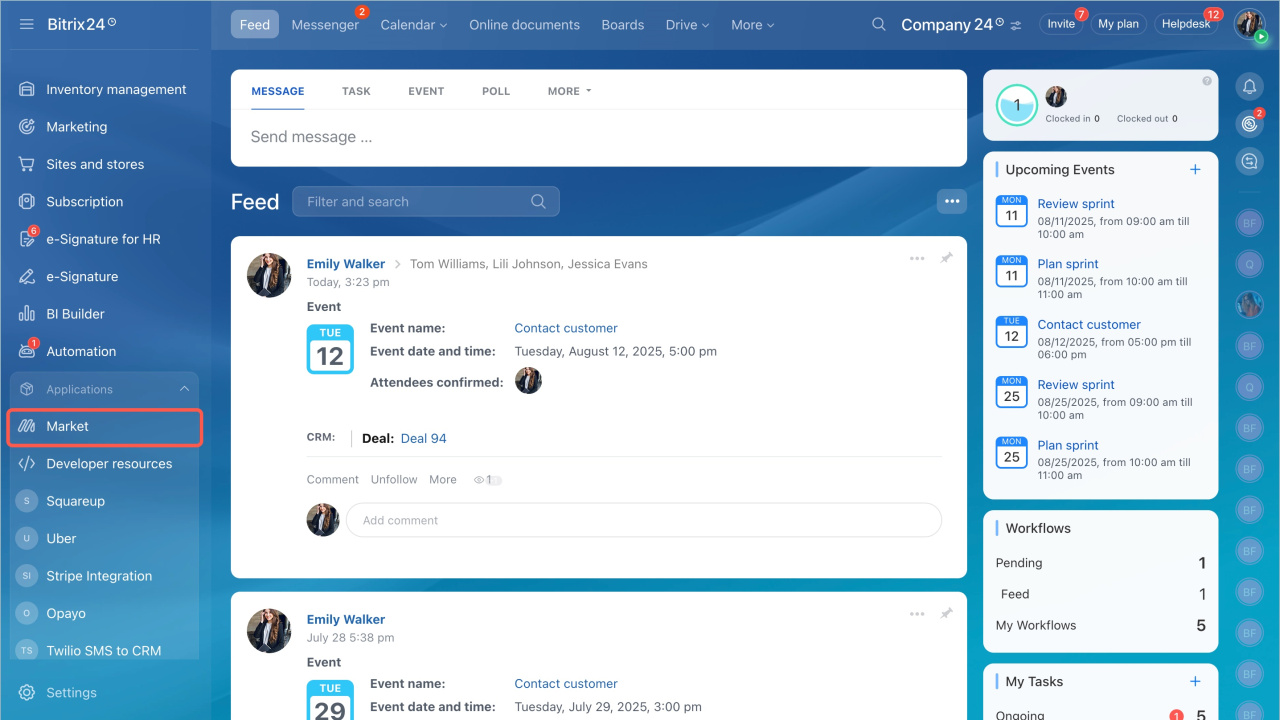
- Open the Applications section in the left menu and select Market.
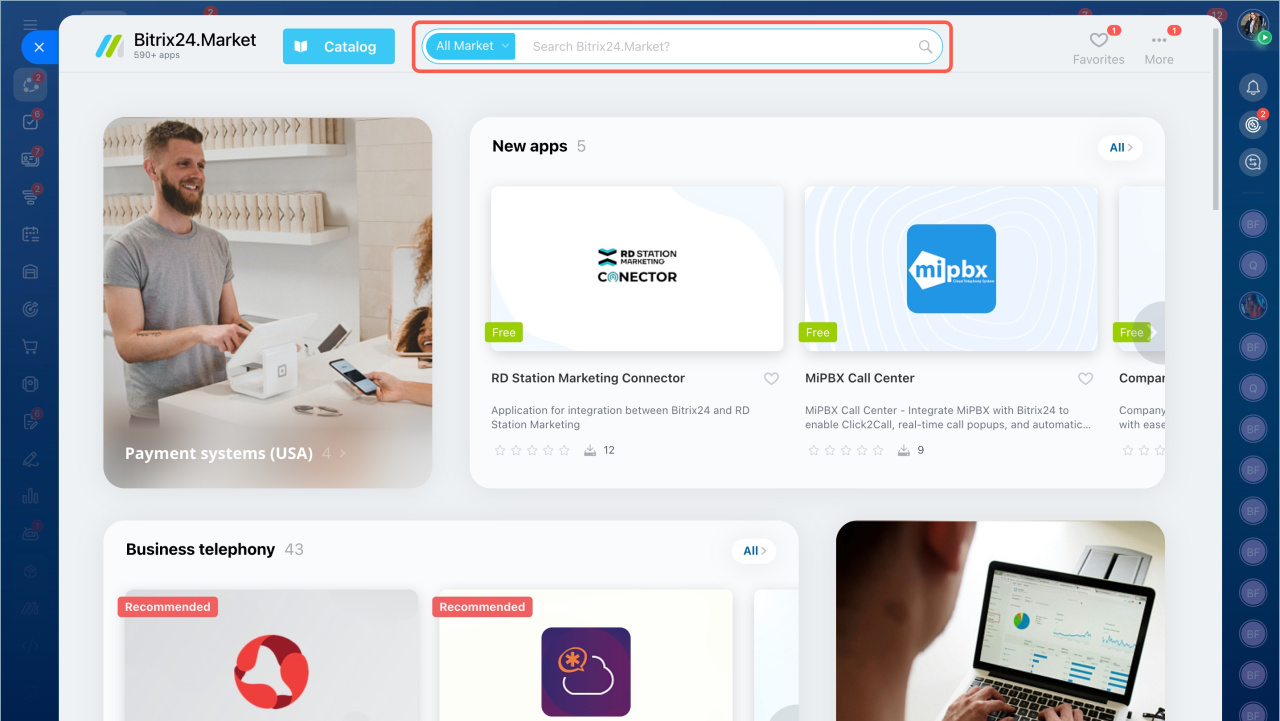
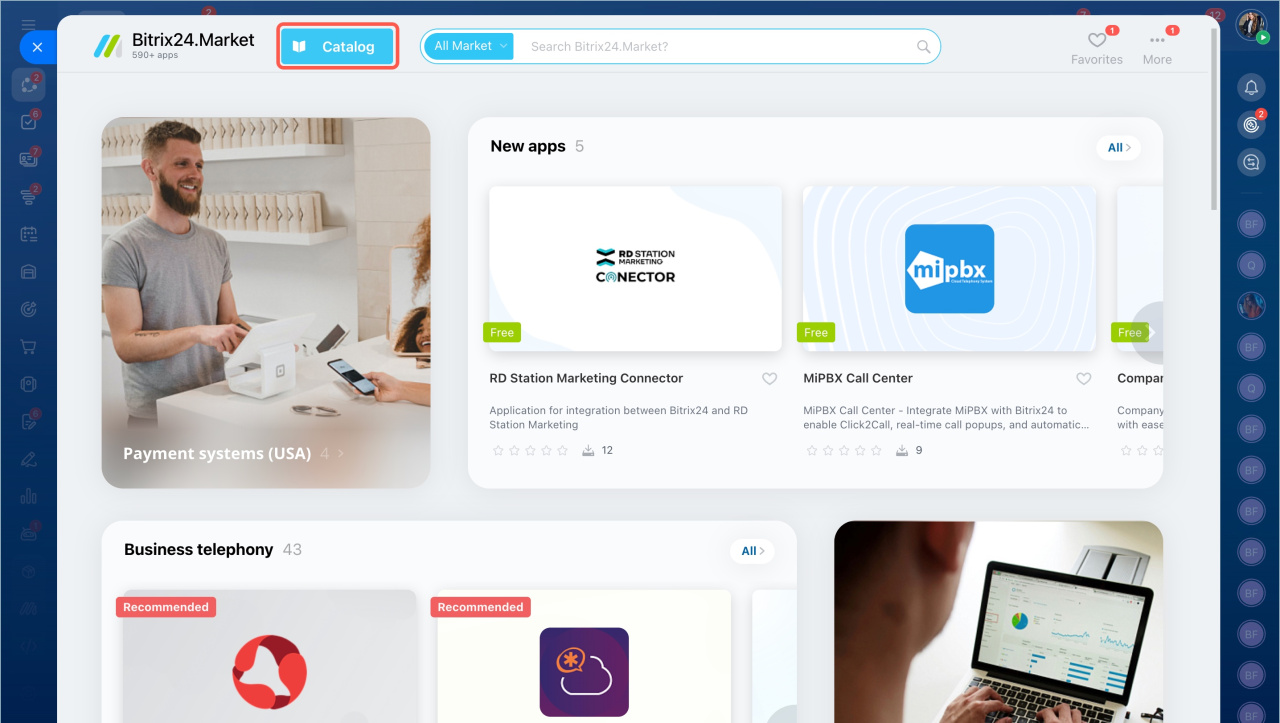
- Find an app using the search bar or browse by category.
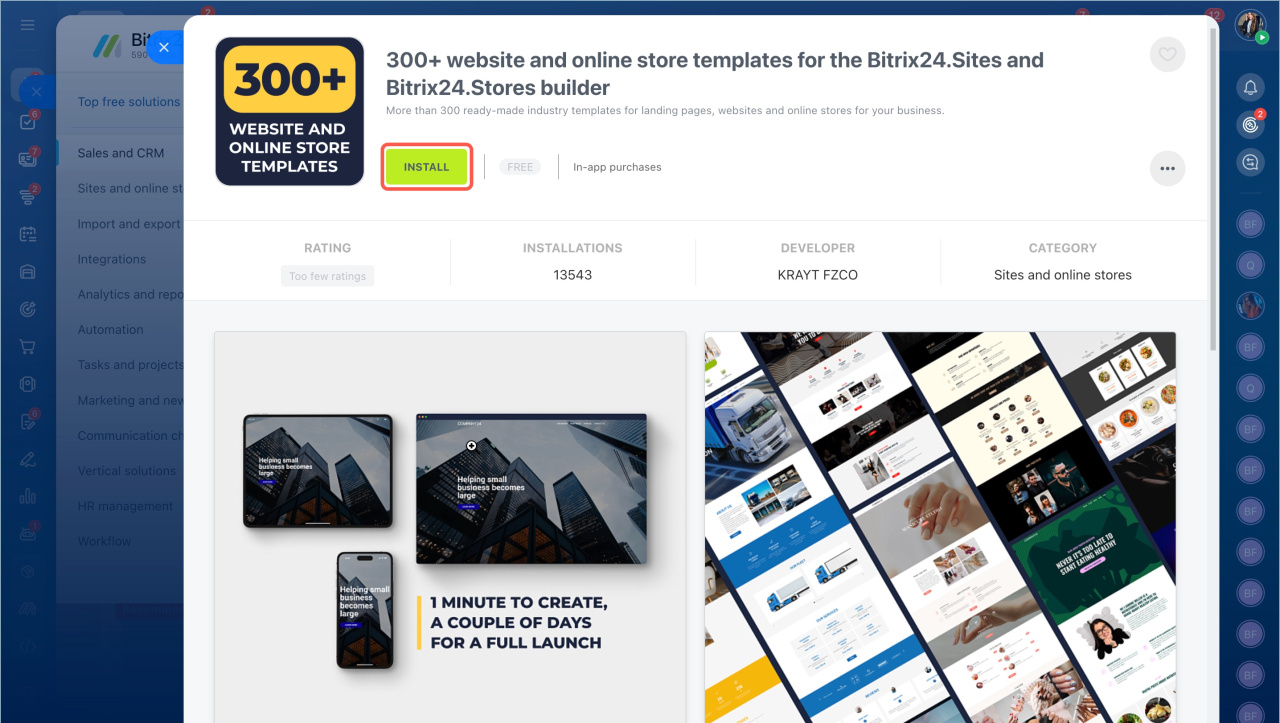
- Open the app page and click Install.
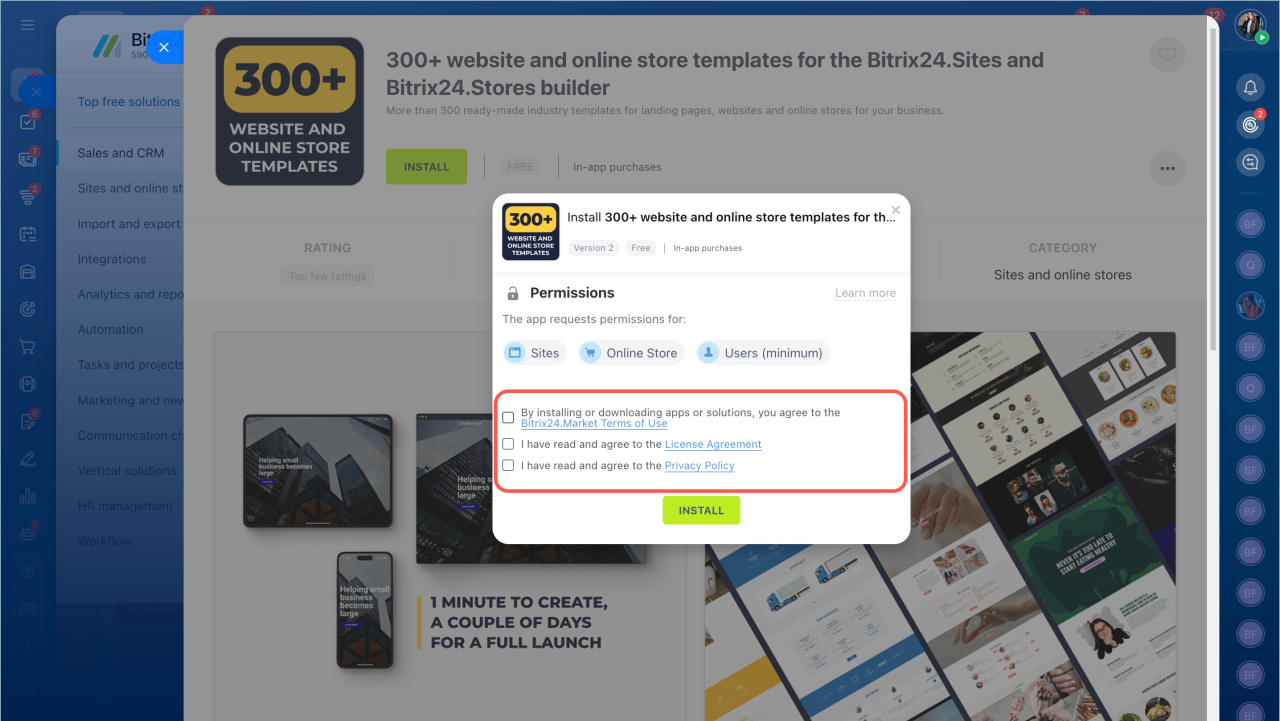
- Review the requested permissions. Read the terms, license agreement, and privacy policy. Select the checkboxes and click Install.
Access to Bitrix24 tools by Bitrix24 Market apps
Who can install apps
By default, only the Bitrix24 administrator can install apps. You can allow all users to install apps:
- Open the account settings.
- Go to Other settings and expand Miscellaneous.
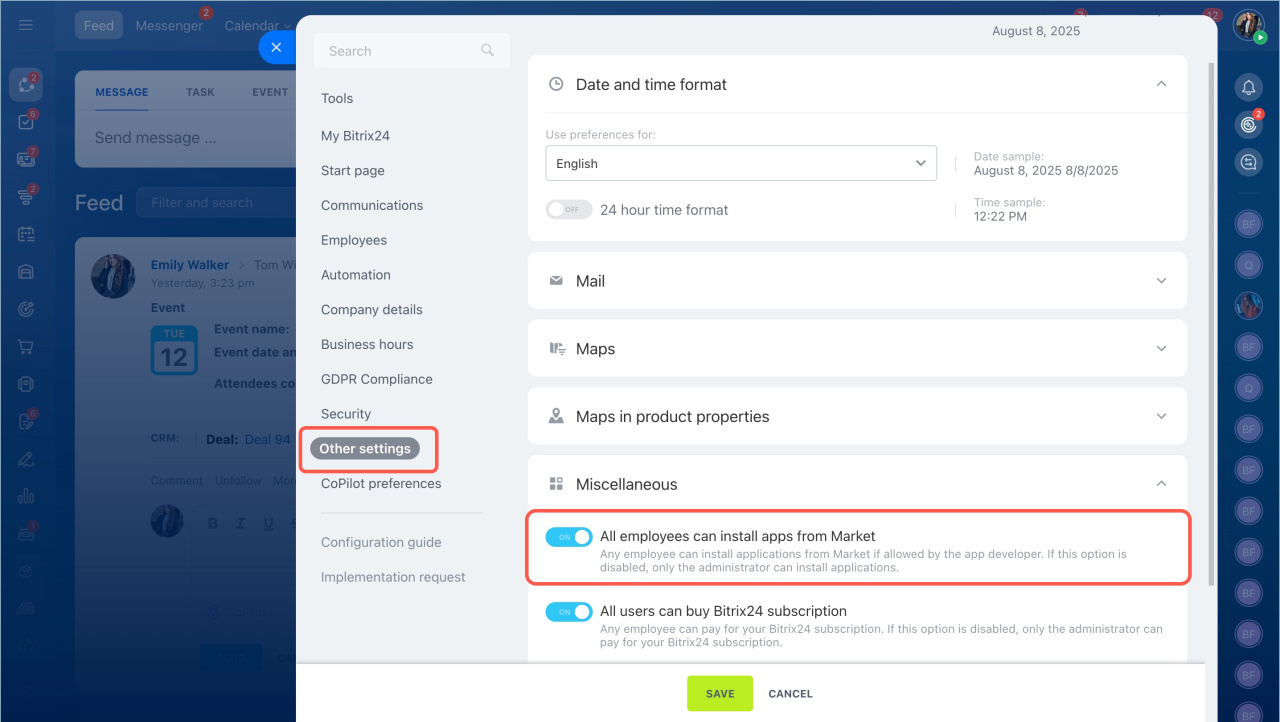
- Enable All employees can install apps from Market.
- Save the changes.
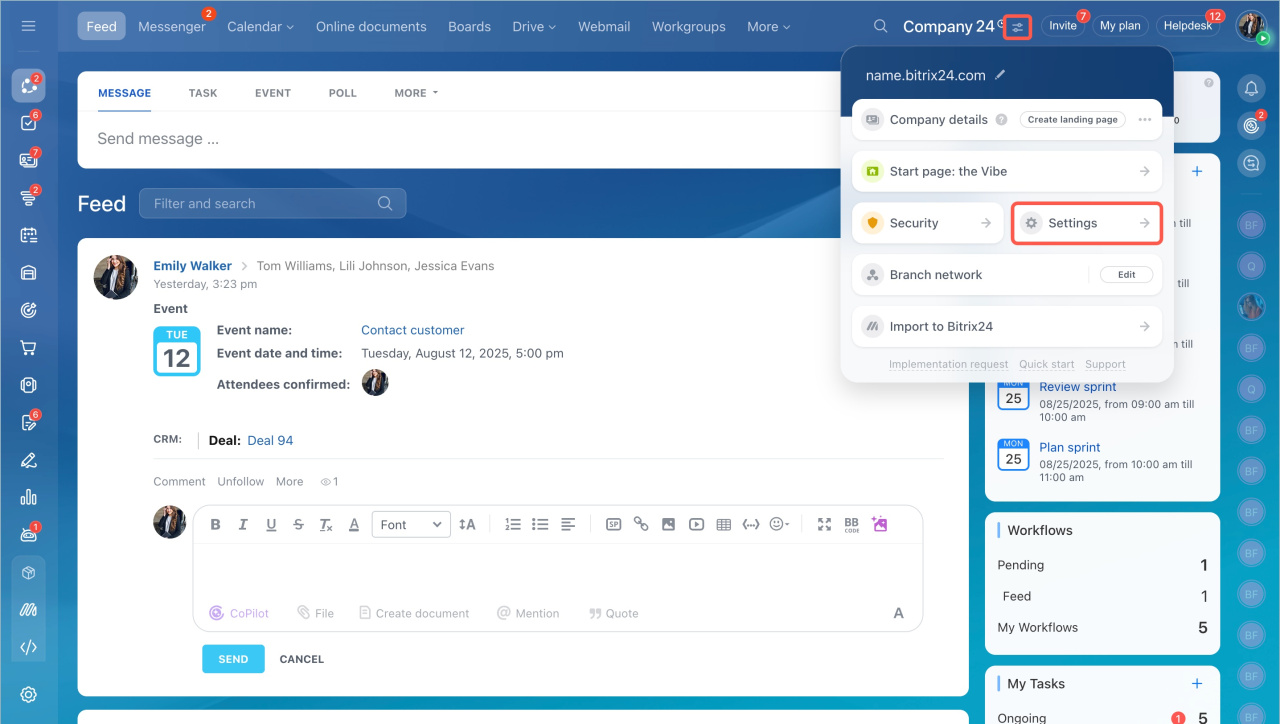
Bitrix24 Settings: new single section
App developers can restrict installation for non-admin users, even if this option is enabled.
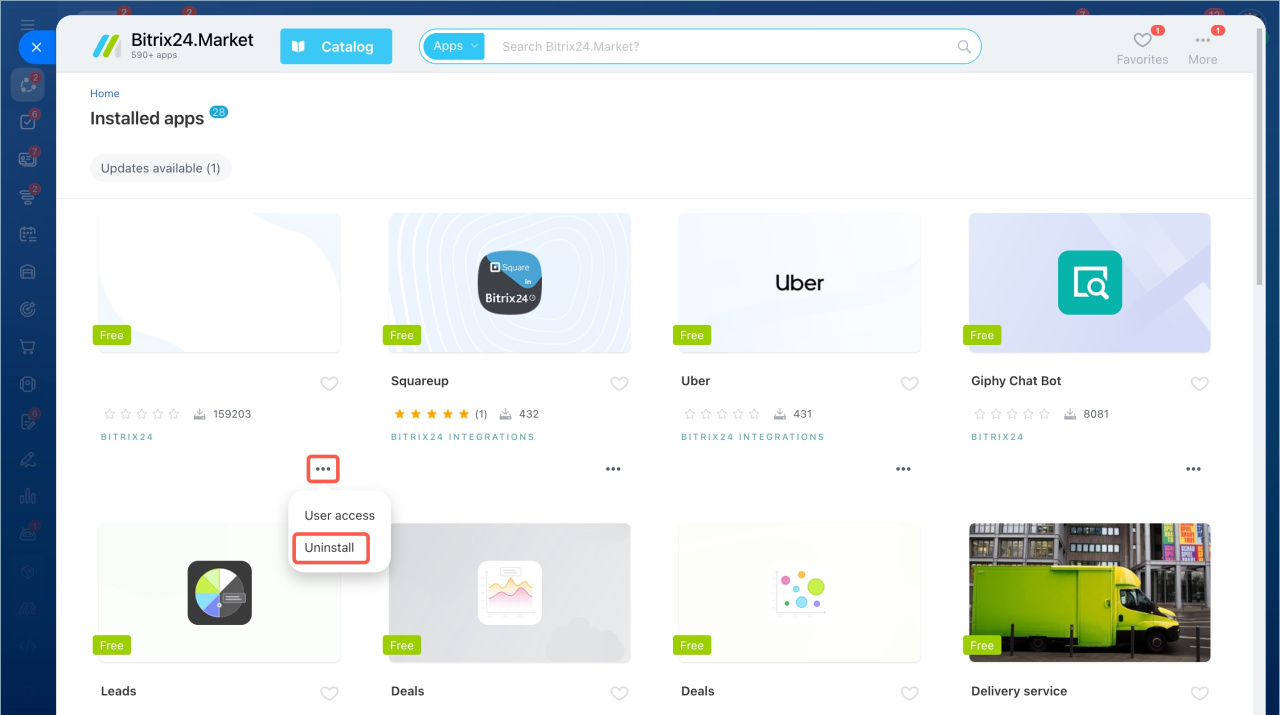
Manage installed apps
- Open the Market page.
- Click More in the top-right corner.
- Select Installed apps.
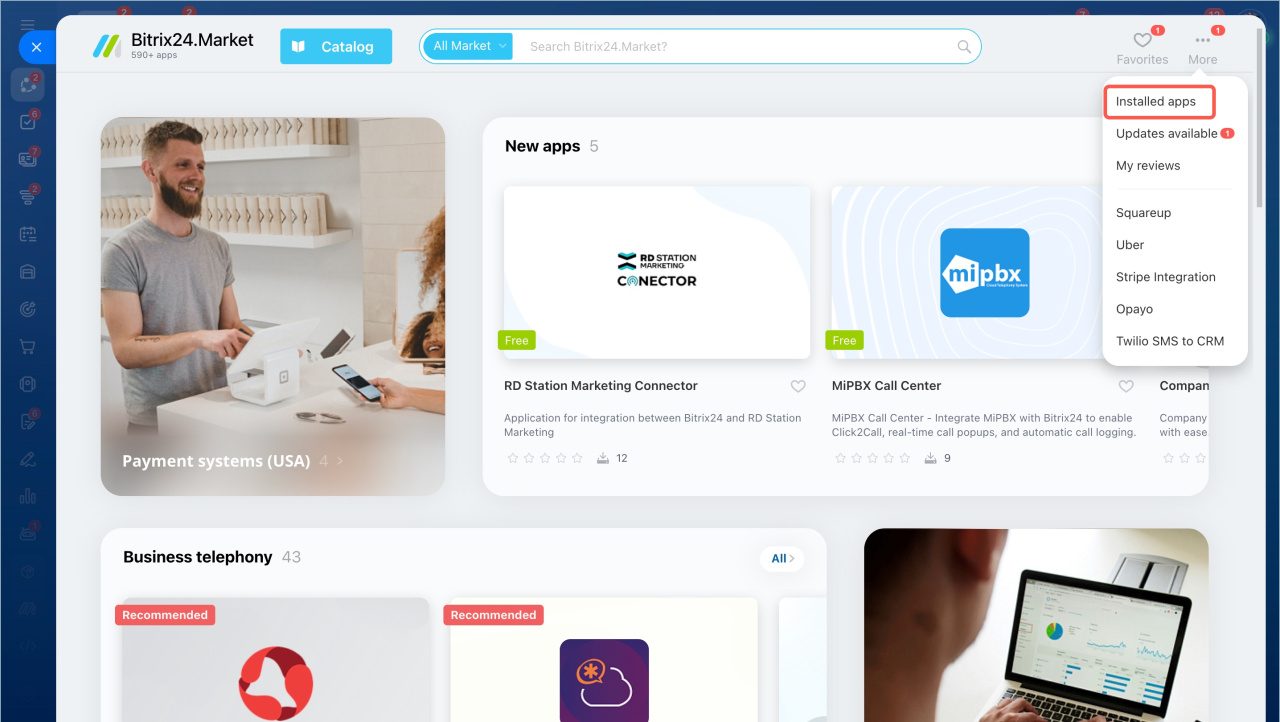
From here, you can update apps, configure access, or uninstall them.
In brief
- You can find apps by search or categories.
- By default, only administrators can install apps. You can allow all users to install apps in settings.
- Developers can still restrict installation for non-admin users.
- You can update, configure, or remove installed apps.