
After you install a Bitrix24 Market app, all users can access it by default. You can limit access to specific employees or departments.
Only a Bitrix24 administrator can manage app access.
Open access settings
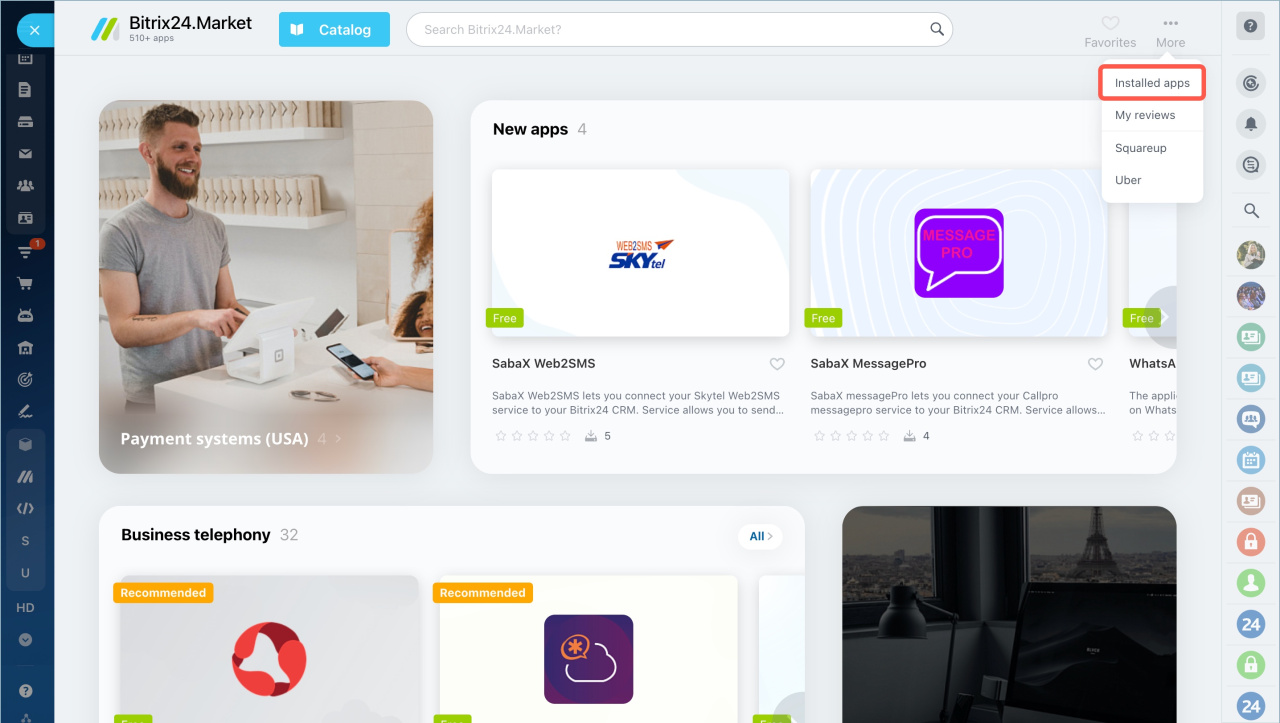
- Go to Market.
- Click More.
- Select Installed apps.
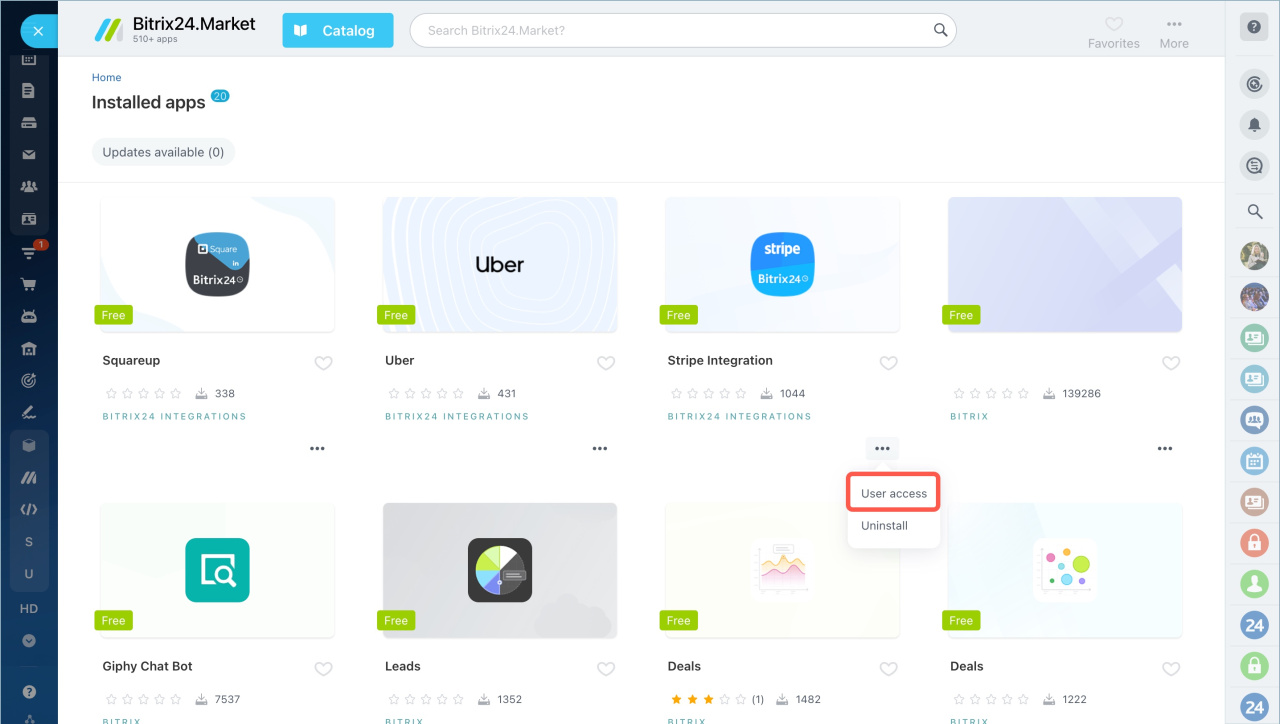
- Find the app.
- Open the menu (three dots) and select User access.
Grant access
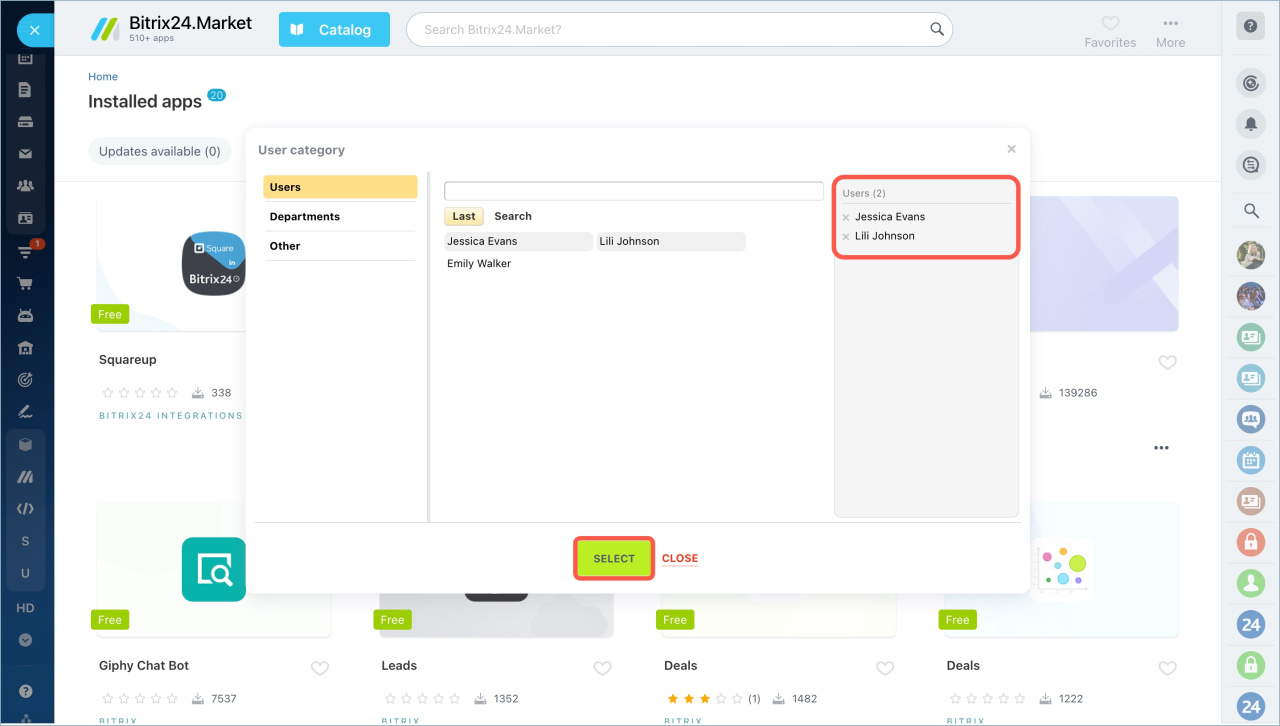
- Add users or departments who need access.
- Click Select.
You will see the selected users on the right side of the window. Only these users can use the app.
Remove access
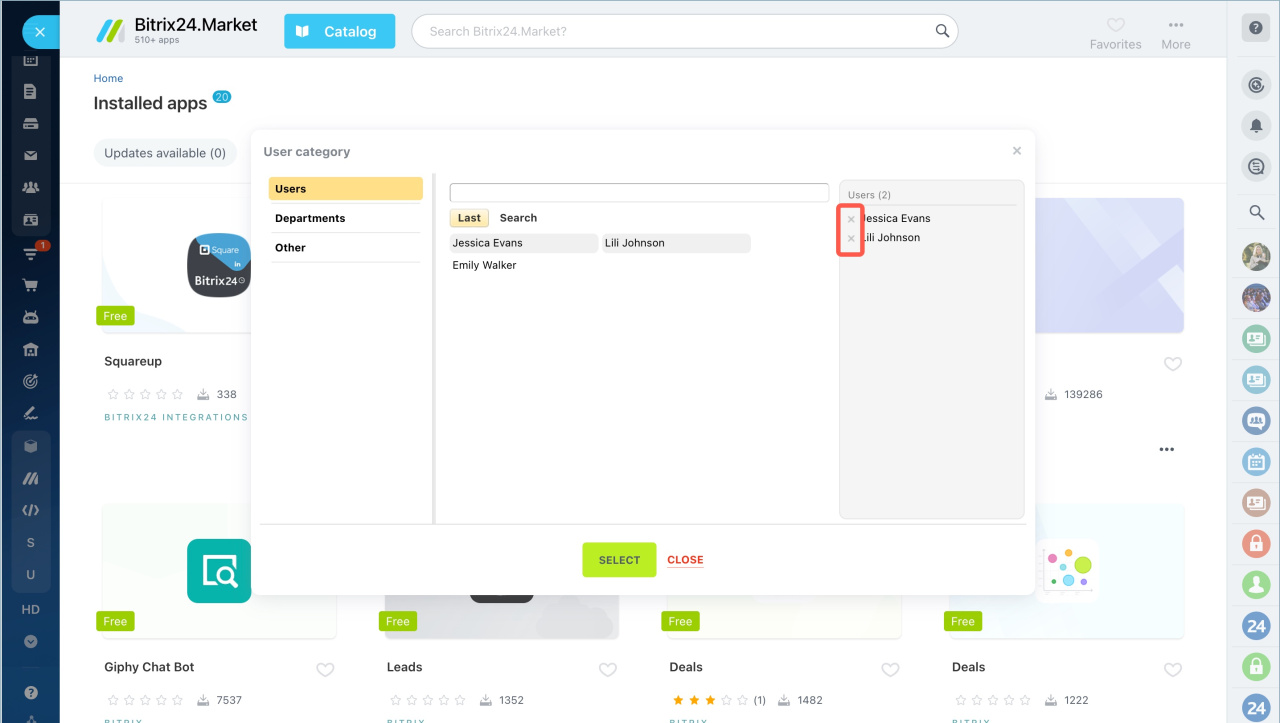
Click the X next to a user to remove access.
Important notes
- If you do not add any users, the app is available to all employees.
- Some apps or features are restricted to administrators. App developers set these limits.
- Users without access will see an error if they try to open the app.
In brief
- Market apps are available to all users after installation by default.
- Only administrators can configure access.
- You can grant access to specific users or departments.
- If no users are selected, all employees can access the app.
- Some apps or features may be limited to administrators.