An email message header is a hidden part of an email that shows when it was sent and the mail servers it passed through. Bitrix24 support may request email headers to help resolve issues, such as why an email isn't saved to CRM.
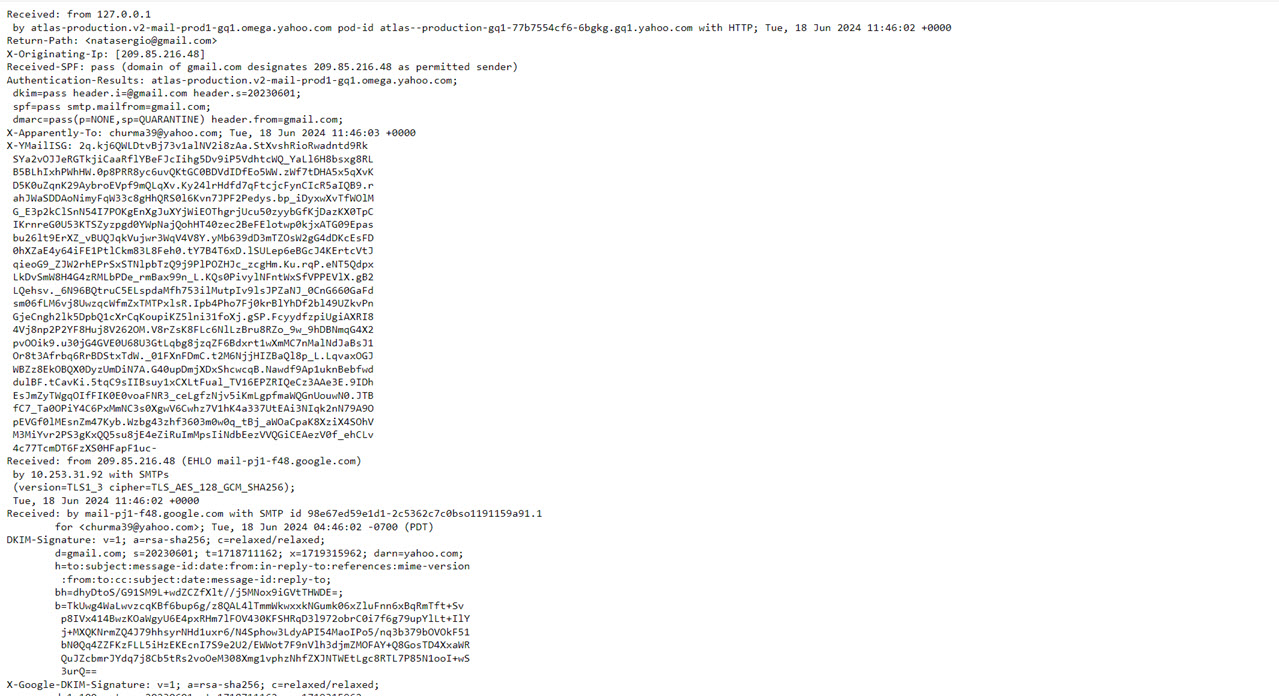 Email header example from Yahoo Mail
In this article, we'll show you how to view email headers in different mail services:
To view the email header, open the mail service and select an email message.
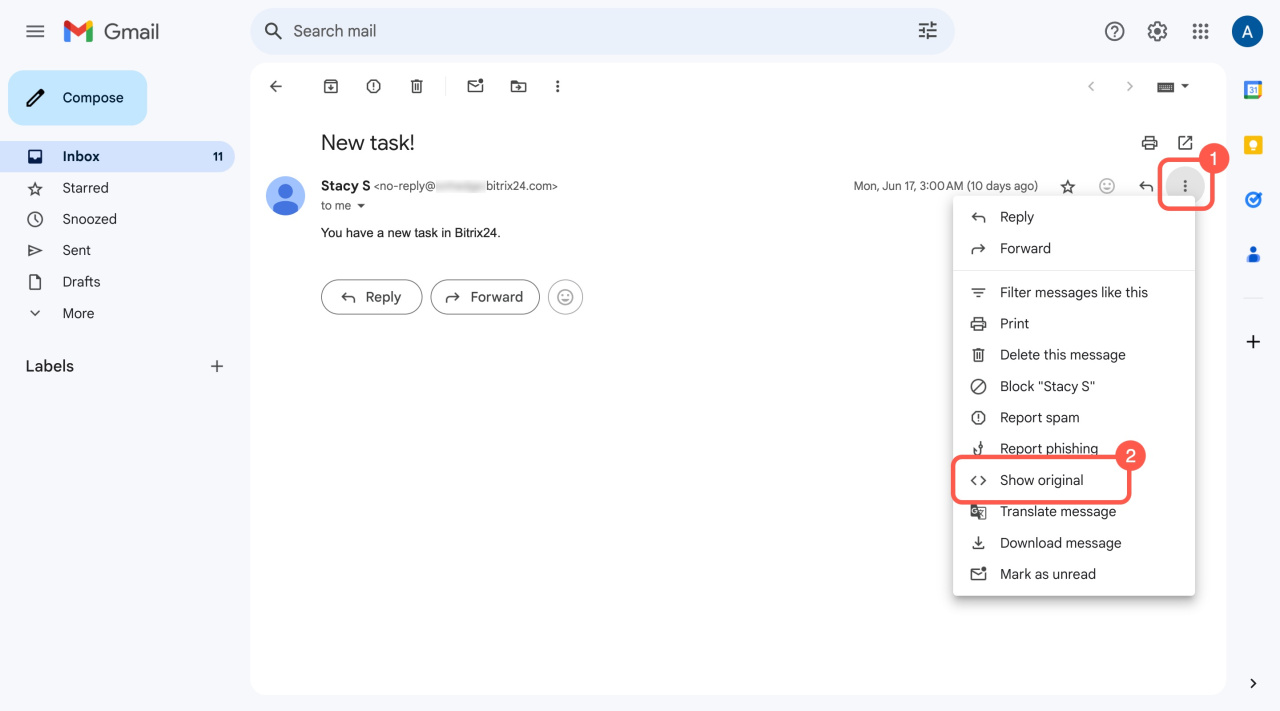
Gmail. Open a message, click the three dots (...), and select Show original.
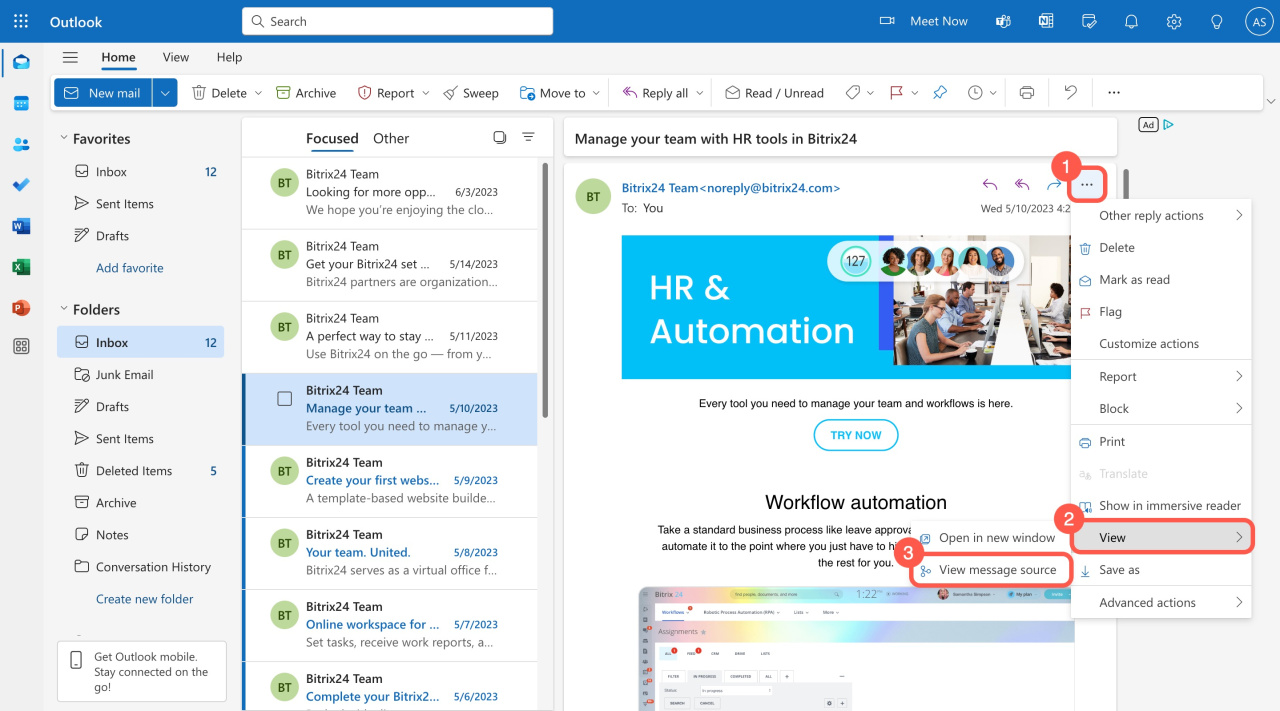
Outlook. Open a message, click the three dots (...), and select View > View message source.
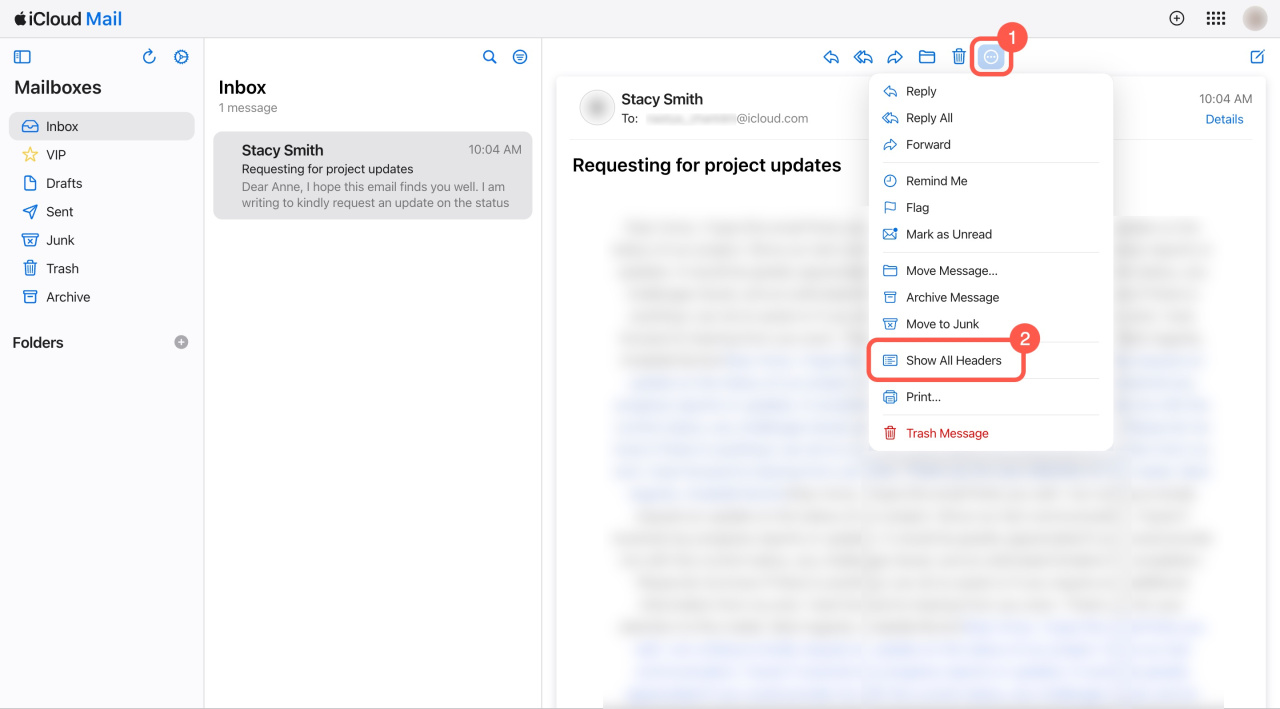
iCloud. Open a message, click the three dots (...), and select Show All Headers.
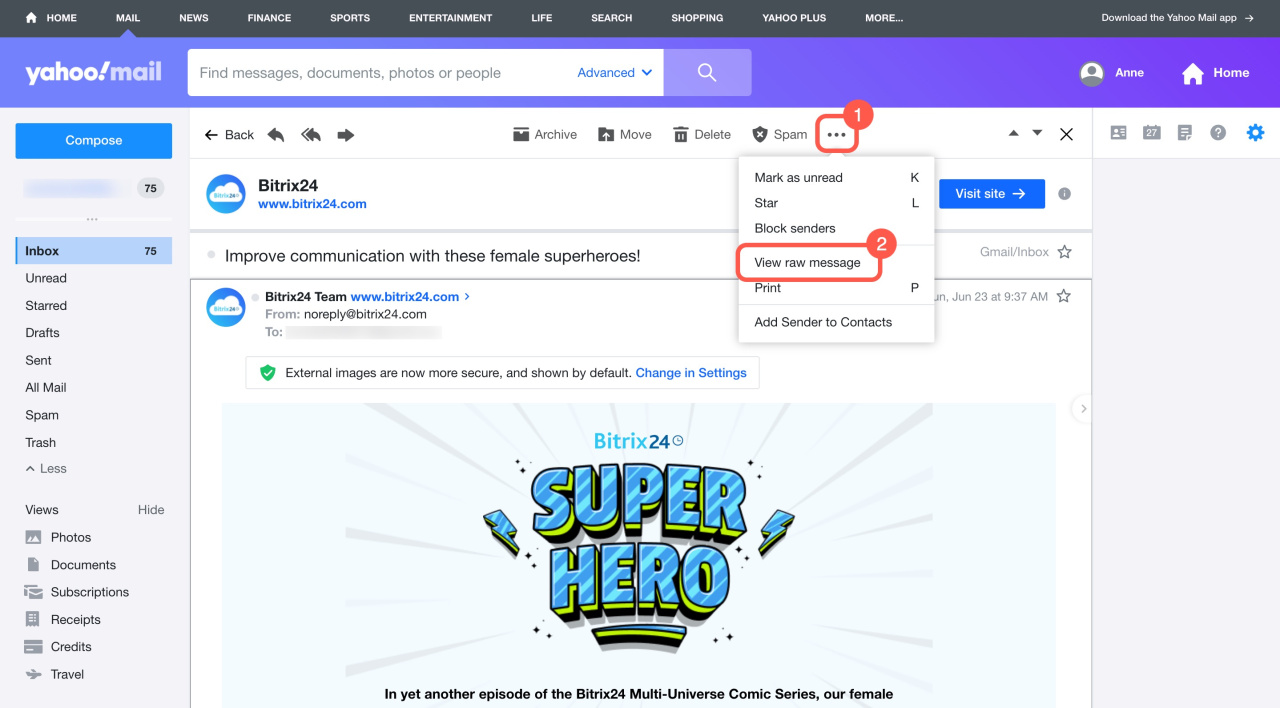
Yahoo. Open a message, click the three dots (...), and select View raw message.
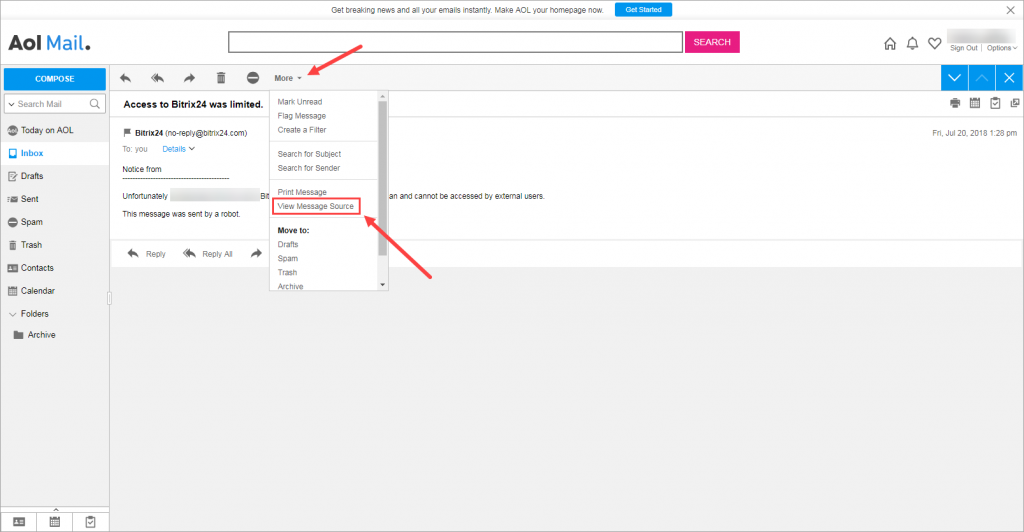
Aol. Open a message, click More, and select View Message Source.