The SIP connector subscription lets you handle calls through your PBX. You can receive incoming calls and make outgoing calls directly in Bitrix24.
Place your order:
- Log in to your Bitrix24 account.
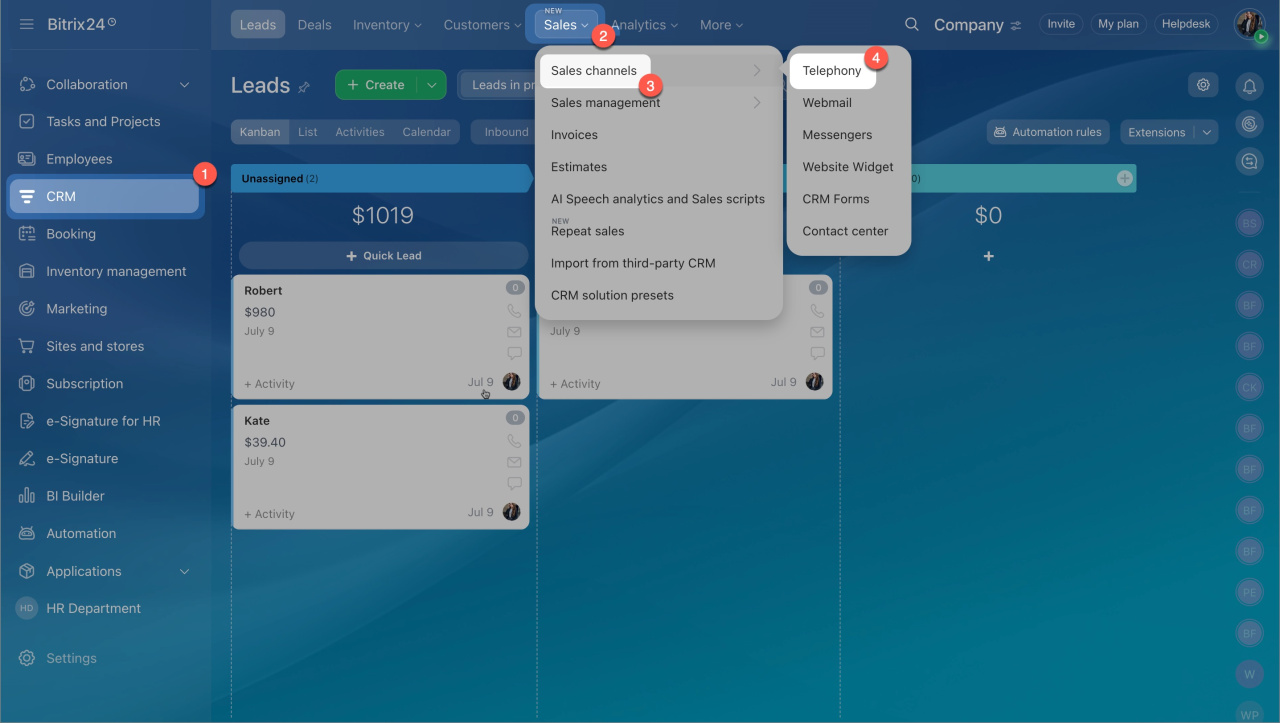
- Go to CRM > Sales > Sales channels > Telephony.
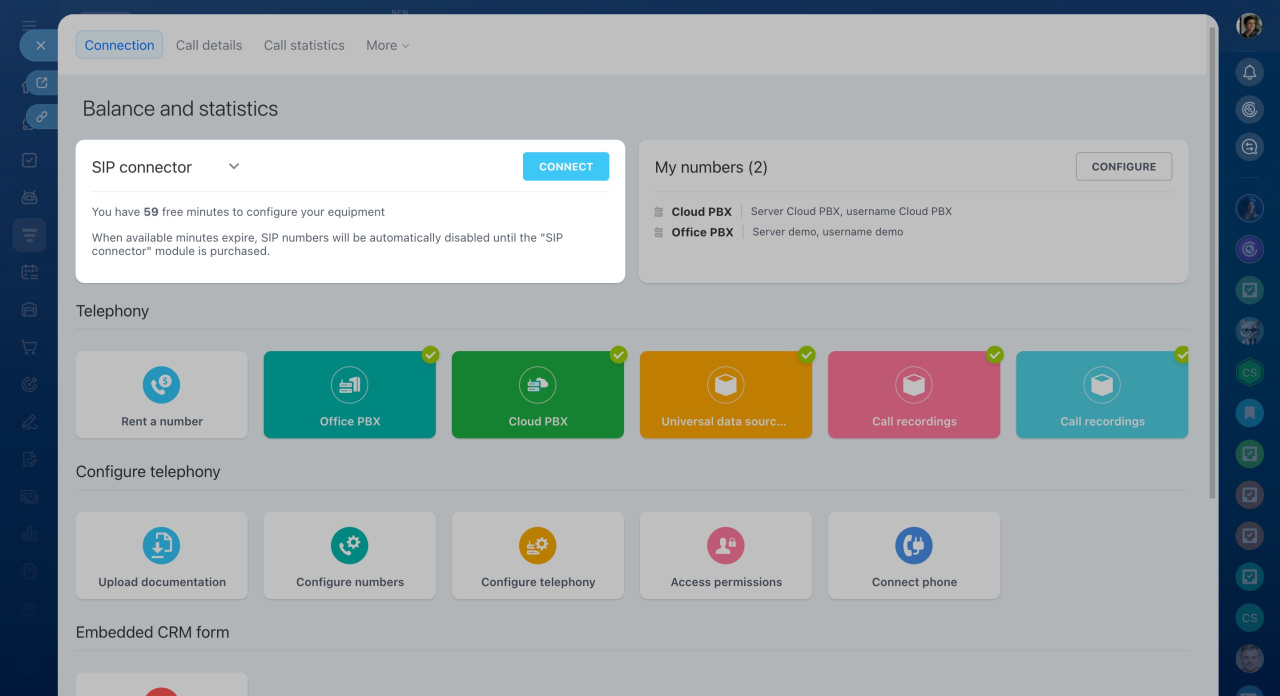
- In the Balance and Statistics section, select SIP connector.
- Click Connect.
Pricing and currency may vary by region. They can change at any time without notice.