
If you forgot your Bitrix24 password, you can reset it in a few steps. This guide covers both Cloud and On-Premise versions so you can regain access quickly.
Reset your password in Bitrix24 Cloud
Choose a method based on how you created your account:
- Phone number
- Social network
- Contact your Bitrix24 administrator
Recover password via email
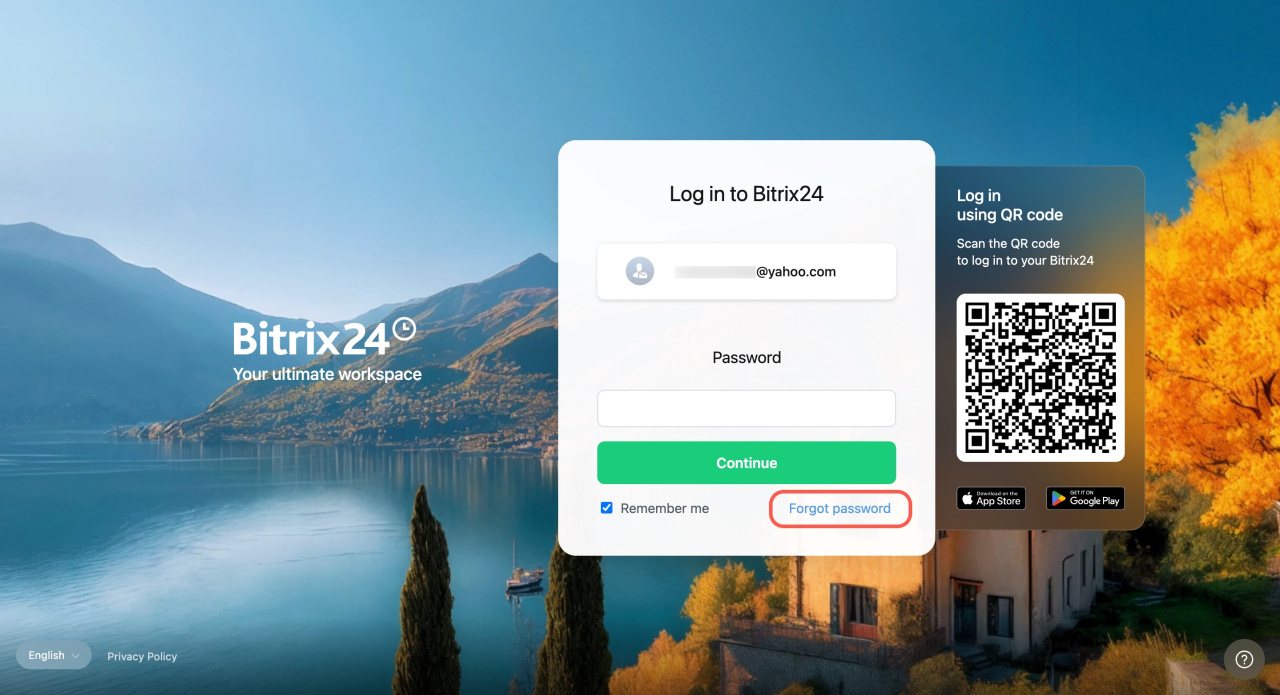
- Go to the Bitrix24 login page and click Forgot password.
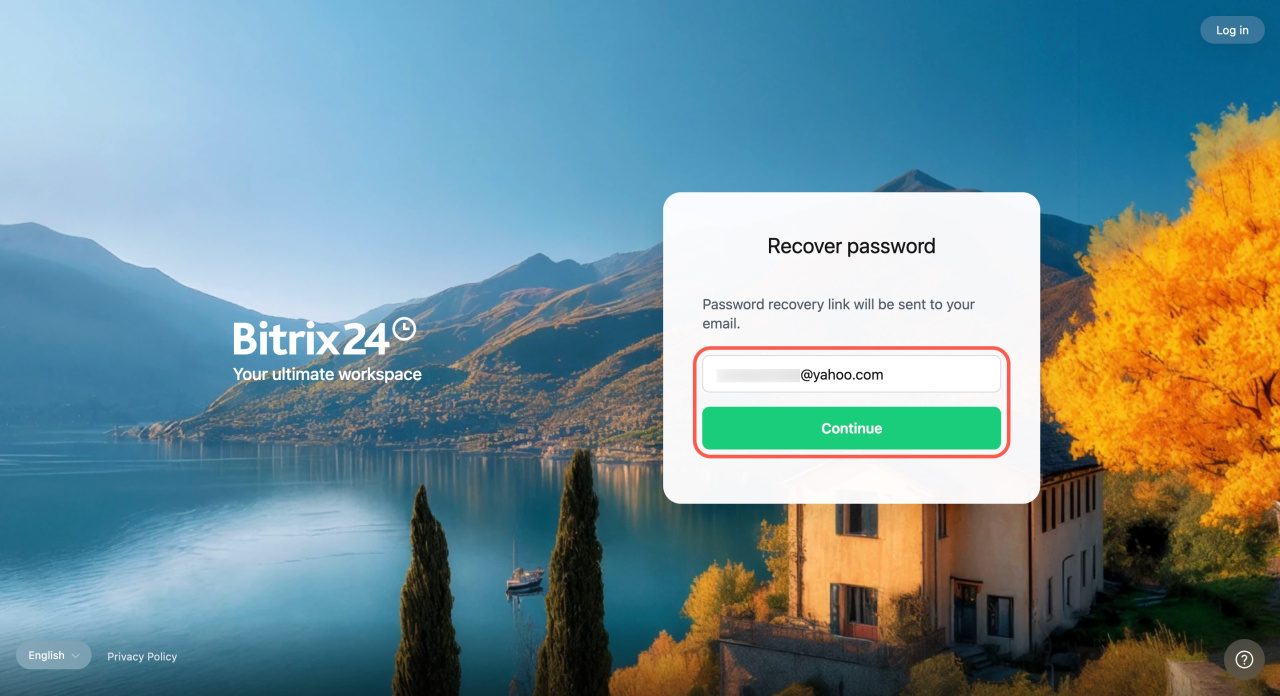
- Enter your login and click Continue. If you don't remember your login, contact the Bitrix24 administrator.
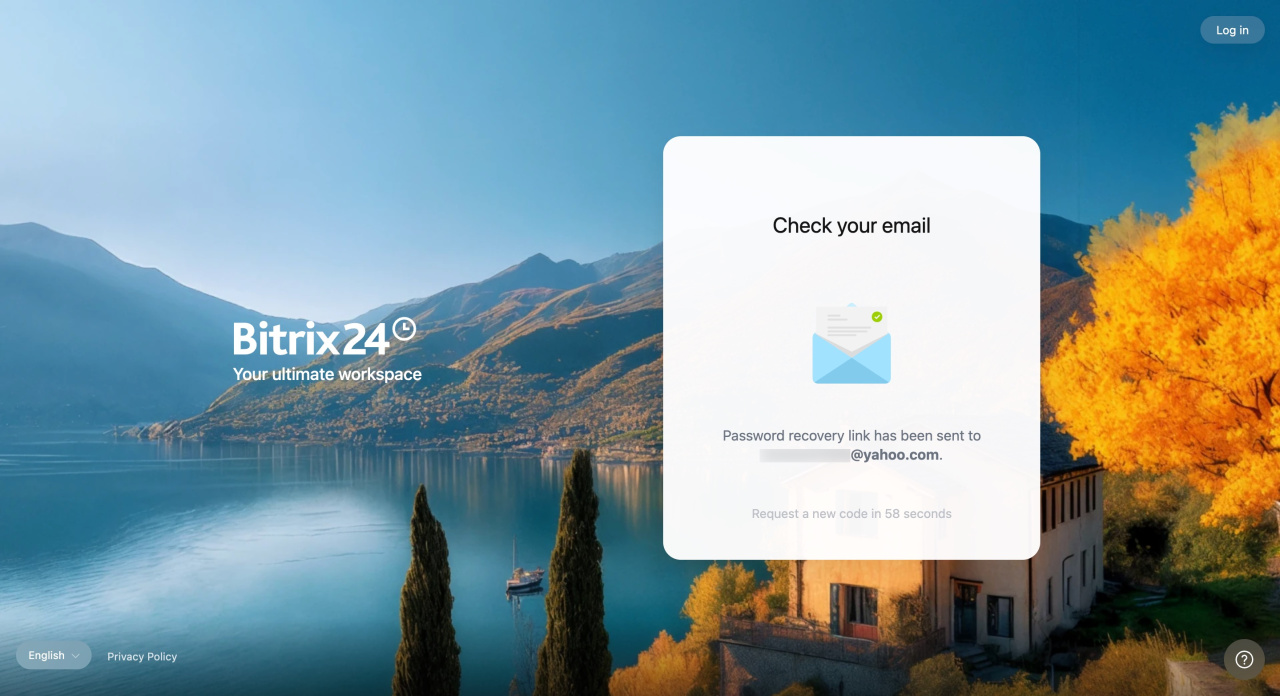
How to find a user login - Check your email inbox. You’ll receive an email from noreply@bitrix24.net with the password reset link.
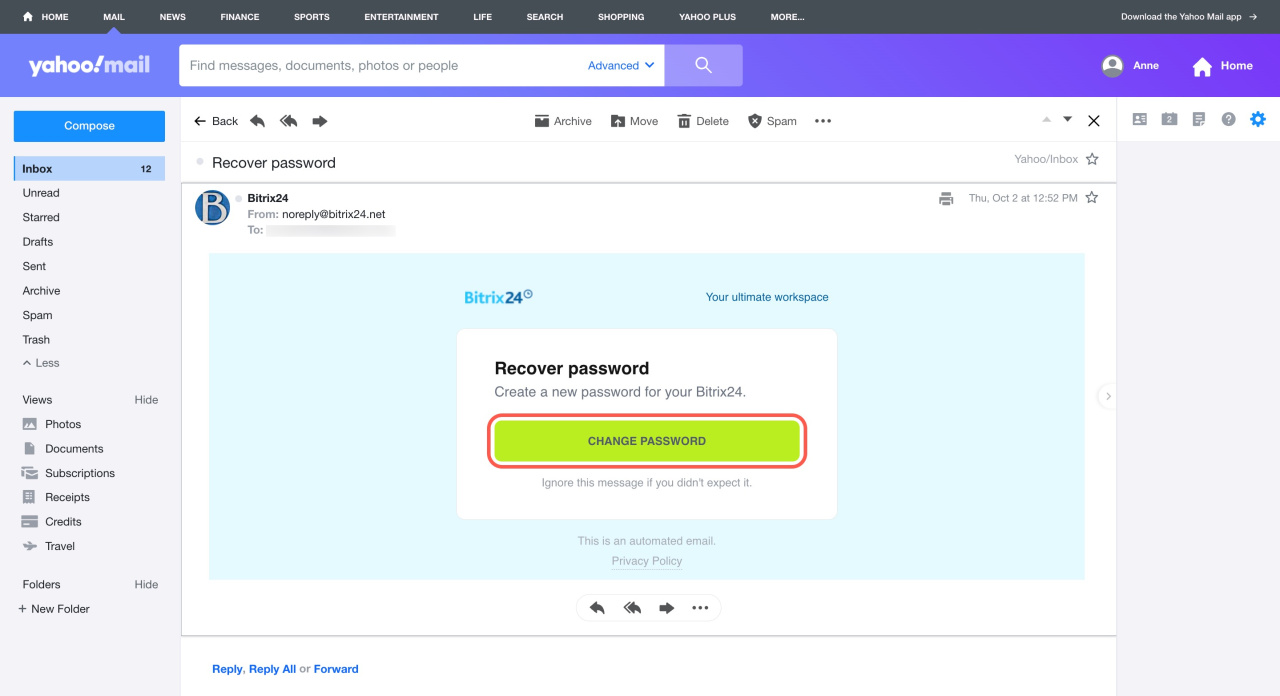
- Open the email and click Change password.
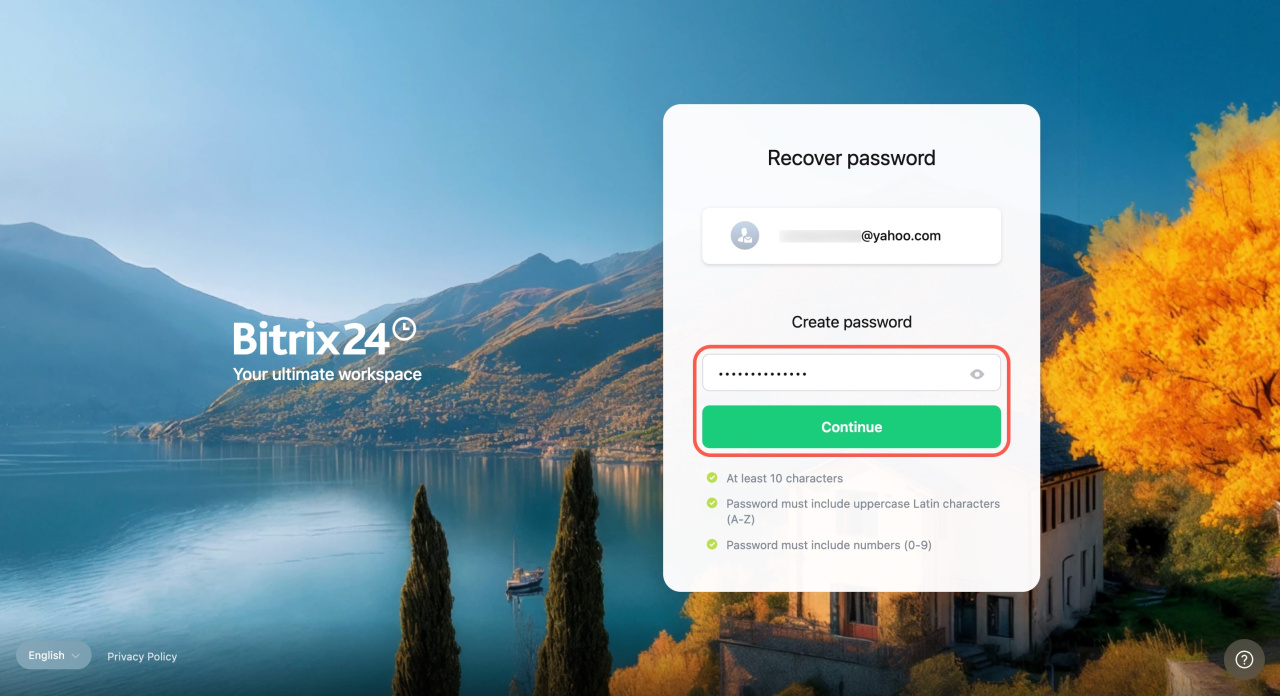
- Enter a new password and click Continue.
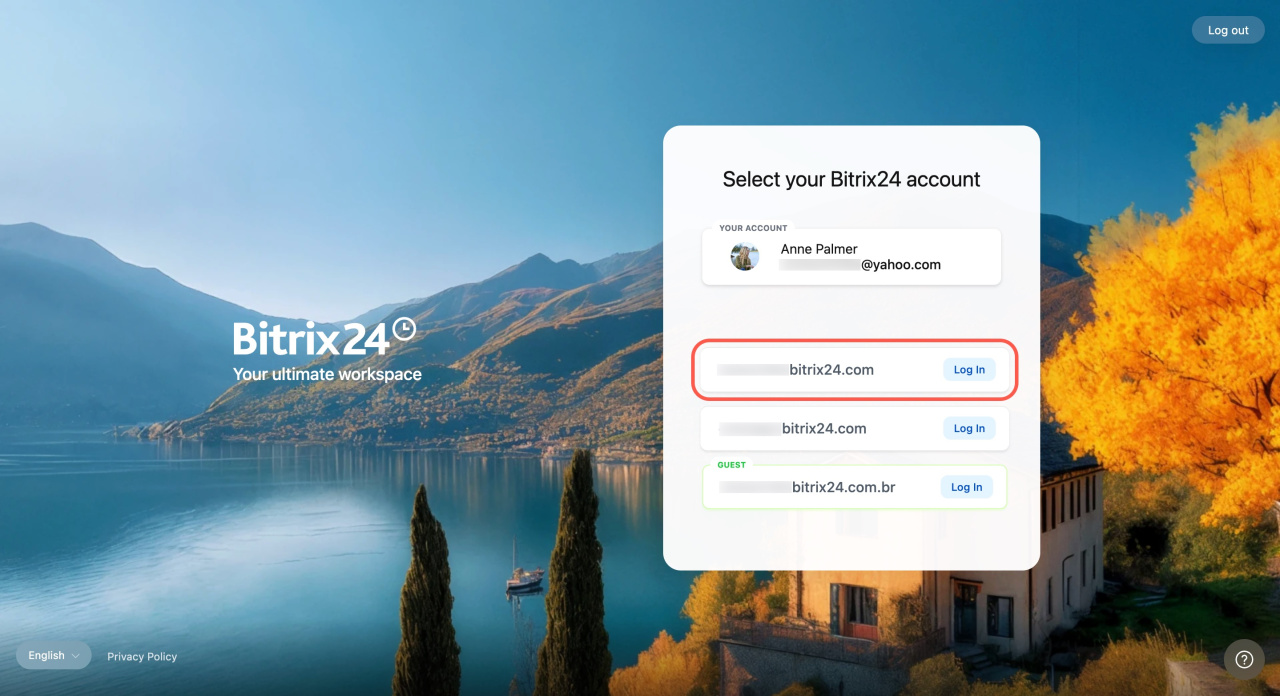
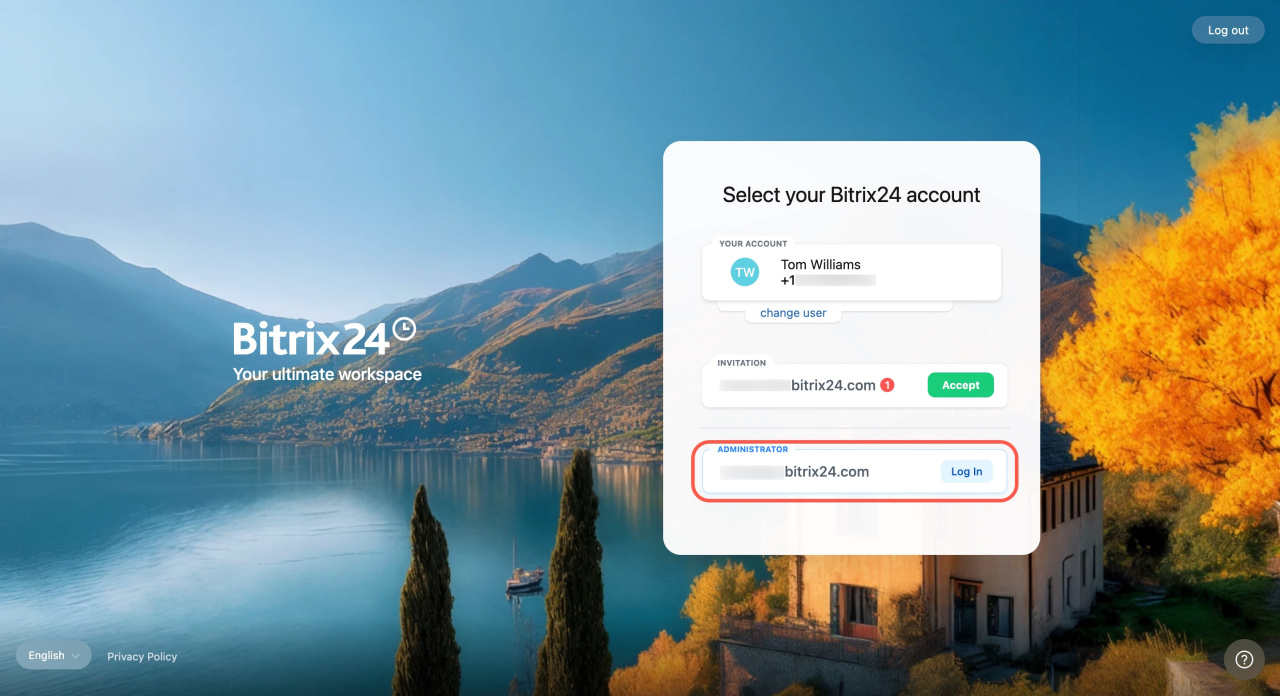
- Click Log in next to your Bitrix24 account.
Recover password via phone number
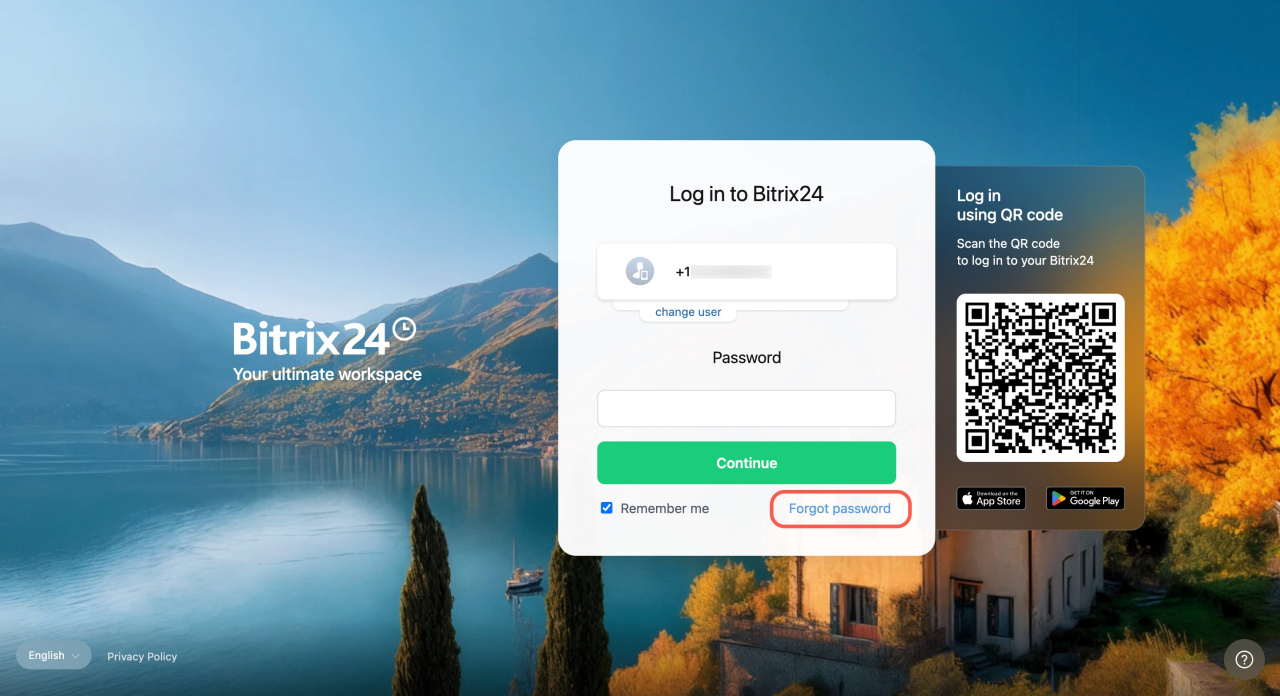
- Go to the Bitrix24 login page and click Forgot password.
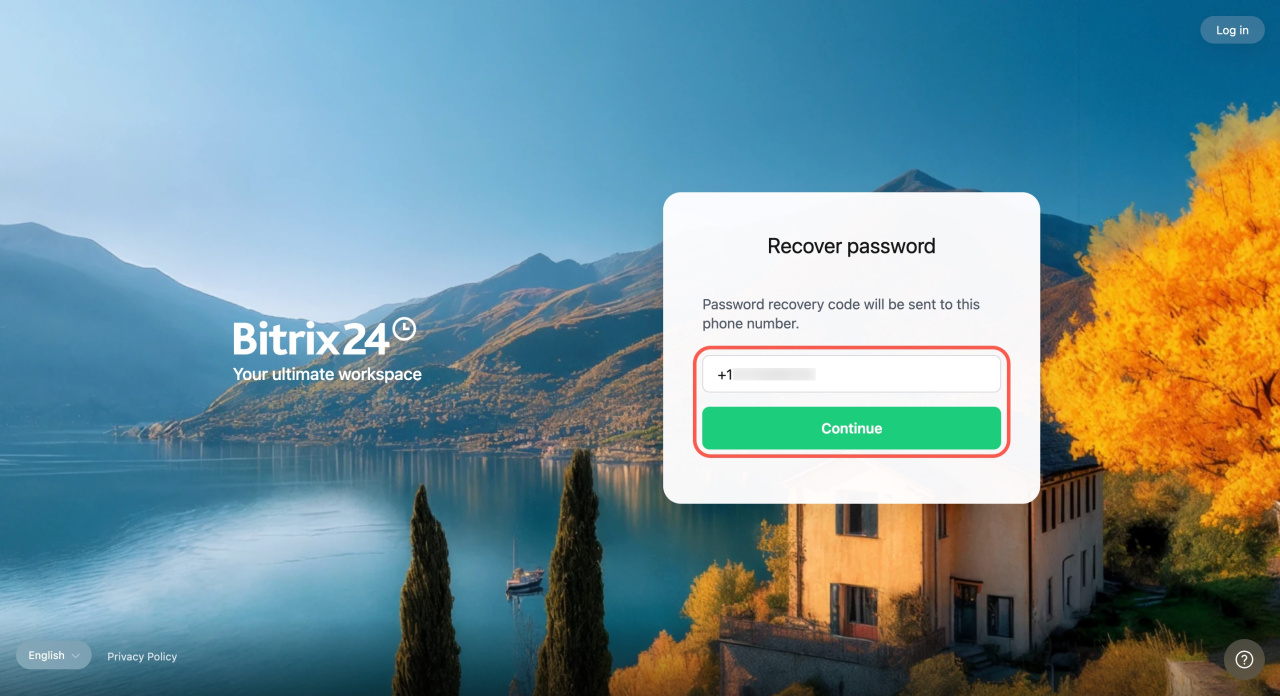
- Enter your phone number and click Continue.
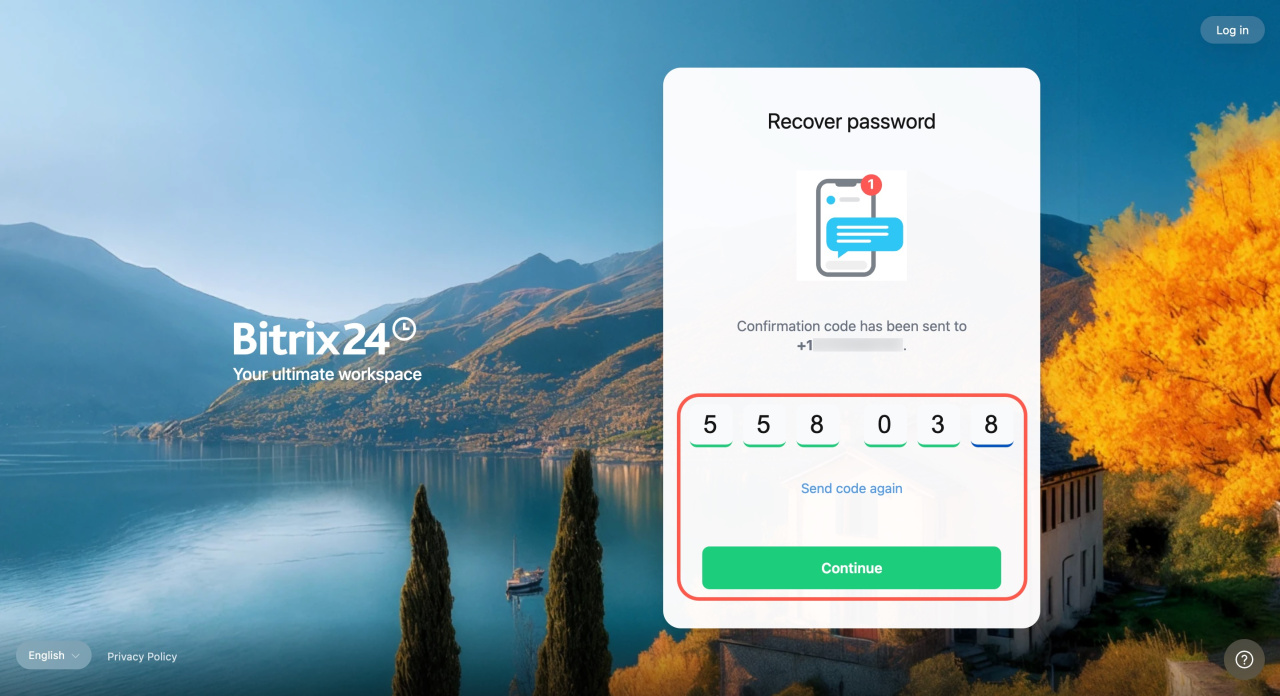
- You will receive an SMS with a 6-digit code. Enter it into the special field. The code is valid for 60 seconds. If it expires, request a new code and click Continue.
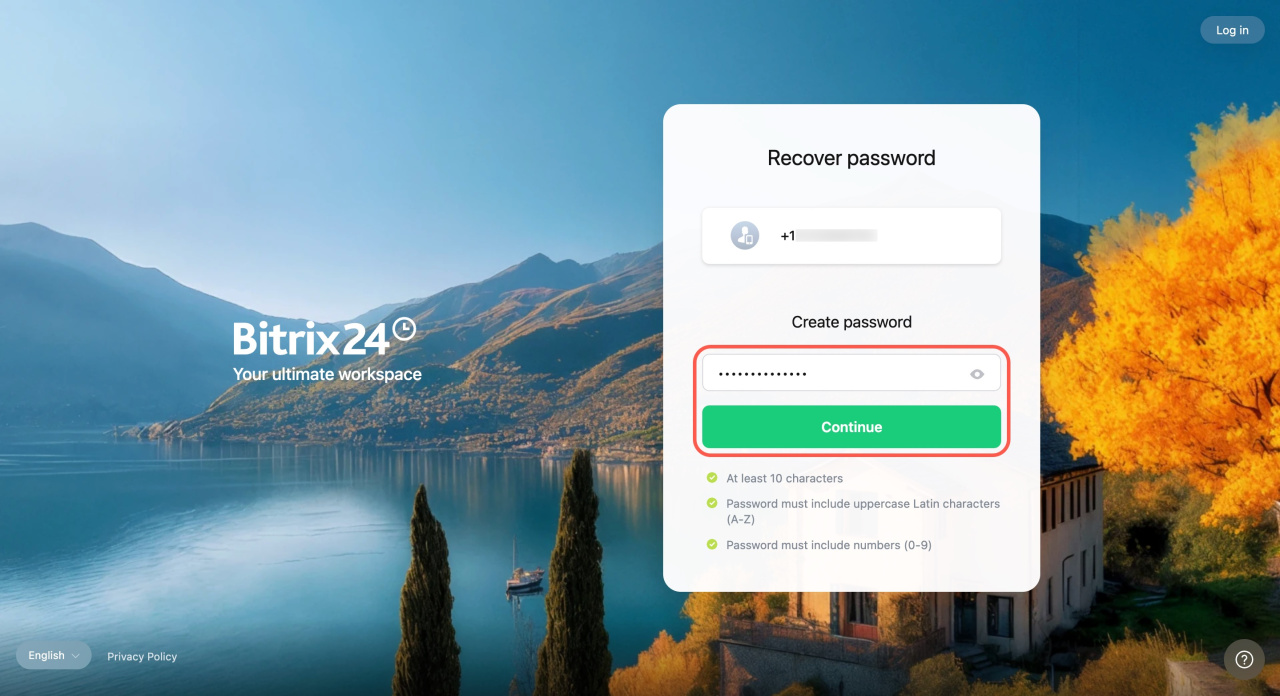
- Create a new password and click Continue.
How to contact Bitrix24 Support
If you signed up with Facebook, Google, or another service, reset your password through that provider.
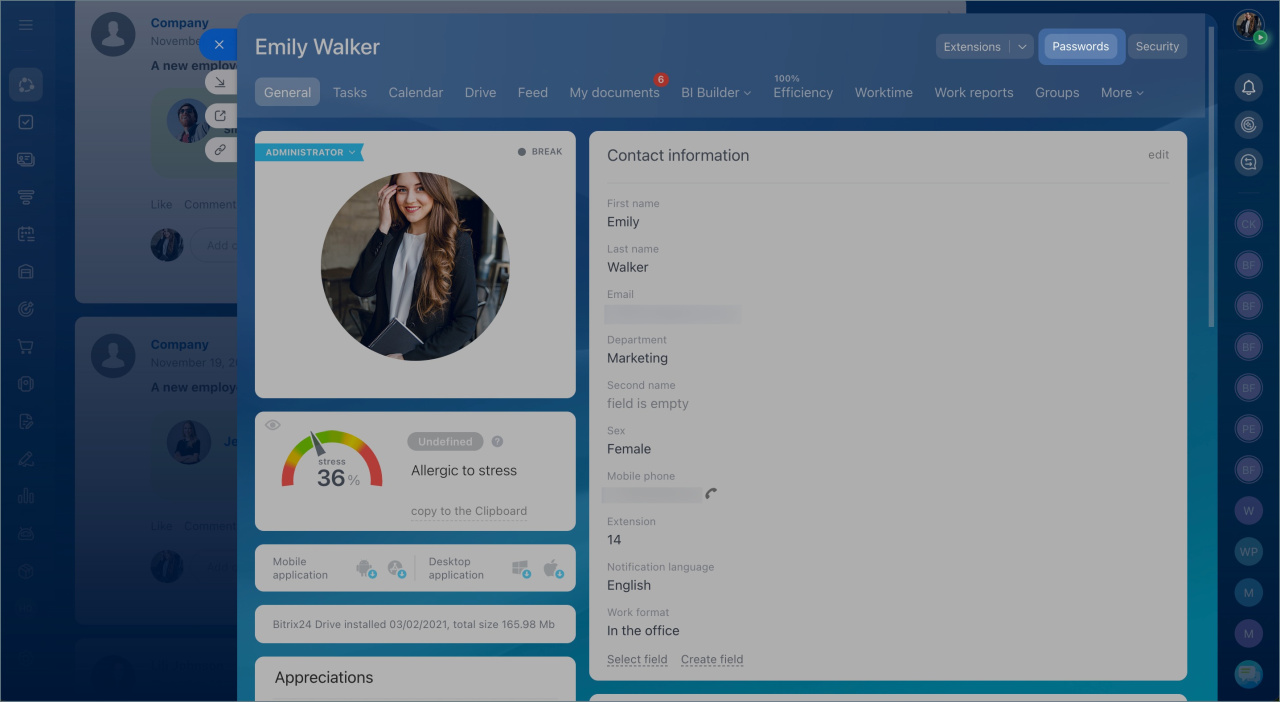
Recover password by contacting administrator. A Bitrix24 administrator can send you a password reset link:
- Open your profile.
- Go to Security.
- Click Recover password.
The password recovery link and registration details will be sent to your email or phone number. Follow the link to regain access to Bitrix24.
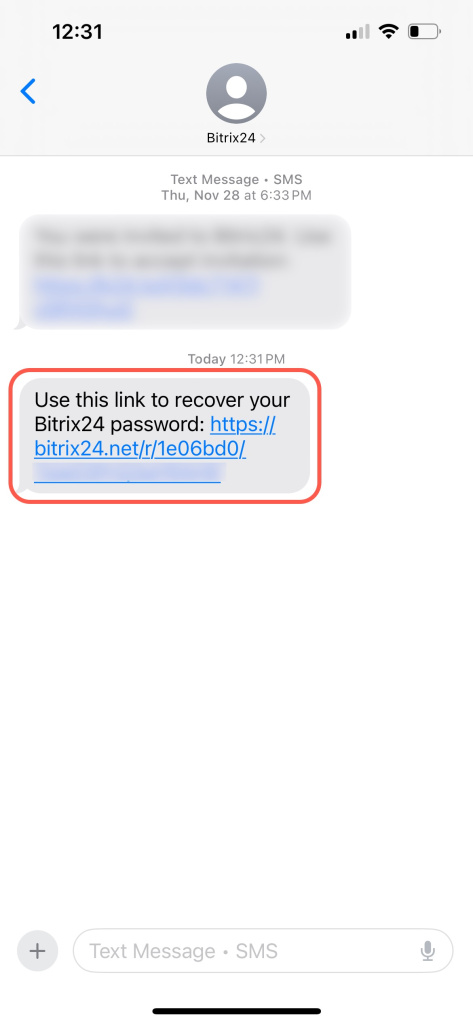
Example of an SMS message with a password recovery link
Recover your password in Bitrix24 On-Premise version
You can reset your password in two ways:
- Via email
- Contact your administrator
Recover password via email
- Click Forgot your password on the login page.
- Enter your login or email and click Reset password.
- Open the email and follow the link.
- Enter your login and new password, then click Change password.
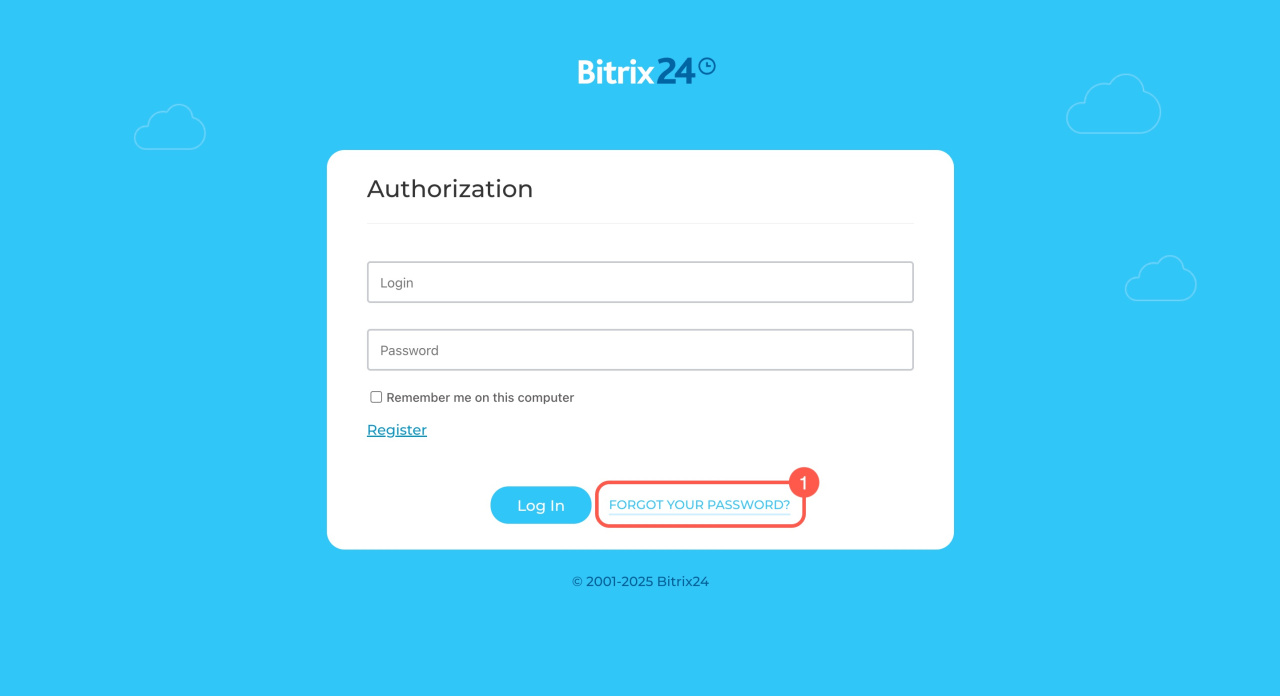
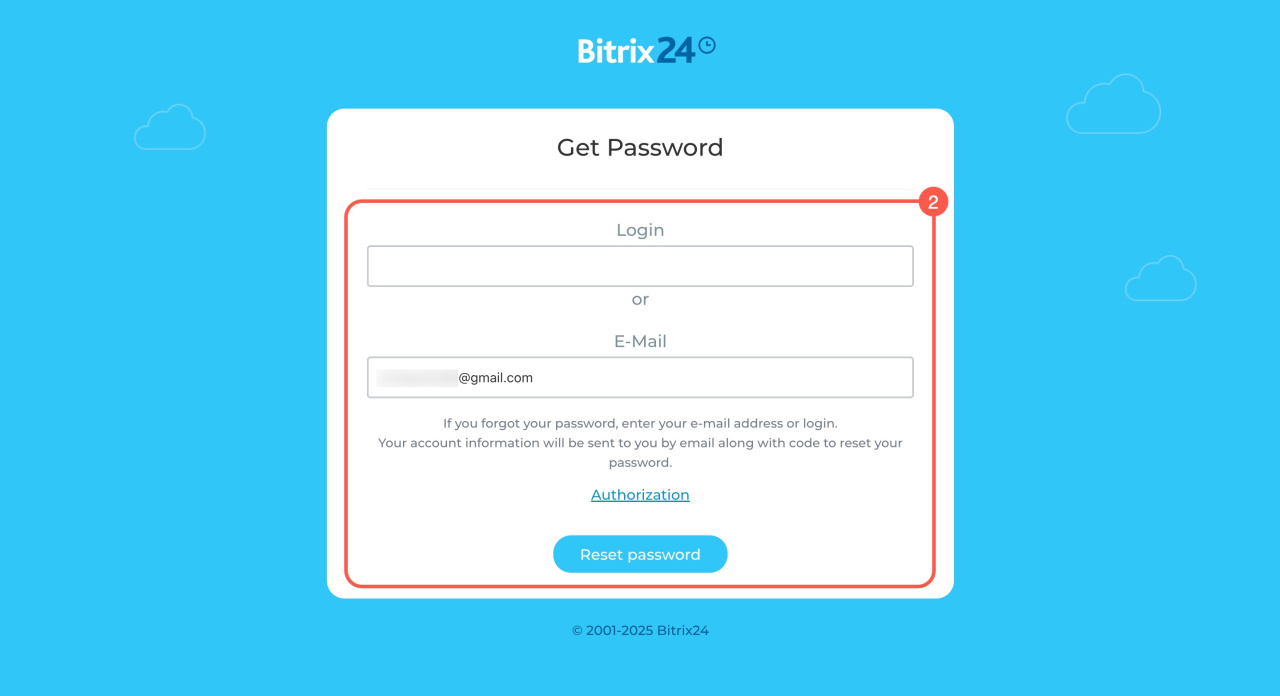
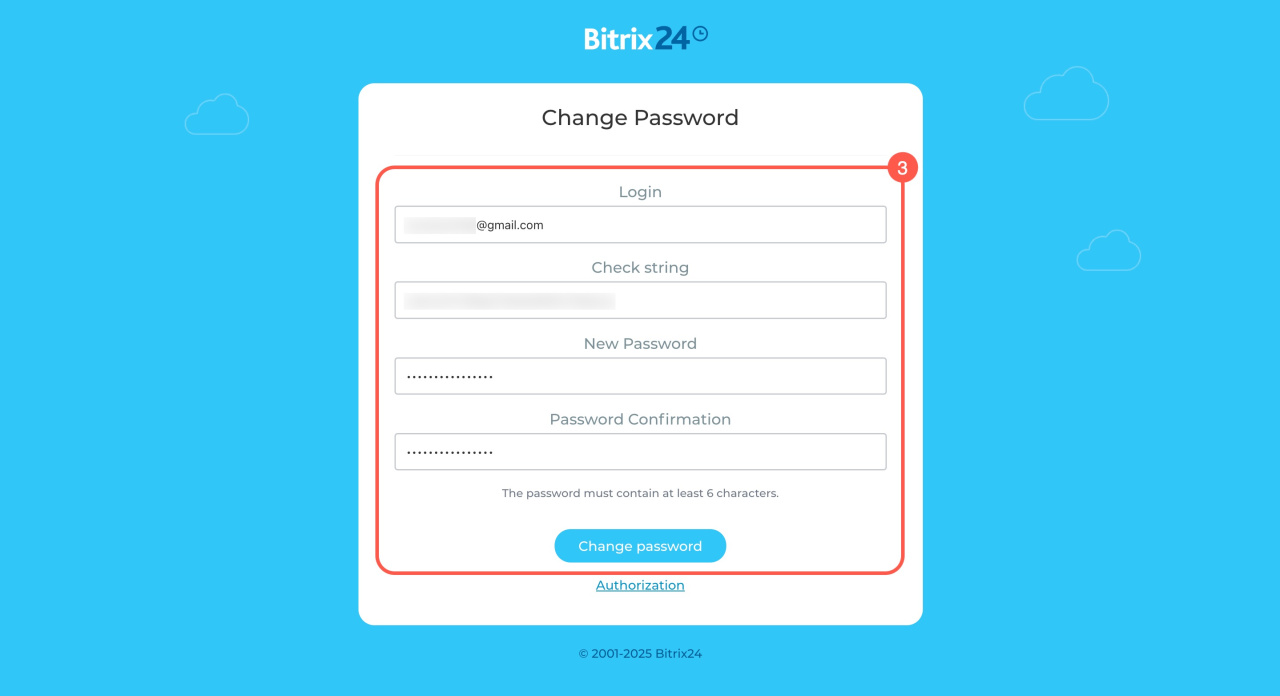
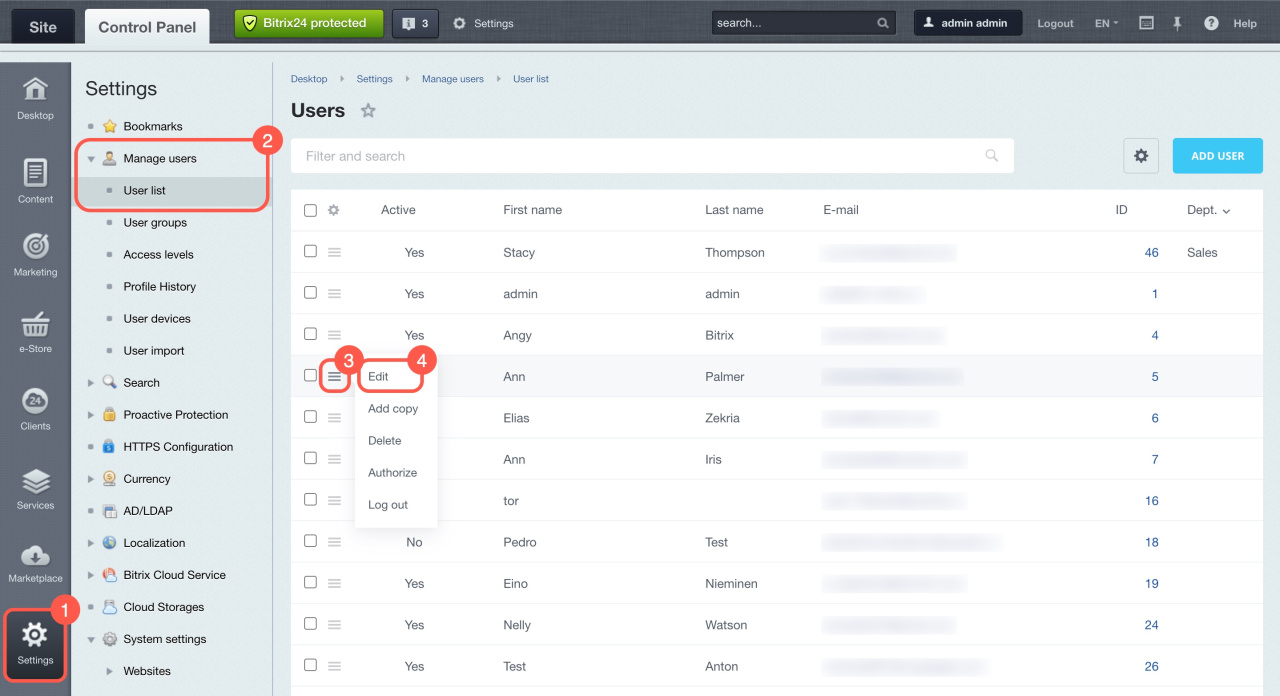
Recover password by contacting administrator. An administrator can manually set a new password:
- Open Settings.
- Go to Users > User list.
- Click Menu (≡) next to the user.
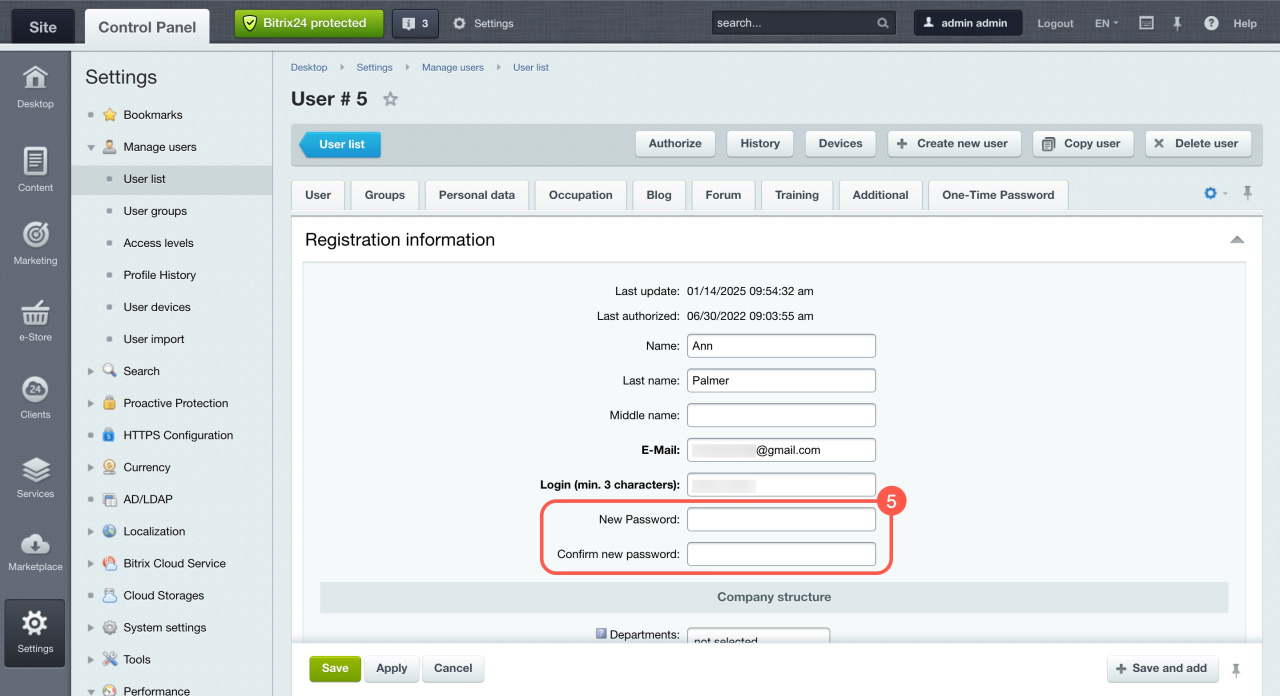
- Select Edit.
- Enter and confirm the new password, then save.
In brief
- You can quickly reset a forgotten Bitrix24 password.
- Use a password manager to store credentials securely.
- In the Cloud version, reset via email, phone, social login, or admin help.
- In the On-Premise version, reset via email or ask your administrator.