
Update your login, password, or social account in Bitrix24
You can update your login, change your password, or connect a different social network to your Bitrix24 account. This is useful if your contact details have changed or you no longer use a specific email or phone number.
Make all changes on the Bitrix24 Network profile page:
Bitrix24 Network profile
Only the profile owner can change the login and password.
In this article:
Change your login
You can use an email address or phone number as your login.
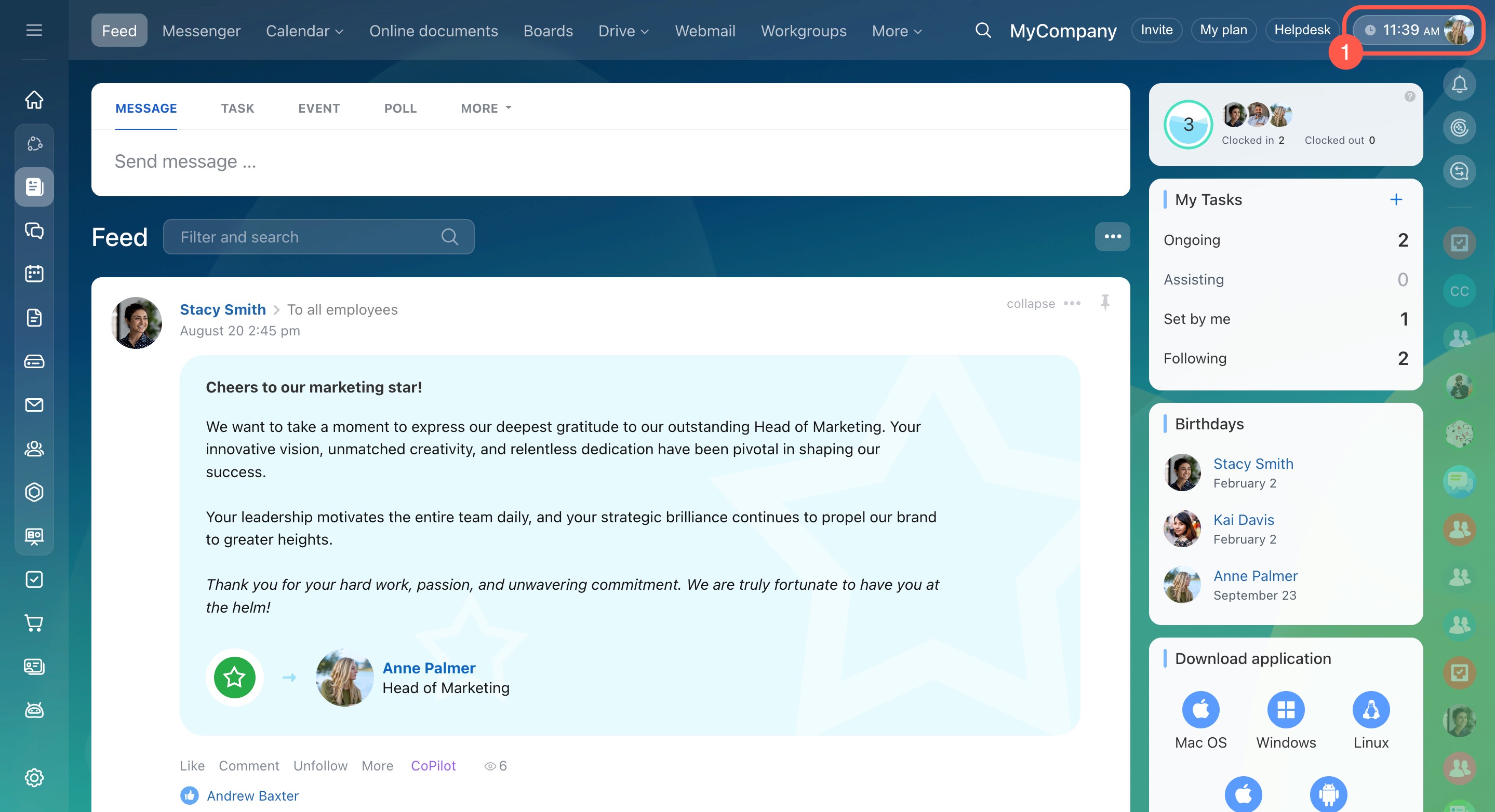
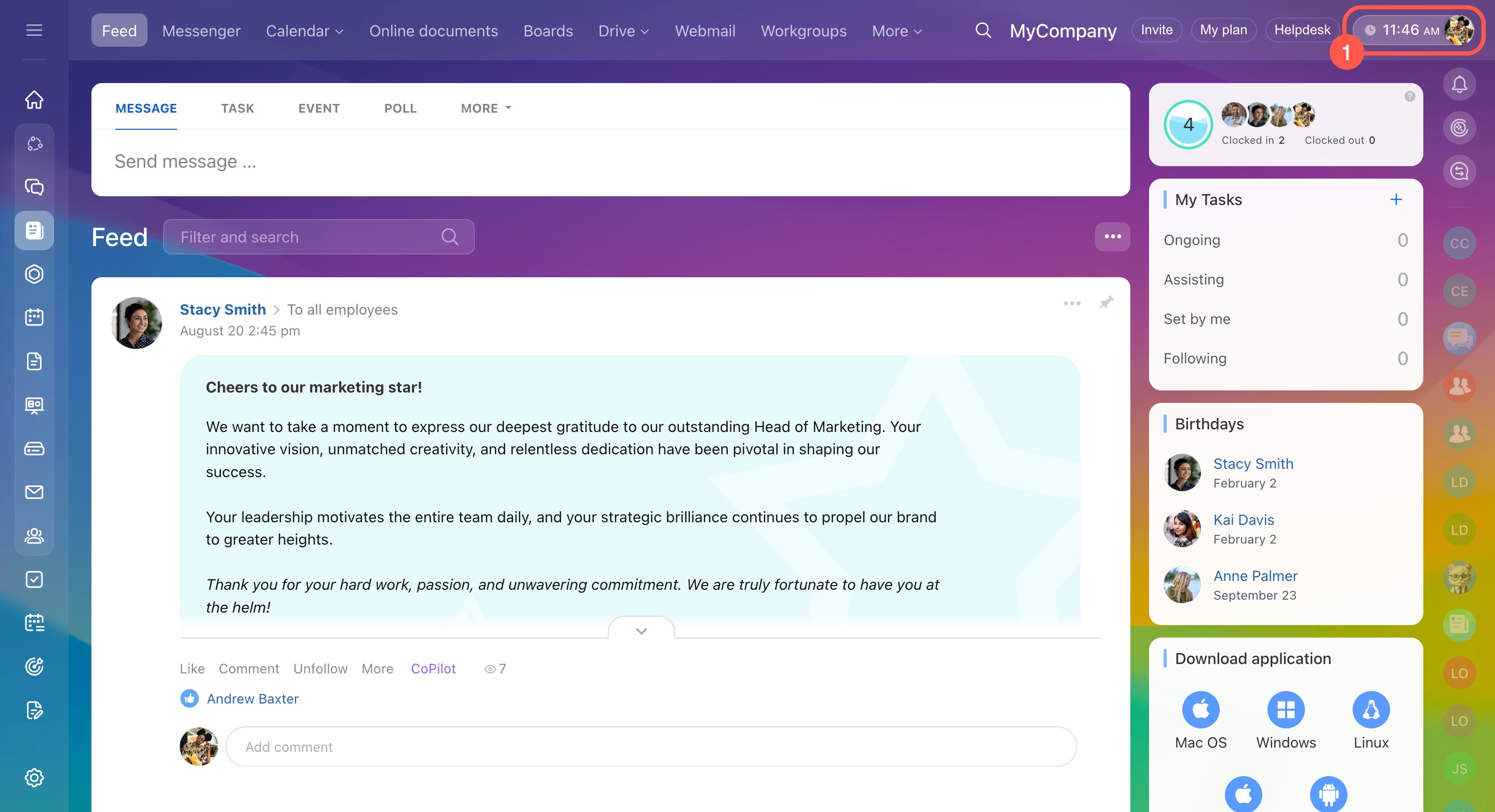
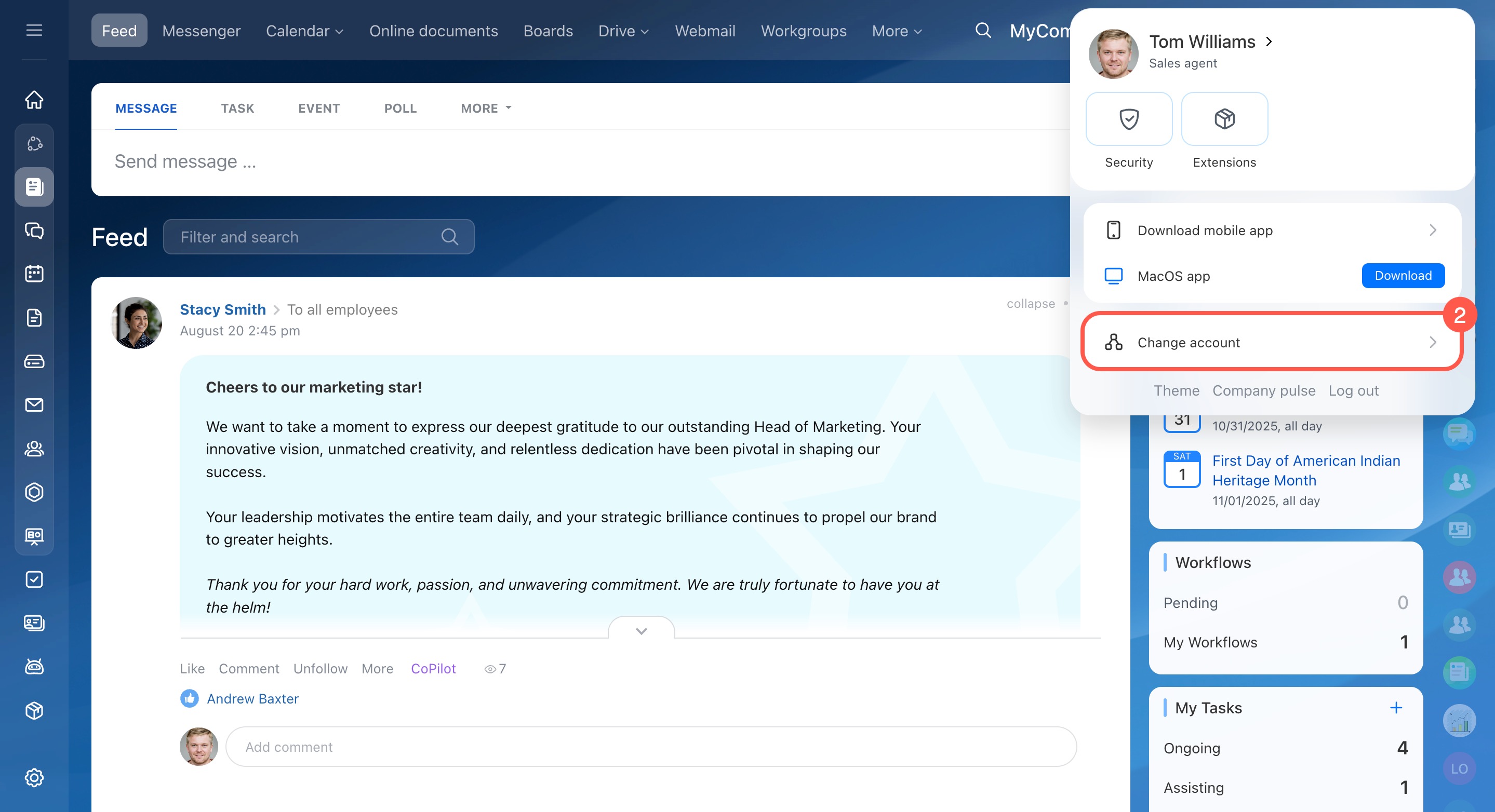
- Click your profile photo in the top-right corner.
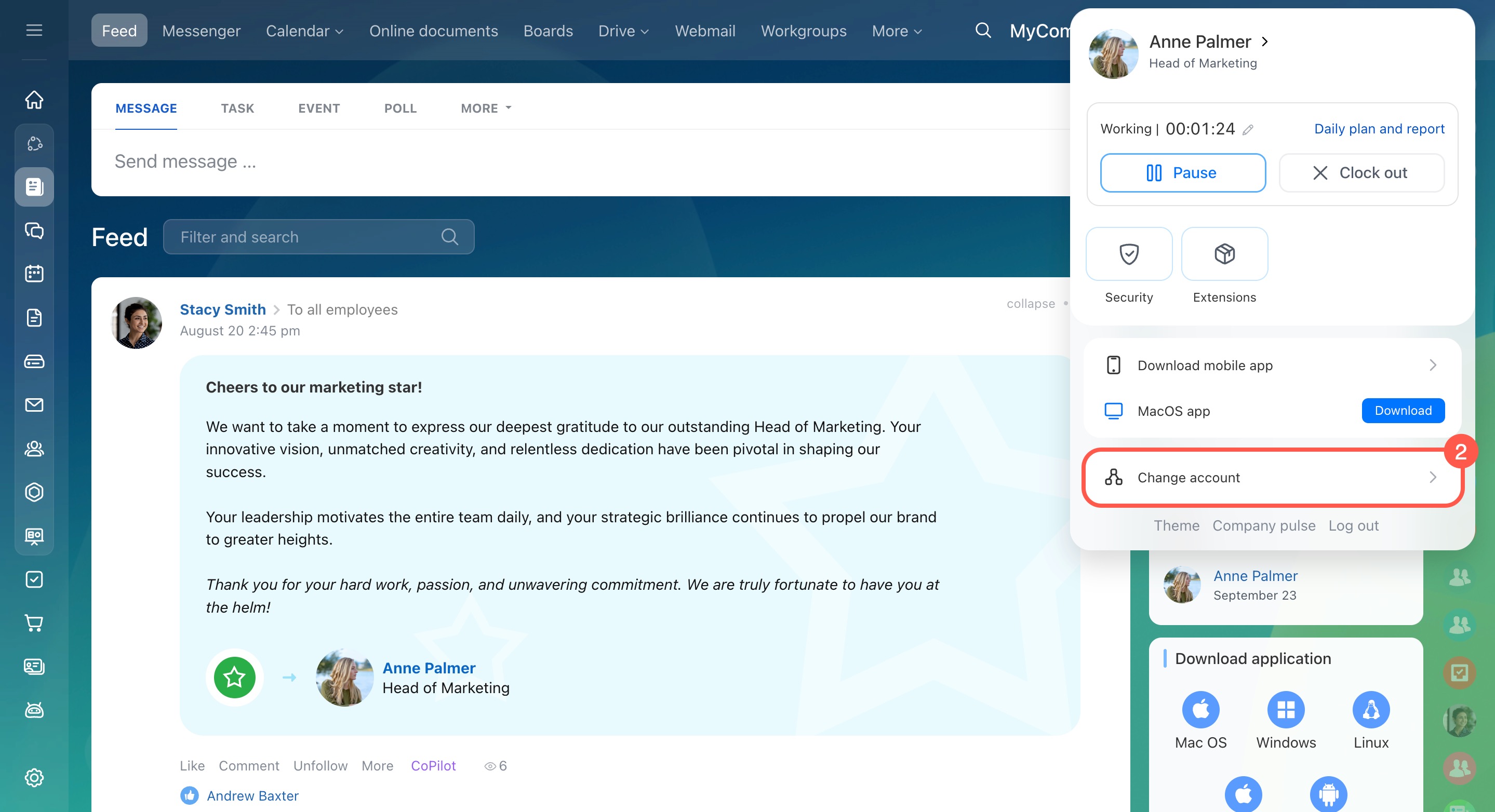
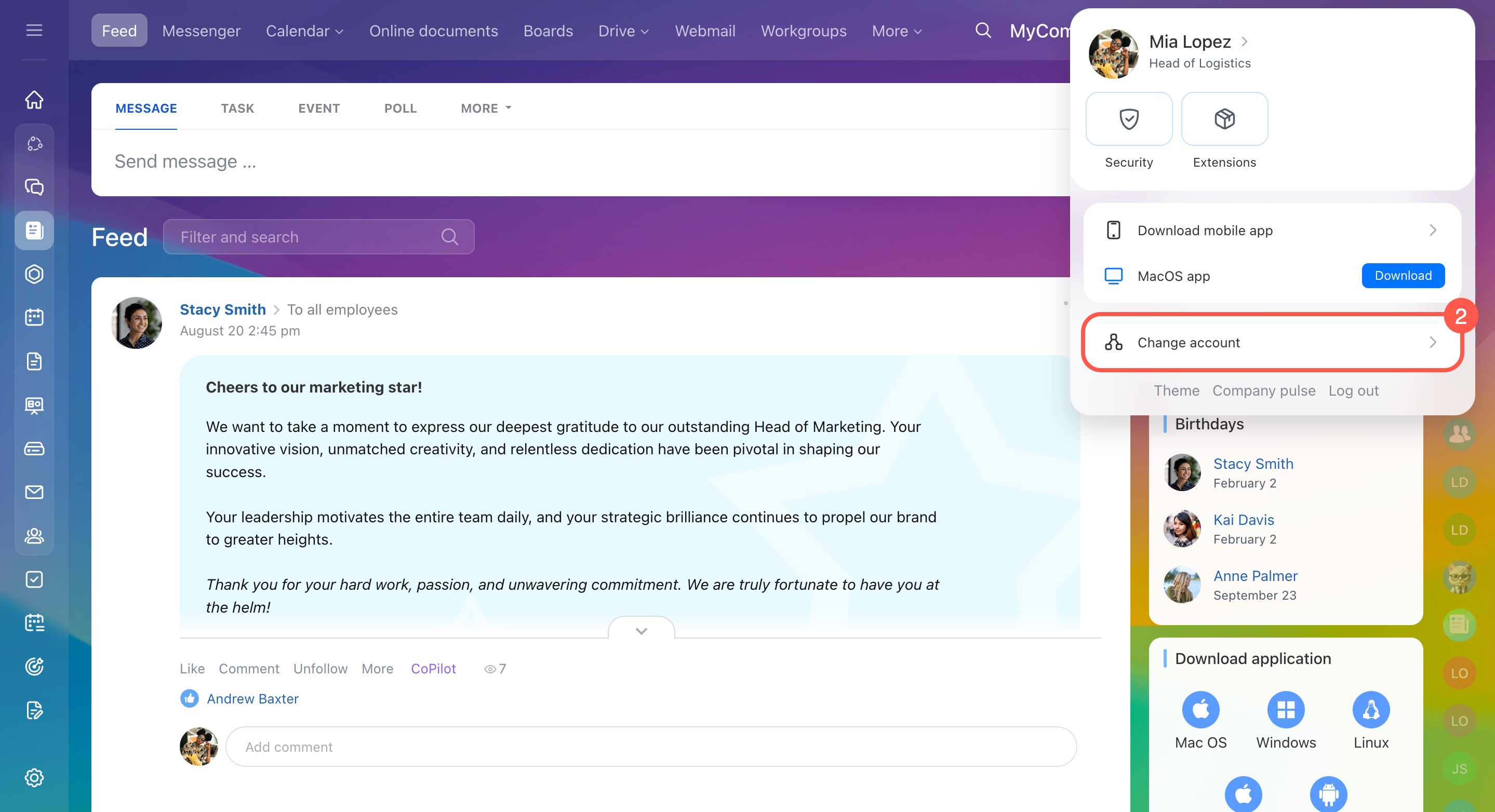
- Select Change account to open your Bitrix24 Network profile.
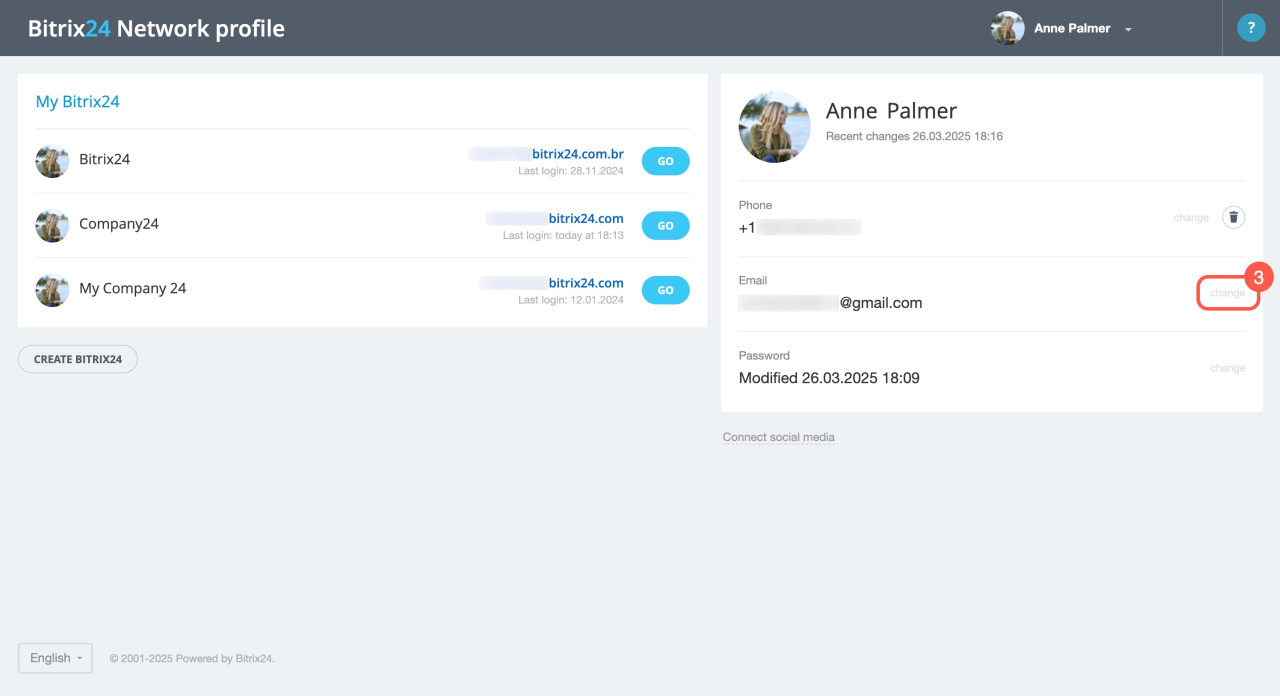
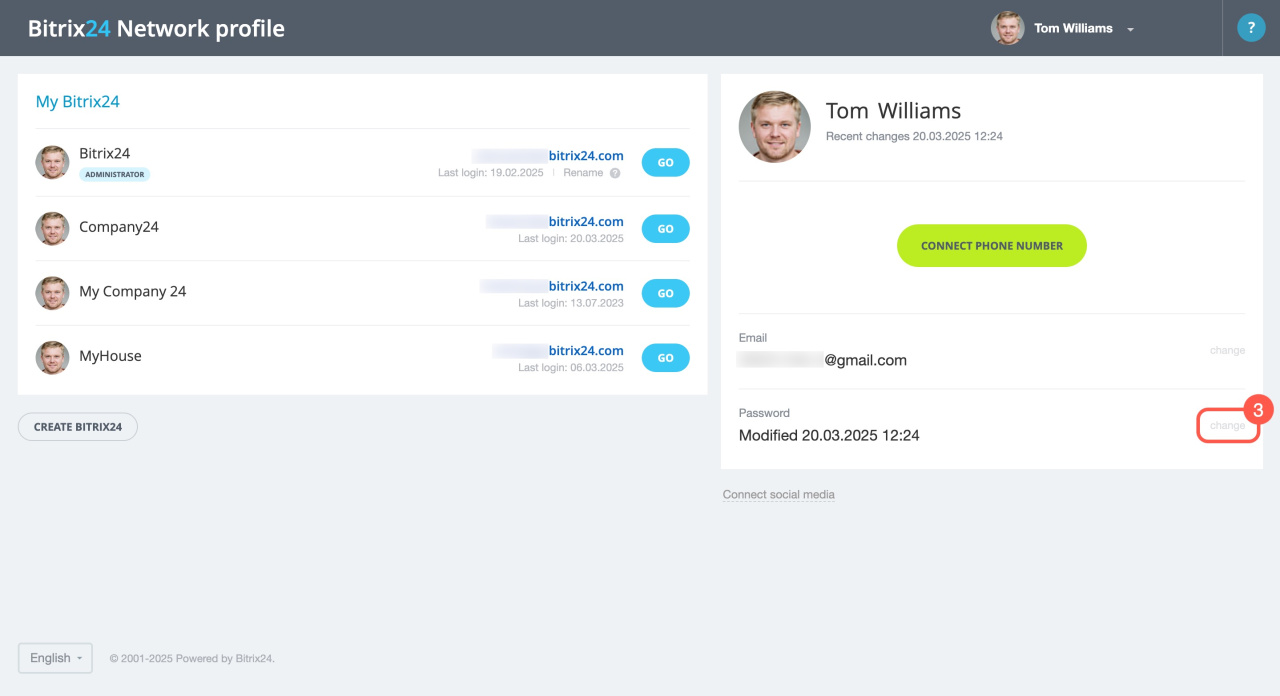
- Click Change in the Email or Phone section.
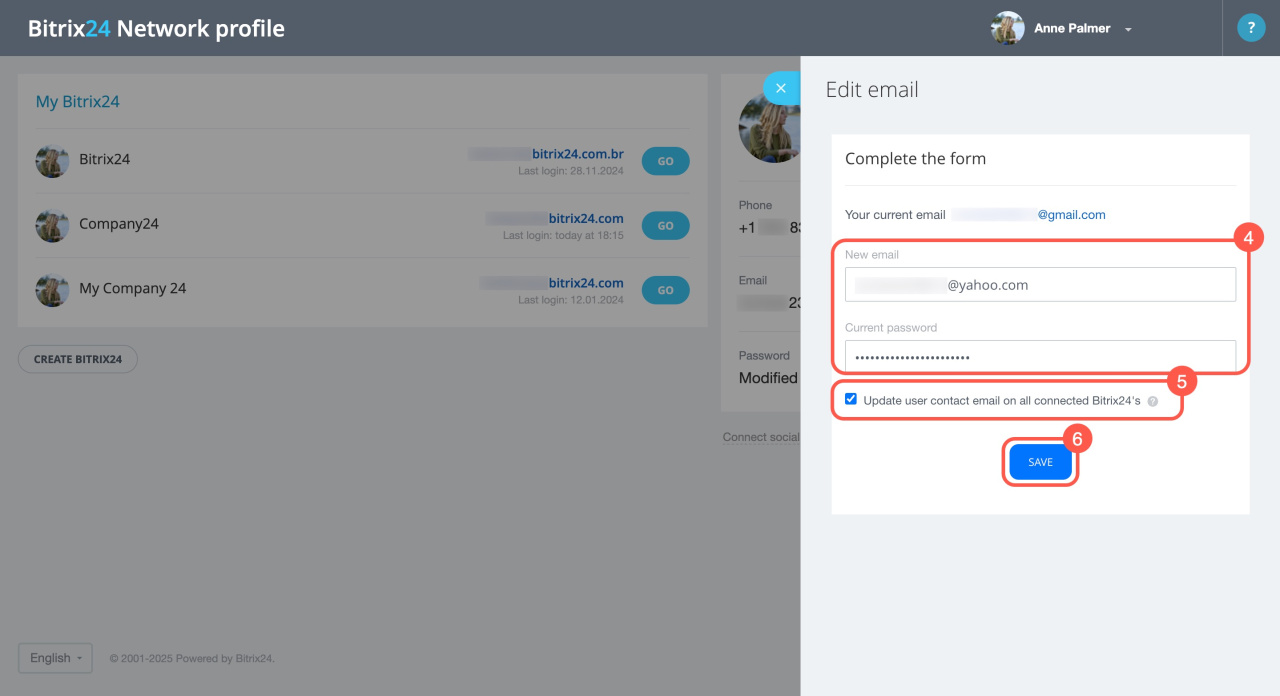
- Enter a new email address or phone number and your current password. If you forgot your password, use the recovery option.
Recover your Bitrix24 password - Optional: Select the checkbox to update this login across all linked Bitrix24 accounts.
- Click Save.
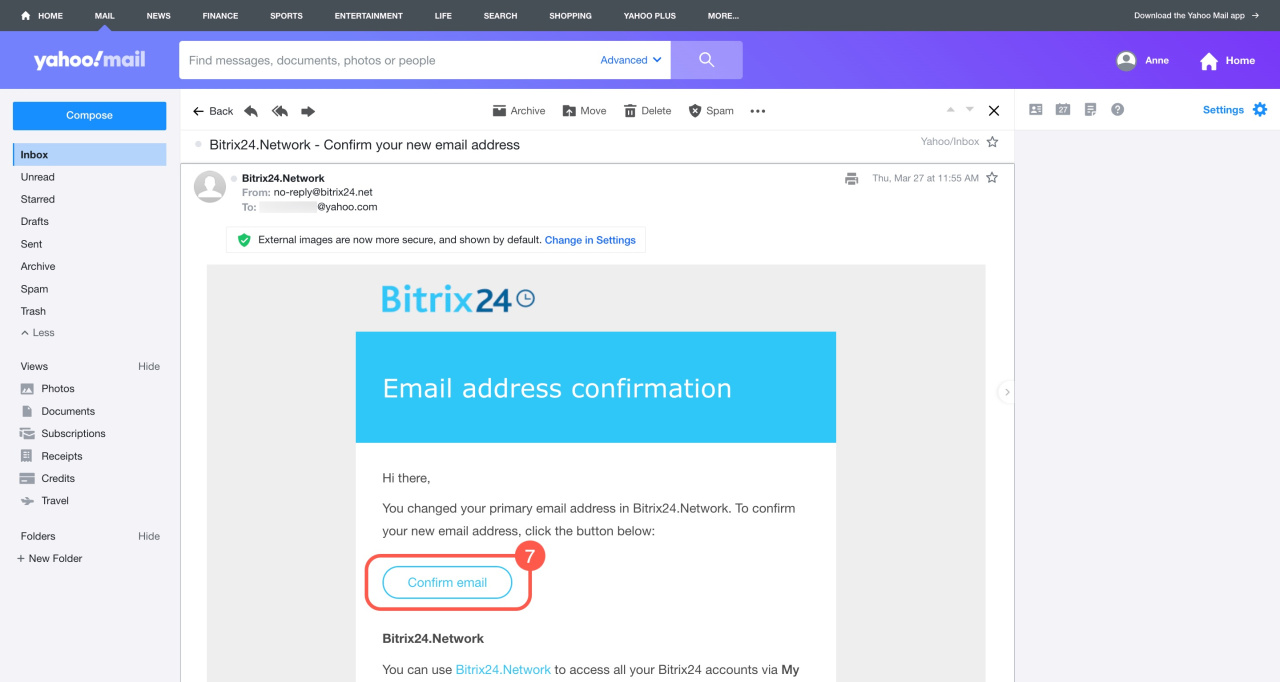
- Confirm the change using the link sent by email or the code sent via SMS.
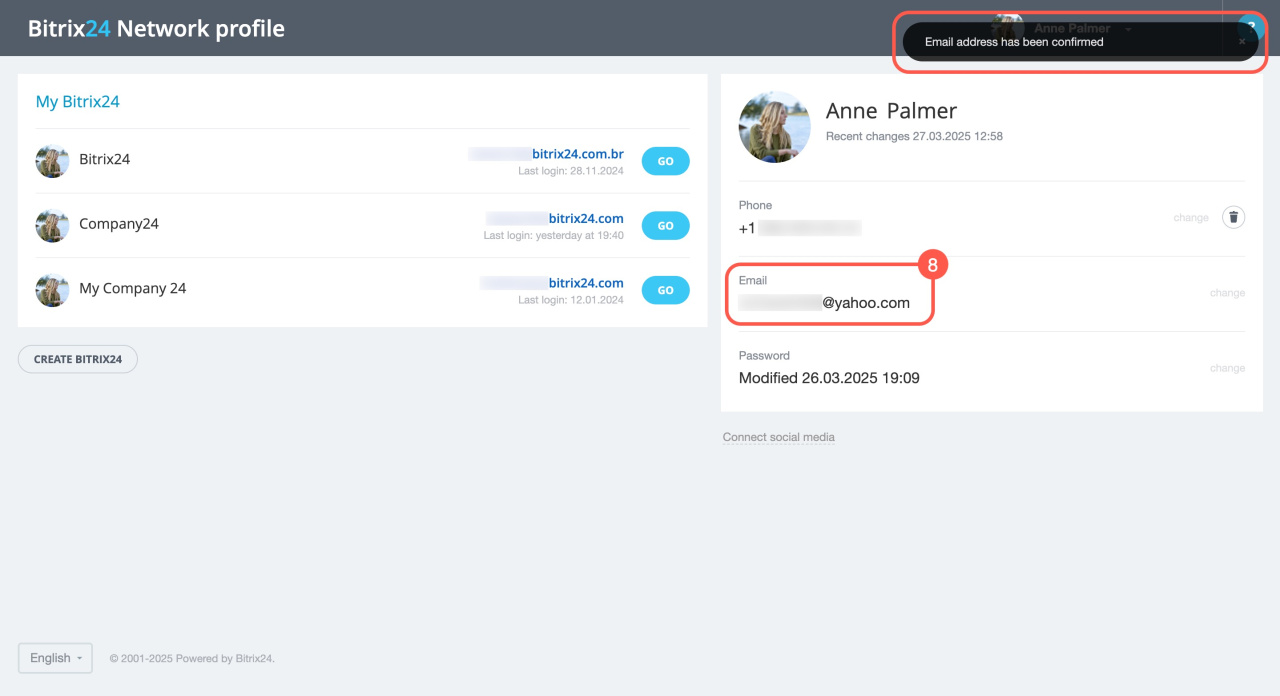
- After confirmation, the new login appears in your profile.
If you see the error “A user with this email already exists,” use a different email or unlink it from another account.
Change your social network account
You can connect a different social account to your Bitrix24 profile.
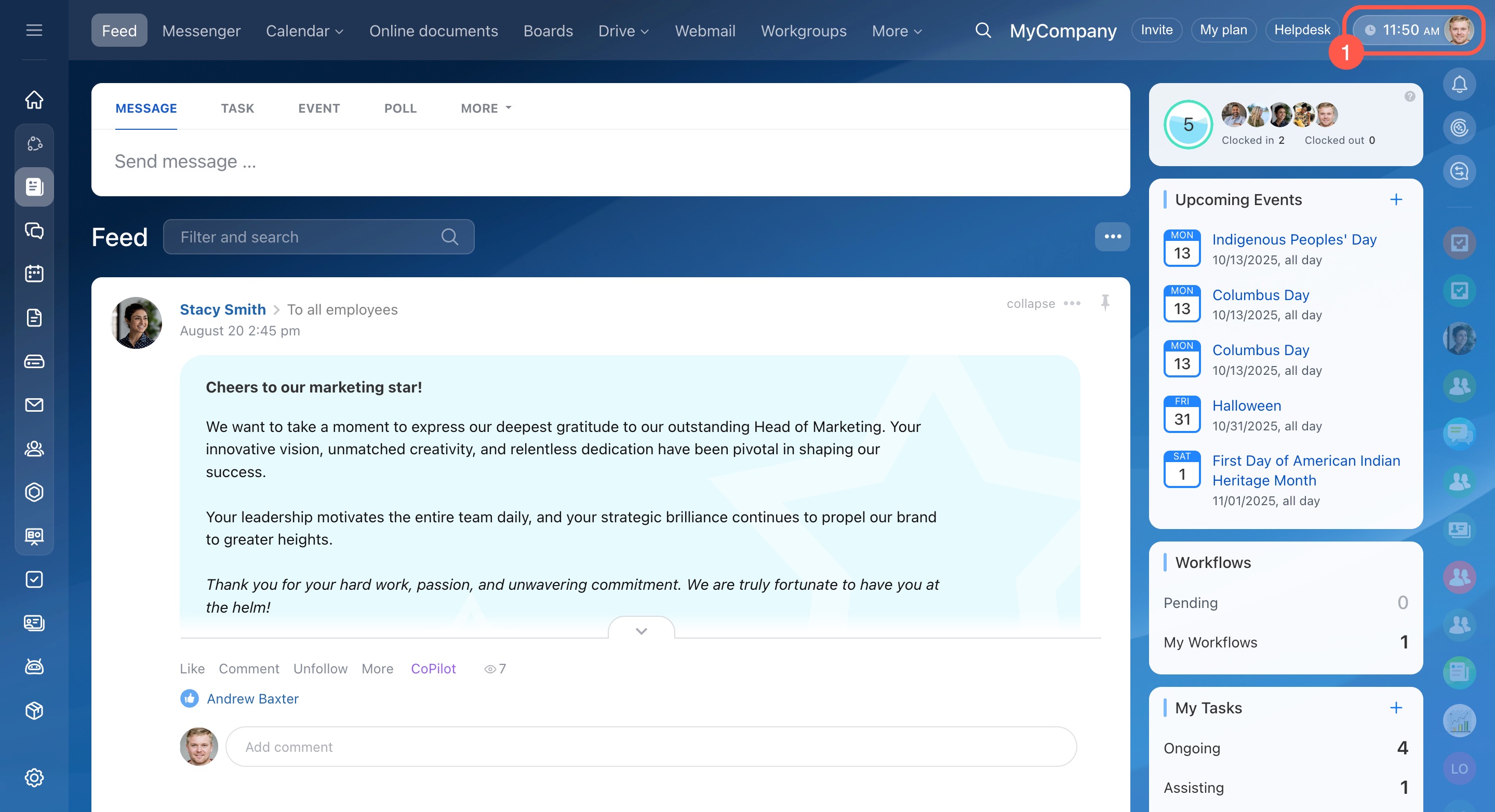
- Click your profile photo in the top-right corner.
- Select Change account.
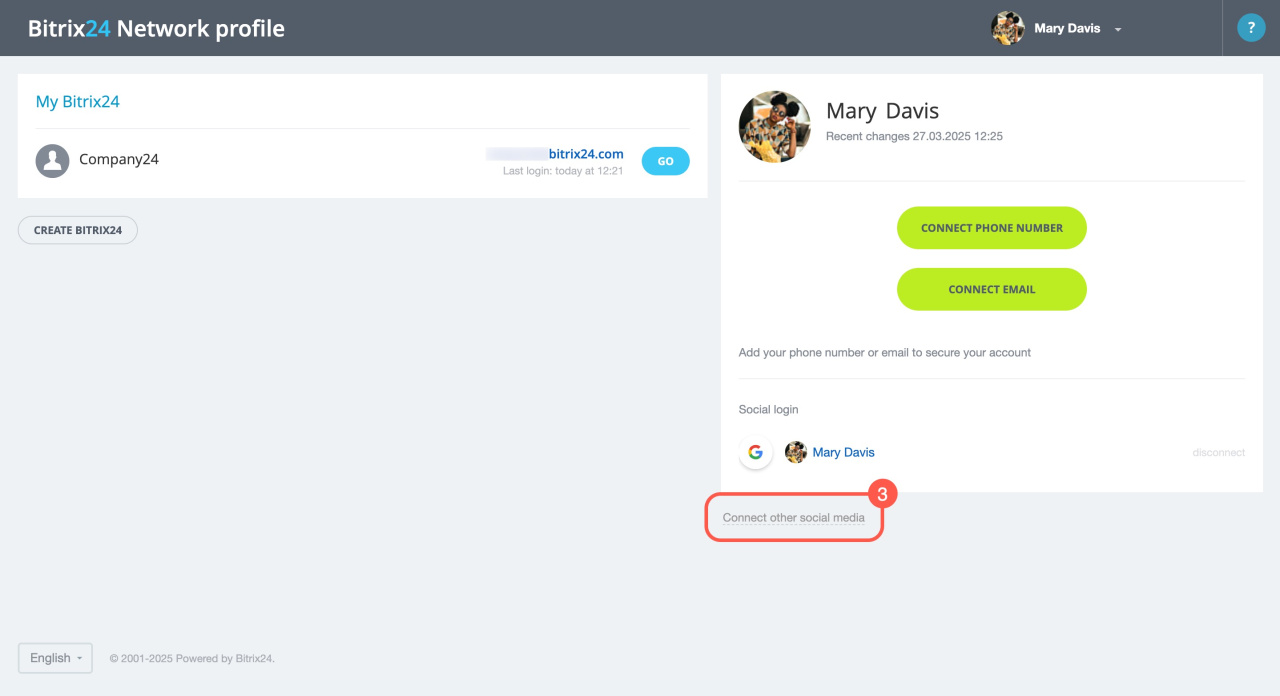
- Click Connect other social media.
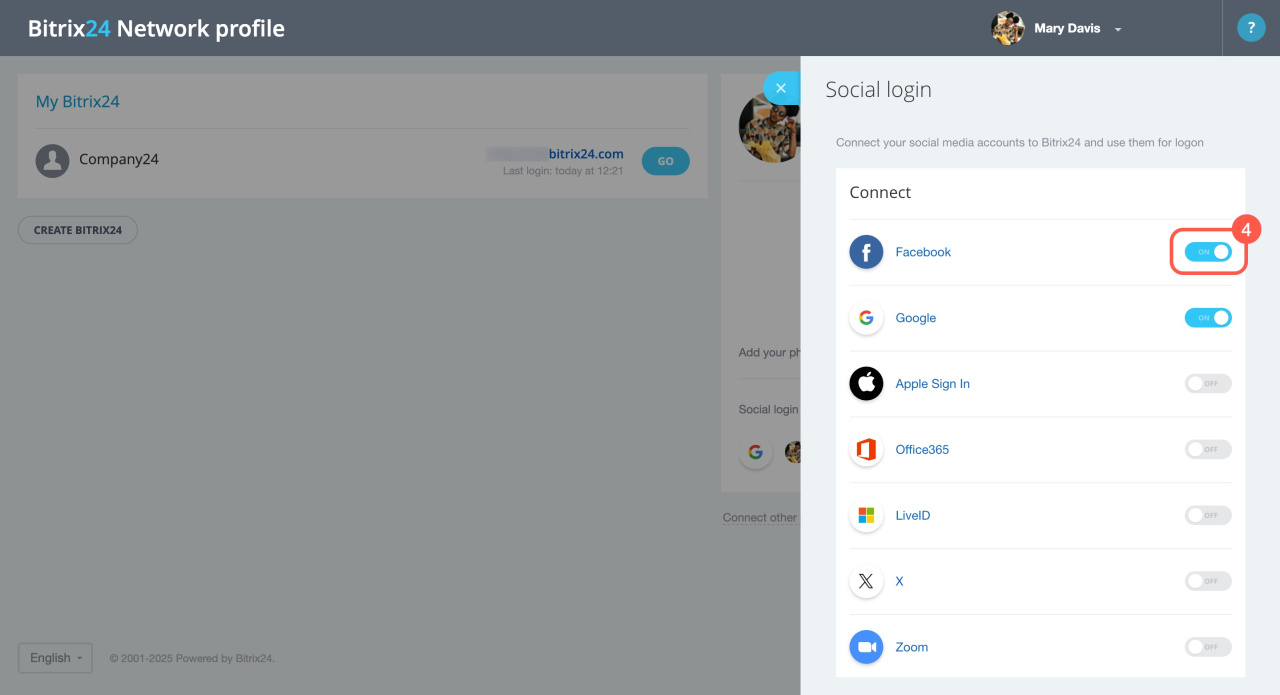
- Turn on the switch for the social network you want.
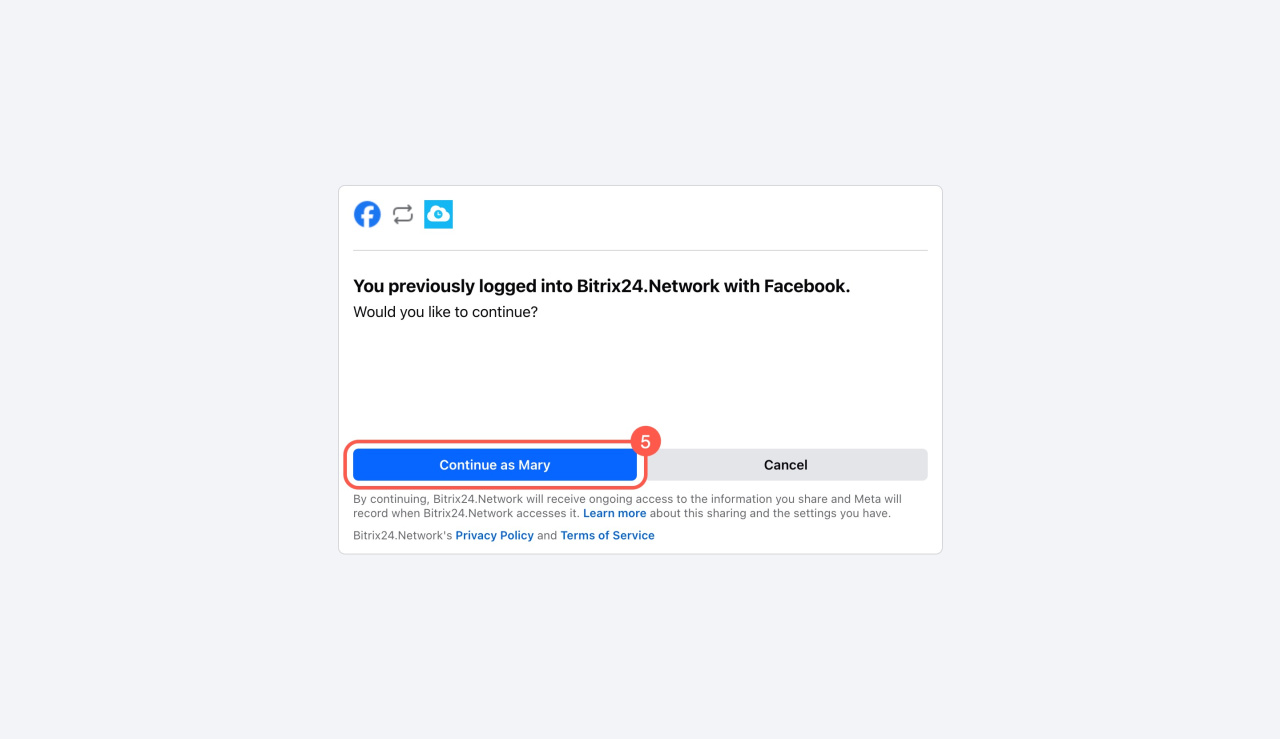
- Click Continue as or sign in with another account.
Change your password
- Click your profile photo in the top-right corner.
- Select Change account.
- Click Change in the Password section.
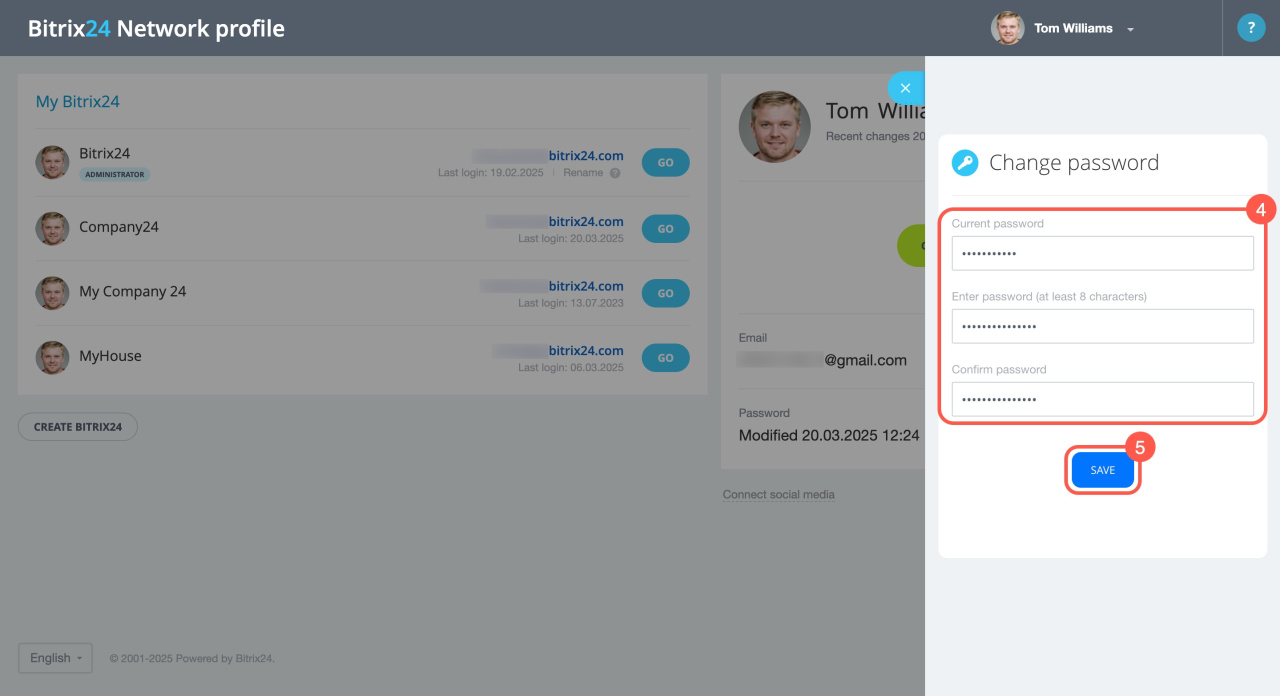
- Enter your current password and the new password twice. If needed, recover your password.
Recover your Bitrix24 password - Save the changes.
To verify the new password, open an incognito window and sign in again.
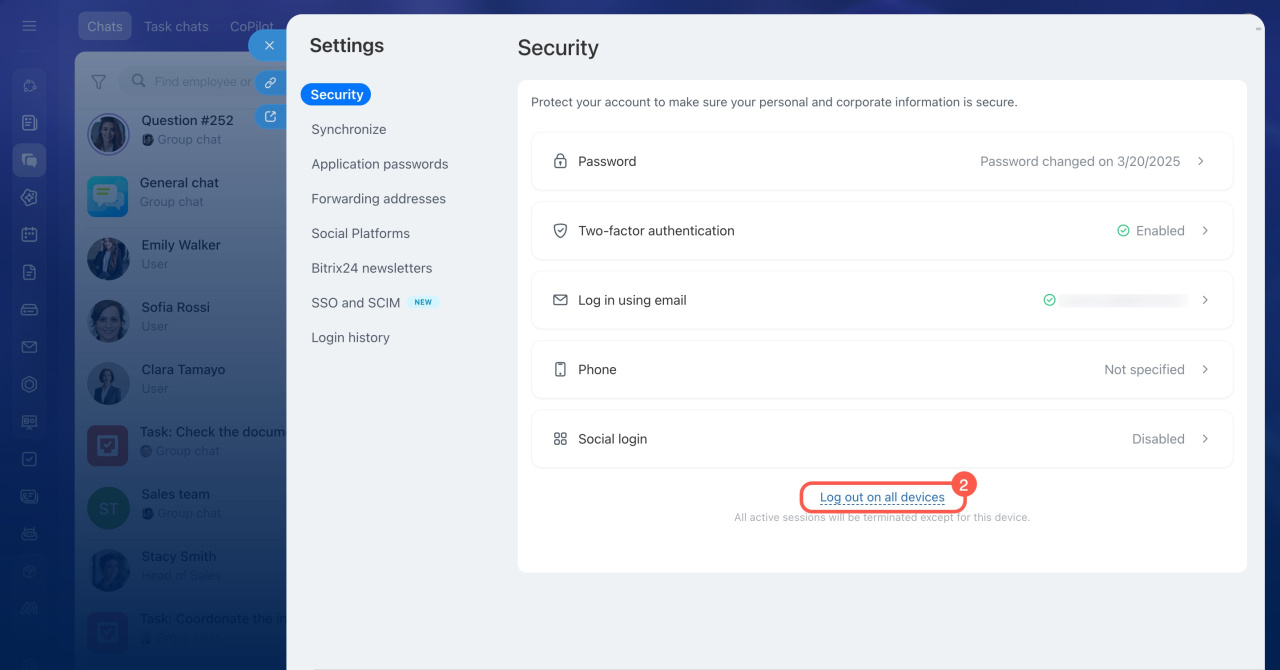
For security, sign out from all devices:
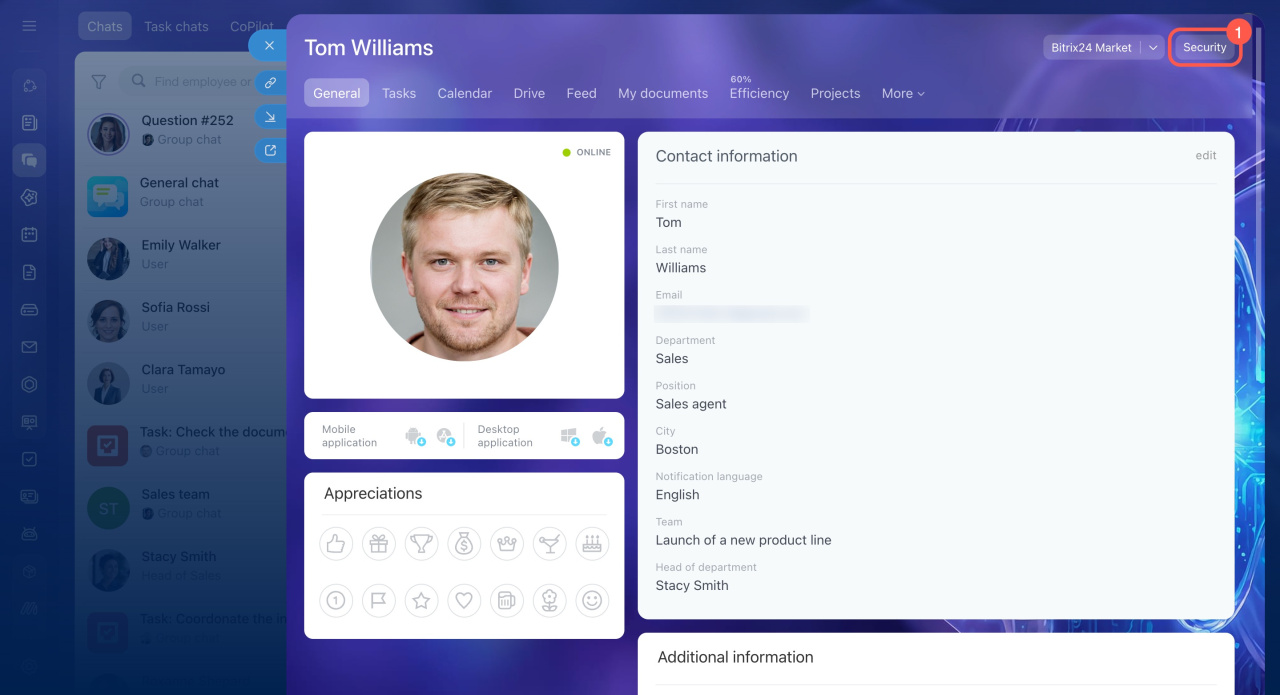
- Open your profile and go to the Security tab.
- Click Log out on all devices.
In brief
- You can update your login, password, and connected social accounts in the Bitrix24 Network profile.
- Only the profile owner can change login and password.
- After changing your password, test it in an incognito window.
- Sign out from all devices to keep your account secure.