
In Bitrix24, you can start workflows automatically when an item is added or updated. This helps prevent mistakes, so you do not forget to start a workflow or use the wrong item. You can enable workflow autorun for CRM, Feed, and Company Drive.
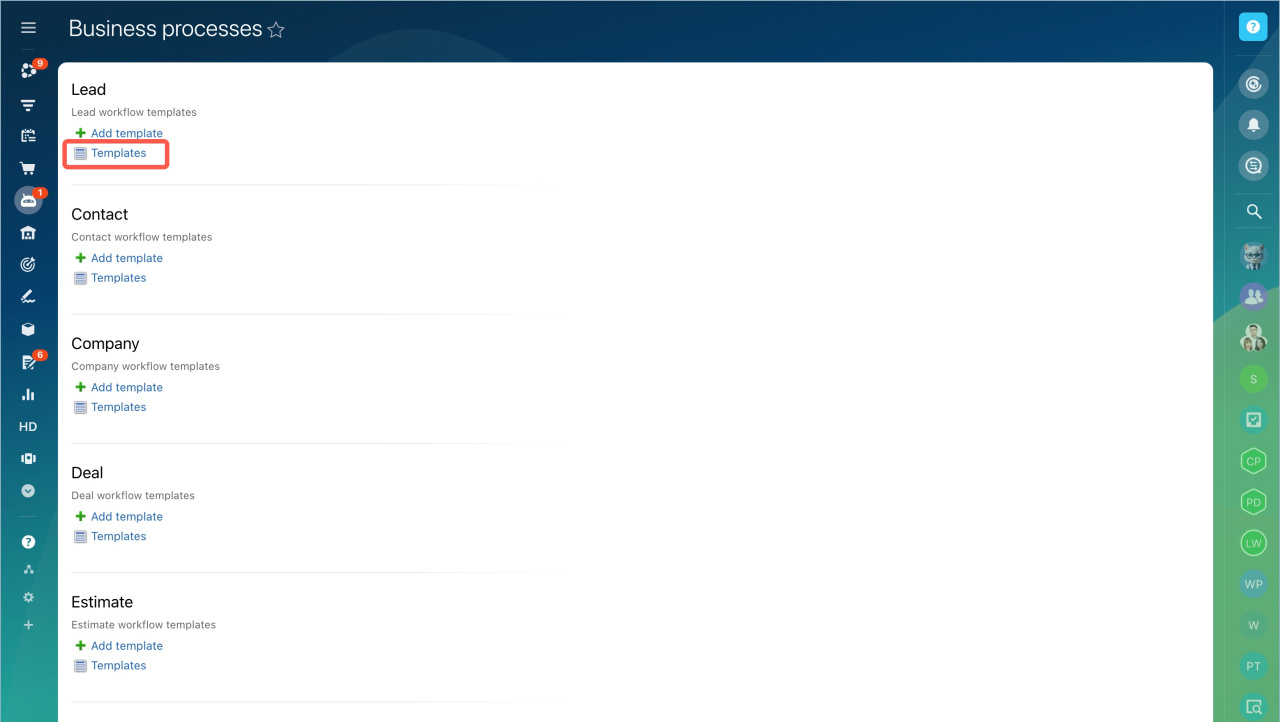
Configure workflow template parameters in CRM
Configure workflow template parameters
Workflows on Bitrix24 Drive
Check if workflows are available on your Bitrix24 plan.
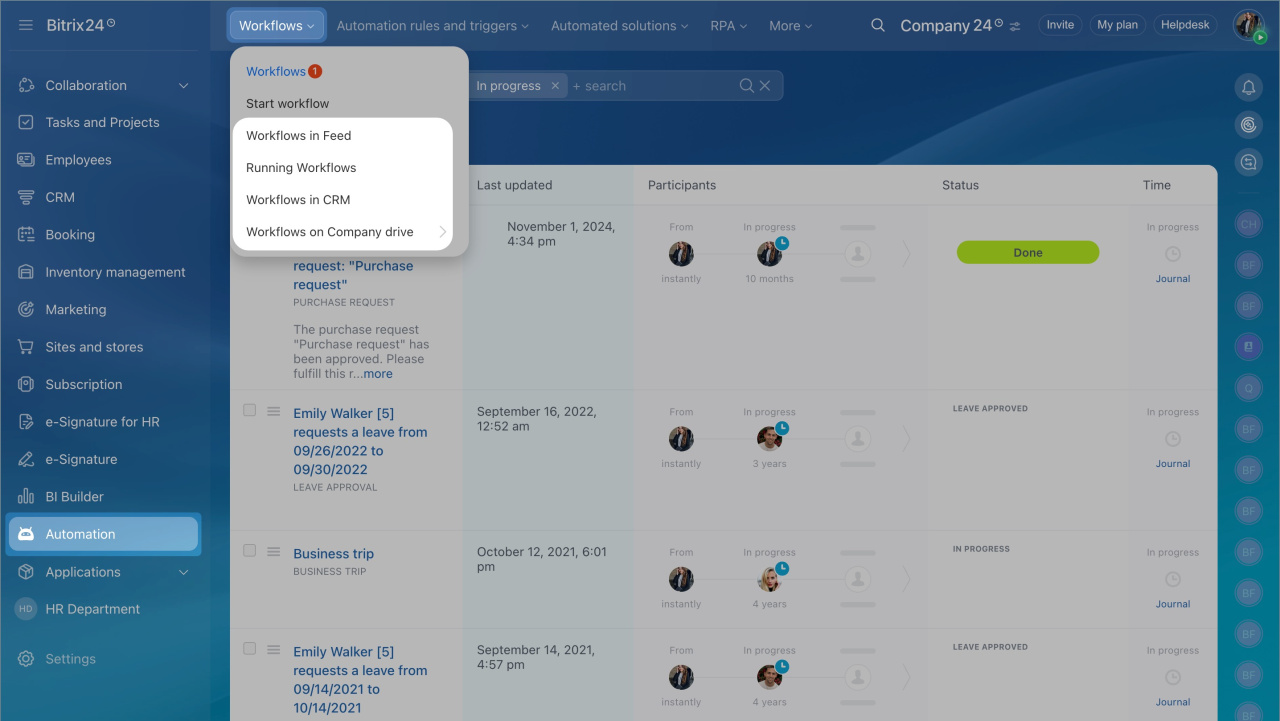
- Go to Automation > Workflows.
- Select the tool where you want to set up autorun.
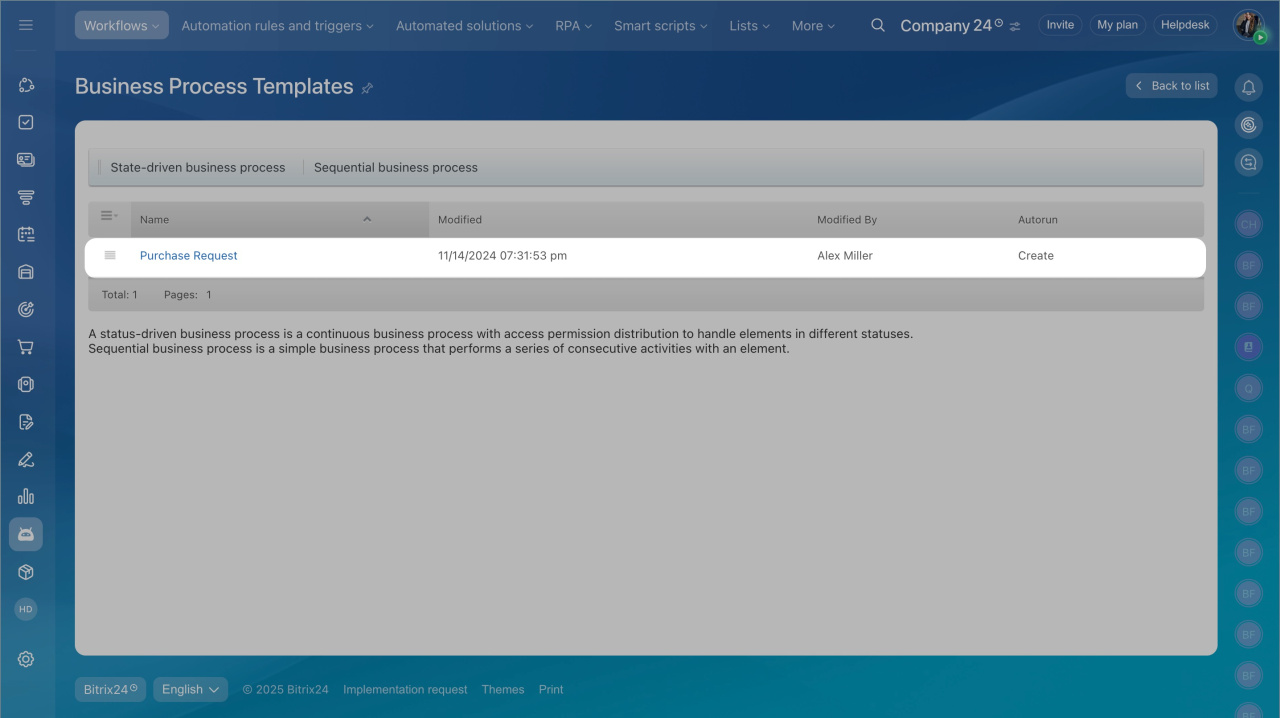
- Open the workflow template list and select a template.
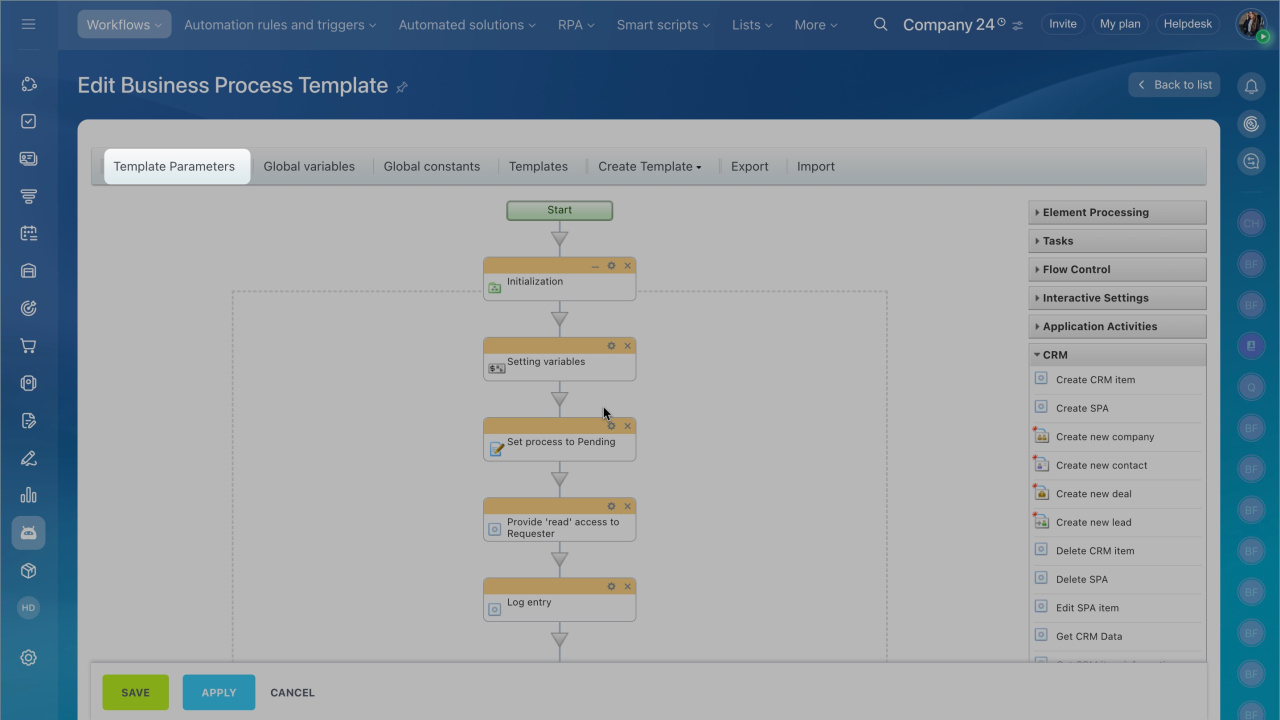
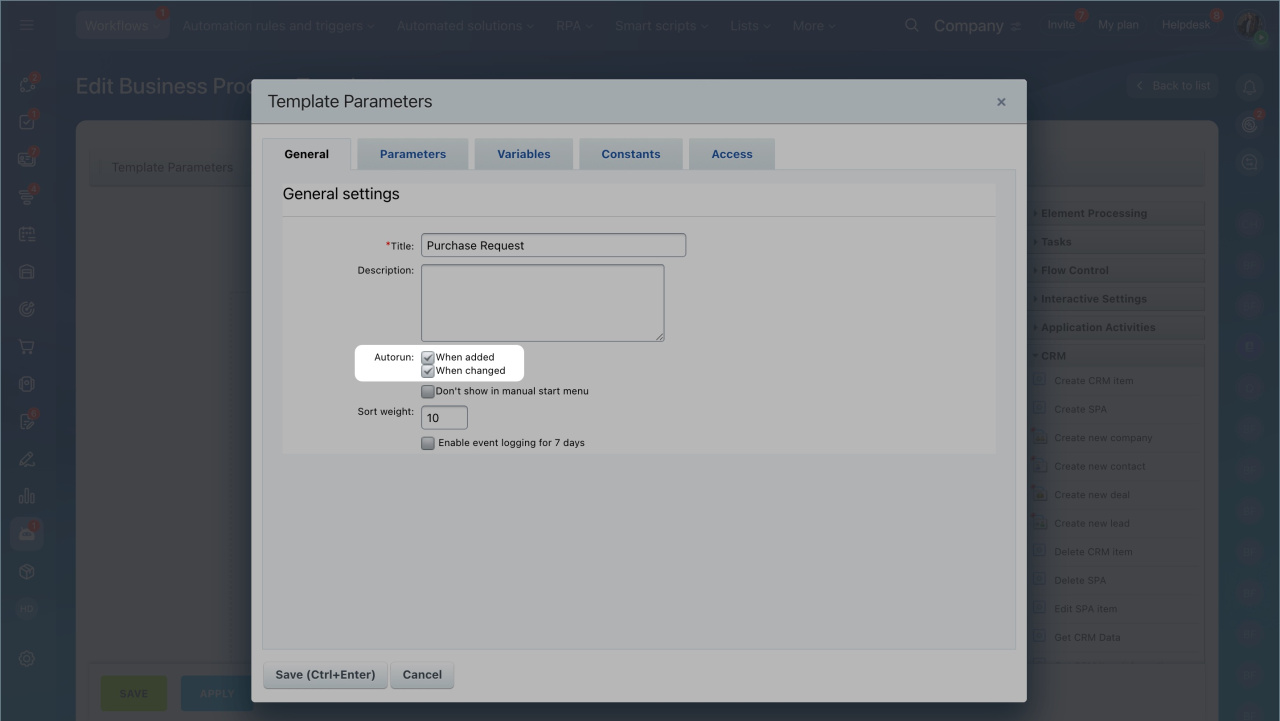
- Click Template parameters.
- Choose when to start the workflow:
- When added. The workflow starts automatically when a new item is created.
- When modified. The workflow starts automatically when an item changes.
Workflow autorun features in CRM
Workflows start automatically when a CRM item is created:
- by a user manually.
- from an incoming email, if CRM email integration is enabled.
- from an incoming call, if telephony is connected in Bitrix24.
- from a CRM form on a website.
- through the REST API or an app from the Market.
Telephony with CRM integration
CRM forms
Workflows do not start automatically when a CRM item is created:
- by importing a CSV or XLS file
- by another workflow
In brief
- In Bitrix24, you can start workflows automatically when an item is added or updated.
- You can enable workflow autorun for CRM, Feed, and Company Drive.
- Set up autorun in the workflow template parameters.
- Workflows do not start automatically when a CRM item is created by importing a CSV or XLS file or by another workflow.