
You can continue working on AI solutions created in Alaio Vibecode. Change how they work, add new features, or update their interface. Delete an application or bot when you no longer need it.
In this article:
Update an AI solution
You can update an application in the same AI chat where you created it or start a new chat.
Alaio Vibecode: Create and set up an app
Update the application in the same chat. Open the chat in the AI service where you created the application and describe the changes. For example: “Add a phone number field to the form” or “Fix the error when sending an order.”
This chat already contains the application code, the full API key, and the server data. The AI model will make the changes and update the application, so you do not need to send the key again.
Update the application in a new chat. If the chat where you created the application no longer exists, start a new chat in the AI service.
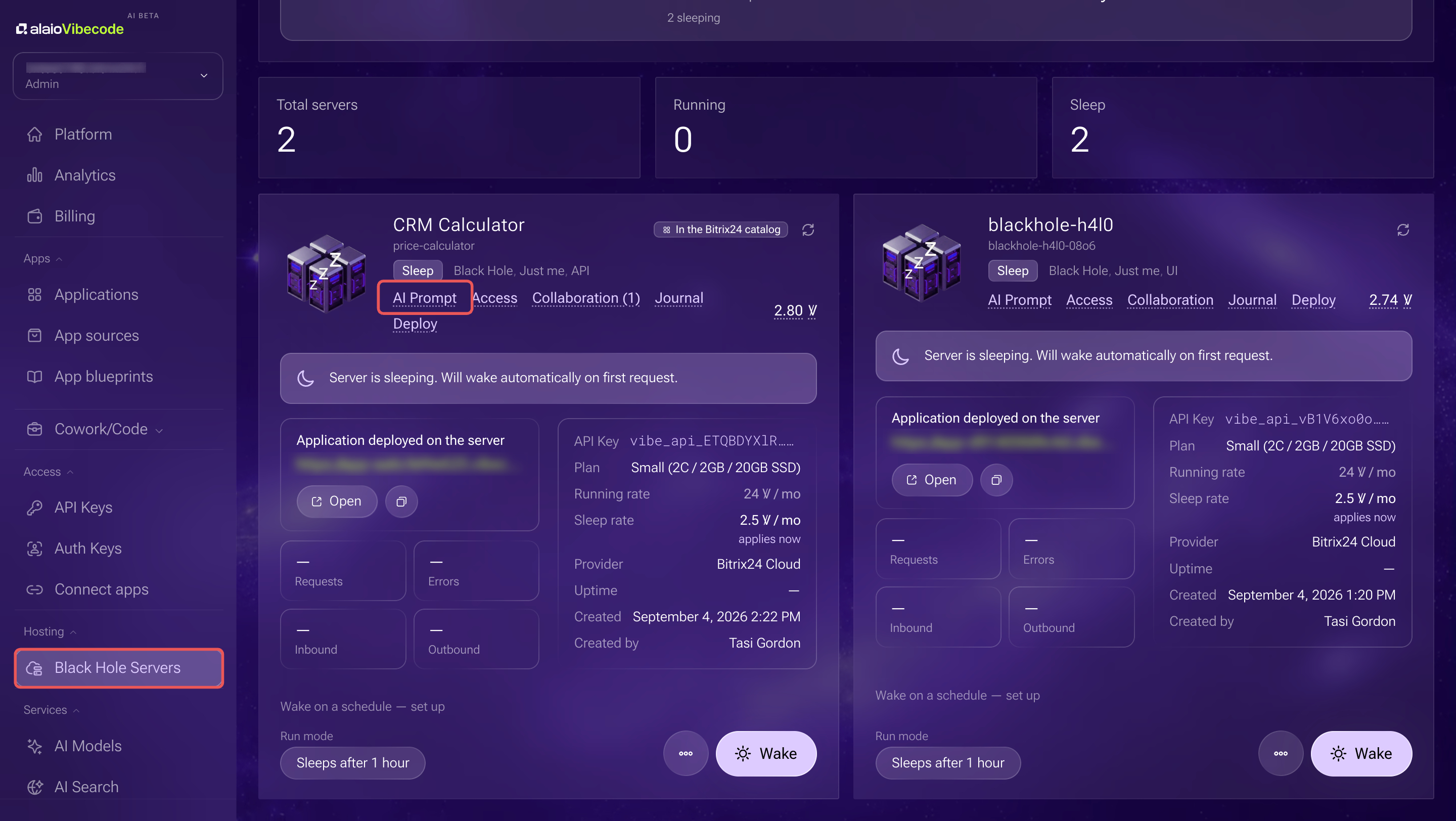
- In the Alaio Vibecode personal account, open Hosting > Black Hole Servers.
- Find the server with the application and click AI Prompt.
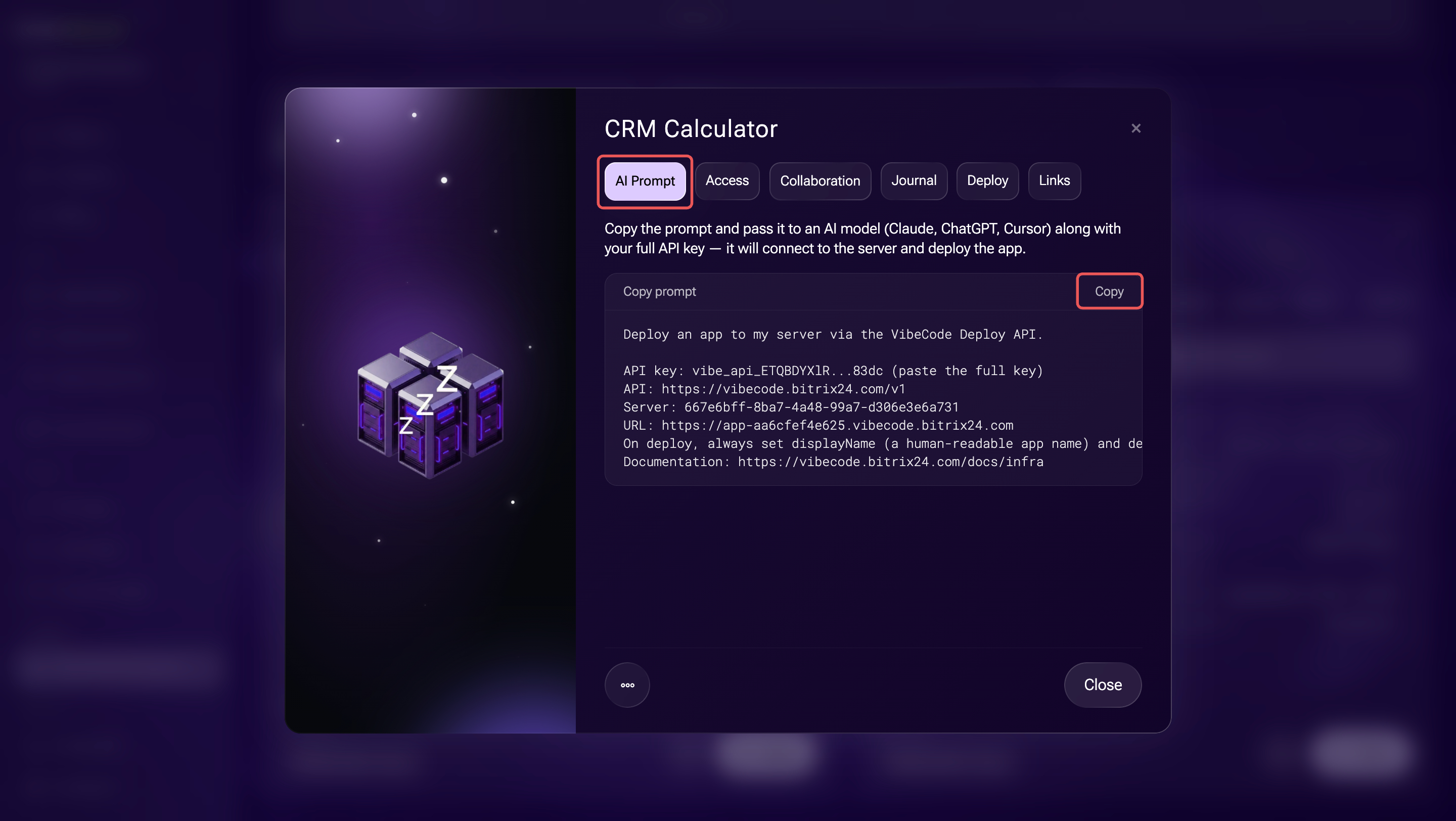
- Copy the prompt. The ready-made prompt already contains the address and ID of the server you need.
- Add the full value of the API key you saved when you created it to the prompt. Alaio Vibecode displays an existing key only partially, so you cannot view its full value again.
- Open a chat with an AI model, such as Claude Code, Codex, or Cursor, and paste the copied prompt into your message. Describe what you need, such as an interface update or new features. Send the request to the AI model.
- The agent will rewrite the code and rebuild the AI solution. Continue the conversation until you get the result you want.
Delete an AI solution
Delete an application or bot when you no longer need it. Before deleting it, decide whether to keep the application’s server and keys. Deleting a server is irreversible: the application will stop working, and the server data will be deleted.
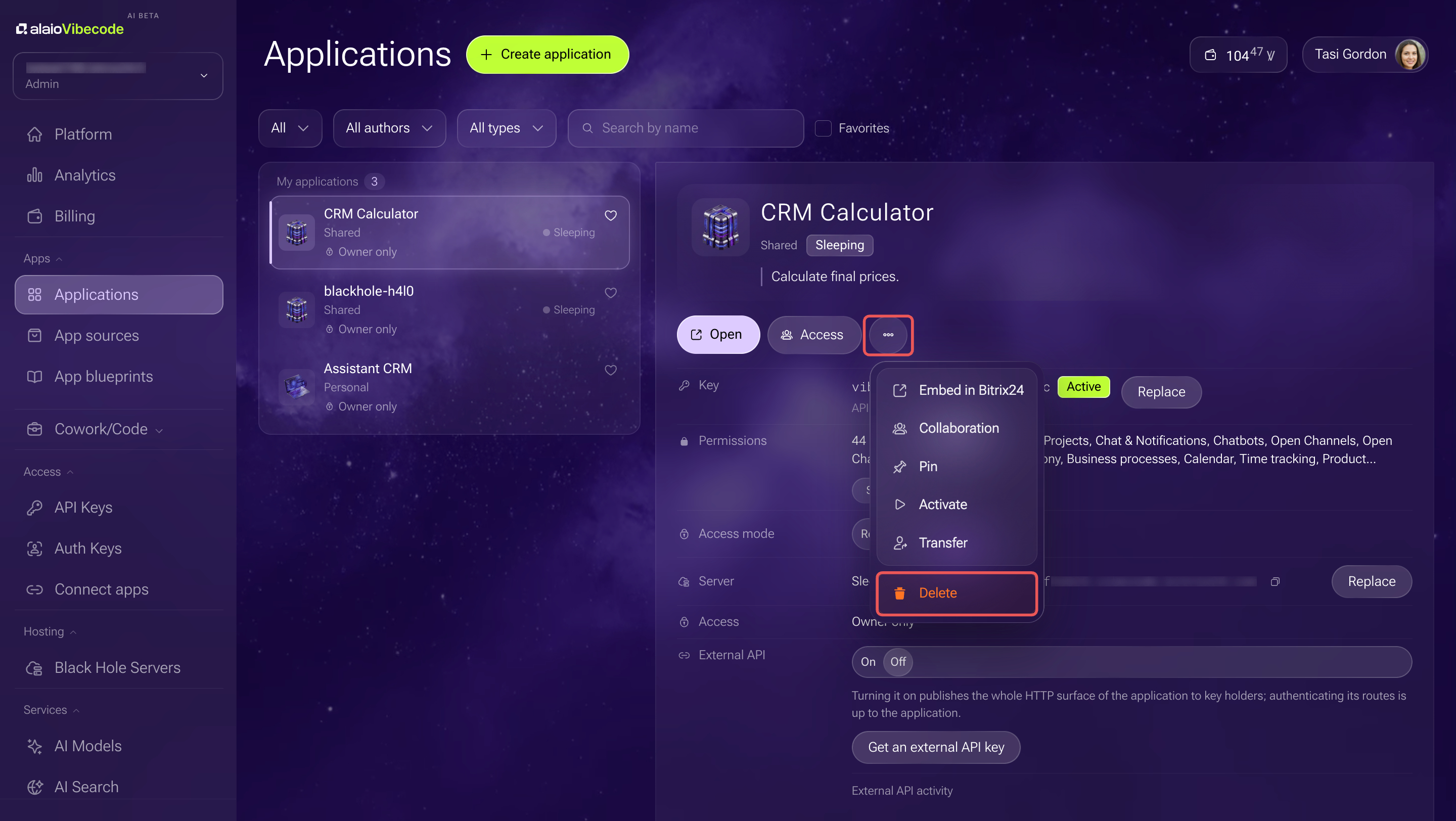
- Go to Apps > Applications.
- Select the application you want to delete.
- In the application form, click Three dots (...) > Delete.
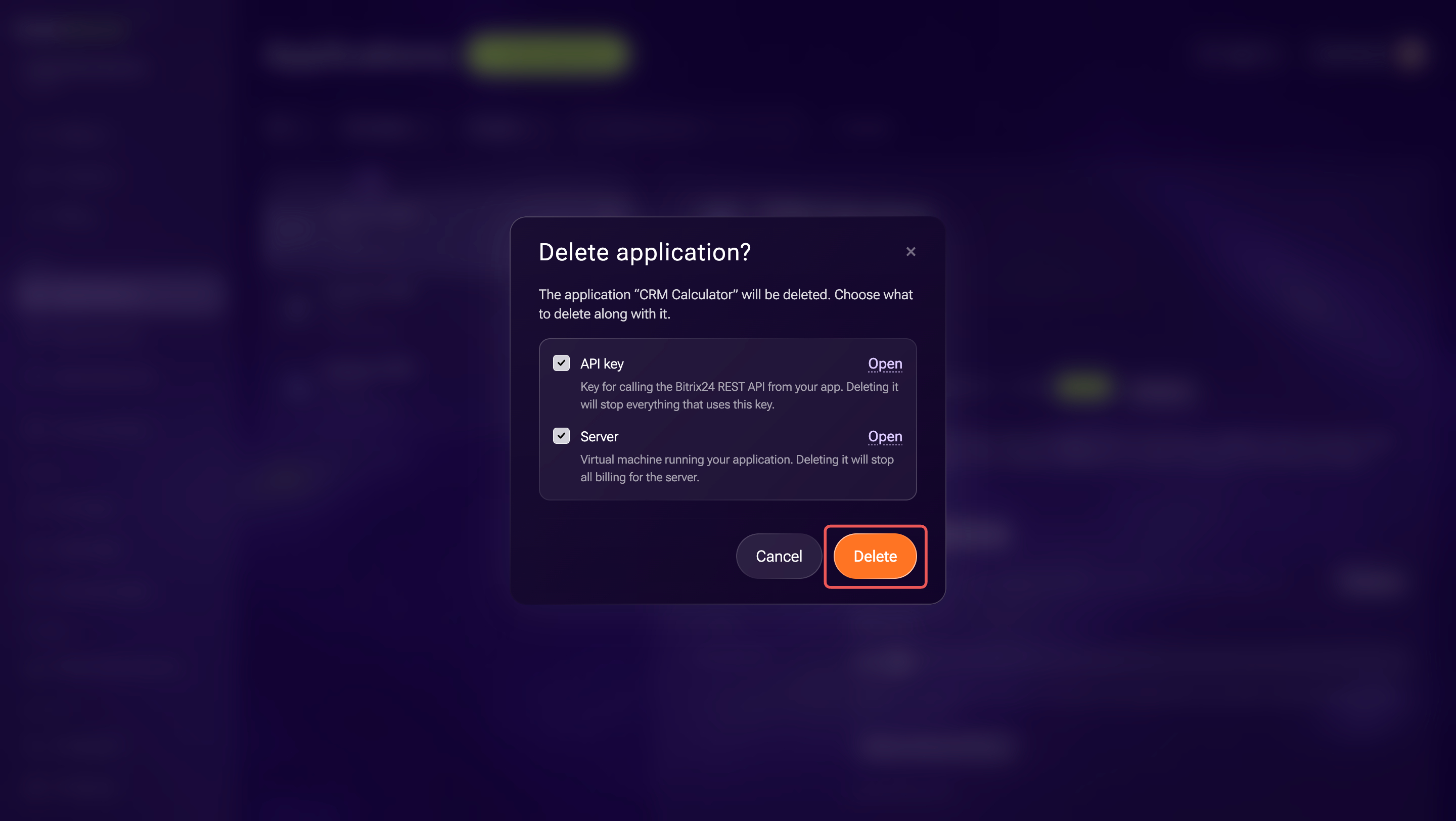
- Alaio Vibecode will display the resources linked to the application. Clear the checkboxes for resources you want to keep:
- Server — the application will stop working, and the server data will be permanently deleted. Save important files and backups before deleting it.
- API key — keep the key if you use it on another server or in another application.
- Authentication key — after you delete this key, the application’s integration with Bitrix24 will stop working.
- Review the selected resources and click Delete.
In brief
- To update an application, continue the conversation where you created it. The AI model already knows the application’s context and API key.
- To work in a new conversation, copy the AI Prompt from the server form and add the saved full value of the API key.
- To delete an application, in the Applications section, click Three dots (...) > Delete. Before confirming, clear the checkboxes for the server and keys you want to keep.
- Deleting a server and its data is irreversible.