
In this article:
What Vibe credits are
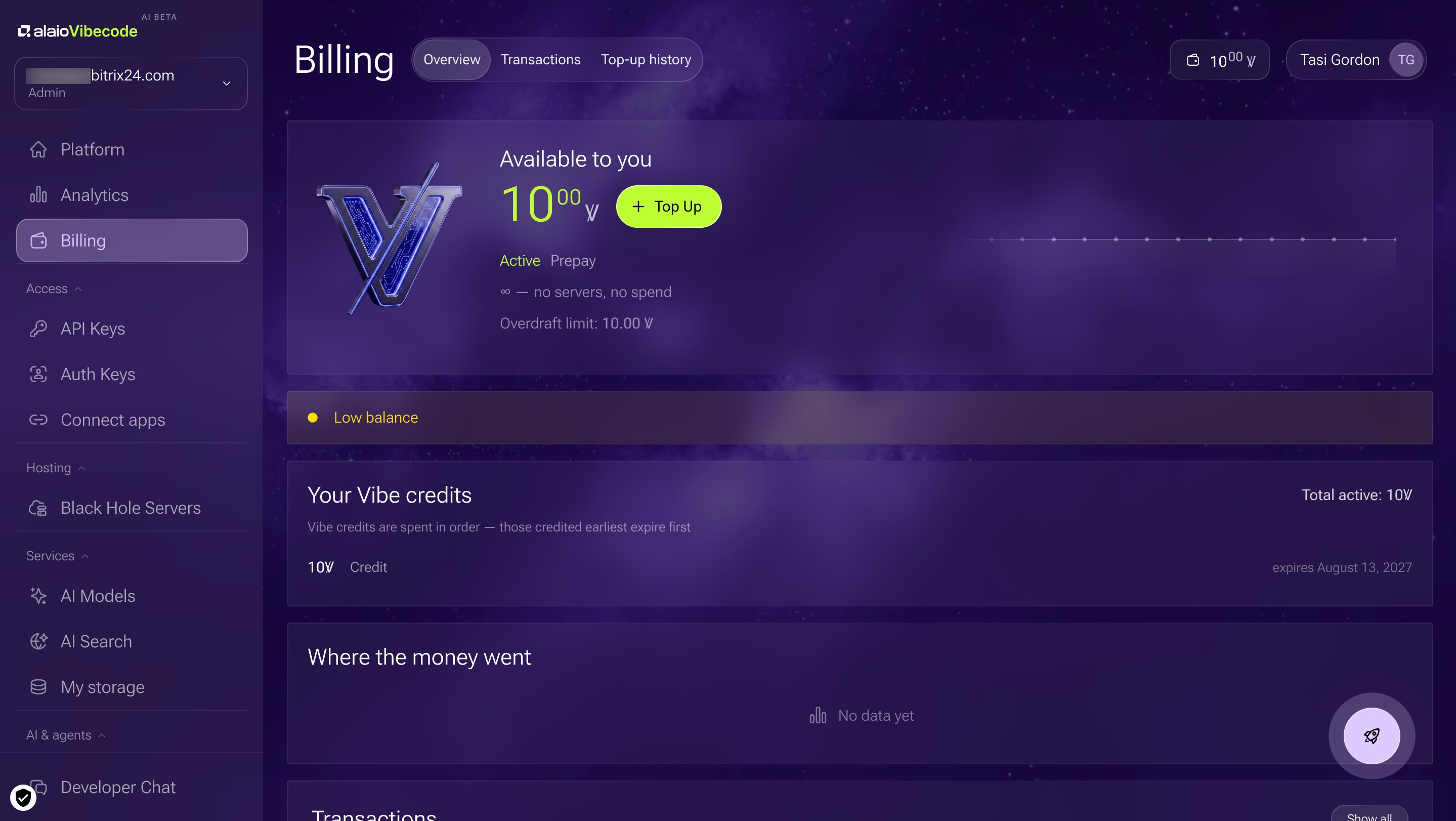
Vibe credits (Ꝟ) are the internal balance used on the Vibecode platform. They are charged when you use platform features such as running servers, AI models, and AI agent commands.
Vibe credits stay active for 365 days from the purchase date. The oldest Vibe credits are used first. Any unused balance expires after 365 days. You can check your current balance and spending history in your account.
Vibe credits belong to the Bitrix24 account, not to a specific user. Any employee who has access to the Alaio Vibecode platform can use them.
How Vibe credits are used
Vibe credits are only charged for advanced scenarios:
- Black Hole servers: isolated servers that run apps built in Alaio Vibecode. When an app is not in use, the server goes to sleep and runs at a lower rate.
- Built-in paid AI models: resource-intensive platform models. Vibe credits are charged when an app calls an AI model, for example to generate a reply or analyze a document.
- AI web search: Vibe credits are charged when apps and bots search the web for current information.
If your Vibe credits run out, app servers stop working, but your apps stay saved. As soon as you top up your balance, the apps start again. If your balance stays at zero for more than 33 days, the servers are permanently deleted.
Available Vibe packages
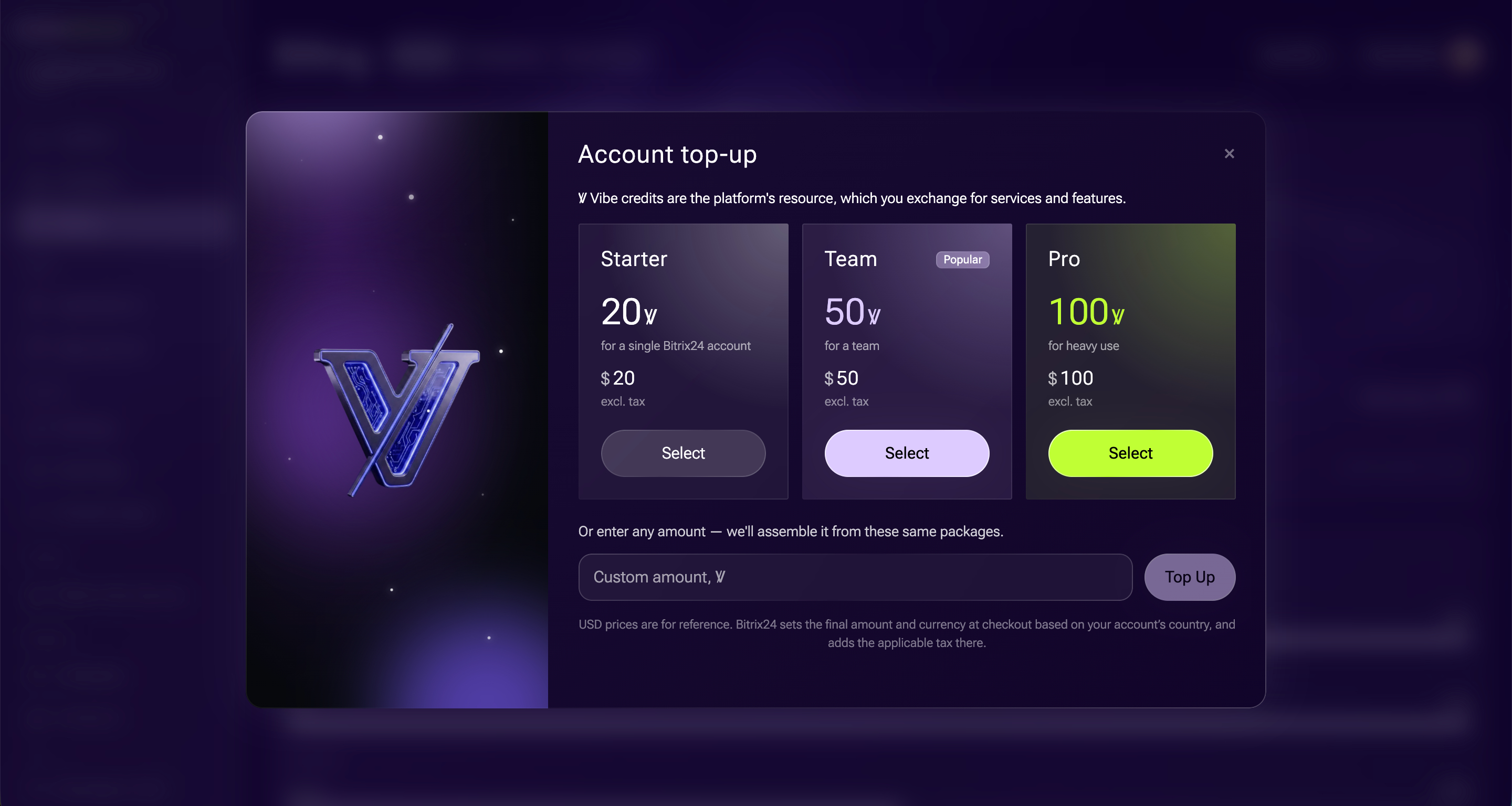
Vibe credits are sold in packages. There are three options:
- Starter: 20 Ꝟ. For one Bitrix24 account. Good for trying the platform and building your first app.
- Team: 50 Ꝟ. For a team or department that uses apps regularly. This is the most popular package.
- Pro: 100 Ꝟ. For heavy use, including dozens of apps, active AI scenarios, and always-on servers.
Buy a Vibe package
1. In the Vibecode platform, open the Billing section from the left menu and click + Top Up.
2. In the window that opens, select a package and click Select.
3. Check the order amount and click Proceed to payment.
4. On the Bitrix24 checkout page, select the buyer type: legal entity, sole proprietor, or individual. Enter your Taxpayer ID, and the remaining fields will fill in automatically.
5. Choose a payment method, either invoice or card, and click Checkout.
After payment, Vibe credits are added to your balance automatically. The timing depends on the payment method. A card payment or instant transfer usually takes a few minutes. A bank transfer may take a few business days. You can track the order status in the Billing section on the Top-up history tab.
In brief
- Vibe credits (Ꝟ) are the platform's internal balance. They stay active for up to 12 months.
- Vibe credits are only charged for advanced scenarios such as servers, paid AI models, AI web search, and the OpenClaw agent. Basic features are included in the subscription.
- Three packages are available: Starter (20 Ꝟ), Team (50 Ꝟ), and Pro (100 Ꝟ).
- Each new company automatically gets 10 Ꝟ and 14 days of trial access.
- To buy a Vibe package, open the Balance section and click Top Up.