
Hermes is an AI agent that you can ask about Bitrix24 data right in chat: find deals by condition, build a summary, or check an employee's tasks.
Alaio Vibecode handles the technical setup, while you decide what the agent can read and change. The AI agent runs on a private server and connects to Bitrix24 as a chatbot in Messenger.
In this article:
What Hermes can do
Hermes is a prebuilt, preconfigured AI agent template. When you create it, Alaio Vibeсode automatically:
- Creates a private server
- Deploys the AI agent to that server
- Registers the chatbot in your Bitrix24 account
- Connects the AI model
- Grants data access permissions
A few minutes after you click the button, a new chat with the agent appears in Bitrix24 Messenger. After that, you can chat with it in plain language.
What Hermes can do:
- Read and analyze Bitrix24 data
- Create summaries and reports on request
- Create tasks, activities, and form records
- Answer questions from the company knowledge base
- Help managers draft standard client replies
- Prepare draft proposals and letters
What Hermes cannot do:
- Sign documents on behalf of a person
- Pay invoices or process payments
- Reply to clients without confirmation unless you explicitly configure it to do so
- Delete data without confirmation
AI agent vs. app
A regular app is a tool for a specific task. You describe what you need, the AI agent generates the code, and the app runs. Build a custom app when you need specific logic, such as a calculator form or a daily scheduled summary.
Hermes is a general-purpose AI agent. It is not limited to one task. It can read Bitrix24 data, understand requests in plain language, and decide what steps it needs to take. Choose Hermes when you need an AI assistant for different tasks, such as creating summaries, completing tasks in Bitrix24, and chatting with your team.
You can use both tools in the same Bitrix24 account. For example, use Hermes for everyday work and create separate apps for tasks that need specific logic.
Create an AI agent
To create an agent, only set a name. Alaio Vibecode configures the rest automatically.
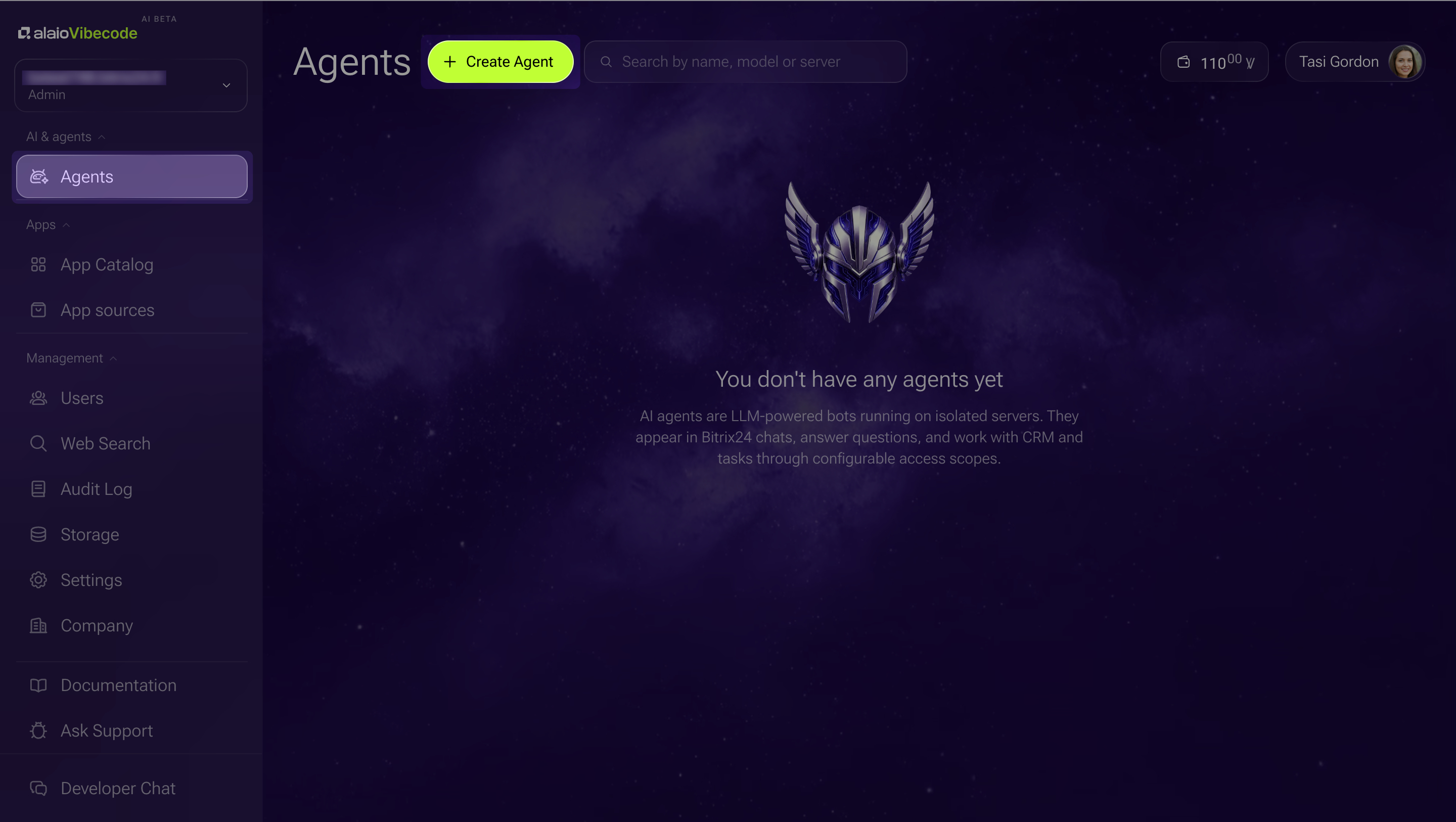
1. Open Services > Agents in the Alaio Vibecode left menu.
2. Click Create Agent.
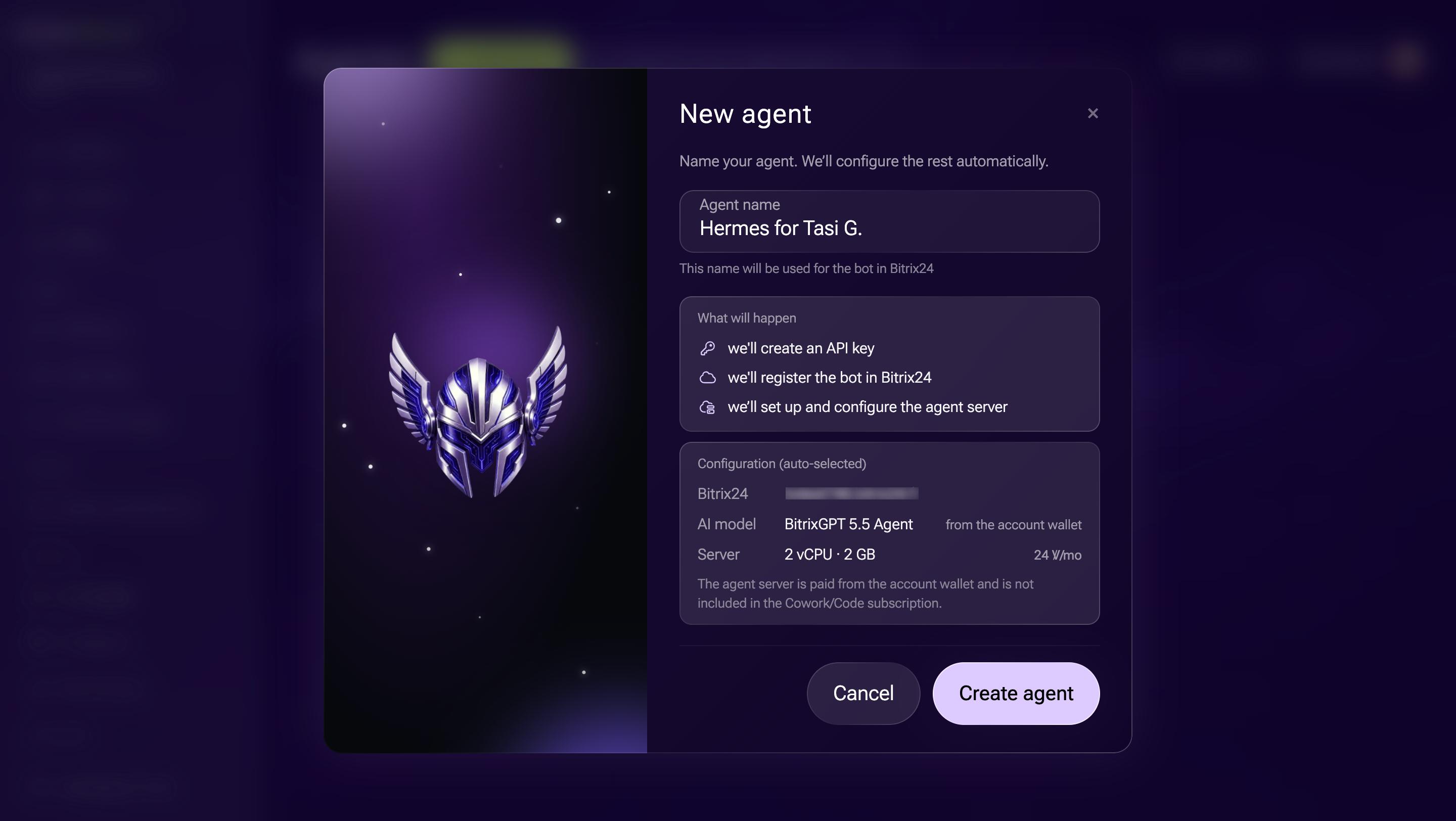
3. Enter a name for the agent. The bot will appear in Bitrix24 chats under this name, for example, Deal Assistant.
Check the Configuration block. Alaio Vibecode fills it in automatically: it shows the Bitrix24 account the agent will connect to, the AI model, and the hosting location.
4. Click Create agent.
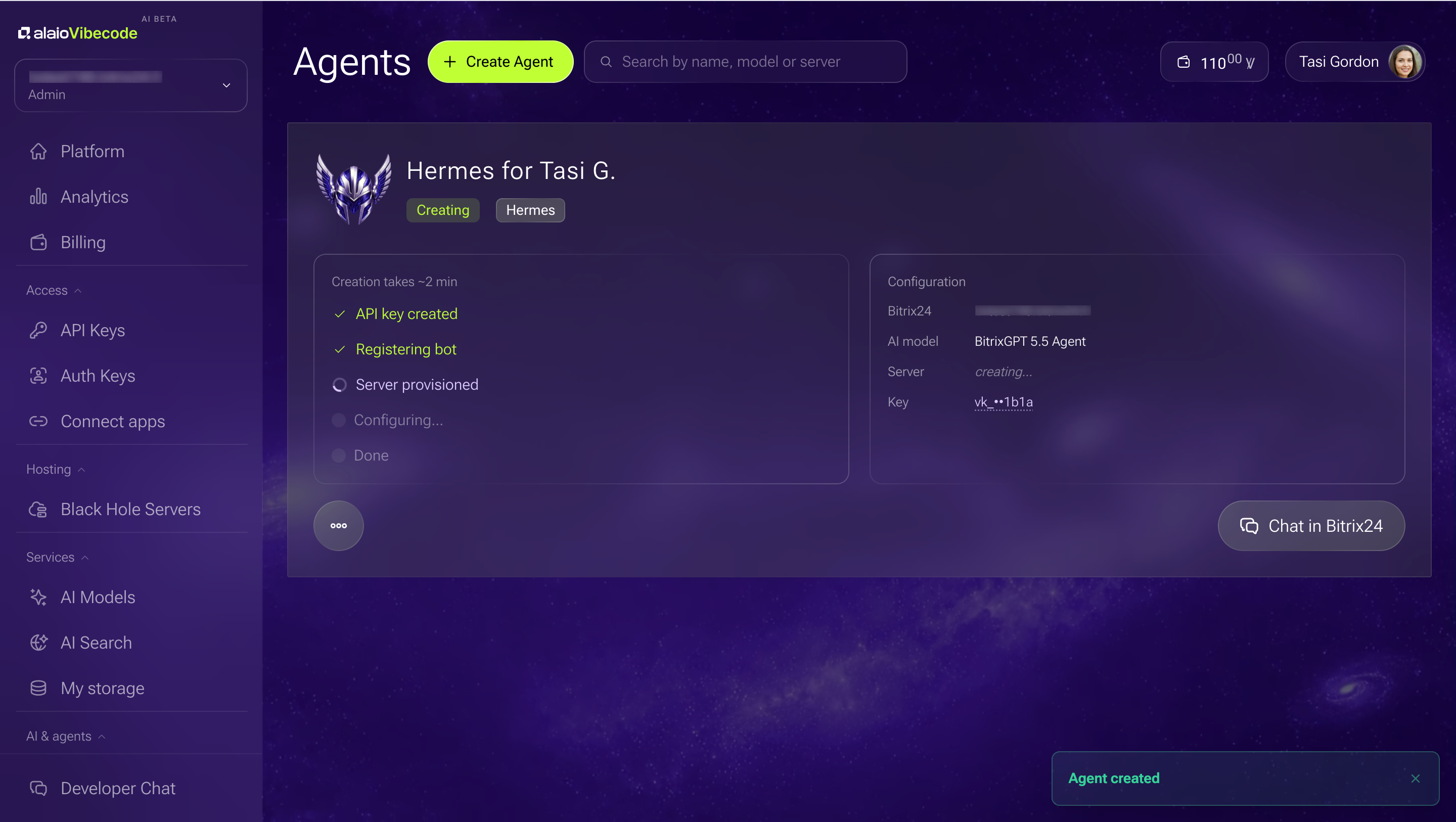
Alaio Vibecode creates an API key for the agent, registers the bot in Bitrix24, and sets up the server. When everything is ready, its card shows the Running status.
Chat with the AI agent
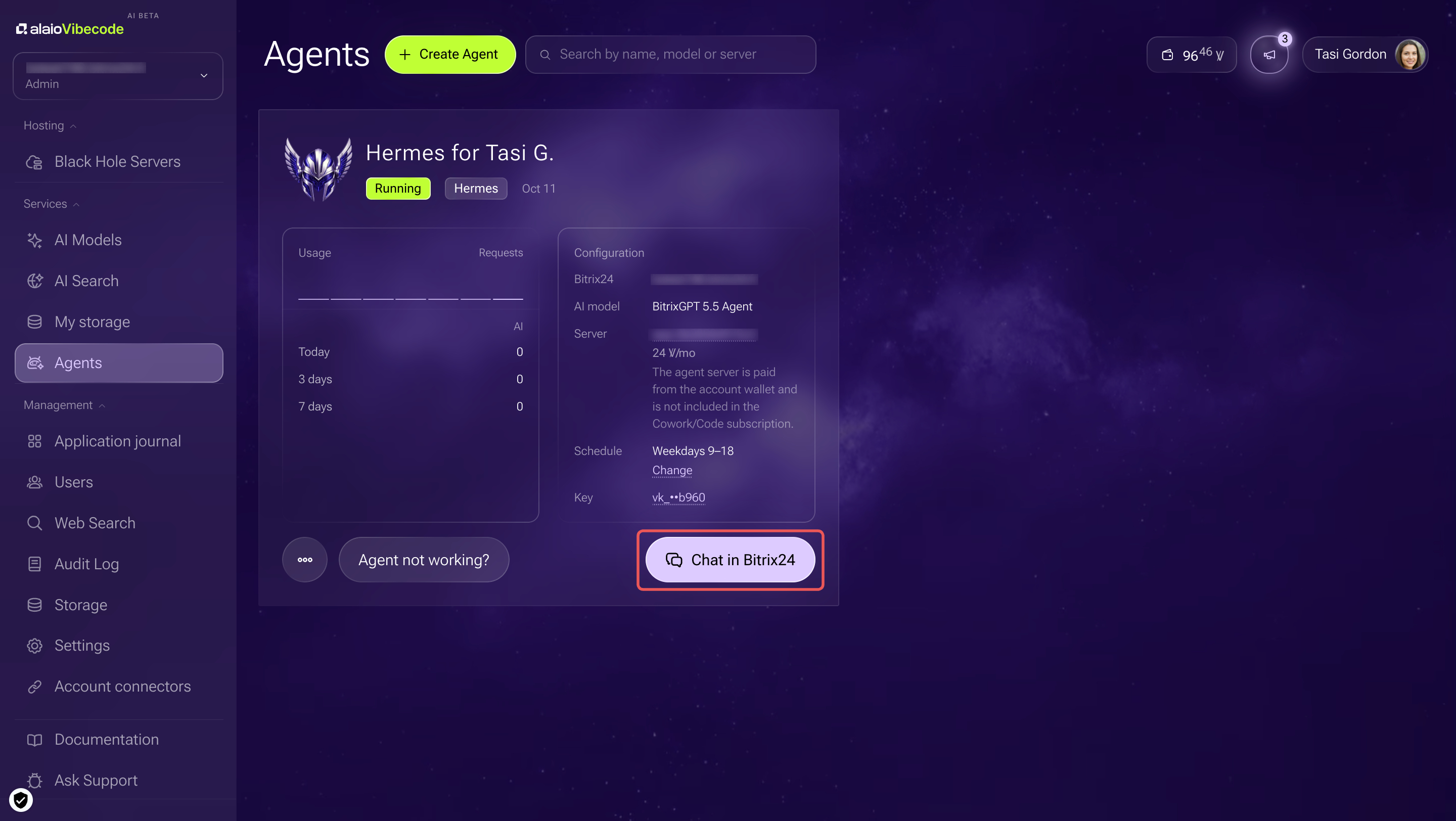
The agent replies in a separate Bitrix24 chat under its own name. To open the chat, click Chat in Bitrix24 on the agent's card or find the agent in your chat list.
Write to the agent as you would to a coworker. For example:
- Build a summary of deals in progress worth more than $300.
- Move all deals with no activity for more than two weeks to a separate pipeline.
- Prepare an estimate template for a client.
The agent determines what data it needs and requests it from Bitrix24. If the reply includes deals or tasks, it adds links to them.
If a request is ambiguous, the agent asks a follow-up question and offers possible answers. Choose an option using the button under the message, or enter your own answer. For example, if you ask it to remove duplicate deals, the agent asks which matching deal to keep and displays the options as buttons.
Limit the agent's data access
The agent's API key defines what Bitrix24 data it can access. When you create an agent, it receives Read and write access to every section of Bitrix24. This means it can find, edit, and delete data.
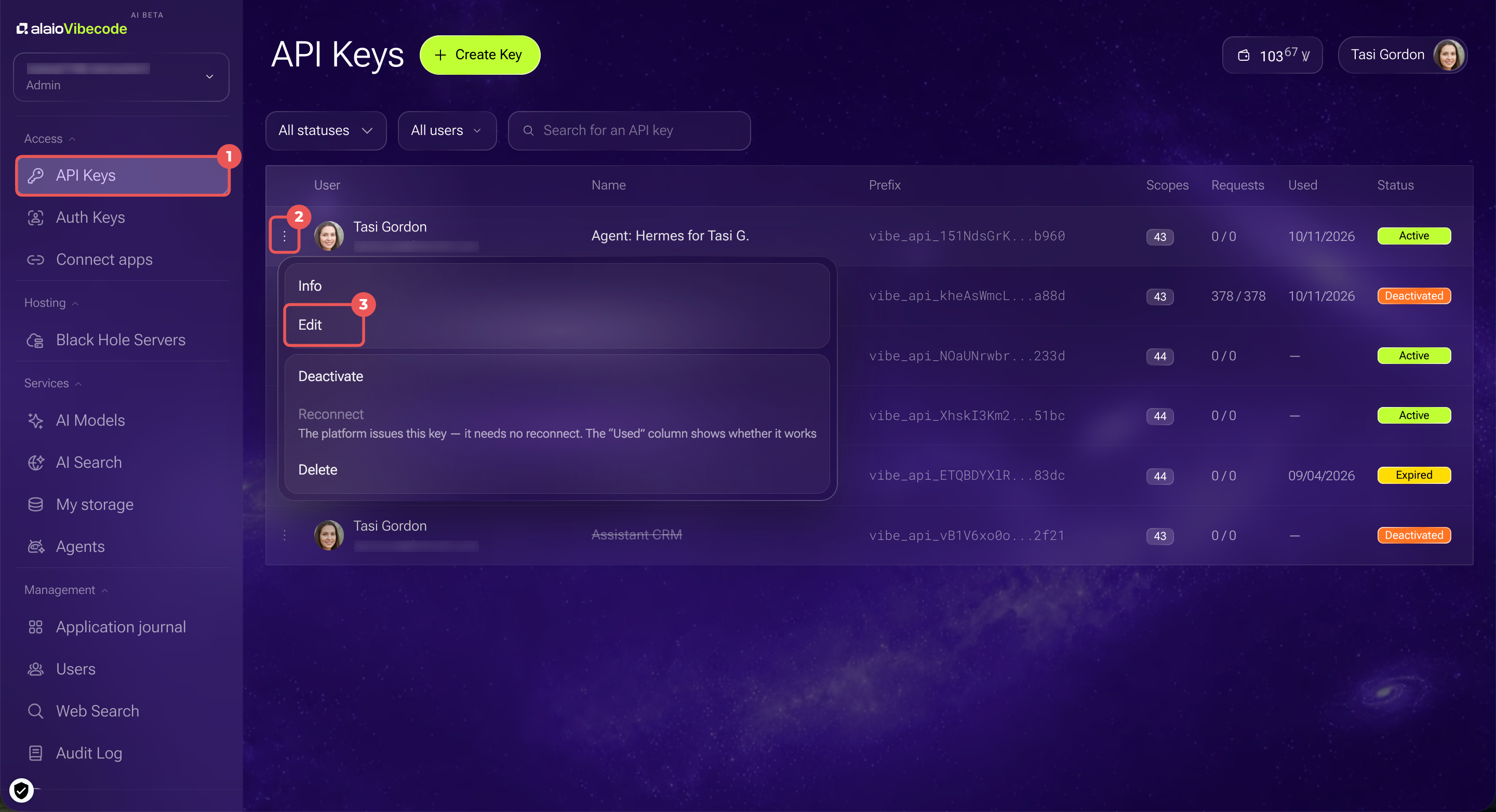
1. Open Access > API Keys in the Alaio Vibecode left menu. The agent's key has the same name as the agent, with the prefix Agent, for example, Agent: Deal Assistant.
2–3. Click Three dots (...) in the key's row and select Edit.
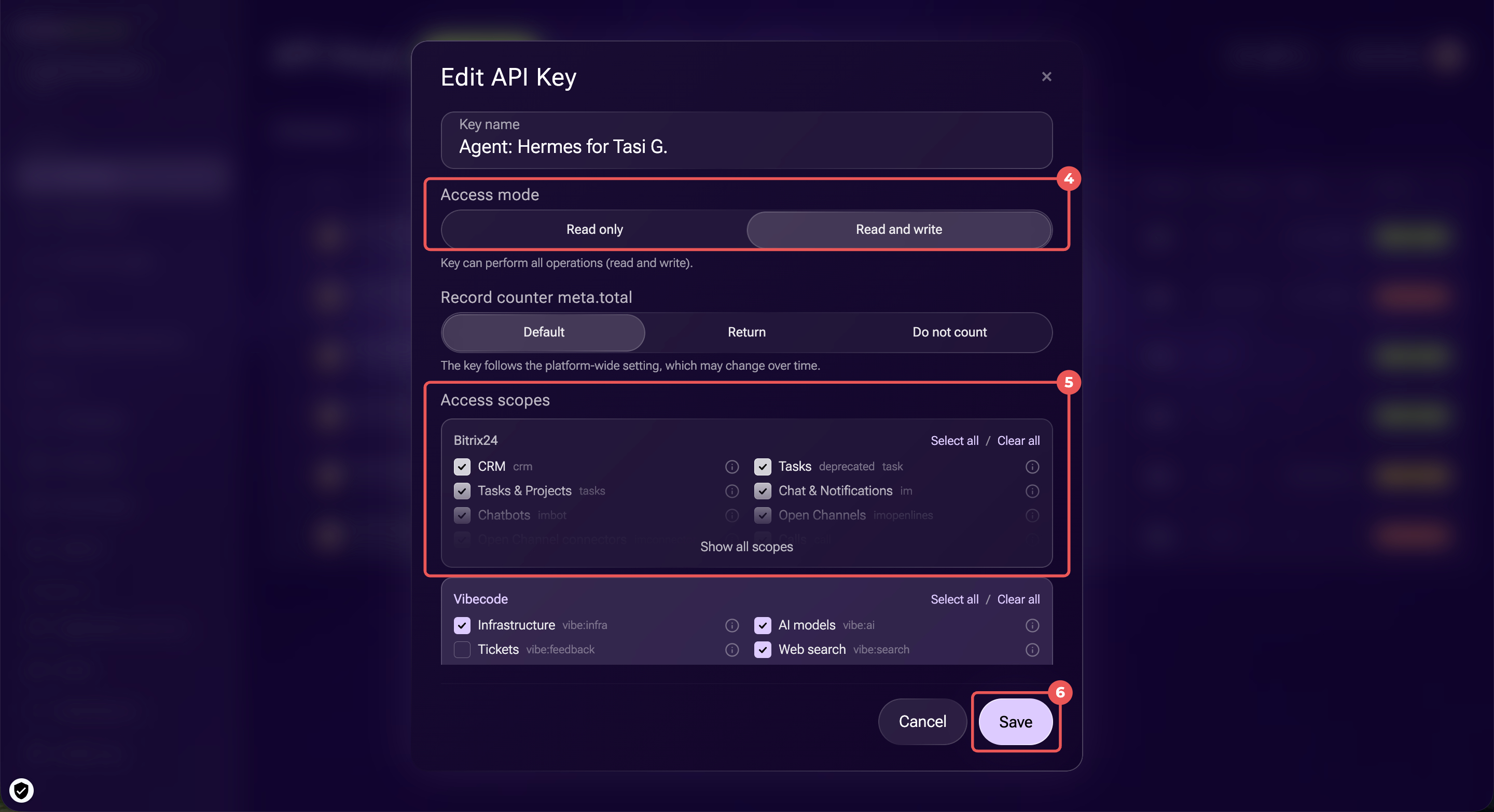
4. In the Access mode block, select Read only or Read and write.
5. In the Access scopes block, select the sections the agent will use. To view the full list, click Show all scopes. Use the Select all and Clear all buttons to change all permissions at once.
6. Click Save.
Set up the agent
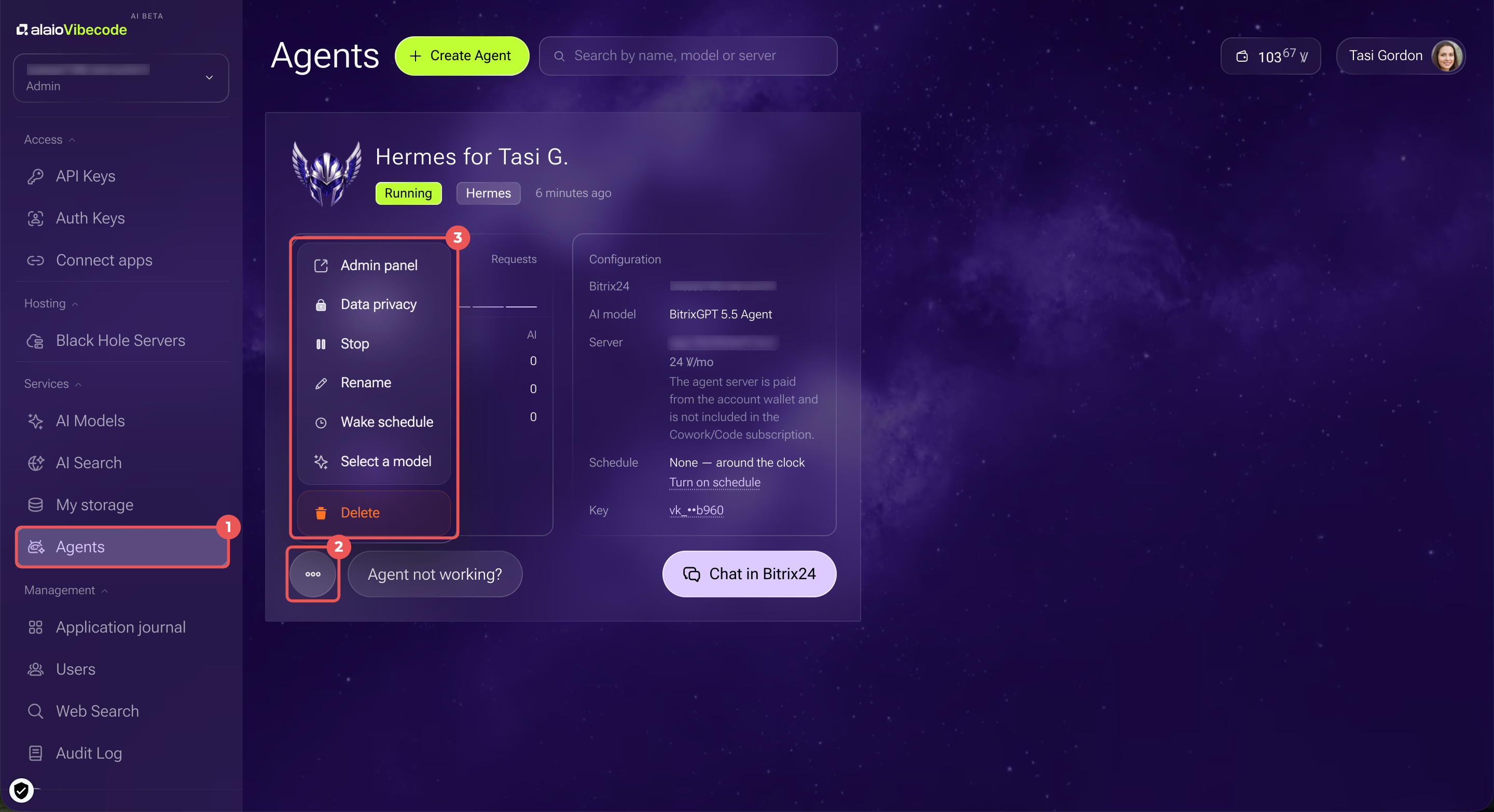
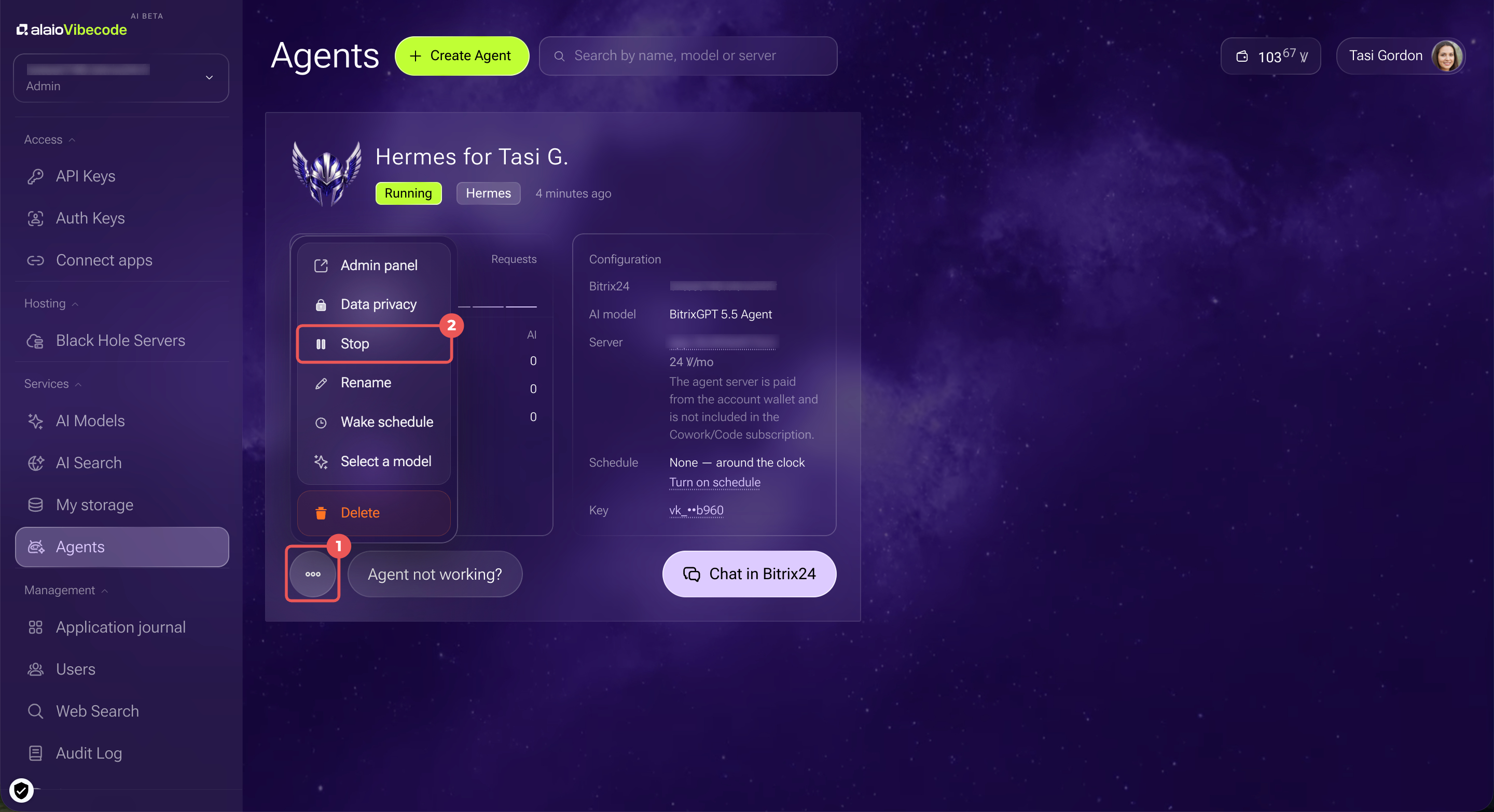
The agent's settings are available on its card in Services > Agents. Click Three dots (...) under the card and select an action.
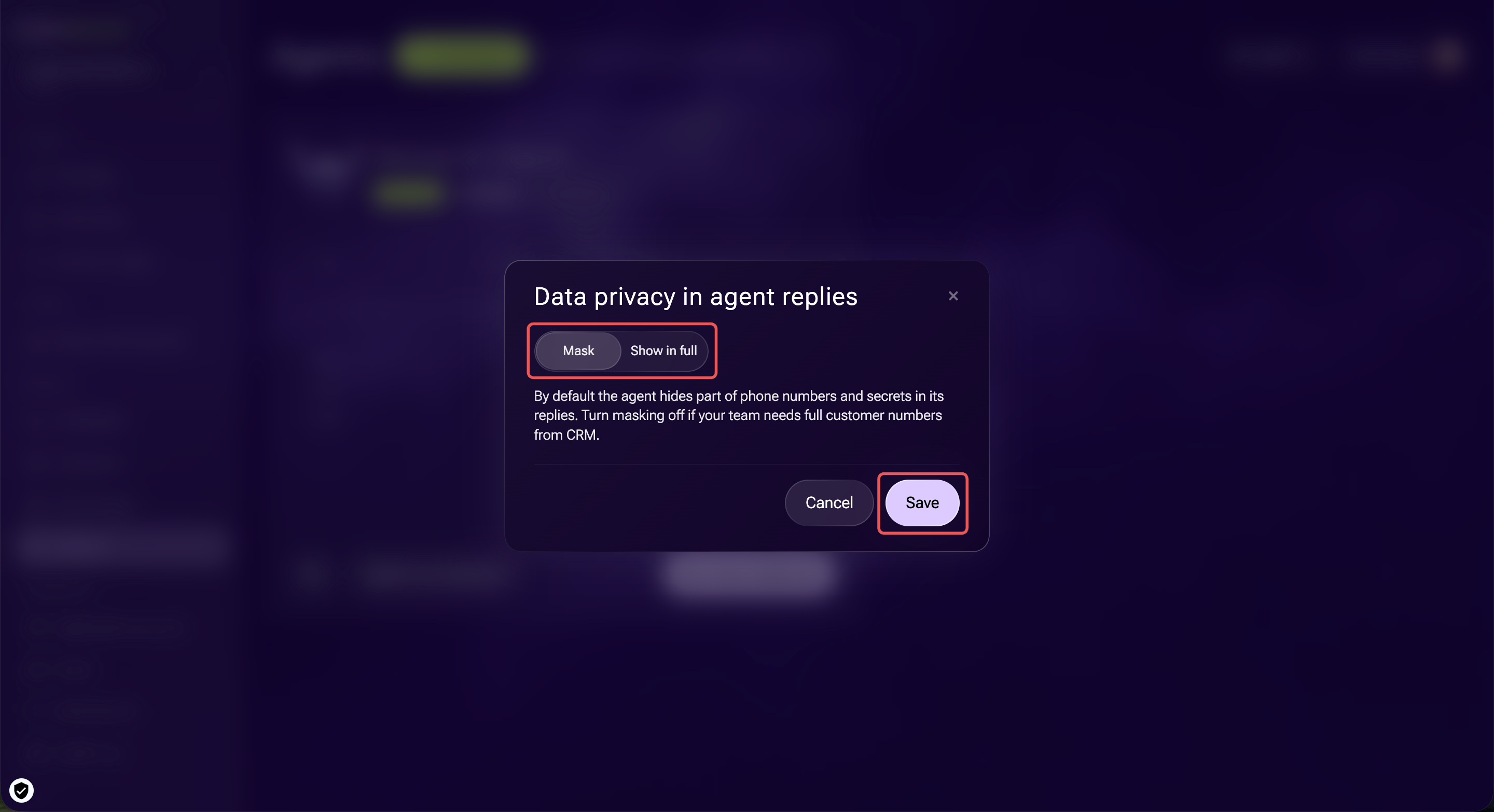
Data privacy. By default, the agent hides part of phone numbers and secrets in its replies. If employees need full client phone numbers from CRM, select Show in full and click Save.
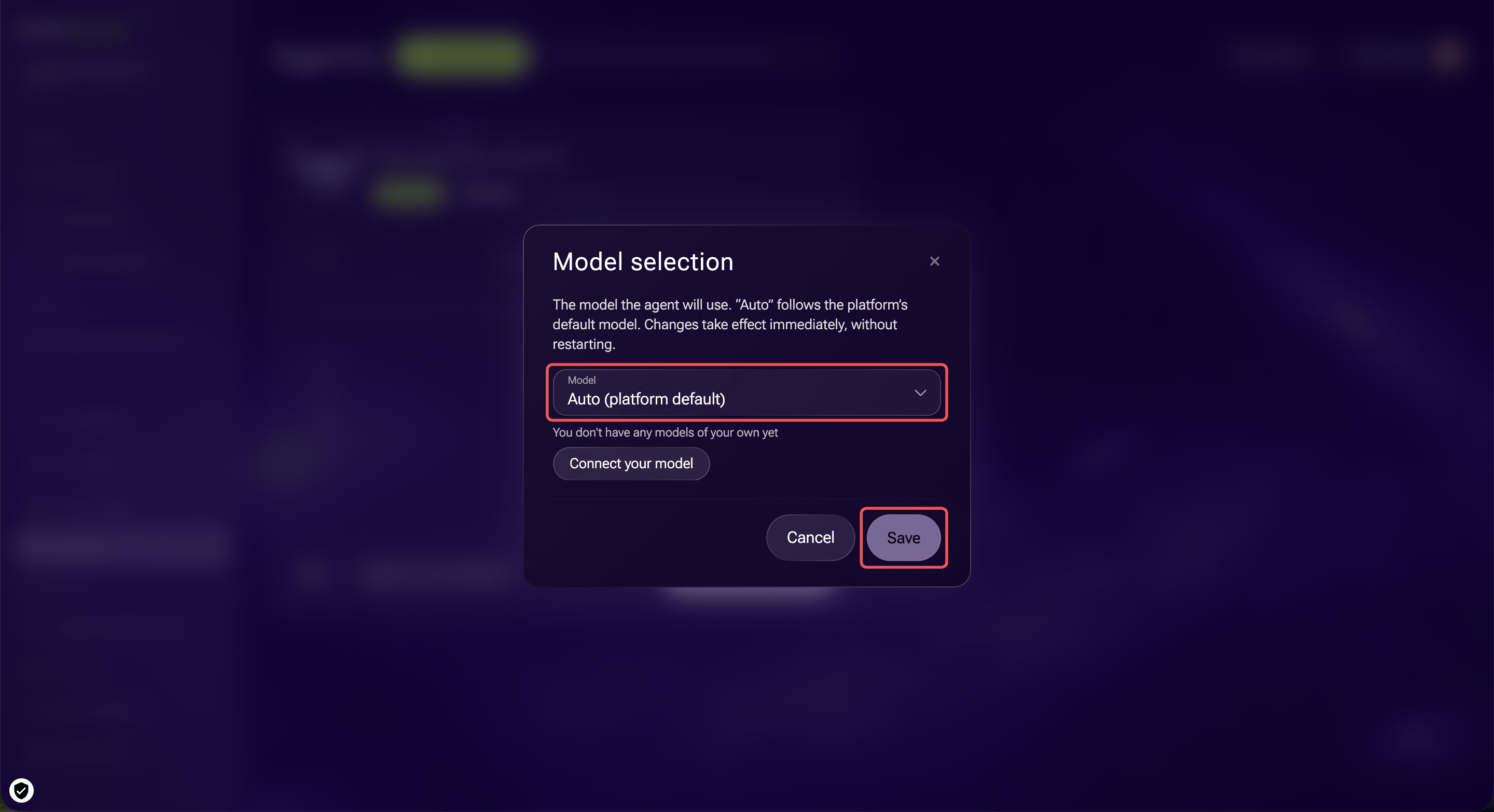
Select a model. By default, the agent uses Auto. Alaio Vibecode then uses the model it recommends. If you connected your own model in AI Models, select it from the list. The change applies immediately. You don't need to restart the agent.
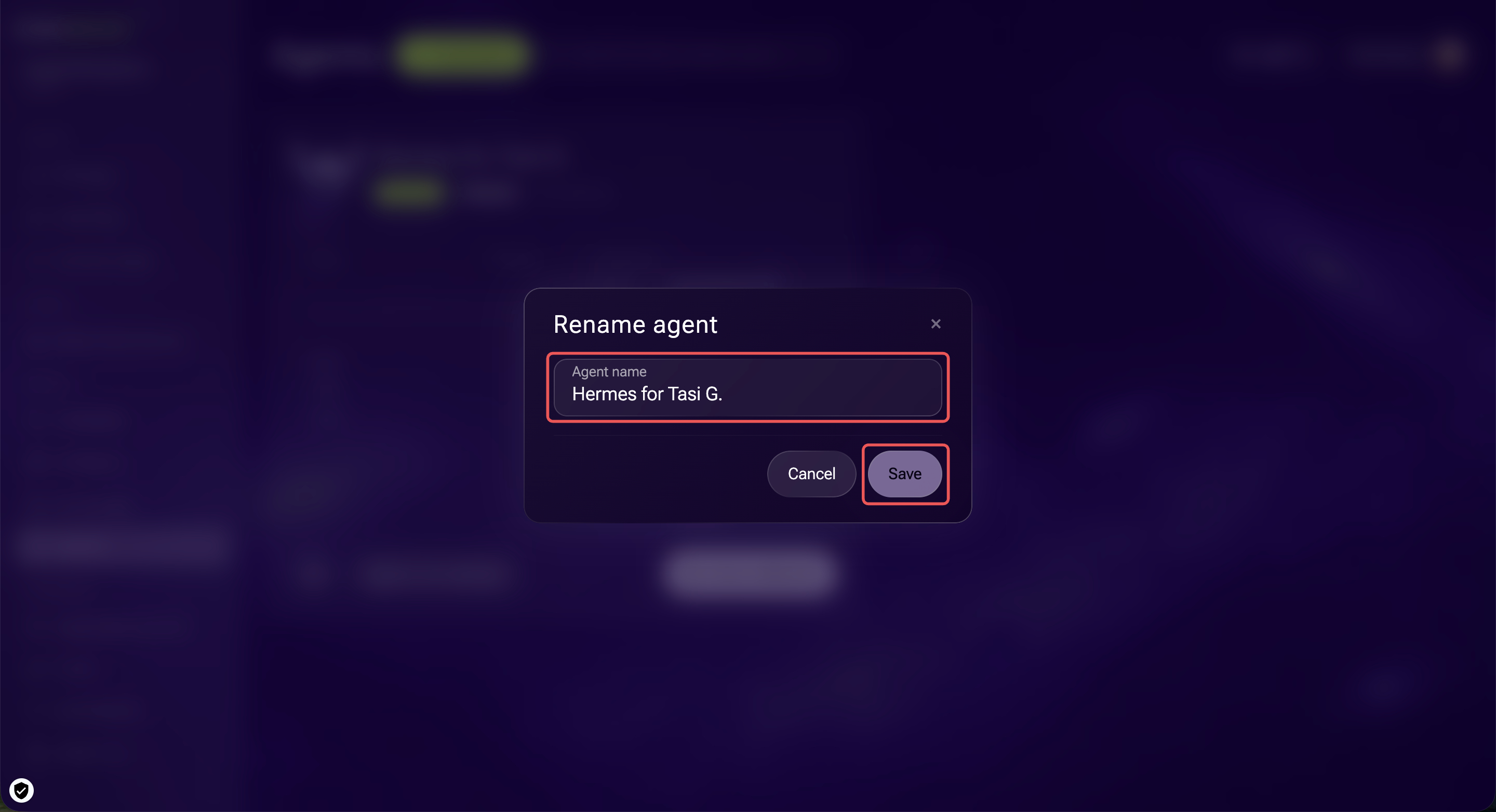
Rename. Give the agent a new name if the old name no longer reflects its purpose.
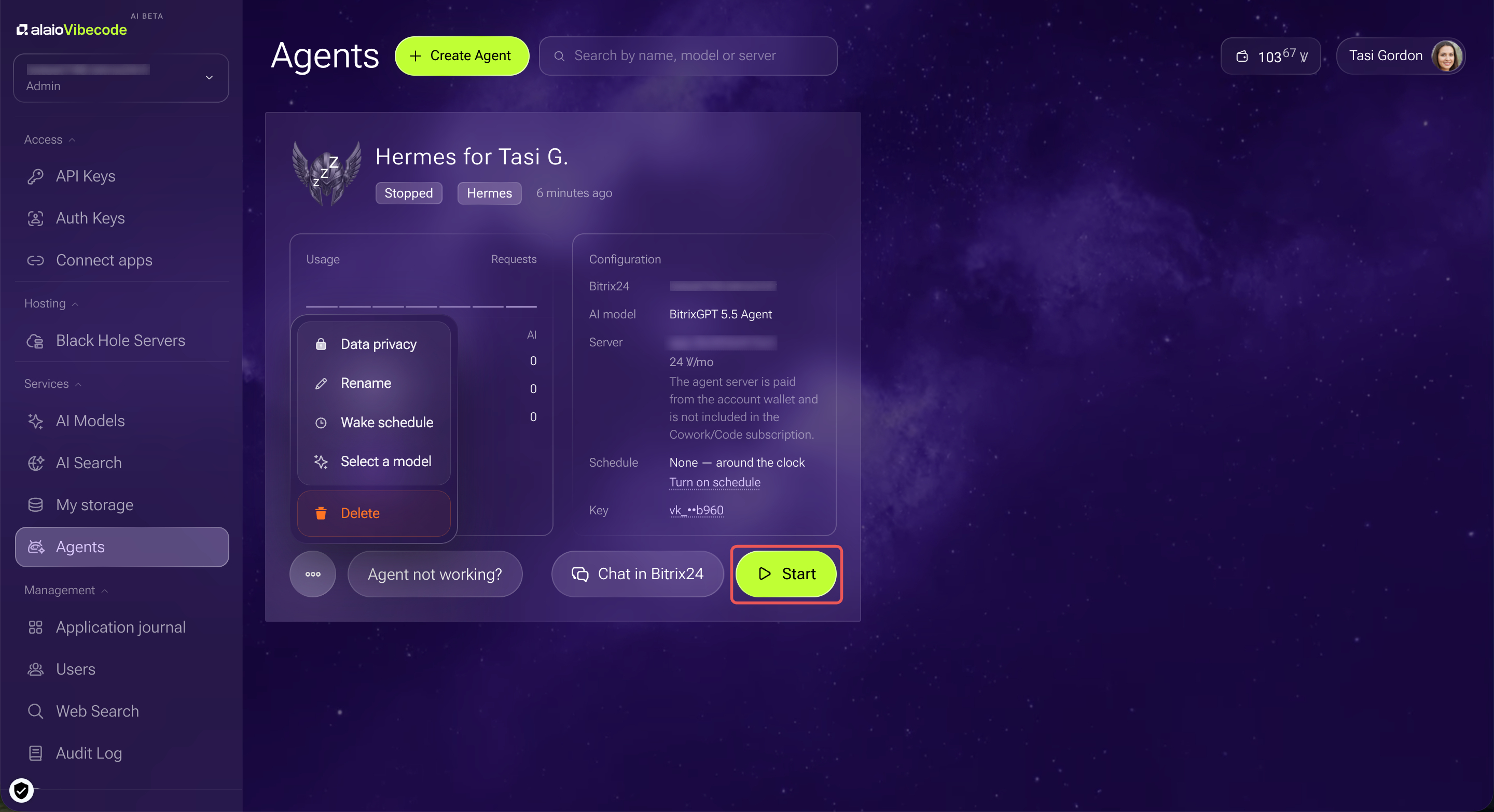
Stop and start. A stopped agent doesn't reply in chat. To stop it, click Three dots (...) > Stop on the agent's card.
To turn it back on, click Start on the card.
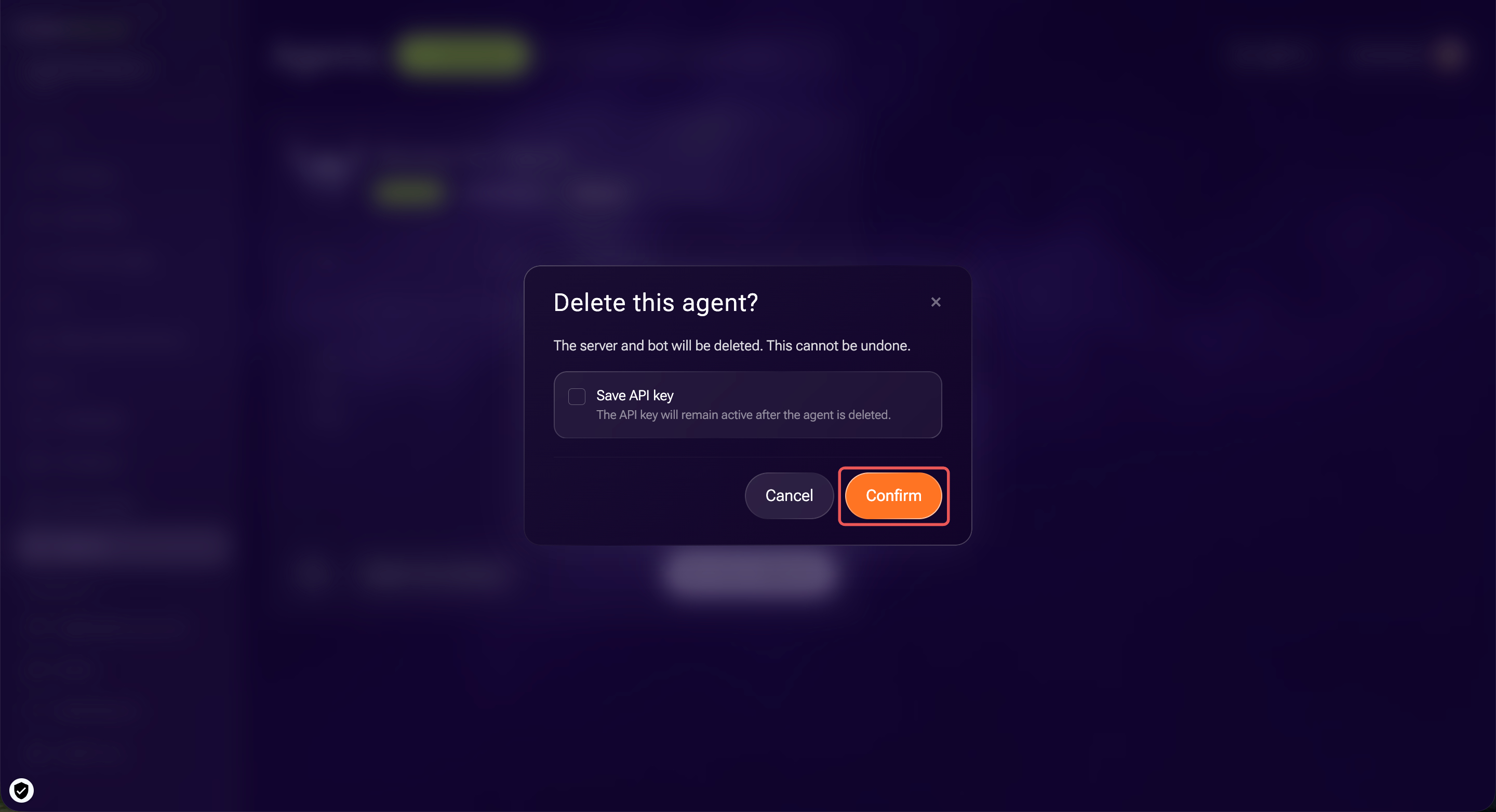
Delete. When you delete an agent, Alaio Vibecode also removes its server and the bot from Bitrix24. You can't undo this action.
Reduce costs with a work schedule
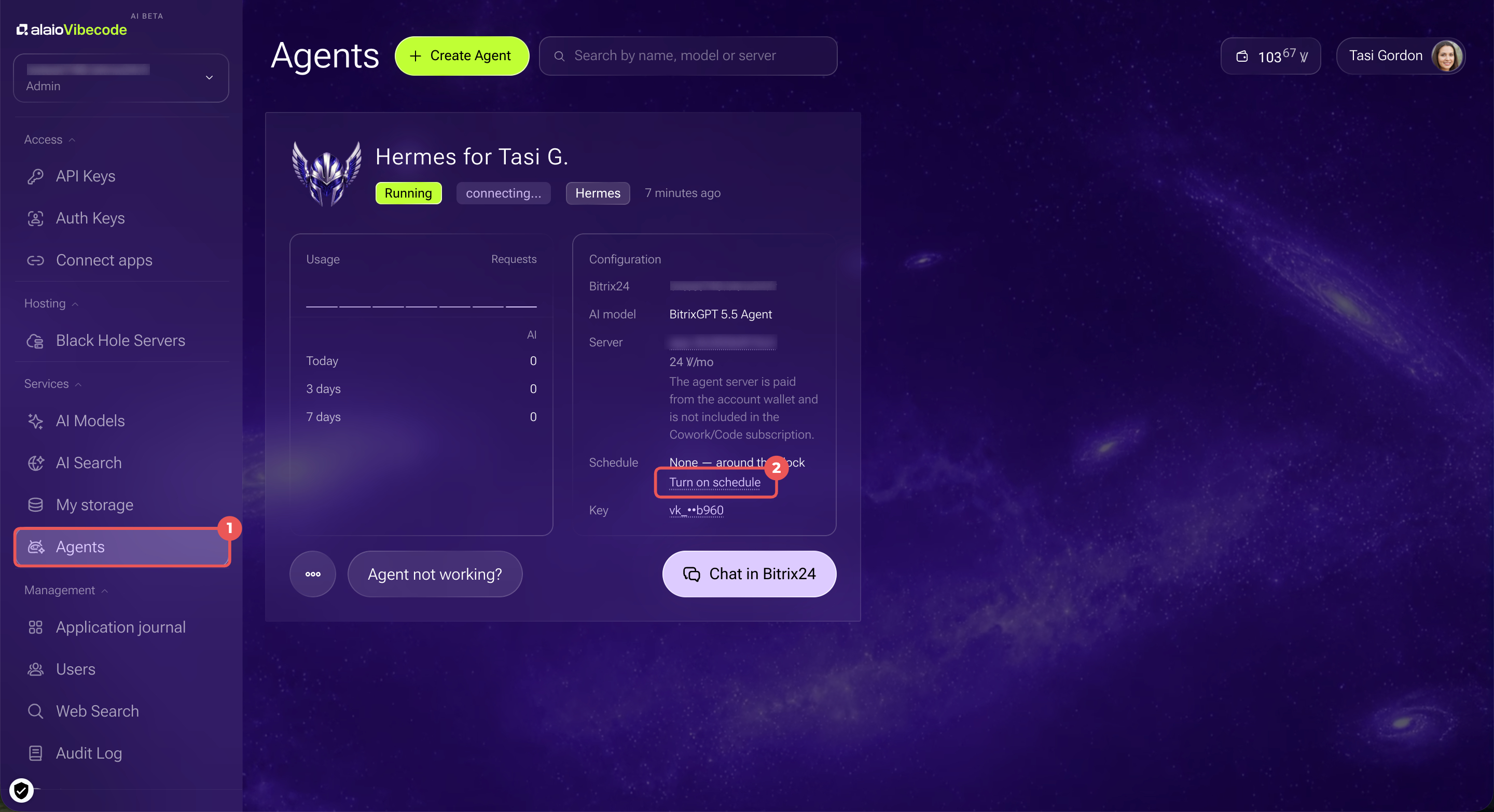
If you only need the agent during work hours, set a schedule. Outside work hours, the server sleeps and uses Vibe credits at a reduced rate. Without a schedule, the agent runs continuously.
1. Go to Services > Agents.
2. On the agent's card, click Edit next to Schedule.
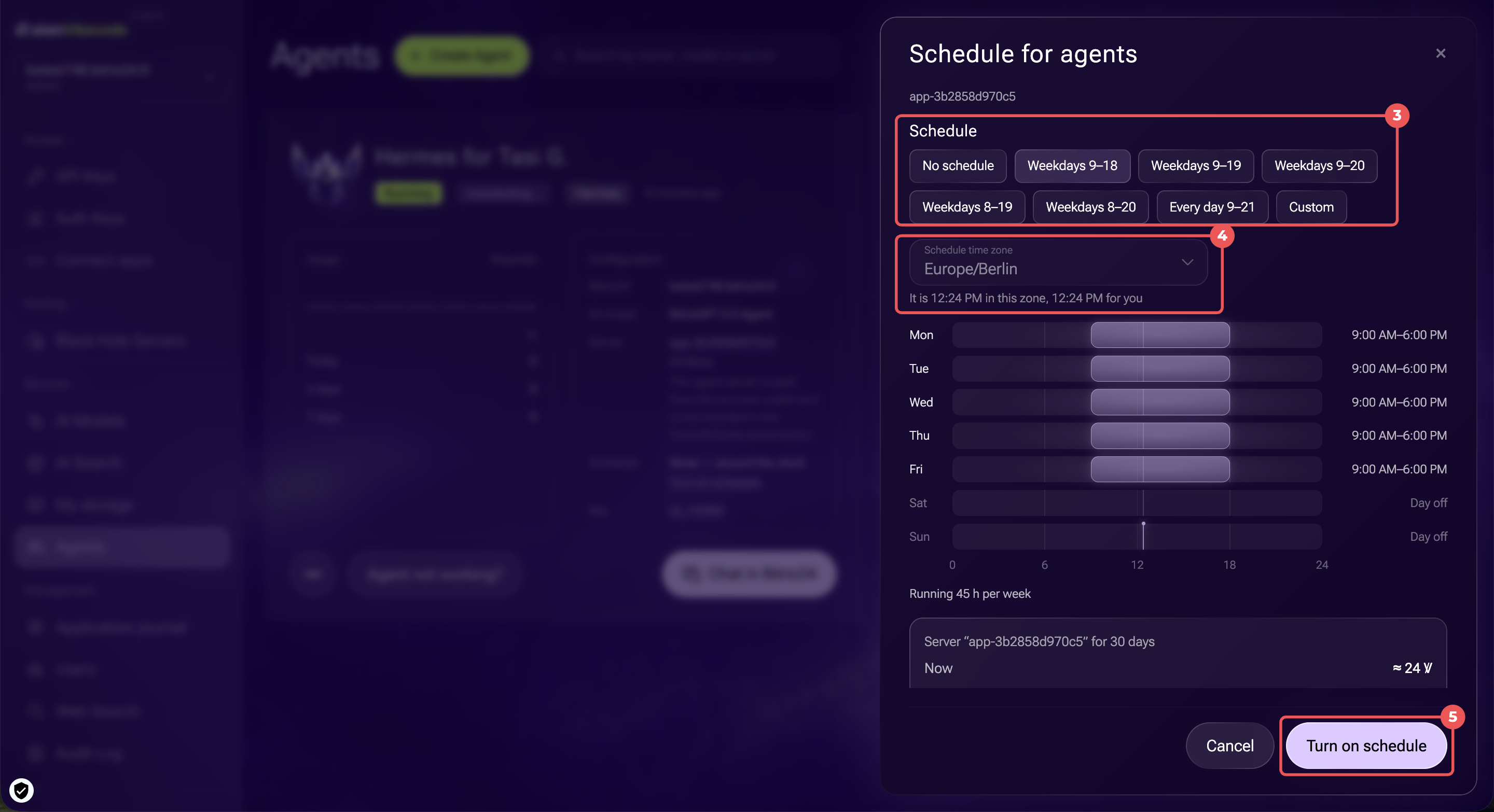
3. Choose a preset, such as Weekdays 9–18, or click Custom and set your own work hours.
4. Check the time zone.
5. Click Turn on schedule.
The server starts waking up in advance so the agent is ready on time. The scheduled work hours stay the same, but the billing history may show the server starting slightly earlier.
Outside work hours, the server falls asleep after 15 minutes of inactivity.
Troubleshoot the agent
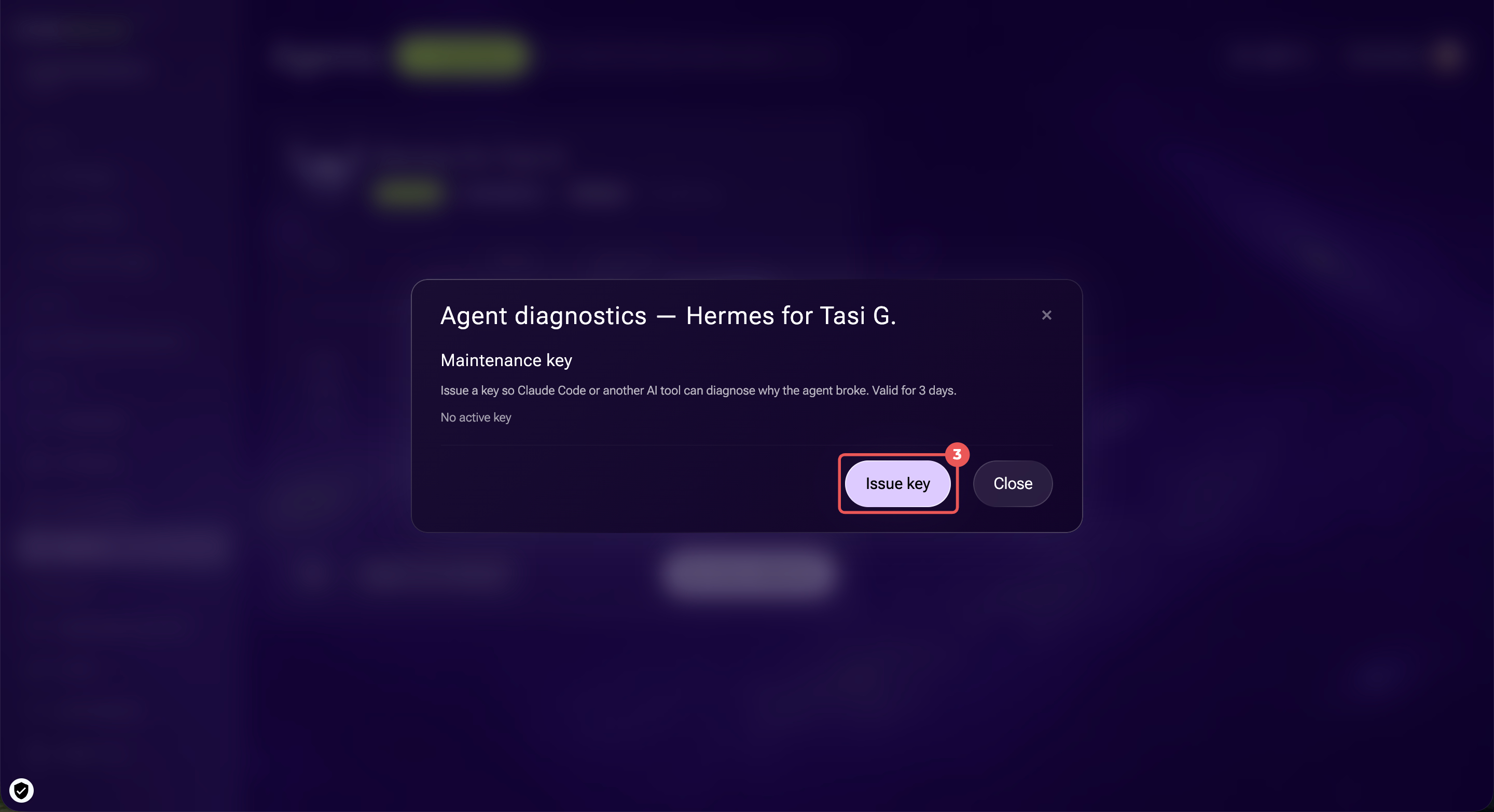
If the agent doesn't reply or returns errors, you can use another AI tool, such as Claude Code, to find the cause. Alaio Vibecode provides a temporary maintenance key for this purpose.
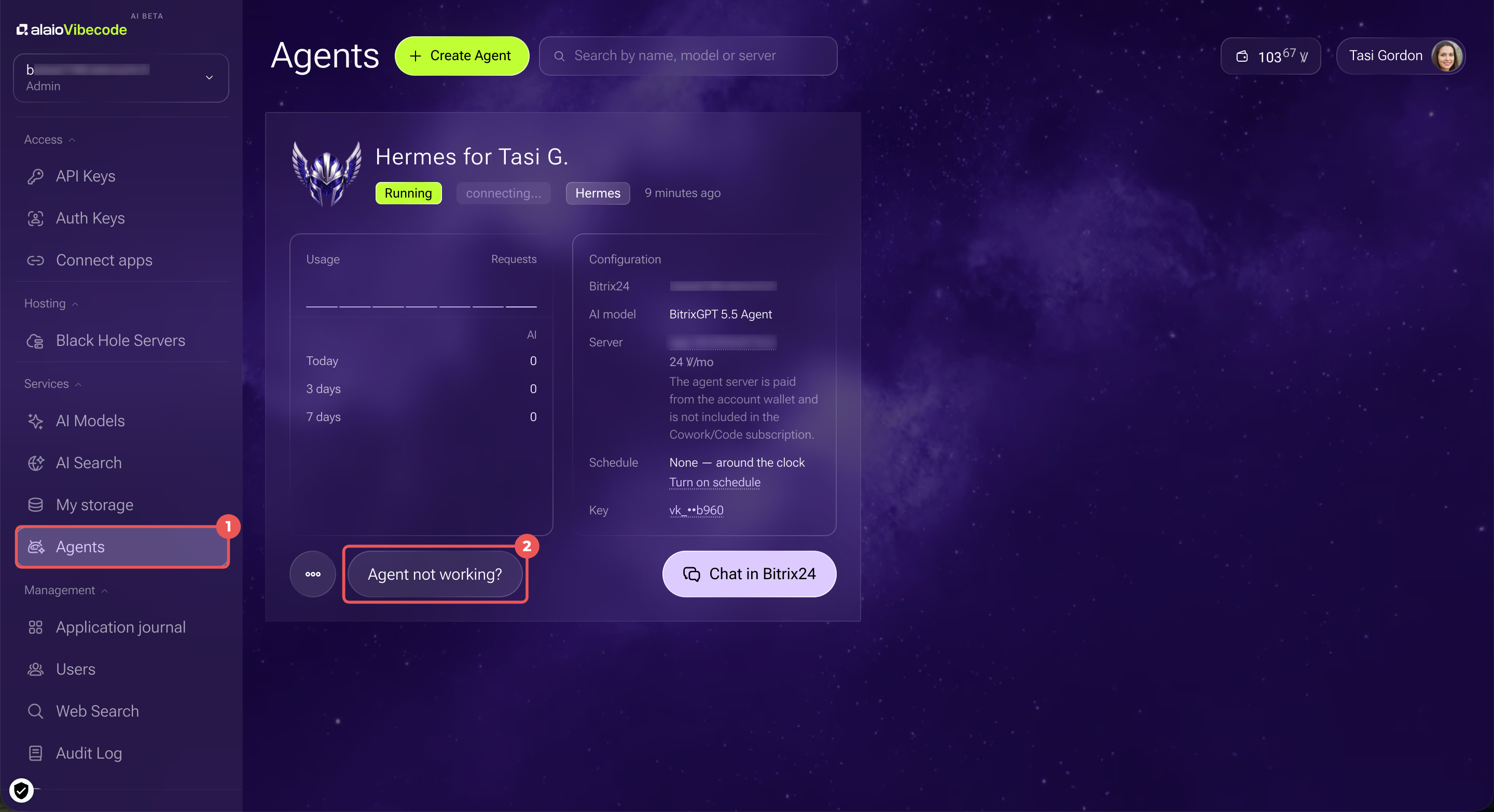
1. Go to Services > Agents.
2. On the agent's card, click Agent not working?
3. Click Issue key.
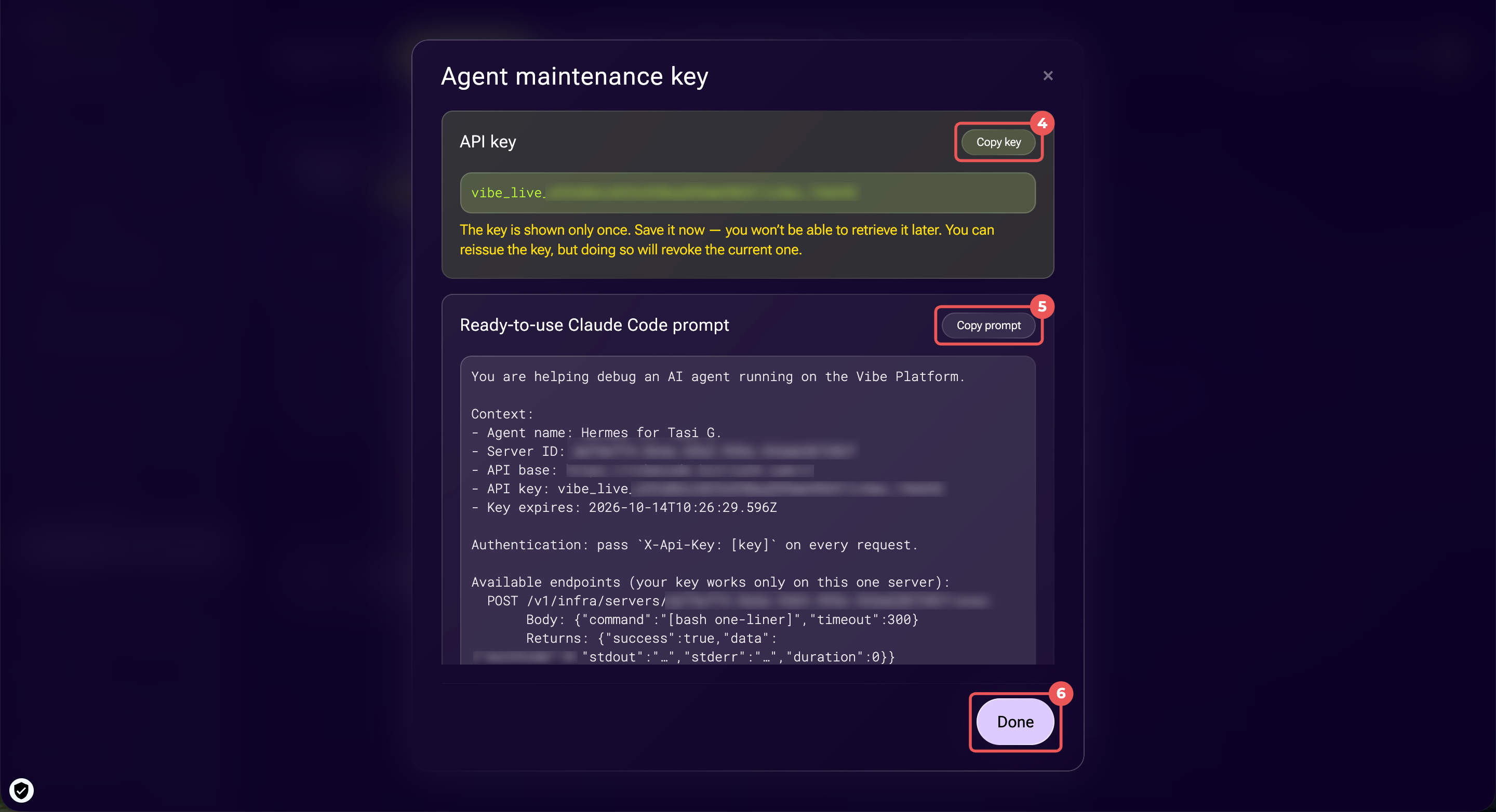
4–5. Copy the key and the ready-made prompt, then provide them to the AI tool. The key is shown only once.
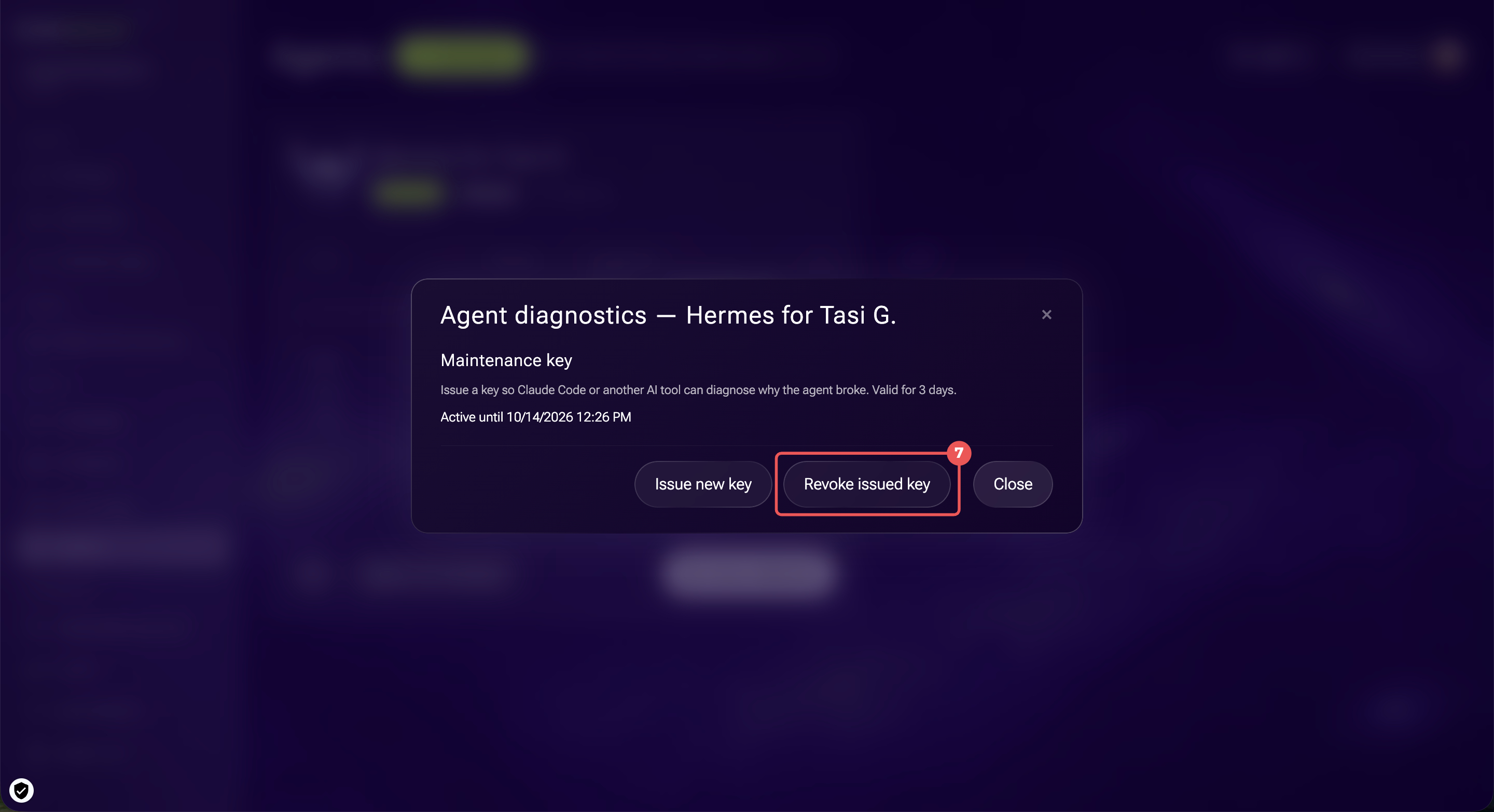
6–7. Once the agent works again, click Done and select Revoke issued key.
In brief
- Hermes is an AI agent you can use to work with Bitrix24 data in chat.
- To create an agent, open Agents > Create Agent and set a name. Alaio Vibecode configures the rest automatically.
- If a request is ambiguous, the agent asks a follow-up question and suggests options.
- By default, the agent can read and change all data. Limit its permissions in API Keys. For example, turn on Read only mode if it only needs to analyze data.
- The agent's server uses Vibe credits by the minute. Set a work schedule to reduce costs when you do not need the agent outside work hours.