
Black Hole is a server mode that blocks access at the network rules level. The server has no public IP address. Its ports do not respond to external requests, and network scanners cannot detect it. Only authorized users can reach the server through an encrypted Alaio Vibecode tunnel.
In this article:
How Black Hole protects data
A standard cloud server is visible on the internet. This creates three security risks:
- Direct attacks on the server
- Stolen access keys
- Accidental discovery on the network
A Black Hole server removes these risks:
- There is no entry point for a direct attack because the server is invisible on the network.
- Even if someone steals access keys, they cannot use them because the server does not accept incoming connections.
- The server is not visible on public networks and cannot be found by scanners.
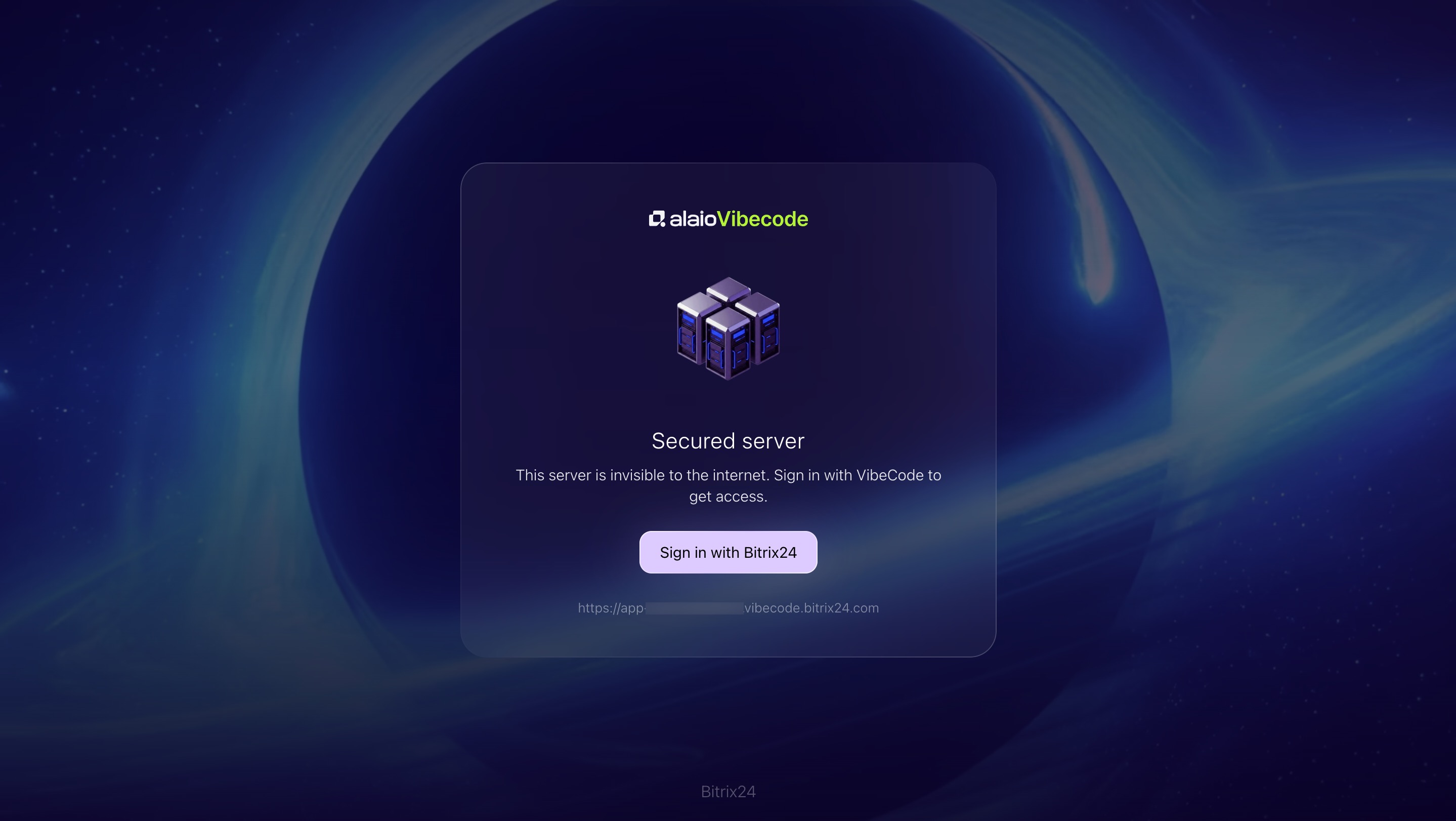
If an unauthorized user tries to open an application, they will see a notification about the protected server and a link to the Bitrix24 sign-in page. They cannot bypass this step. Alaio Vibecode checks permissions before it opens a connection to the server.
Who can access apps on a Black Hole server
You can set a separate access level for each application:
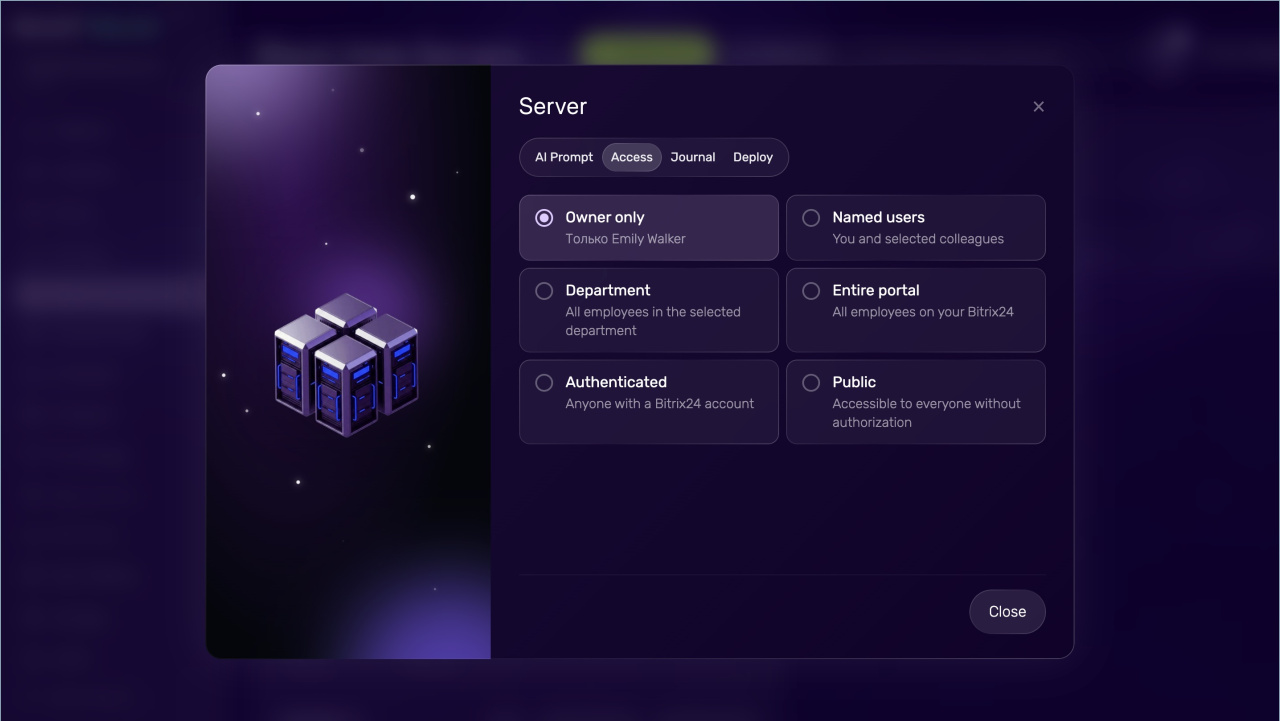
- Owner only. Best for a personal tool.
- Named users. The app creator and selected colleagues can use it. This works well for team apps.
- Department. Use this when you want to share an AI solution with a specific subdepartment, such as Accounting or Marketing.
- Entire account. All employees in your Bitrix24 can use the app. Best for company-wide tools.
- Authenticated. Any users signed in to Bitrix24 can use the app. This is useful for apps used by partners from other companies.
- Public. AI solutions hosted on the server are available without authorization to anyone with a direct link.
You can change access settings on the Alaio Vibecode site in the Black Hole Servers section. The changes apply automatically. For example, if the access level is set to Subdepartment, a dismissed employee loses access to the app right away.
How sleep mode works
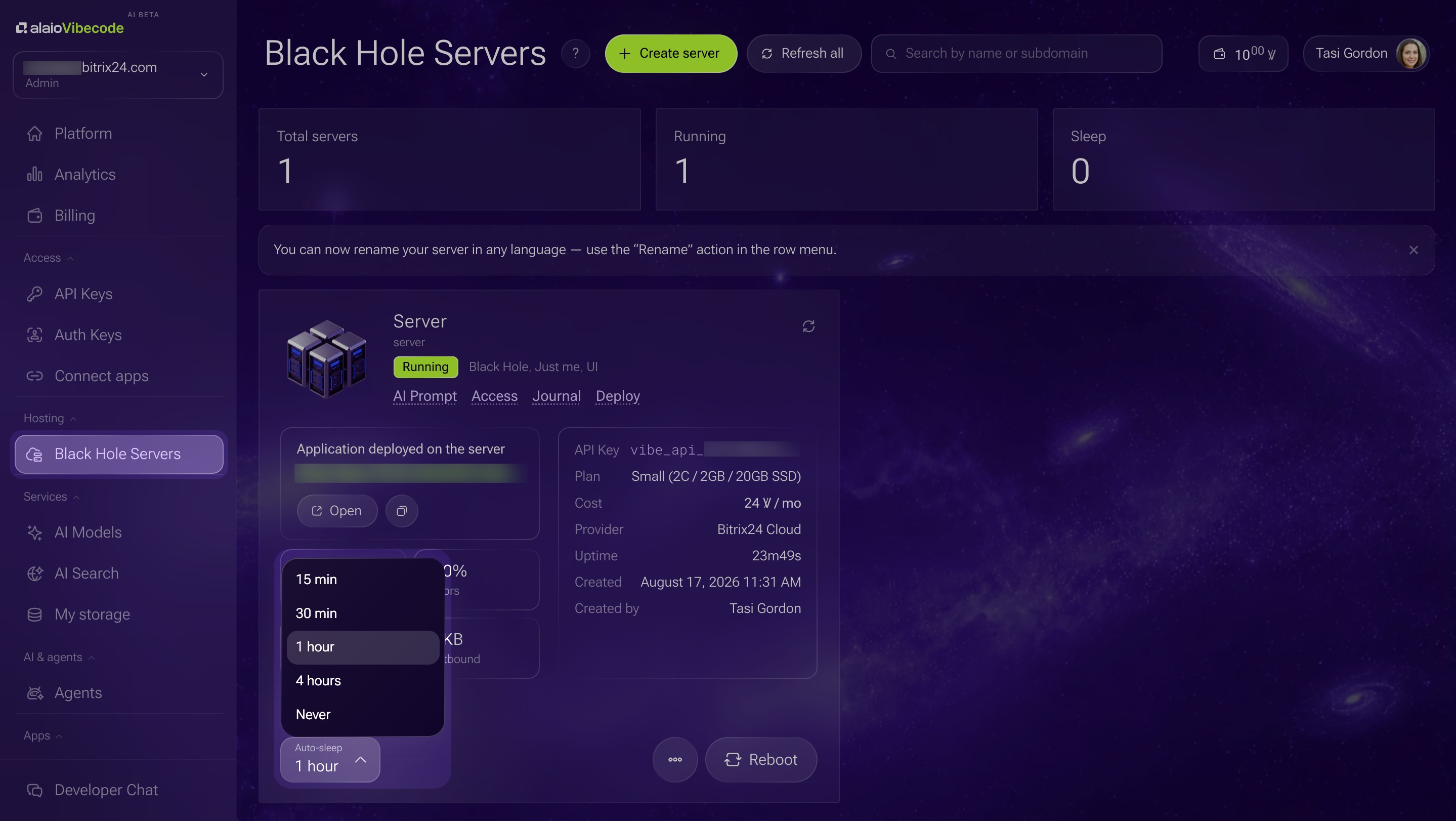
When apps are not in use, the server goes to sleep after a selected period of inactivity. During this time, billing is reduced. When a request comes in, the server wakes up automatically and the app becomes available again.
By default, the server goes to sleep after one hour with no requests. You can change this period to 15 minutes, 30 minutes, 1 hour, or 4 hours. You can also turn sleep mode off.
Apps under constant load do not enter sleep mode and use vibe credits at the standard rate.
In brief
- Black Hole is a mode where the application server is hidden from the internet.
- Access to the application is managed through flexible settings.
- If no requests reach the application, the server goes to sleep. You can set the idle time in the server settings.