
The Vibecode bot is a system bot for the Alaio Vibecode platform. It sends important notifications to your Bitrix24 account.
The bot appears automatically the first time you open the Alaio Vibecode dashboard. Each Bitrix24 account can have one active bot. When the bot starts for the first time, it sends a welcome message to the employee who connected the platform. Other employees receive a welcome message when they first interact with the bot.
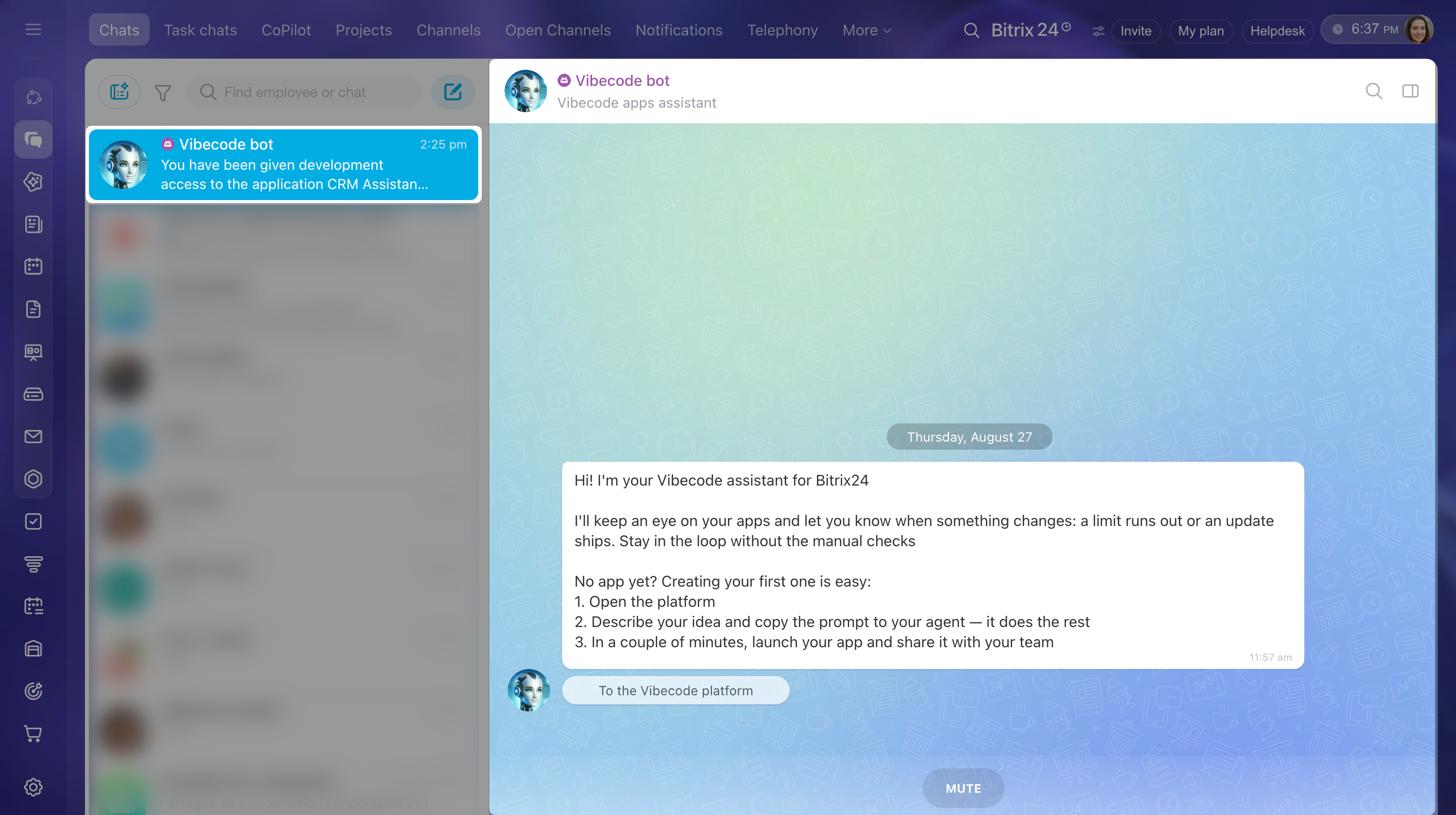
The Vibecode bot reports important platform events:
- Your trial period or paid access to Alaio Vibecode is about to expire. The bot sends reminders 7, 3, and 1 day before expiration.
- Your Vibe package is about to expire. The bot sends warnings 30 and 7 days before expiration.
- Your balance is insufficient. Server operation will be suspended and restored after you top up your account.
- A server goes offline, becomes unavailable, or requires recovery. The owner of the key connected to the server receives a notification.
- Access to a server, app, or key changes. For example, an employee receives access to a server, a management key changes, or an app is transferred.
- A bot created on the platform goes offline because of authentication errors. The owner of the bot's key receives a notification.
- A connected feature requires action. For example, you need to reconnect an integration, confirm an operation, or open a support inquiry.
The Vibecode bot does not:
- Read employee or customer conversations
- Send messages on behalf of employees or clients
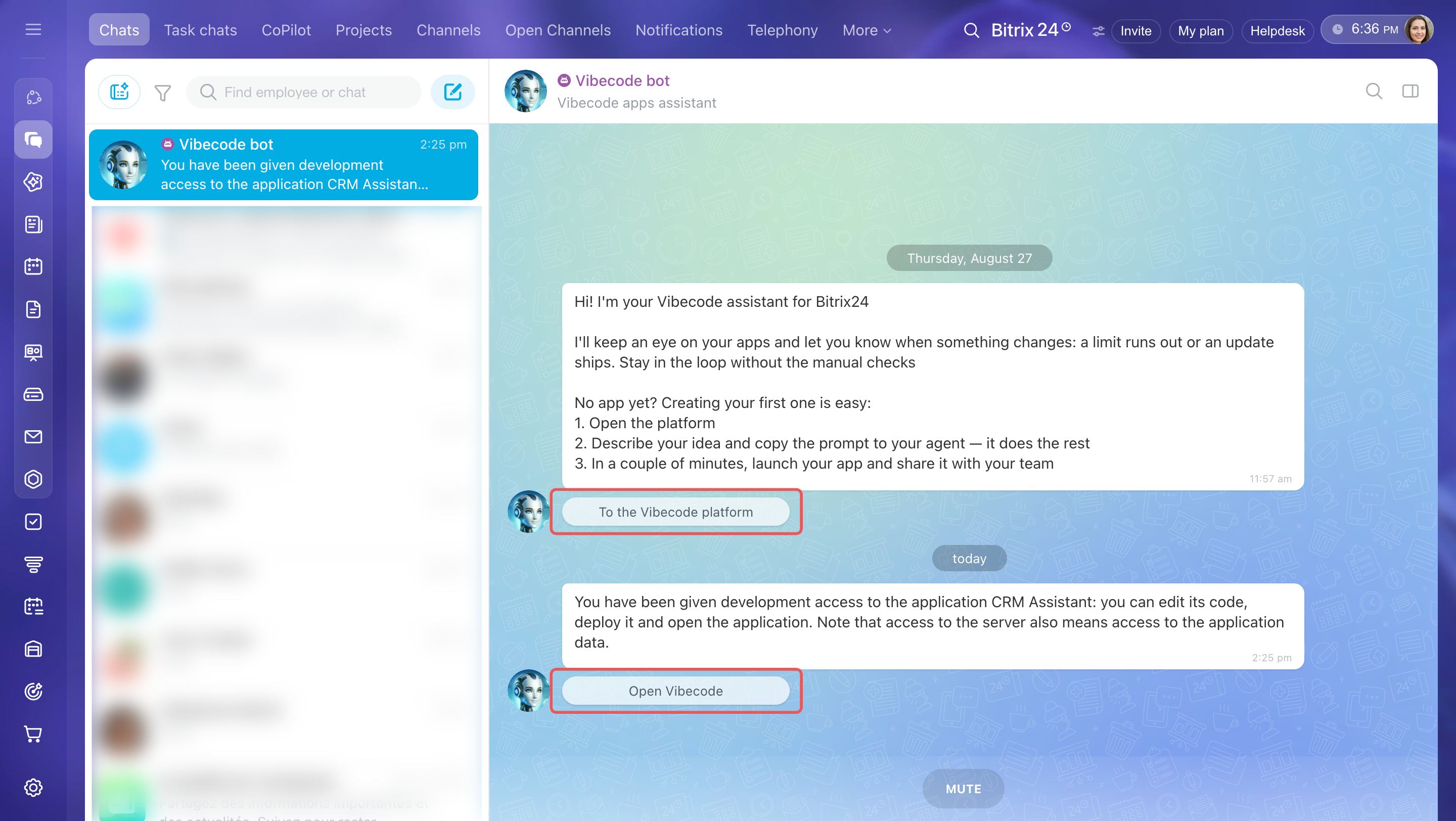
Buttons in bot messages open the corresponding section in Alaio Vibecode. For example, To the Vibecode platform opens the DashboardDashboard — this is the main Alaio Vibecode page where you manage servers, bots, and billing..
You can turn off some notifications, such as billing reminders, directly in the chat with the bot. Click one of the buttons: Snooze for 3 days or Snooze for a week. The bot stops sending these notifications for the selected period. The snooze resets after you top up your account.
Disable the Vibecode bot
The Vibecode bot is disabled automatically if you disconnect Bitrix24 from the Alaio Vibecode platform.
You can also delete the bot manually in Bitrix24.
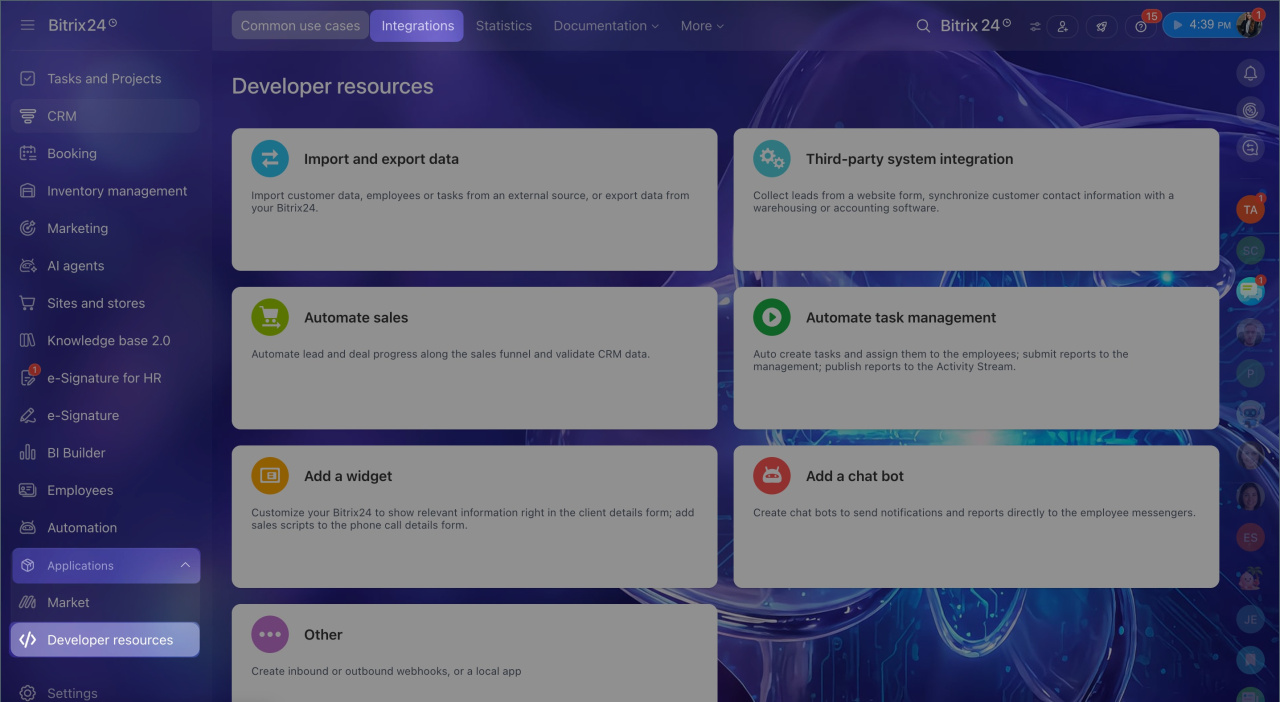
1. Go to Applications > Developer resources.
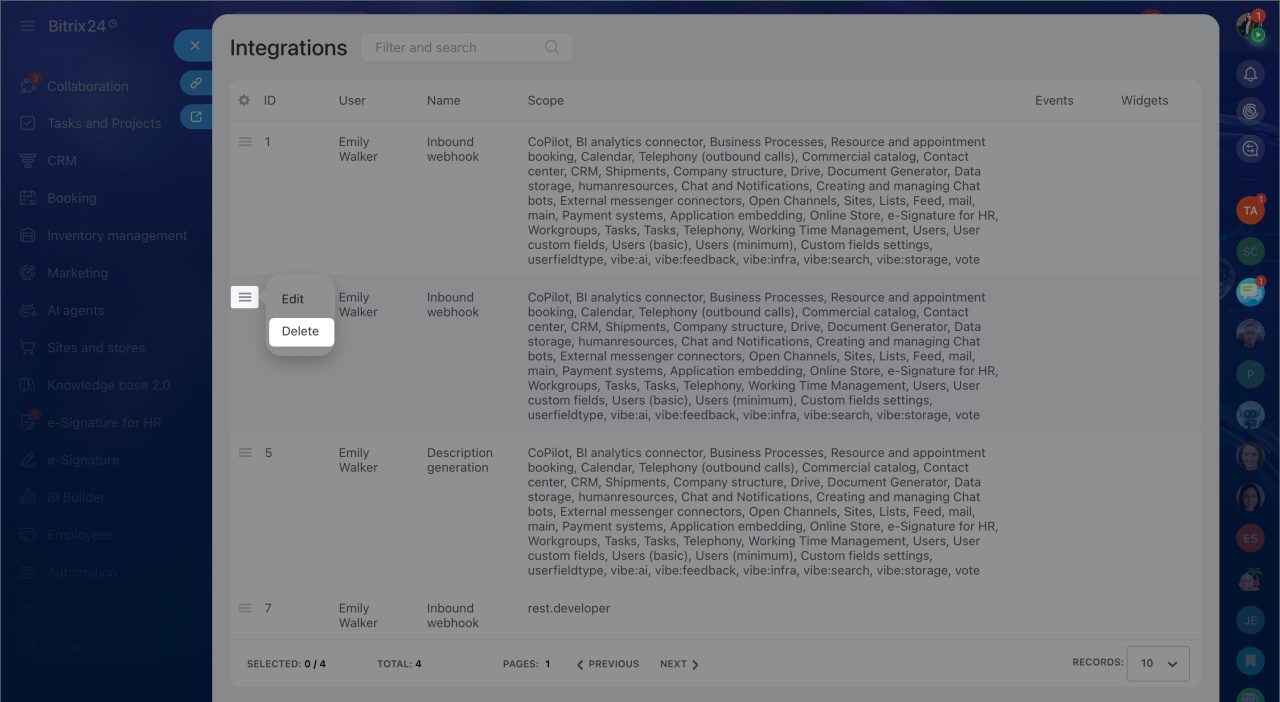
2. Select Integrations.
3. Click Menu (≡) next to the Vibecode bot.
4. Select Delete.
Create a bot for your own task
The Vibecode bot sends only platform service messages. For your own tasks, create a Hermes AI agent. When you create an agent, the platform registers a separate bot in Bitrix24.
Create the Hermes AI Agent in Alaio Vibecode
In brief
- The Vibecode bot is a system bot for the Alaio Vibecode platform.
- It appears automatically the first time you open the Alaio Vibecode dashboard. Each Bitrix24 account can have one active bot.
- The bot sends system notifications such as billing and server status updates.
- It does not read conversations, send employee messages, or send tokens.
- You can create your own bot with the Bots API and Managed Bots tools.
- If you delete the bot manually, it will register again the next time you open the Alaio Vibecode dashboard.