
The personal section is where buyers manage their profile and orders in your online store. They can update their information and handle orders without contacting support. For example, they can check order status, top up their account balance, change a delivery address, and review purchase history.
In this article:
How buyers access the personal section
To access the personal section, a buyer must place an order in the store. During checkout, the buyer enters an email address. That email receives a confirmation message with login details and a link to create a password.
Place an order on the website
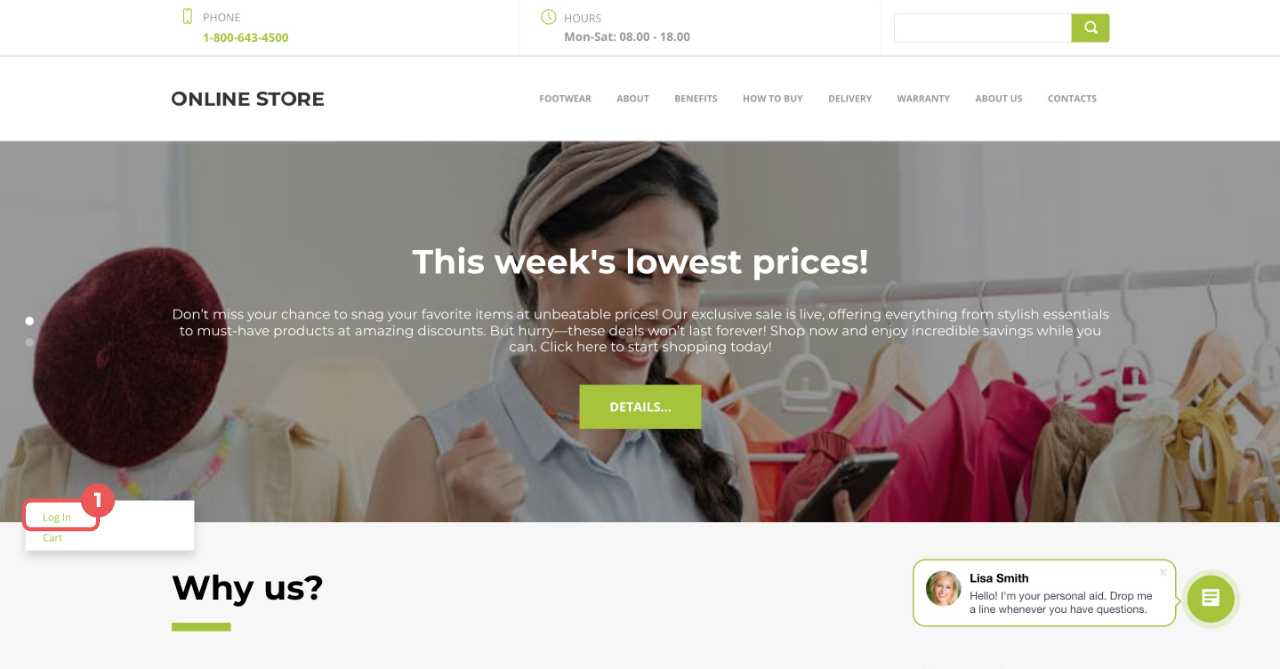
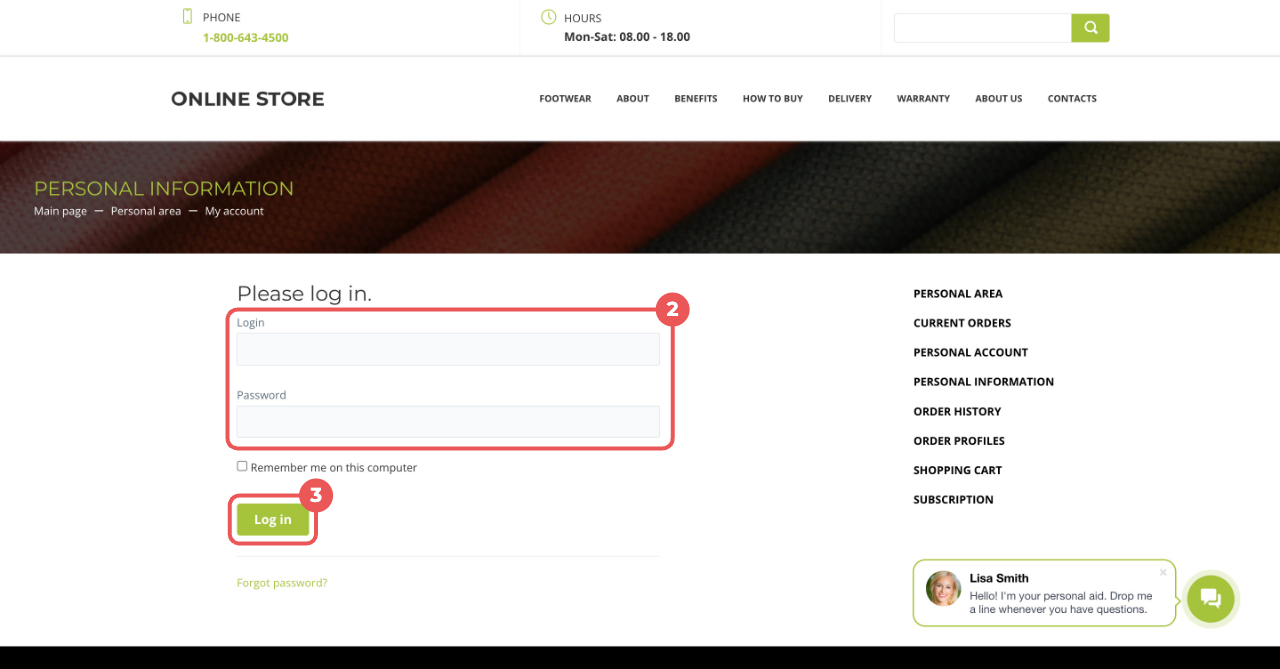
To sign in to the personal section, click Log in in the lower-left corner of the site. Enter the email address in the Login field and the password created from the email link.
Personal section pages
The personal section includes these pages:
- Current orders
- Personal account
- Personal information
- Order history
- Order profiles
- Shopping cart
- Subscription
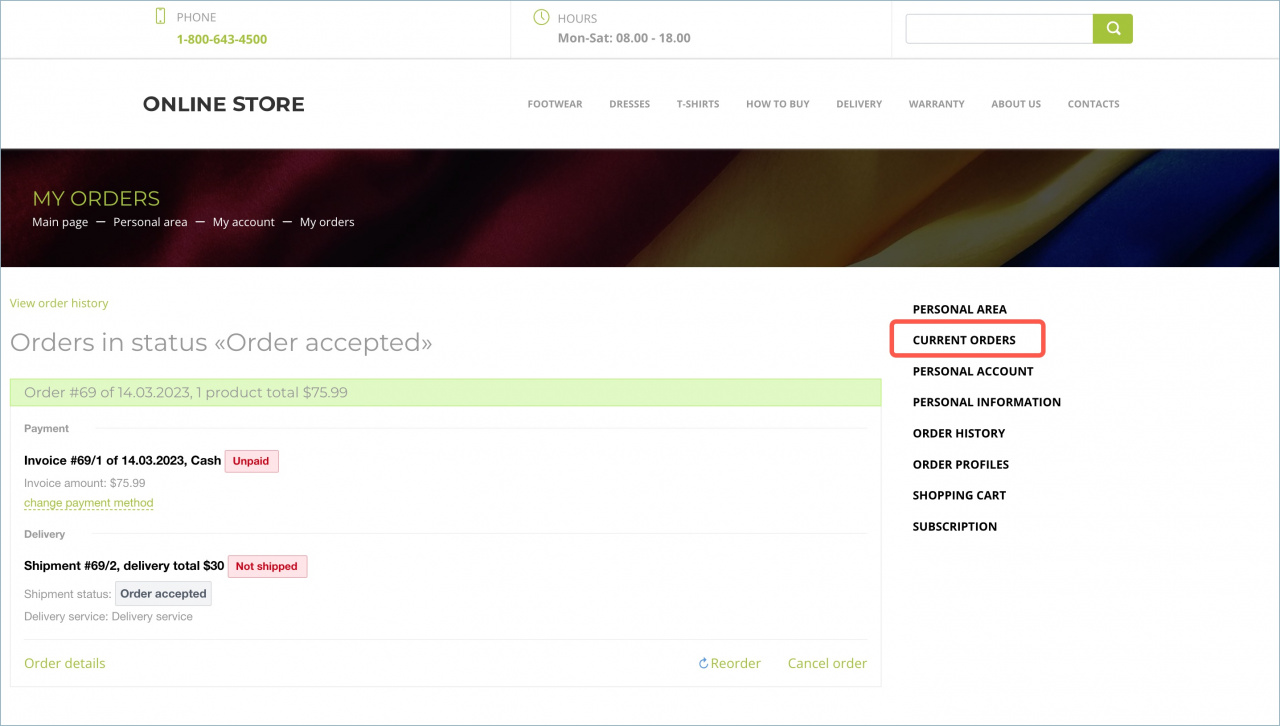
Current orders. On this page, buyers can:
- Check order and delivery status
- Change the payment method and pay for an order
- View order details, reorder, or cancel an order
Personal account. A personal account is the buyer's store balance. On this page, buyers can add funds by entering an amount and choosing a payment method. The balance is charged when an order is paid and refunded if a paid order is canceled.
Create a personal account for a buyer in the store
A Bitrix24 administrator or an employee with section configuration access permissions can create a personal account.
Inventory access permissions
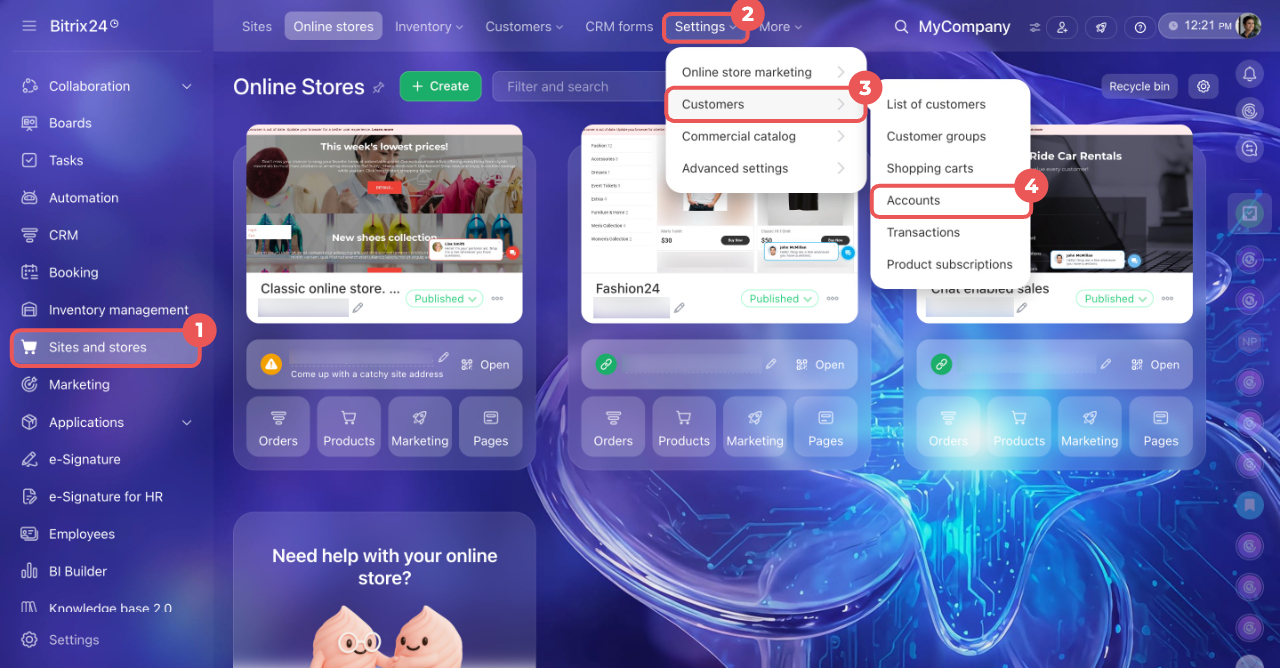
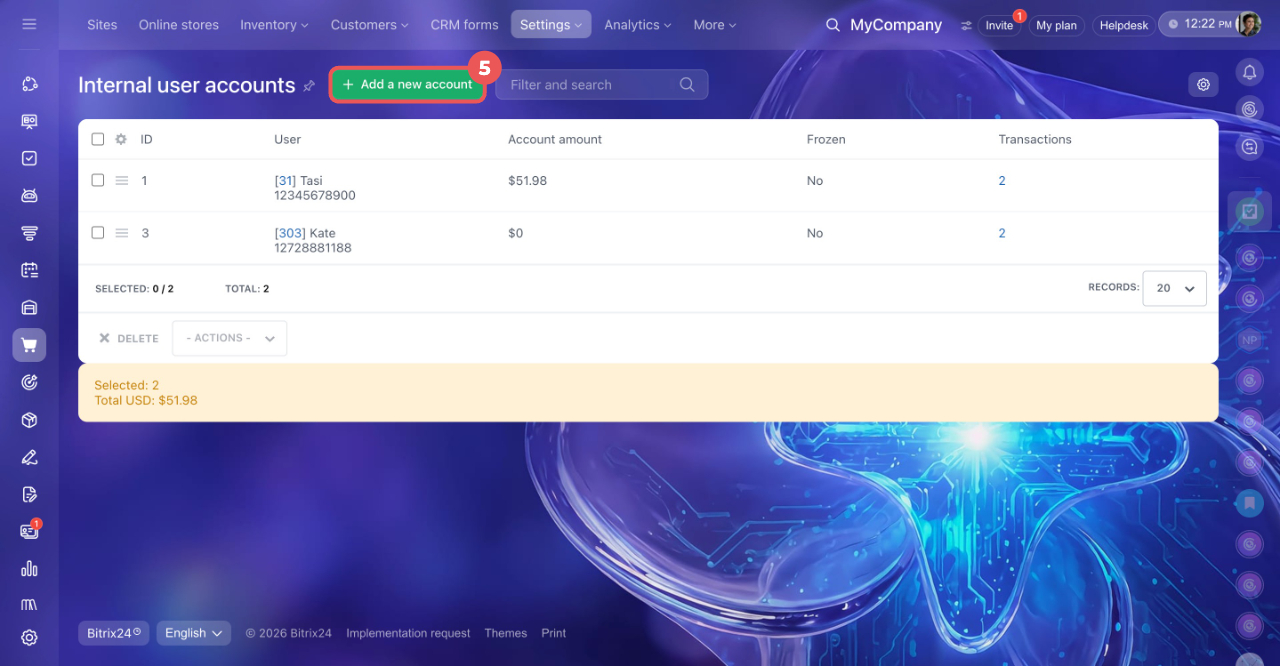
1. Go to Sites and stores > More > Settings > Customers > Accounts.
2. Click Add a new account to create a new account.
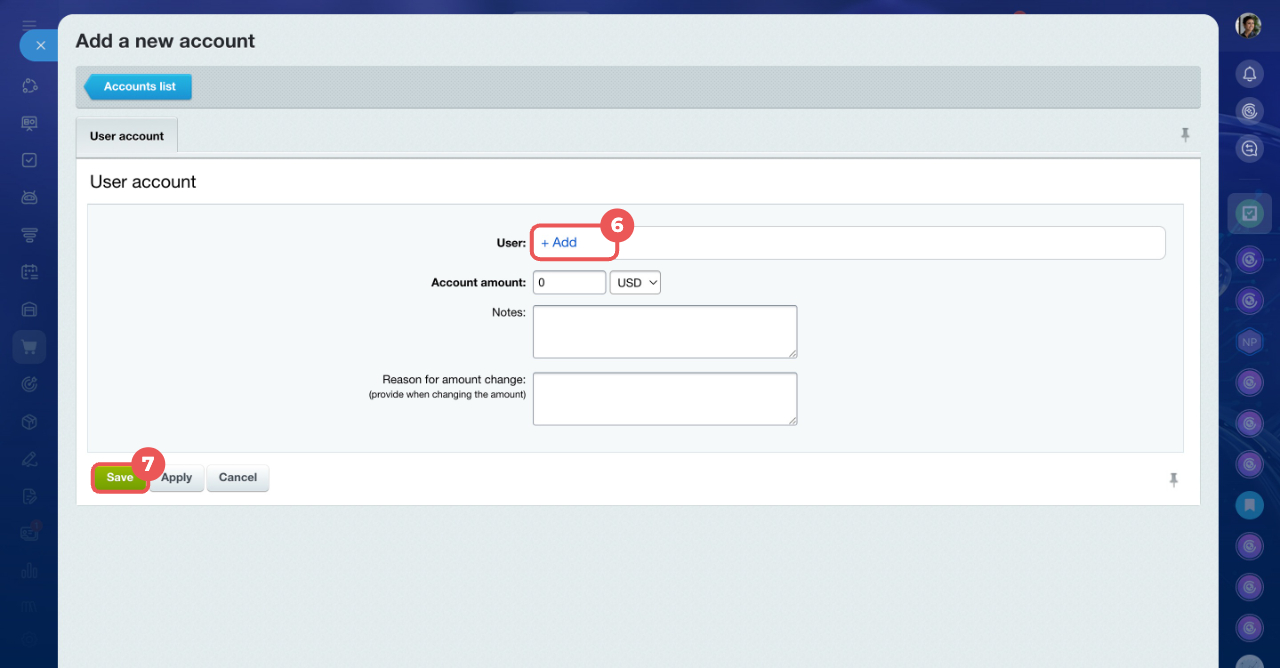
3. In the User field, click +Add, select the buyer from the list or start typing their name in the search field.
4. Click Save. The account is now created. The buyer can top it up in the personal section and use it to pay for orders.
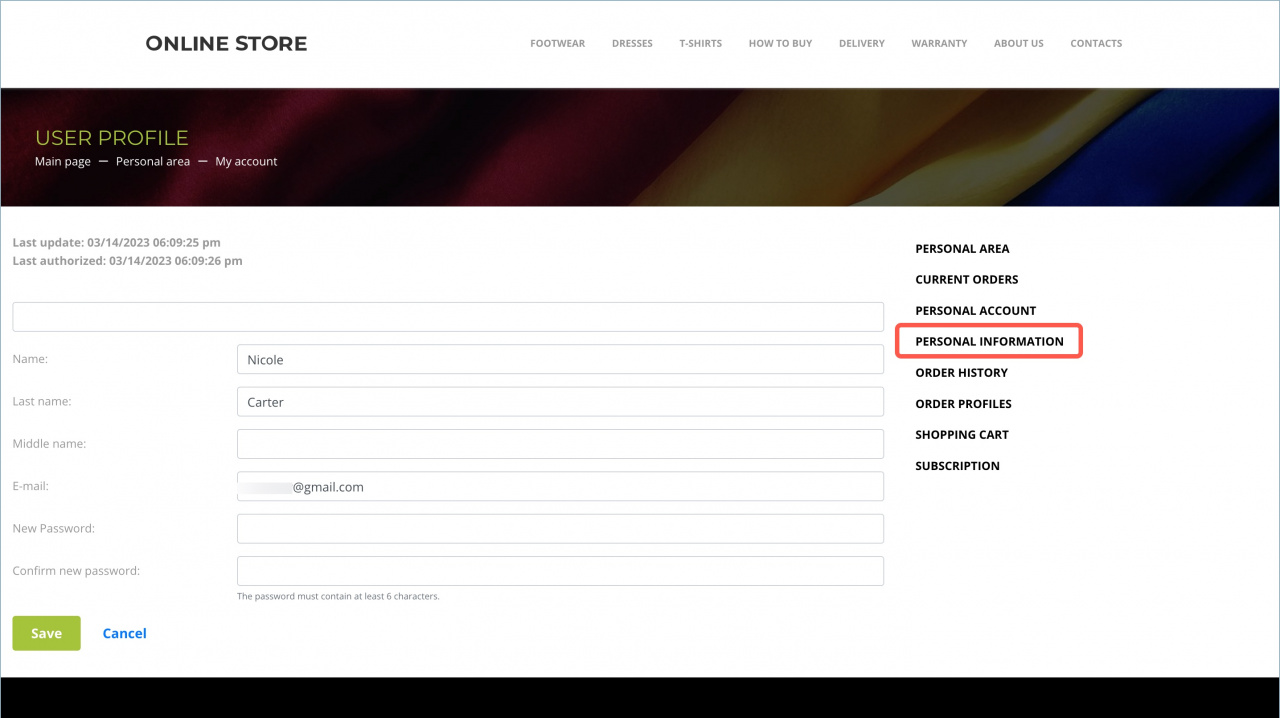
Personal information. On this page, buyers can view and edit their personal details, including full name, email, and password. They can also see the date of the last update and the last sign-in.
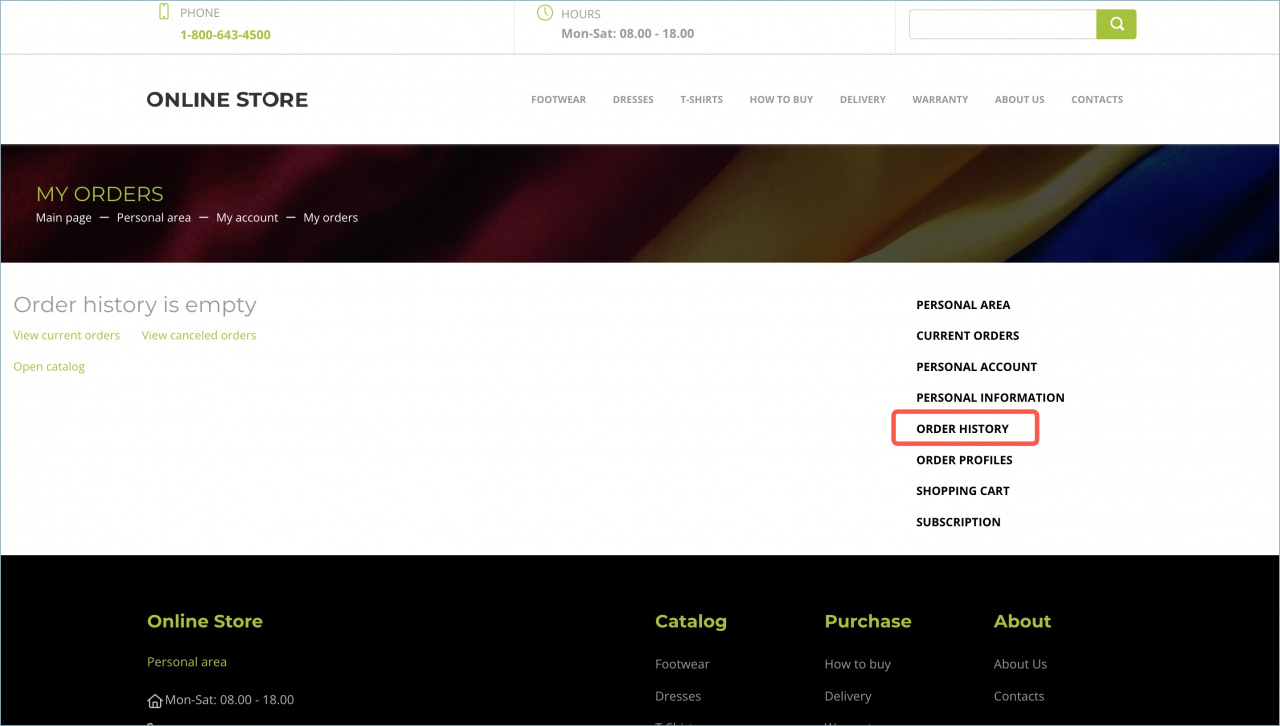
Order history. This page shows completed and canceled orders.
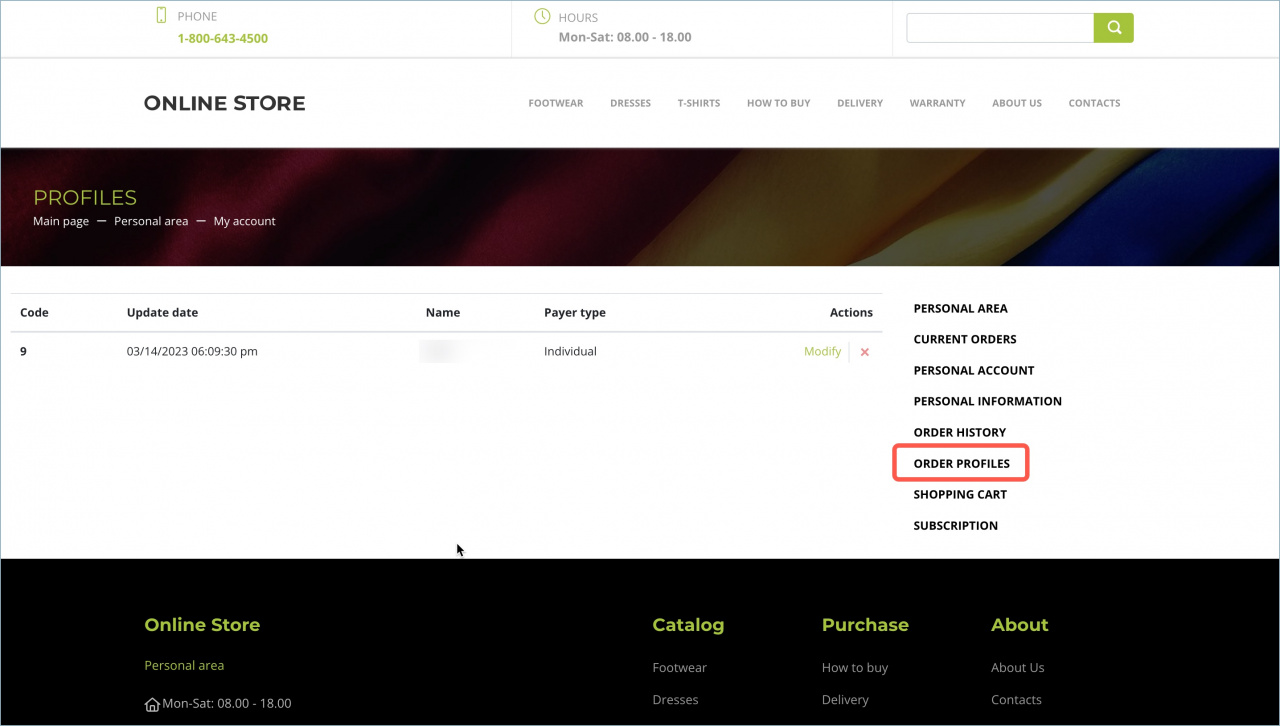
Order profiles. This page stores information about people connected to store orders. One account can have several profiles. For example, a buyer may place orders for different recipients.
On this page, buyers can edit profile details such as profile name, buyer name, email, phone number, and address. To delete a profile, click the X icon.
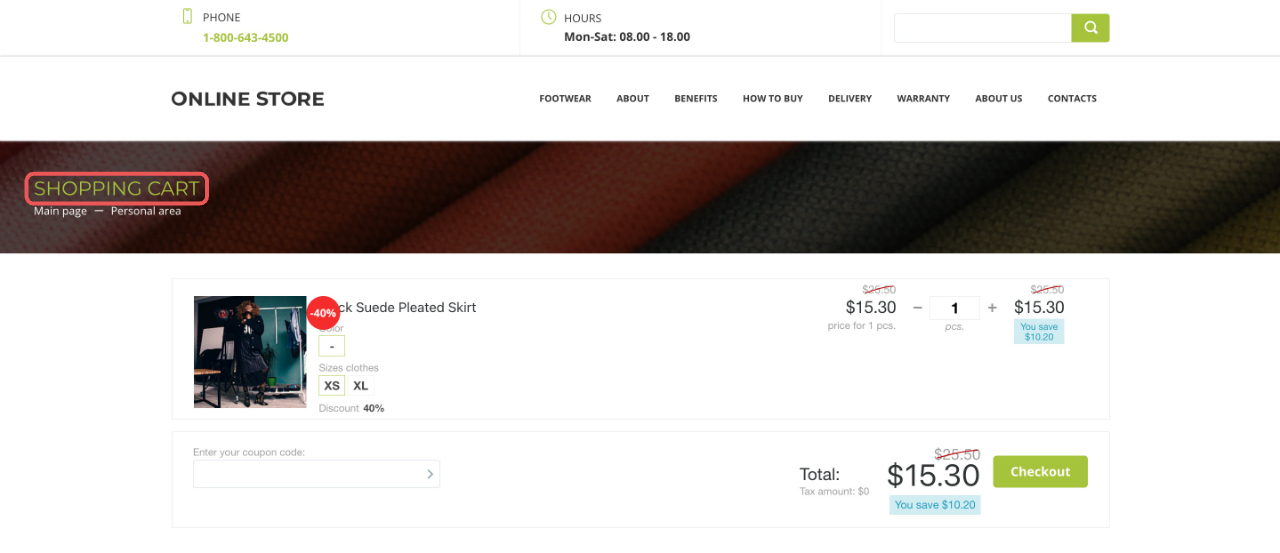
Shopping cart. On this page, buyers can view selected products and continue to checkout.
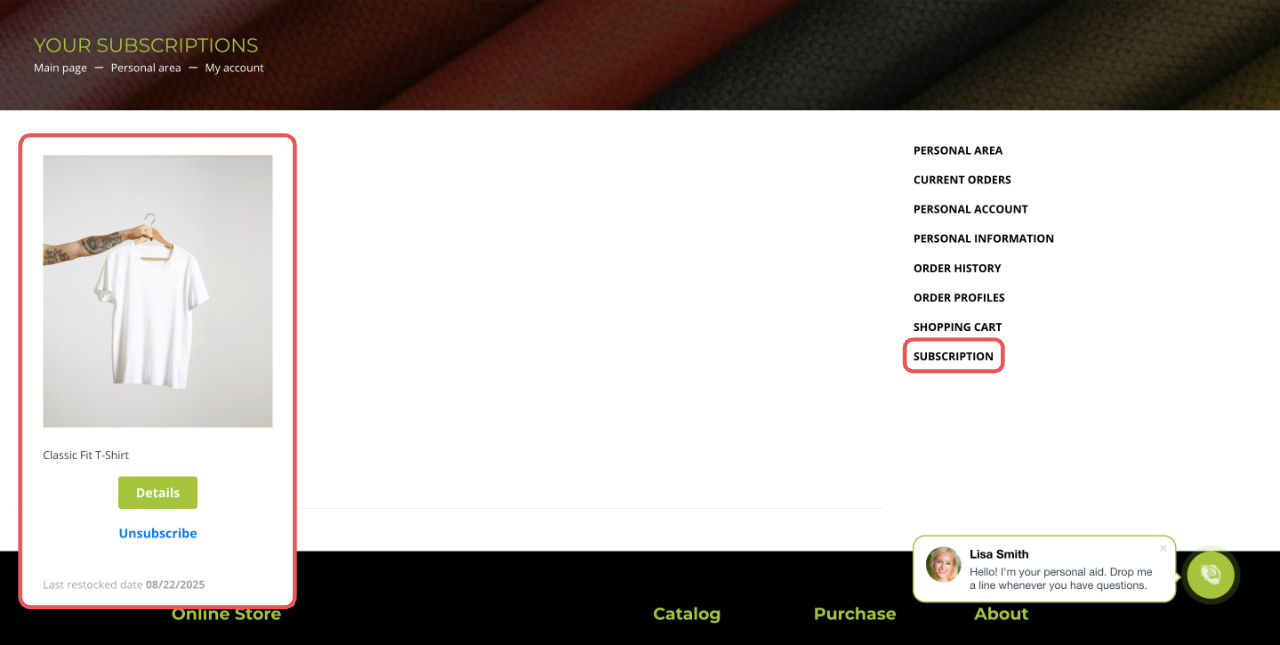
Subscriptions. This page shows products the buyer has subscribed to. For example, they can subscribe to get notified when a specific size is back in stock.
Product subscriptions
When you hover over a product, these actions are available:
- Details — open the product details page
- Unsubscribe — cancel the product subscription
In brief
- The personal section is where buyers manage their profile and orders.
- The personal section is available only in the Classic online store. Clothing template.
- Buyers get access to the personal section after placing their first order.
- In the personal section, buyers can check order status, top up their balance, edit personal information and profiles, view order history, and manage product subscriptions.
- A buyer can have a personal account to add funds and pay for orders.
- A Bitrix24 administrator or an employee with section configuration access permissions can create a personal account.