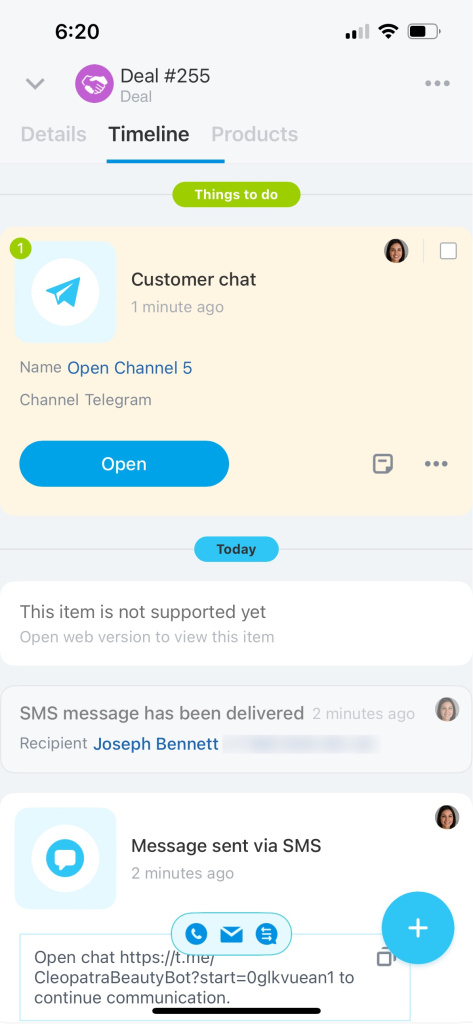
If a client prefers to communicate online, invite them to a Telegram chat. The chat history is saved in the CRM entity timeline.
To use this feature, connect your Telegram bot to Bitrix24.
How to connect Telegram
Under Message will be sent to, select the contact you want to invite.
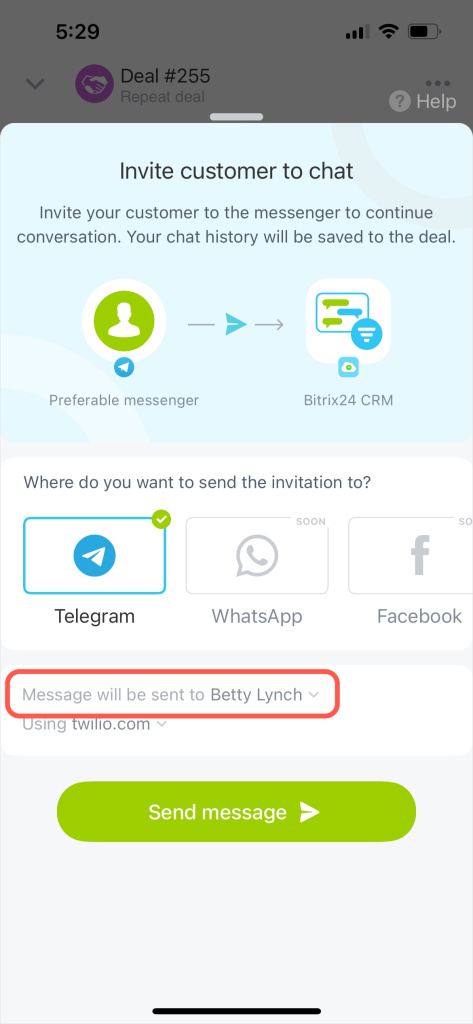
Then choose the SMS service you want to use to send the invitation. If you have not connected an SMS service yet, set it up in the web version of Bitrix24. Go to CRM > Sales > Sales Center > SMS provider.
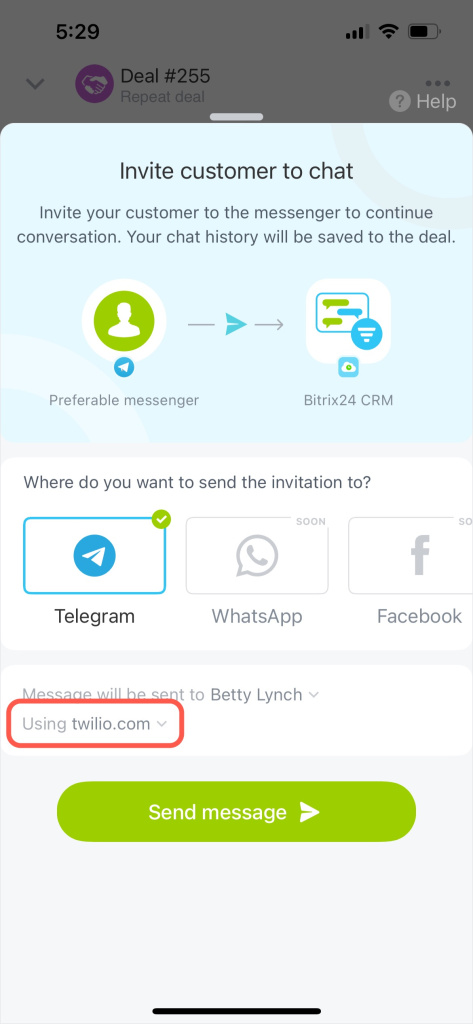
Tap Send message.
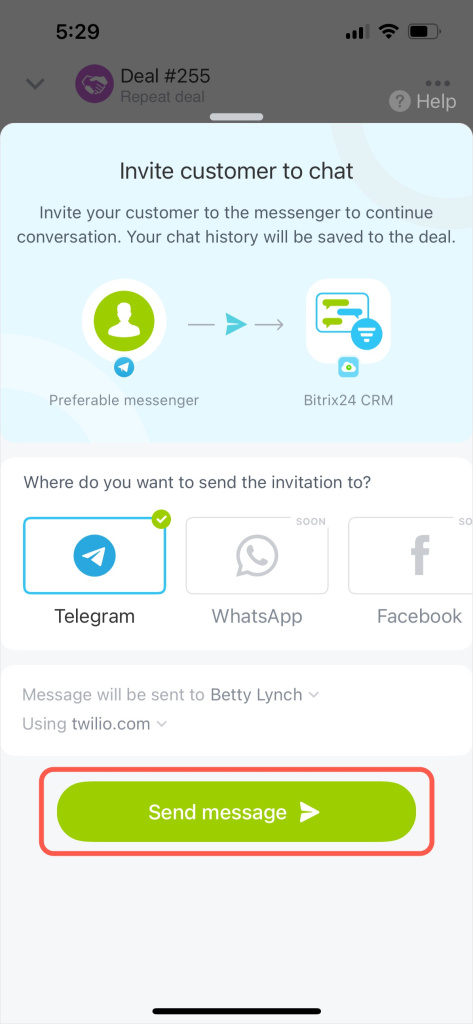
The client will receive an SMS with an invitation link. After they open the link and start the chat, you can access the conversation from the deal timeline.
You can also find the chat under Chats > Open Channels.