
A sales plan helps you manage cash flow and track employee performance.
Check whether this tool is available on your plan.
Plans and pricing page
Plans and pricing page
To configure a sales plan:
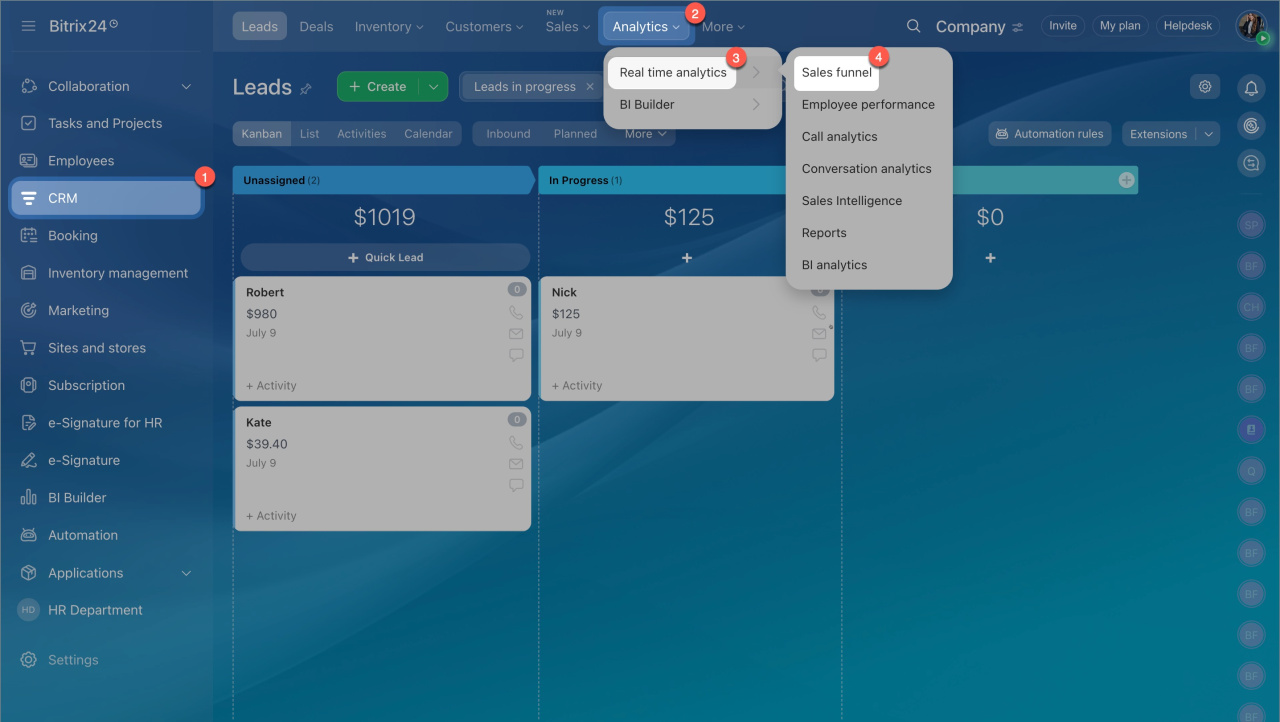
- Go to CRM > Analytics > Real time analytics > Sales funnel.
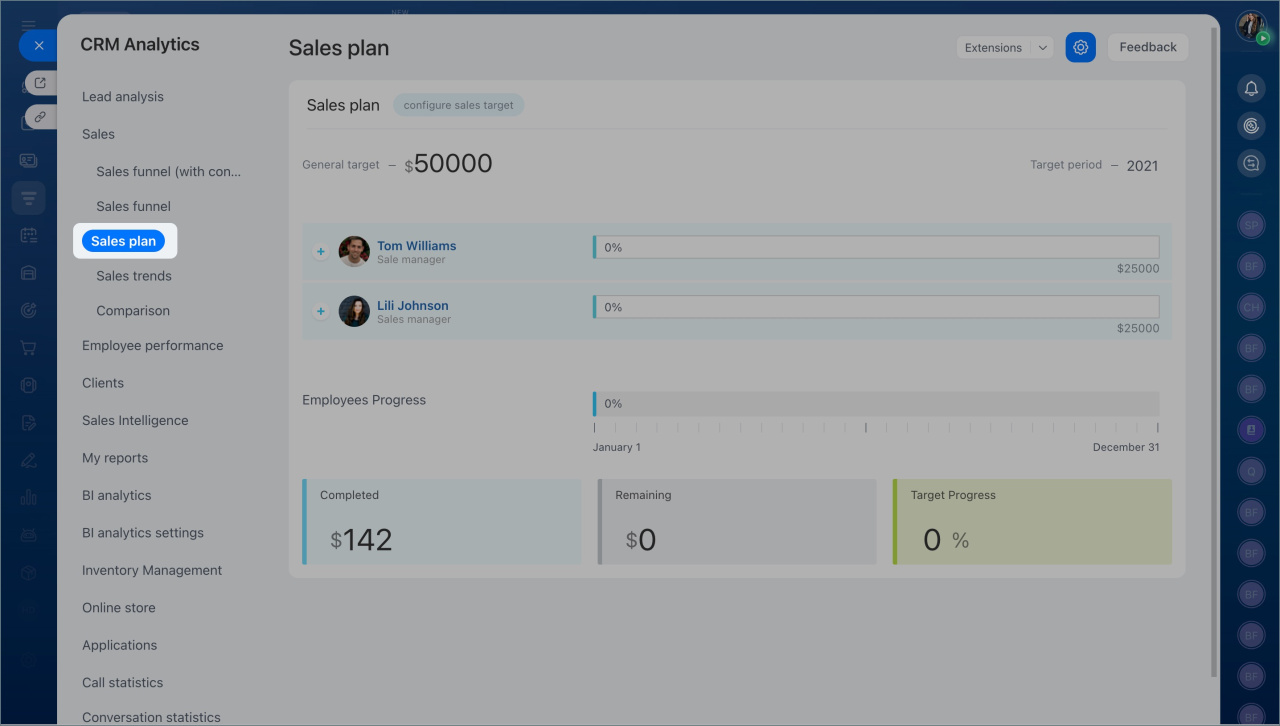
- In the left menu, open the Sales plan tab.
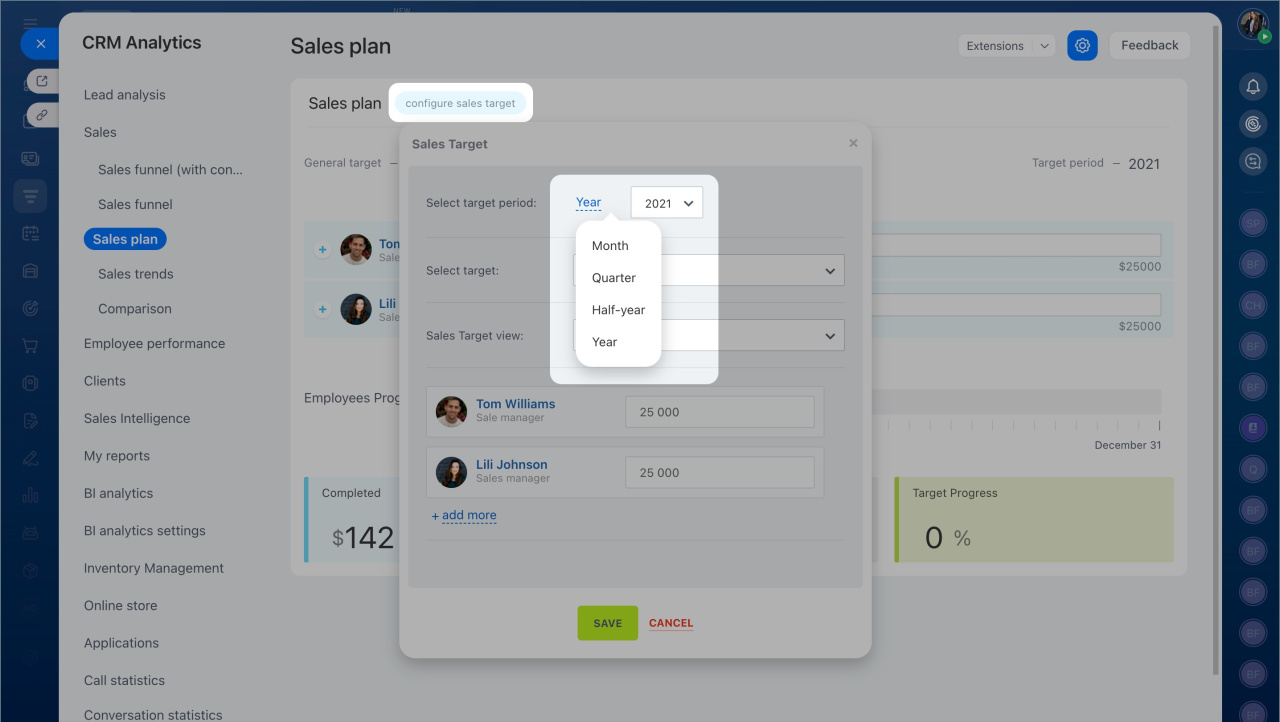
- Click Configure sales target.
- Select a target period: month, quarter, half-year, or year.
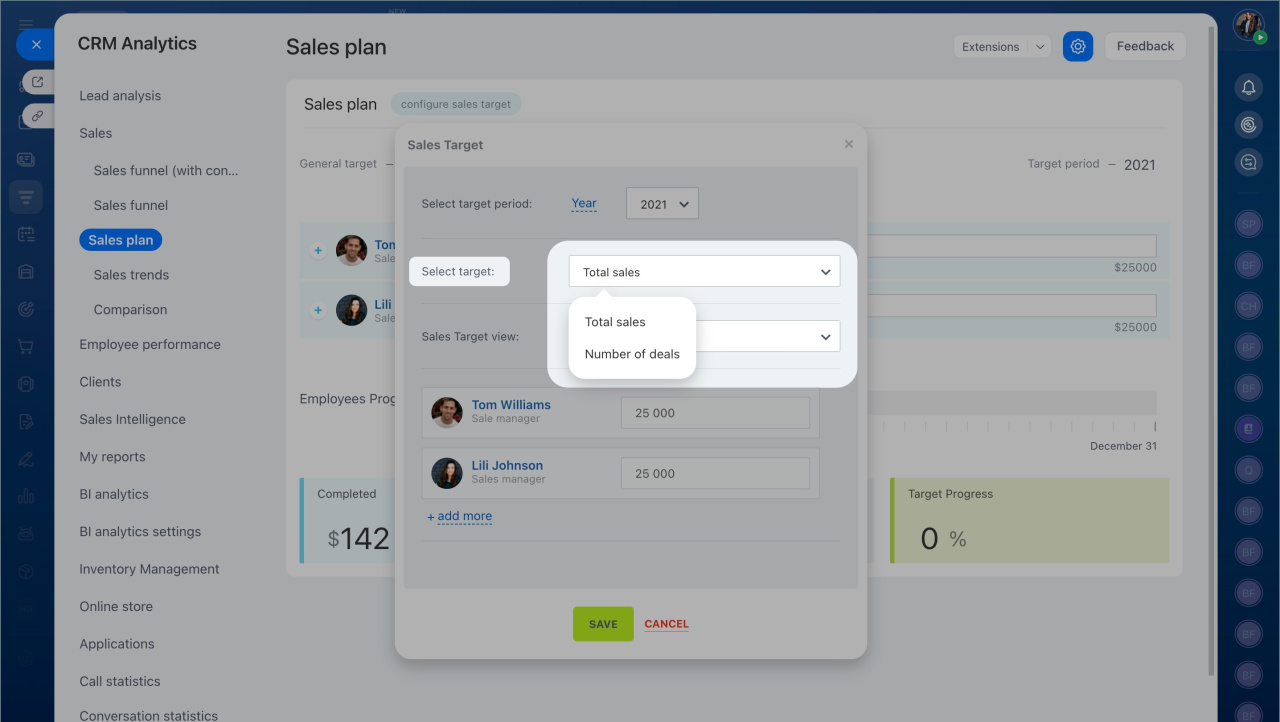
- Choose what to track: total sales or the number of deals.
-
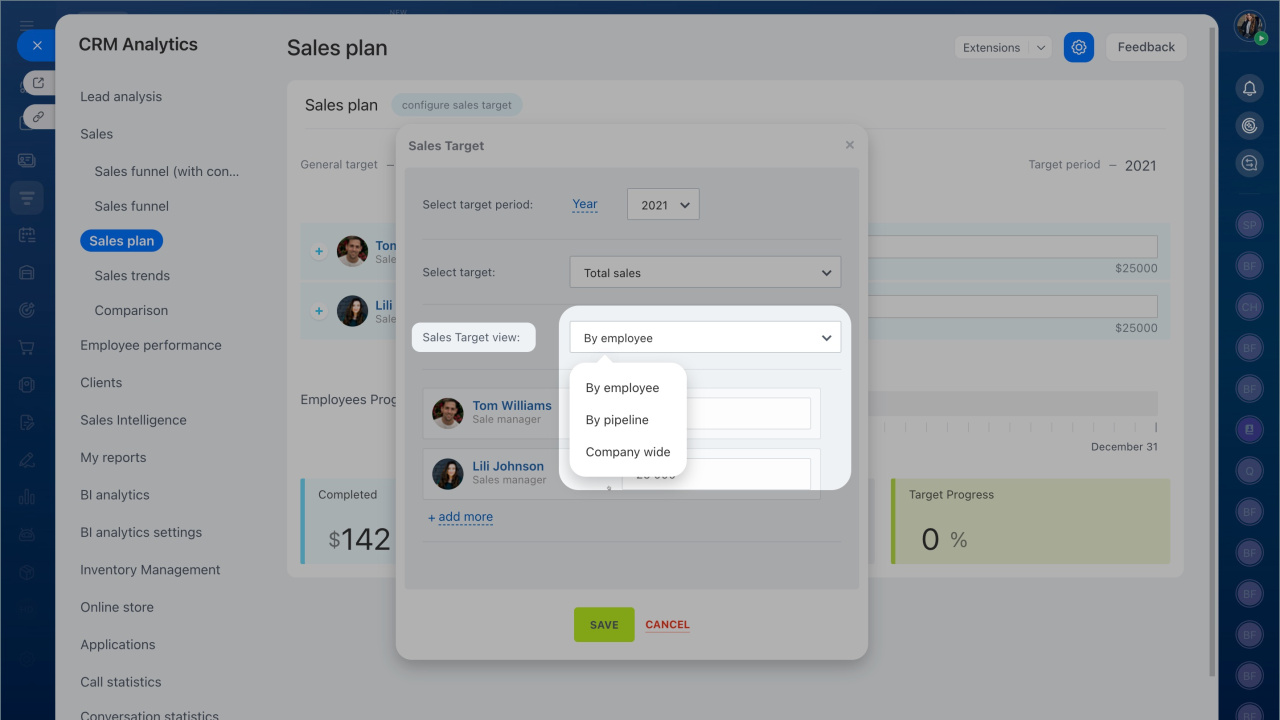
Select how to view the plan: by employee, by pipeline, or for the entire company.
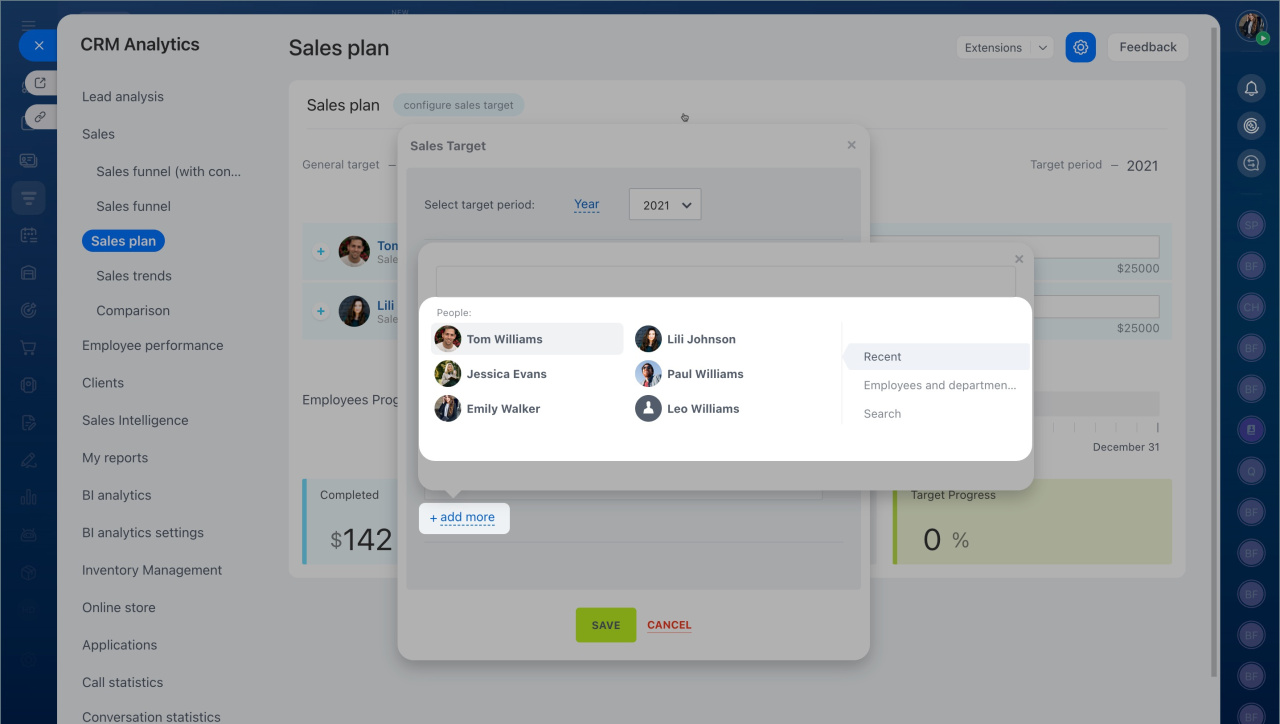
Sales pipelines - Set targets for each employee. To add more employees, click Add more.
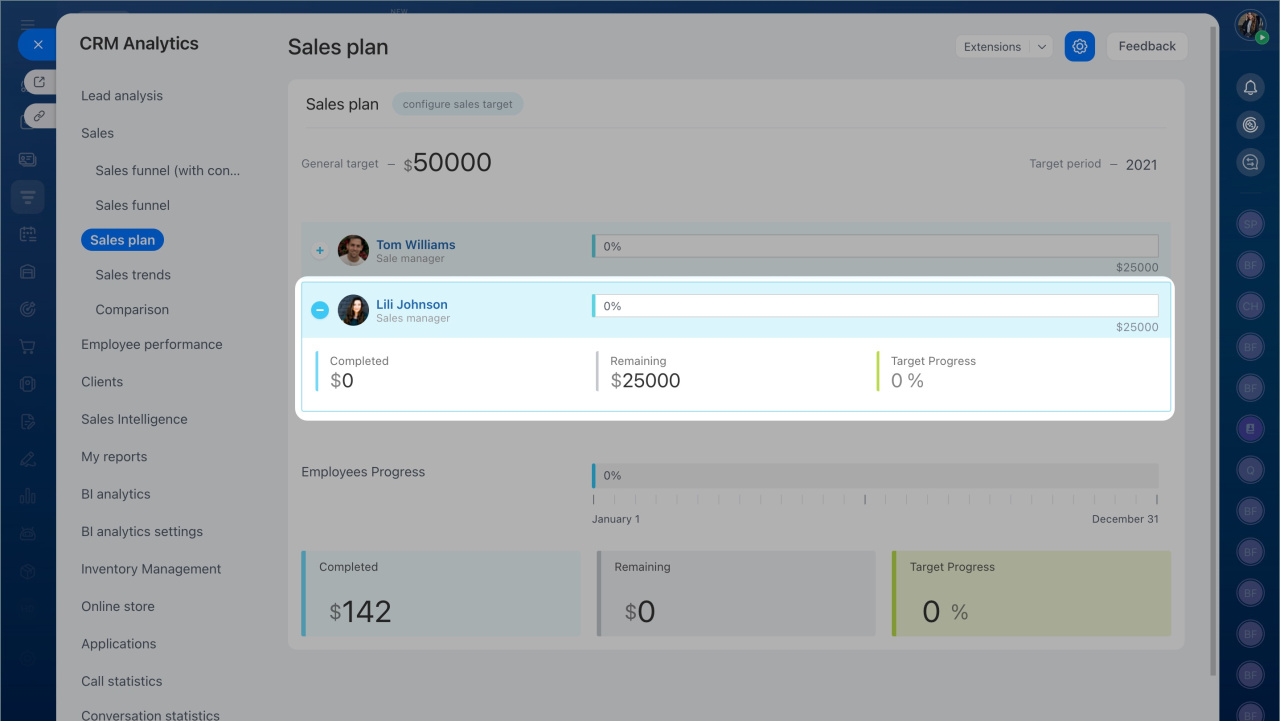
- Save your changes to start tracking employee progress.
To manage access to the sales plan:
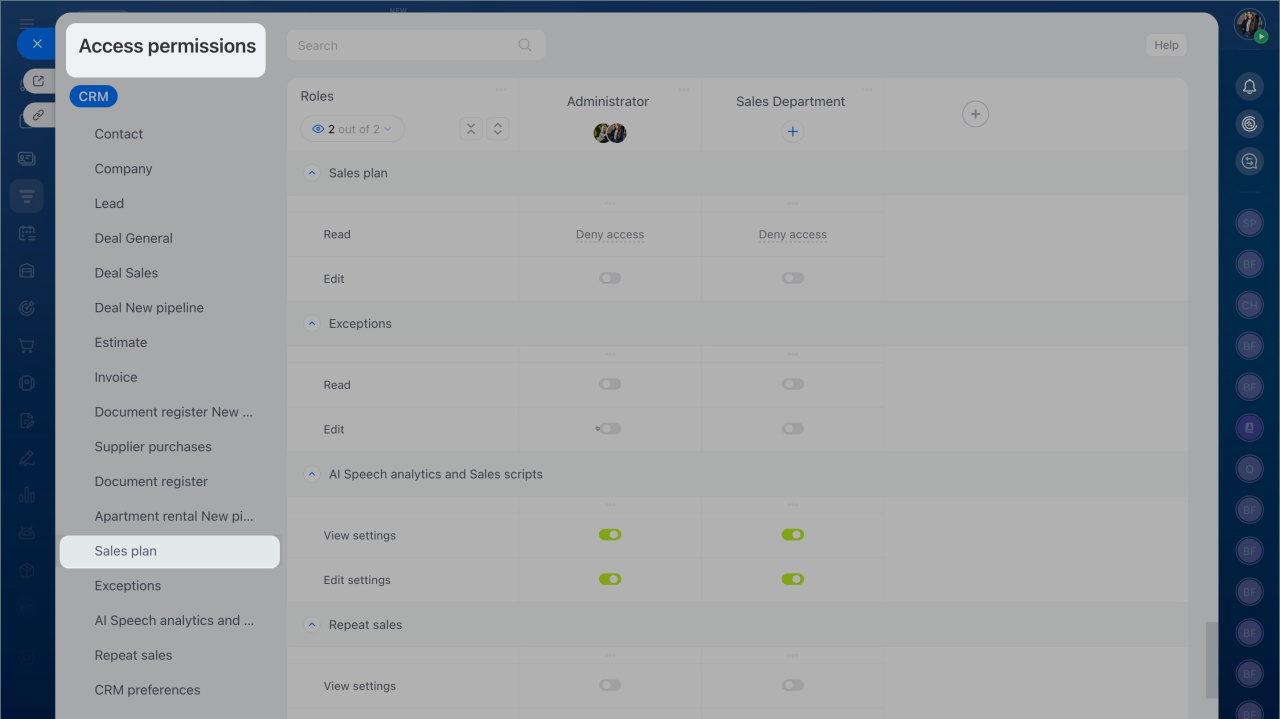
- Go to CRM > Settings > CRM access permissions.
- Change the access level when editing an employee role.
You can find additional reports in the CRM analytics section. Use them to review sales, customers, and employee performance.
CRM Analytics
In brief
- A sales plan helps you manage cash flow and track employee performance.
- Go to CRM > Analytics > Real time analytics > Sales funnel.
- Open the Sales plan tab.
- Click Configure sales target.
- Select a target period: month, quarter, half-year, or year.
- Choose whether to track total sales or the number of deals.
- Set targets for each employee, then save your changes to track progress.