
There are two ways to connect a phone number to Bitrix24:
- SIP connector
- REST API
The SIP connector is a software module that routes outgoing calls and forwards calls from Bitrix24 to a SIP PBX. Use it to connect a cloud or on-premise PBX.
The Telephony REST API is a ready-made integration with a third-party calling service.
SIP PBXs connected through the SIP connector work differently from REST applications. Learn more below.
Connection and setup
SIP connector
Get the following connection details from your PBX provider:
- server address
- login
- password
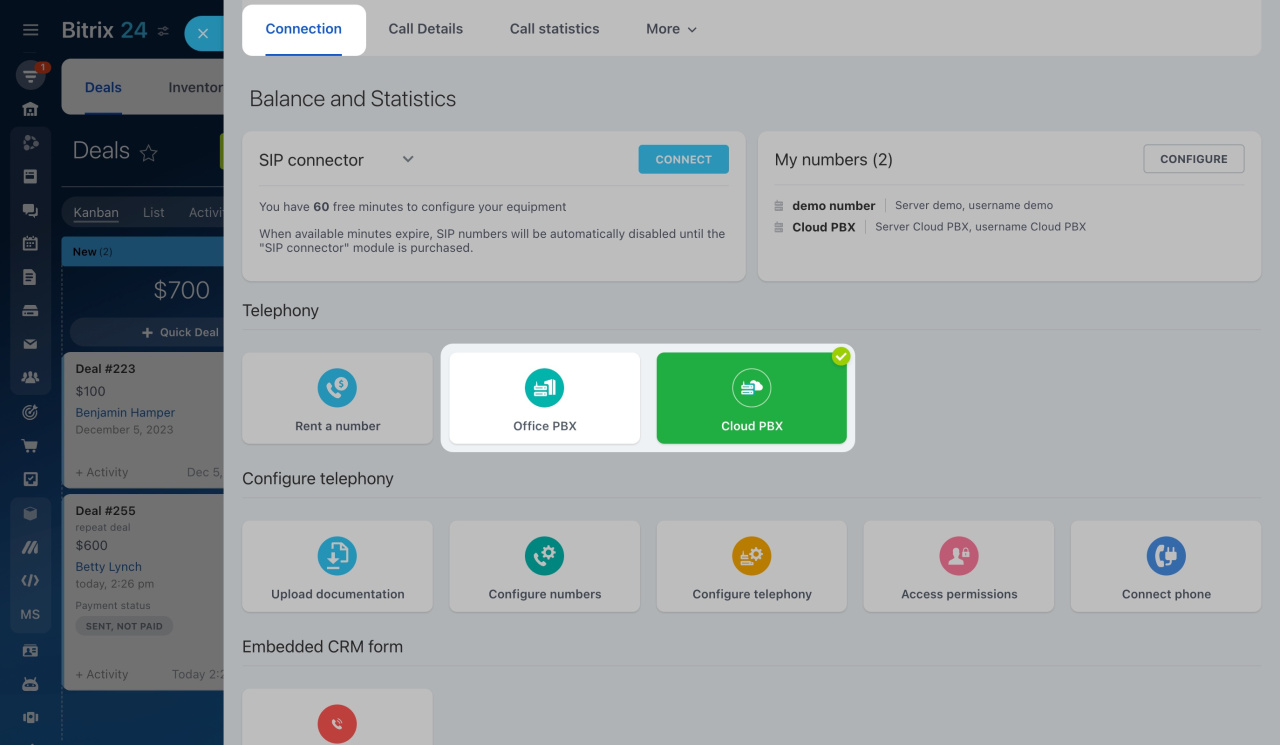
To connect your PBX, go to Telephony > Connection in Bitrix24.
Choose the type of PBX and connect it to Bitrix24
REST application
A REST application is a ready-made integration with a third-party calling service.
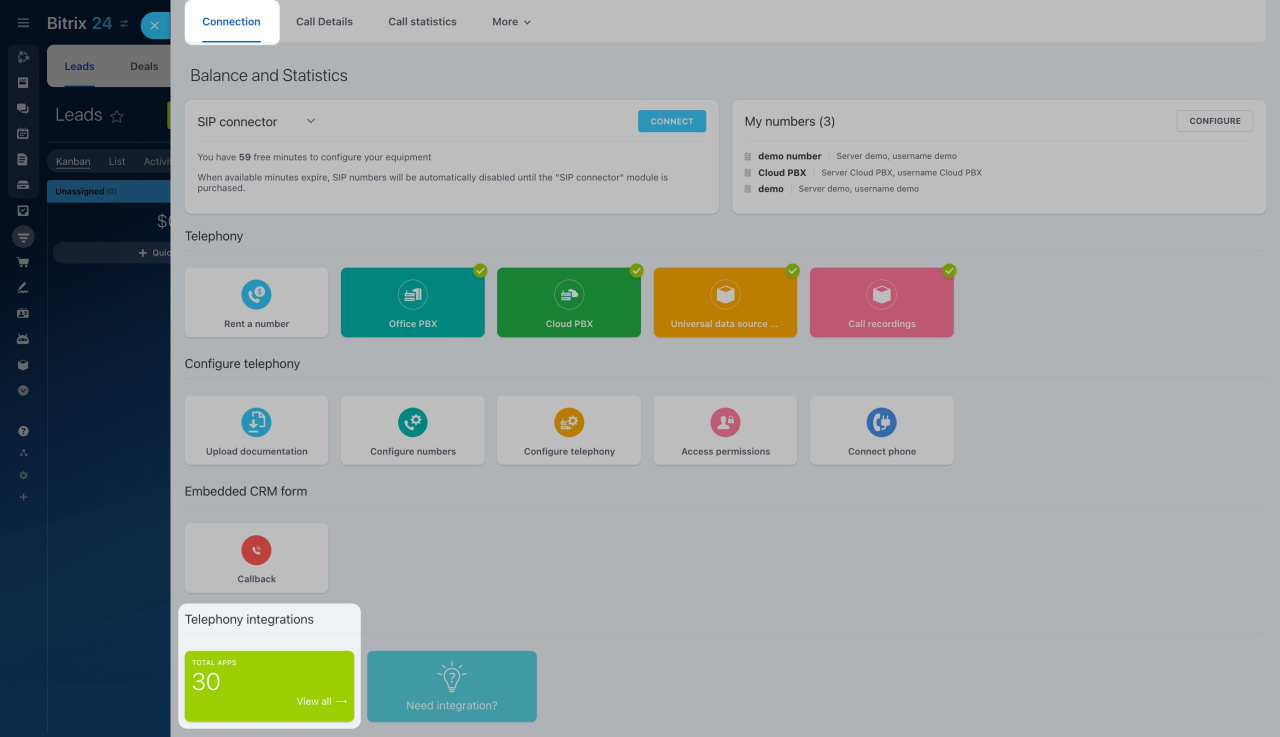
To install an app, go to Telephony > Connection > Telephony integrations and choose an app from the Bitrix24 Market.
After installation, follow the developer’s instructions to configure the app.
Connect SIP PBX using REST API
Payment
SIP connector
Your telephony provider charges you for inbound and outbound calls. You do not need to top up your Bitrix24 balance.
Bitrix24 includes 60 free minutes to test outgoing calls and call forwarding. After that, you need to purchase a SIP connector license to continue using these features.
REST application
REST applications may include in-app purchases.
Your telephony provider charges you for inbound and outbound calls. You do not need to top up your Bitrix24 balance.
Features
SIP connector
The SIP connector gives you access to all Bitrix24 telephony features, including:
- call recording
- call routing
- and more
You can make and answer calls using:
- a browser
- Bitrix24 Messenger
- the Bitrix24 mobile app
- a SIP phone
REST application
With REST applications, the PBX handles call routing and voice traffic. This reduces connection time and can improve call quality.
Most REST applications support these features:
- call recording
- callback
- call rating
- linking a phone number to the CRM lead sourceSources are the values of the Source system field in leads, deals, contacts, and companies. Sources show where the customer learned about your company. For example, if a contact is created after a call, the source will be Call. field
Some features are not available with REST applications:
- calling from a browser, Bitrix24 Messenger, or the mobile app
- voice broadcasting in the Marketing section
- call transcription to text
To make calls, use a separate softphone app or a SIP phone. Contact the app support team for connection details.
Convert Text to Speech in Bitrix24
Record calls
If the application does not work correctly, contact the integration developer.
Compatibility
Bitrix24 telephony supports multiple connection types at the same time.
However, we do not recommend using a REST application and a SIP connection from the same provider at the same time. This can cause issues such as:
- duplicate calls in the call details
- a missing Answer button
In brief
-
You can connect a phone number to Bitrix24 using a SIP connector or REST API.
-
To connect a SIP PBX, enter the login, password, and server address from your PBX provider.
-
To connect via REST API, install an app from the Bitrix24 Market.
-
Your telephony provider charges you for inbound and outbound calls.
-
To use outgoing calls and call forwarding with the SIP connector, you need a SIP connector license.
-
REST applications may include in-app purchases.
-
All Bitrix24 telephony features are available with the SIP connector.
-
Most features are also available in REST applications, but support depends on the telephony provider or app developer.
-
Bitrix24 supports multiple connection types at the same time, but using a REST application and SIP connection from the same provider can cause errors.