
You can connect a phone number to Bitrix24 in two ways:
- Use a cloud or office SIP PBX
- Use the REST API
With the REST API, your PBX handles call routing and voice traffic. This setup reduces connection time and improves call quality.
Difference between SIP connection and REST applications
REST apps are prebuilt integrations for telephony. You can install them from the Bitrix24 Market.
To install a telephony app:
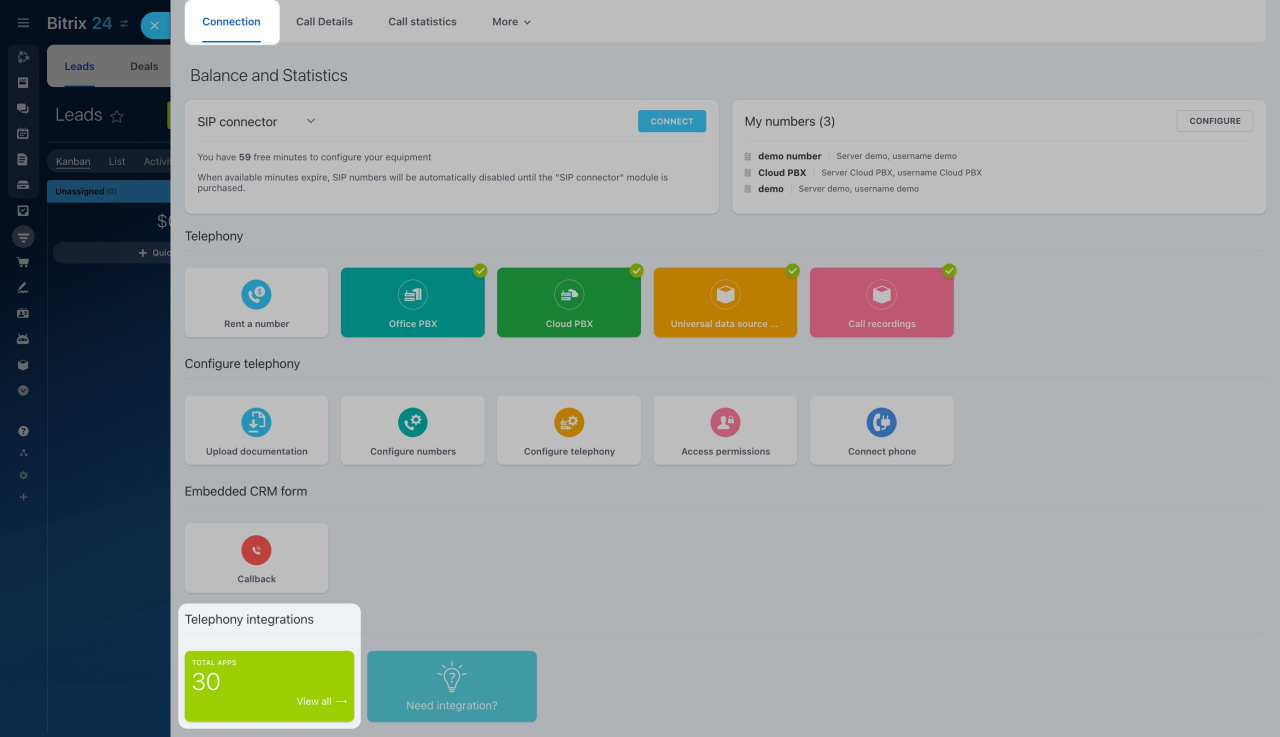
- Go to CRM > Sales > Sales channels > Telephony.
- On the Connection page, scroll to Telephony integrations.
- Click View all.
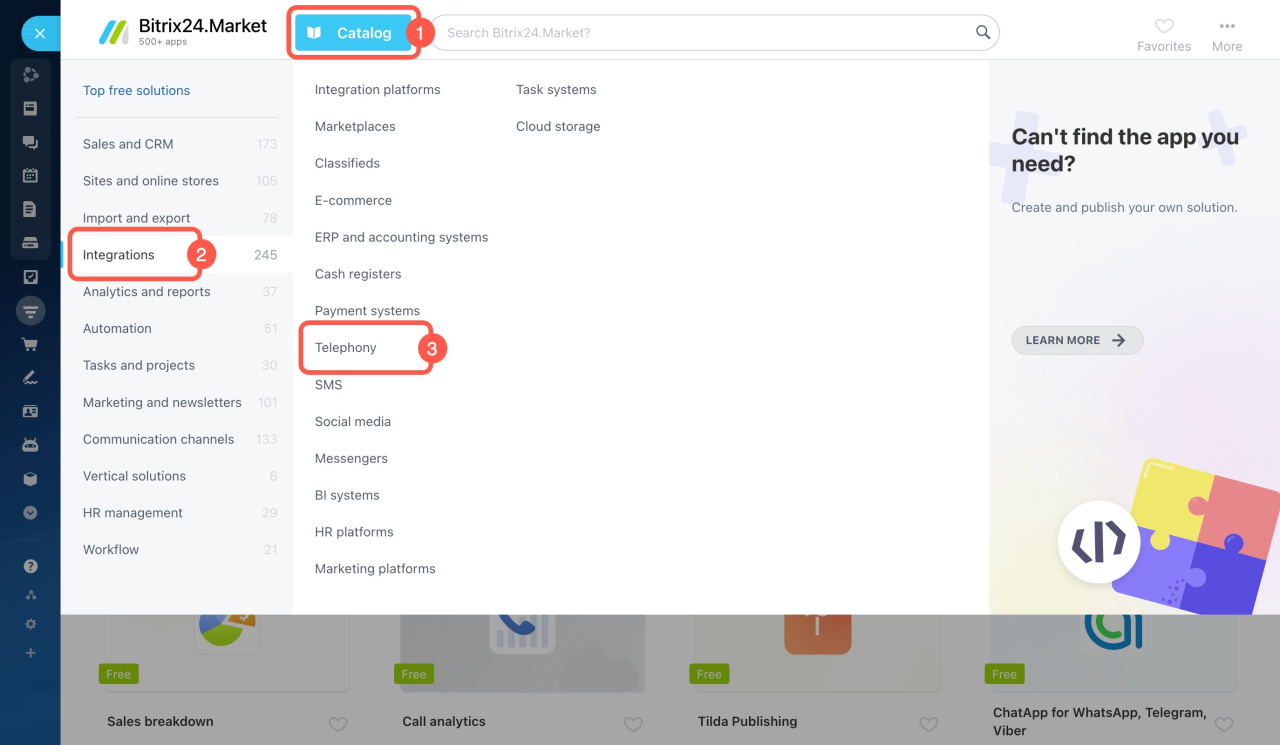
- In the Bitrix24 Market, browse apps or search the catalog.
- Select an app and click Install.
REST API telephony: key details
Bitrix24 supports multiple telephony connection types at the same time. However, avoid using both a REST app and a SIP connection from the same provider. This can cause errors.
If you want a custom setup, build your own app with the REST API.
Telephony Integration Tips
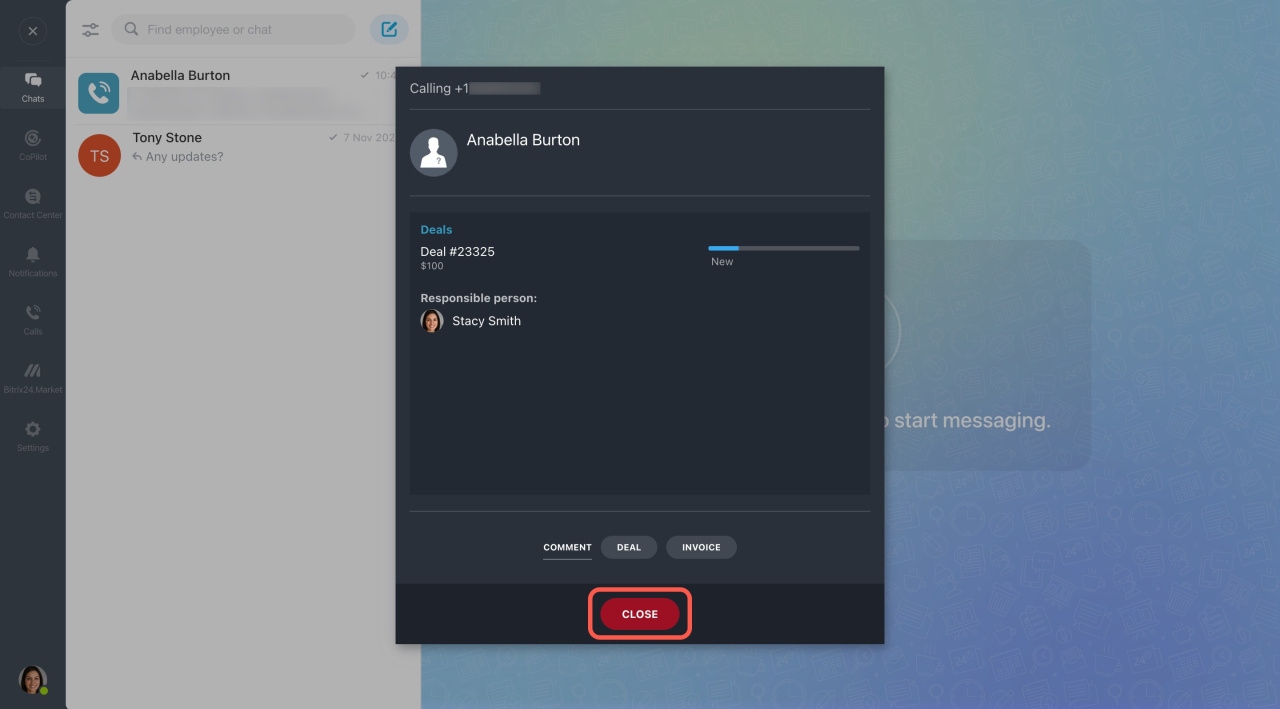
When you connect a number through the REST API, the call window does not include an Answer button. You only see Close.
You cannot make calls from:
- A browser
- Bitrix24 Messenger
- The mobile app
To make calls, use a separate softphone app or a SIP phone.
In brief
-
You can connect a number using a SIP PBX or the REST API.
-
REST apps are ready-made integrations available in the Bitrix24 Market, or you can build your own.
-
The PBX handles call routing and voice traffic, which improves speed and quality.
-
REST API connections do not support calling from Bitrix24 interfaces. Use a softphone or SIP phone instead.