
Use advertising audiences in Marketing to create personalized offers in Google Ads and Facebook.
How it works: choose a segment and link it to an advertising audience. Bitrix24 sends the contact list. The selected ad platform handles the rest.
Before you start
Lookalike Audiences
Make sure your campaign and audiences are set up in one of these services:
- Google Ads: supports Customer list audiences only.
- Facebook Ads: supports Custom Audiences only.
Lookalike Audiences
Create an advertising audience (example: Facebook)
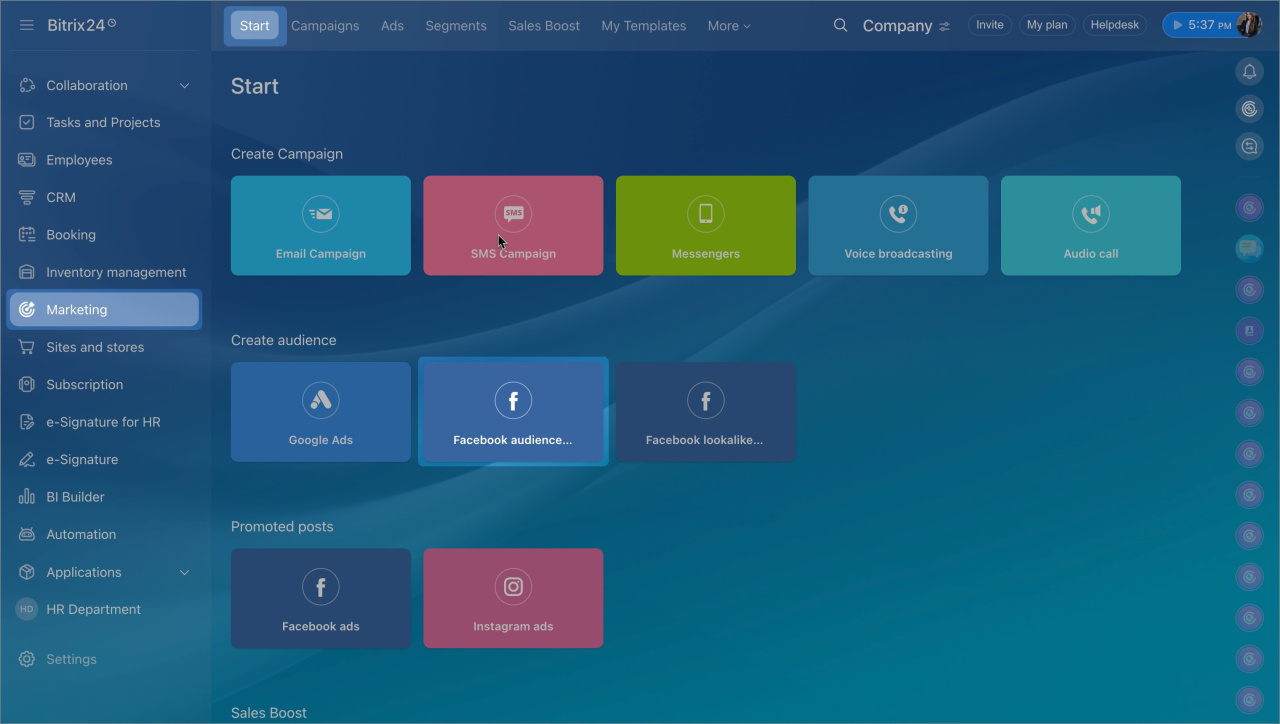
- Go to Marketing.
- Open Facebook audiences + Instagram.
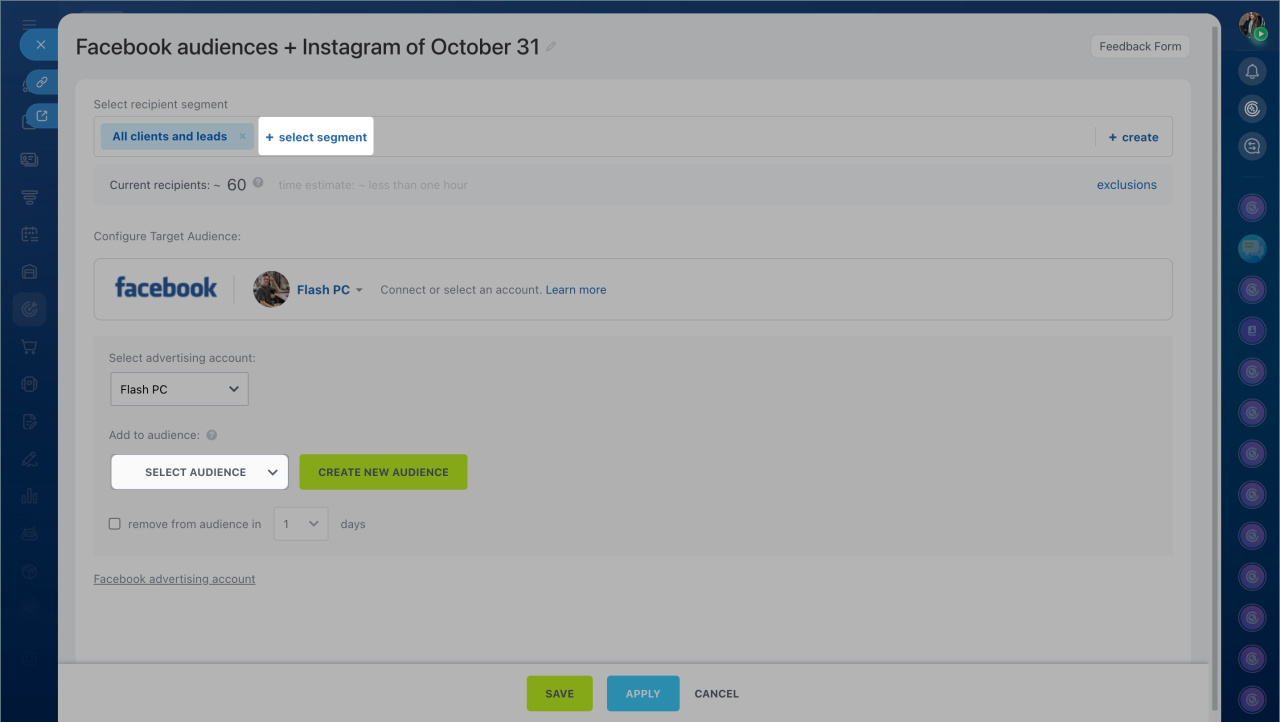
- Click Select segment and add customers from CRM.
- Sync your ad account.
- Create a new audience or add customers to an existing one.
- Configure the settings and click Save.
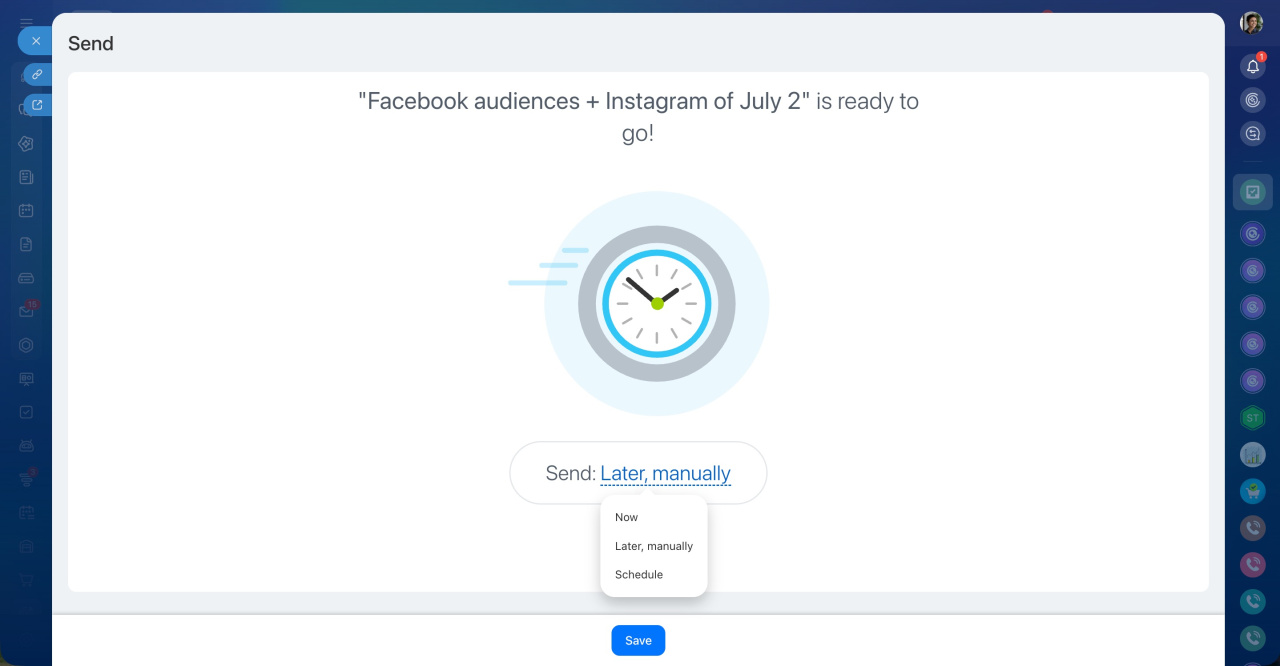
- Choose when to start syncing: now, manually later, or on a schedule.
- Click Save again to confirm.
After the sync completes, the advertising audience will appear in your ad account.