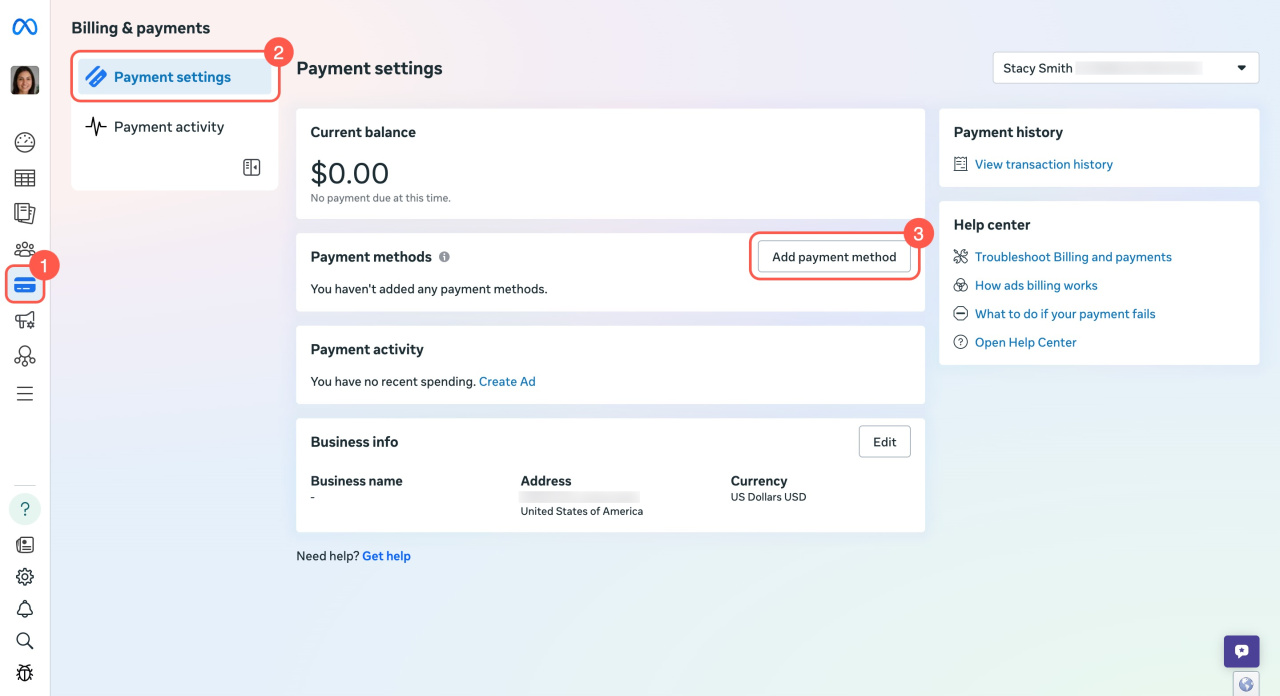
Before you run ads, add a payment method to your ad account.
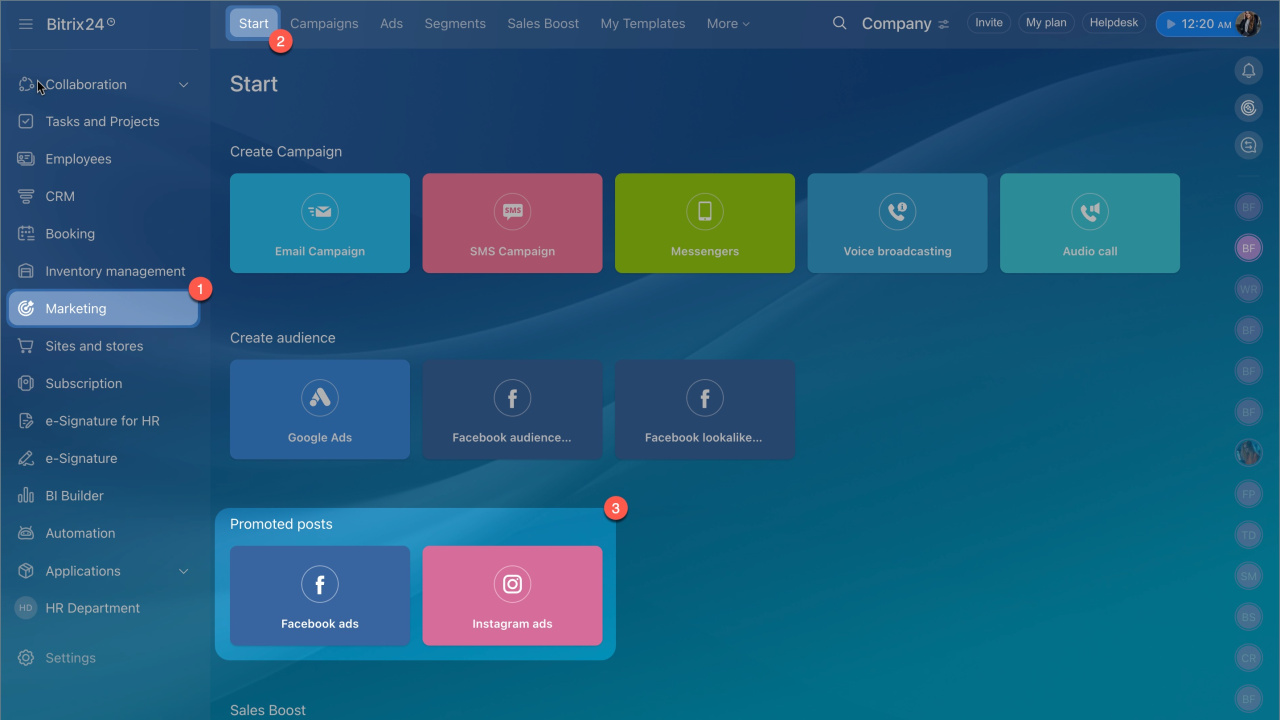
- Go to the Marketing section > Start tab > Promoted posts block.
- Select Facebook ads or Instagram ads.
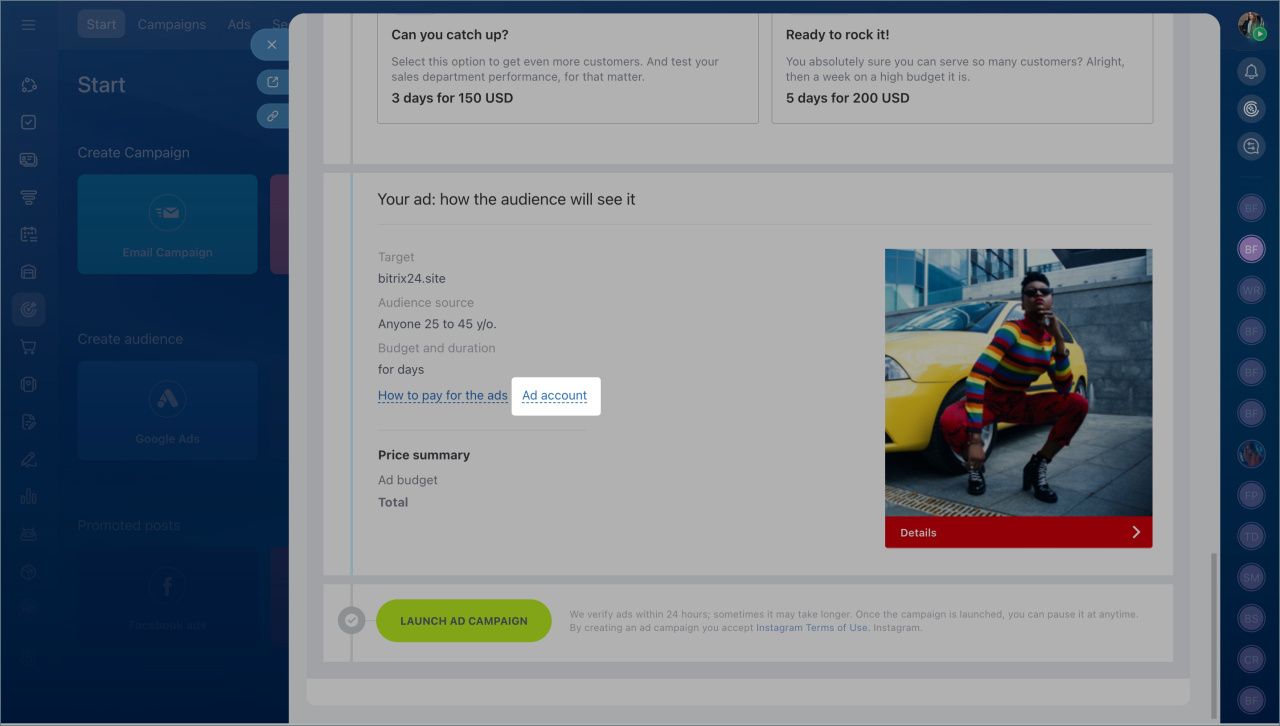
- Scroll down and click Ad account.
Facebook and Instagram Ads in Marketing
When you are in your account, follow these steps:
- Select Billing & payment in the left menu.
- Click Payment settings.
- Click Add Payment Method.
- Enter your payment details and save.
How Meta charges for ads