
Access permissions let employees view reports on inventory, product movement, and gross profit. For example, a purchasing manager can review warehouse data, track stock levels, and plan orders with vendors.
To configure access permissions:
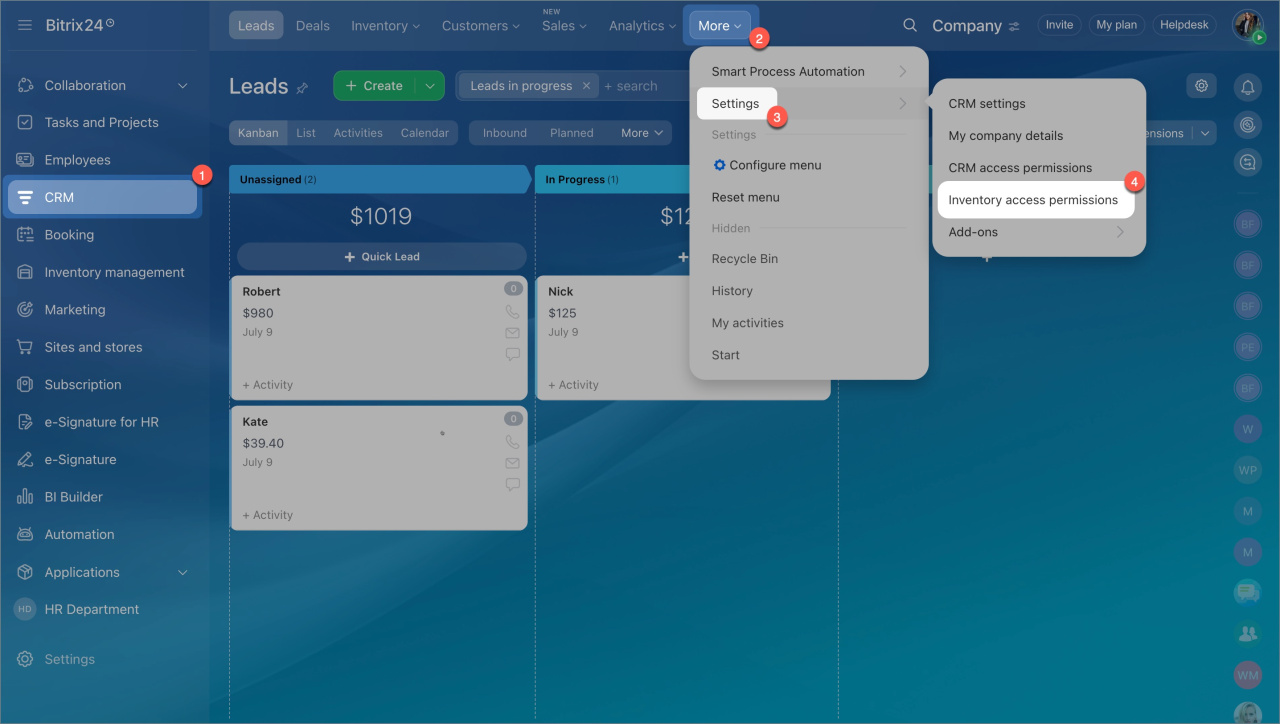
- Go to CRM > Settings > Inventory access permissions.
- Grant the following permissions:
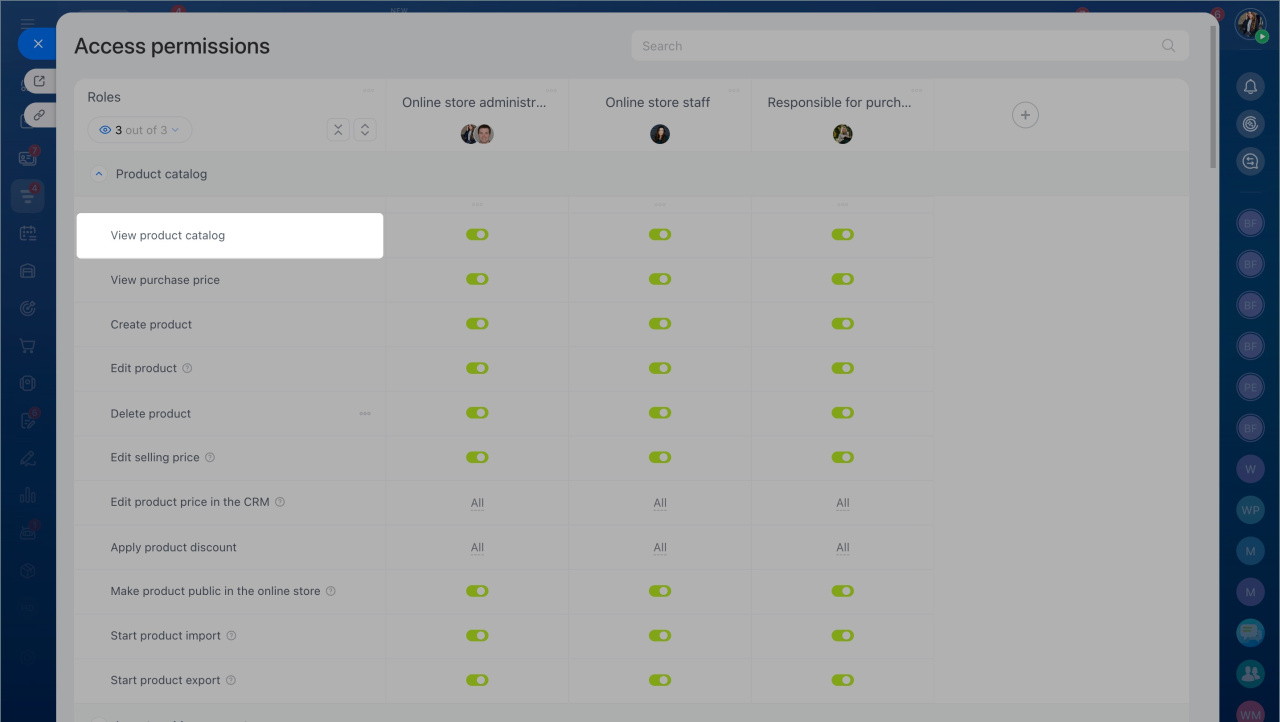
- View product catalog.
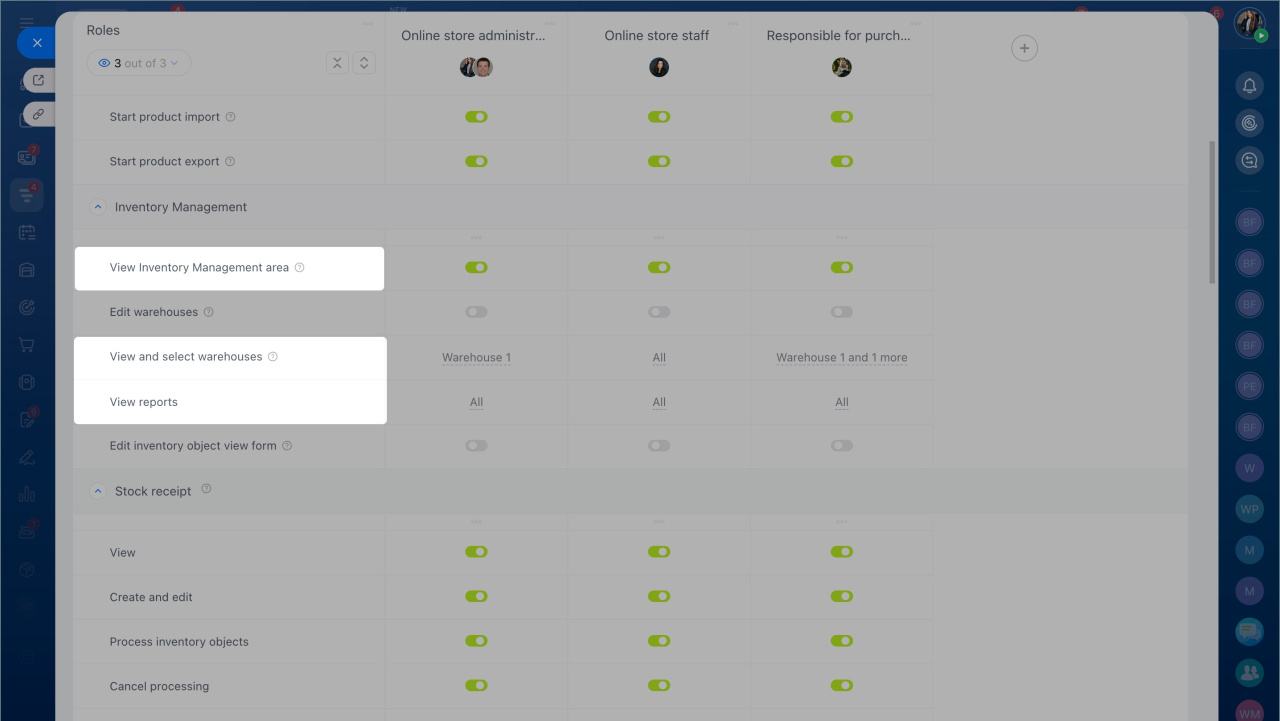
- View Inventory management section.
- View and select warehouses — choose all warehouses or specific ones.
- View reports — choose all reports or specific ones.
Save your changes. The employee can now view reports, analyze warehouse data, and manage purchases using up-to-date information.
Reports only include data from warehouses the employee has access to.