
In Bitrix24, you can control who can manage Inventory management settings, the product catalog, and access permissions. This helps separate responsibilities. For example, a supervisor can manage catalog settings and permissions, while managers work only with products and documents.
To configure access:
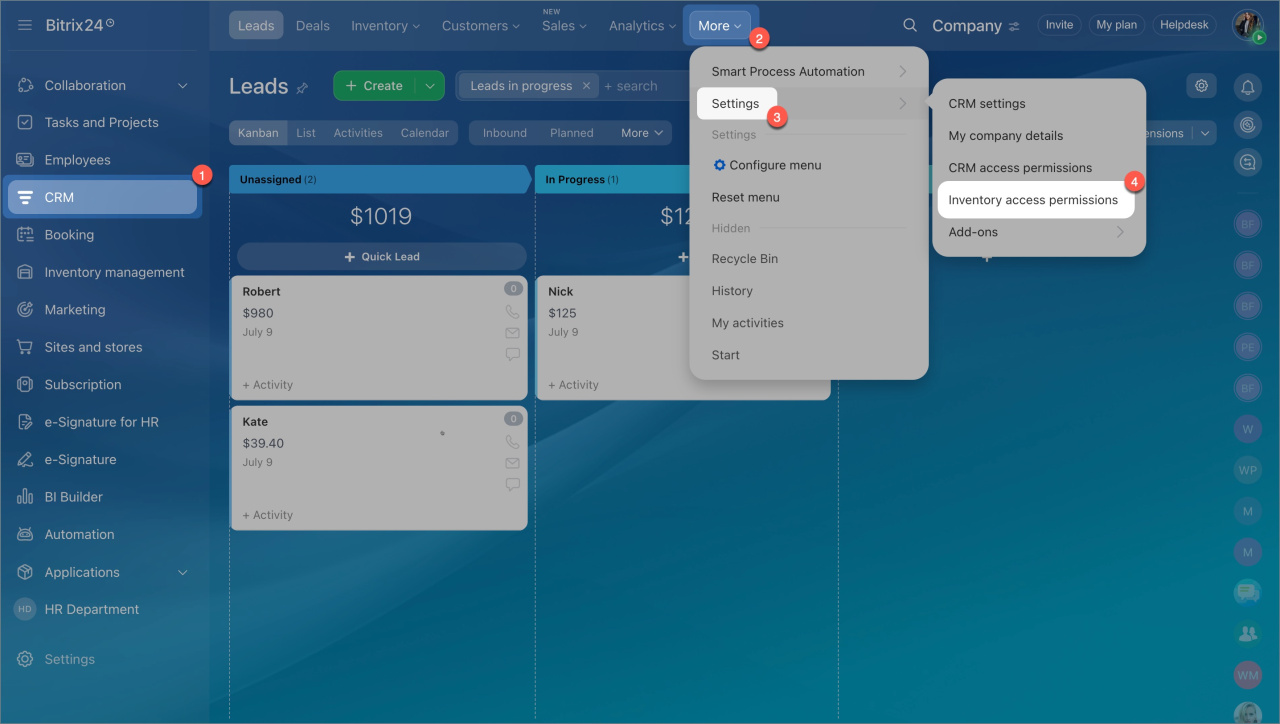
- Go to the CRM section > Settings > Inventory access permissions.
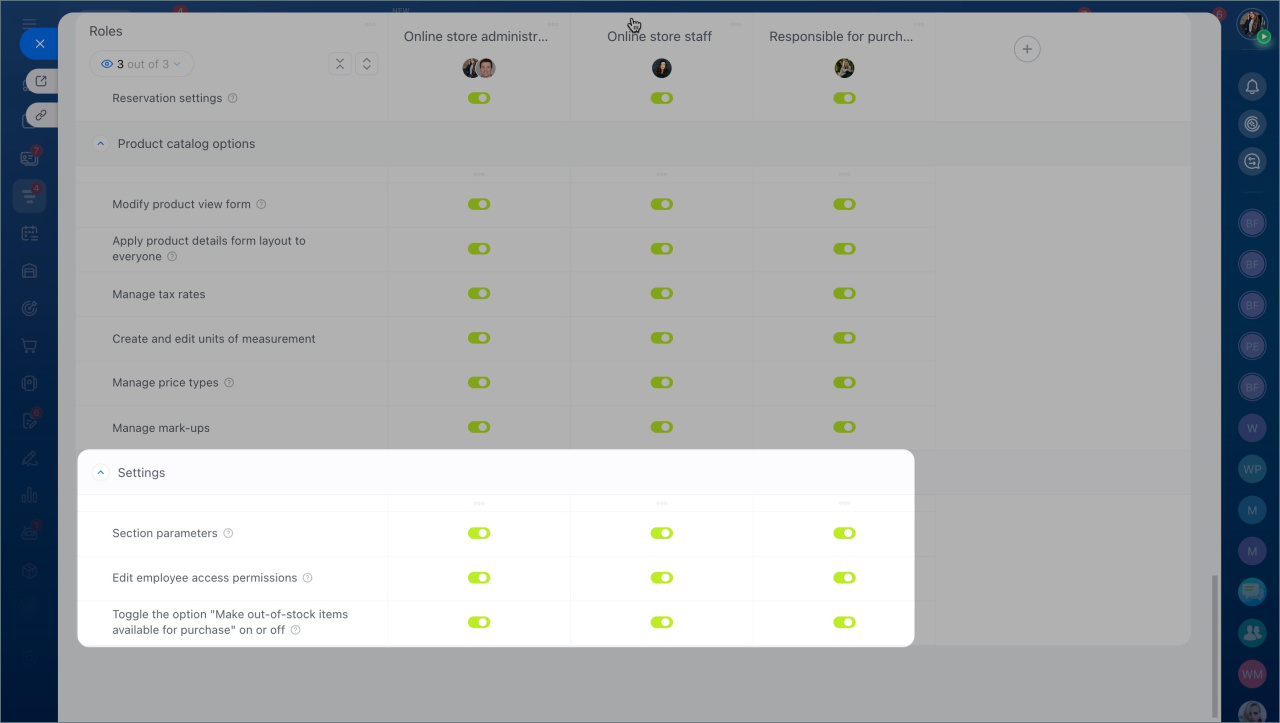
- Grant the permissions employees need:
- Section parameters: allows users to update VAT settings, enable subscriptions for out-of-stock items, and manage inventory modes. This permission is typically used by supervisors or inventory managers.
Inventory management settings - Edit employee access permissions: allows users to assign roles and grant permissions. For example, a supervisor can assign the Manager role and allow product editing.
Inventory access permissions - Toggle the option "Make out-of-stock items available for purchase" on or off: allows users to enable or disable purchases for items that are not currently in stock. This lets customers place pre-orders when needed.
To access these settings, employees must also have:
- View product catalog
- View Inventory management section
Save your changes. Employees with the required permissions can now manage catalog settings, inventory options, and access permissions.