
The primary administrator is the employee who created your Bitrix24 account. This person receives system notifications like plan renewal, news, and webinar invitations.
If this employee leaves the company or is no longer responsible for managing Bitrix24, the rights should be transferred to another user. Only another user with administrator rights can perform this action.
The primary administrator has the same permissions as other administrators, but with one key difference: only this administraotr can confirm the transfer of rights and the own dismissal. This ensures that no one can accidentally or without authorization change the owner of the Bitrix24 account.
Bitrix24 plans and pricing
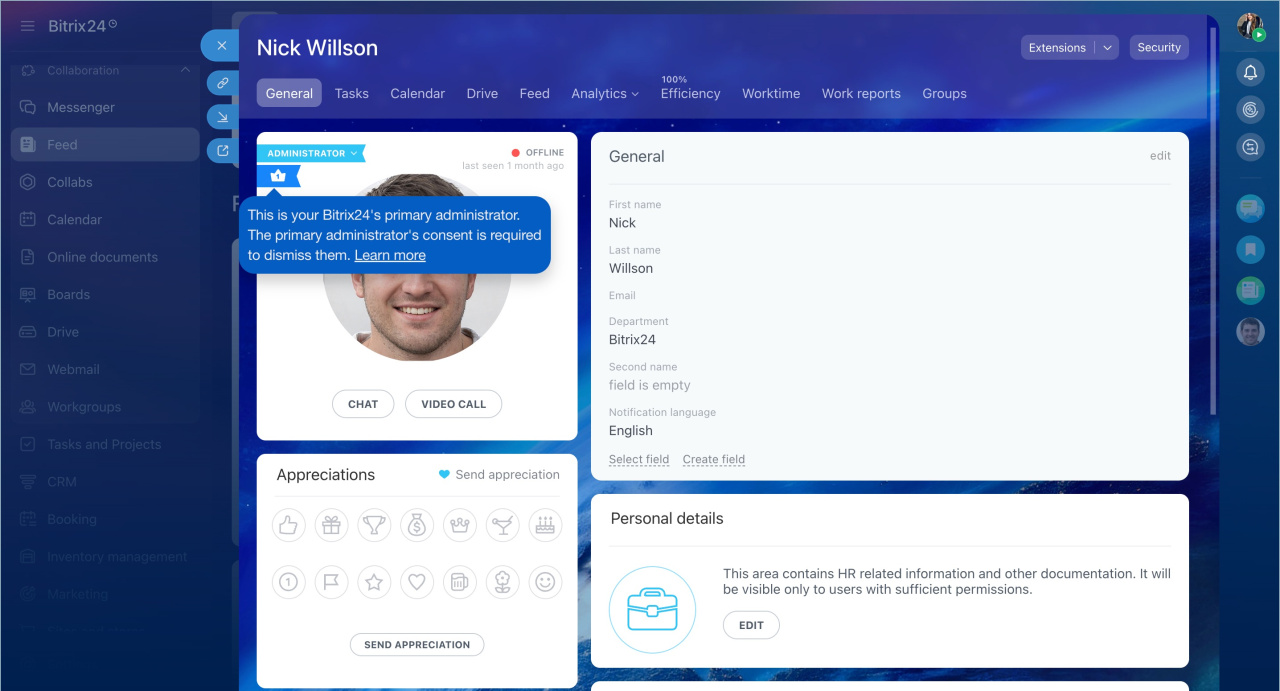
The process of transferring rights and dismissing the primary administrator is the same. The difference is that after dismissal, they will no longer be able to access your Bitrix24 account.
In this article:
Send a request
To obtain the primary administrator rights, send a request to the employee currently holding this role.
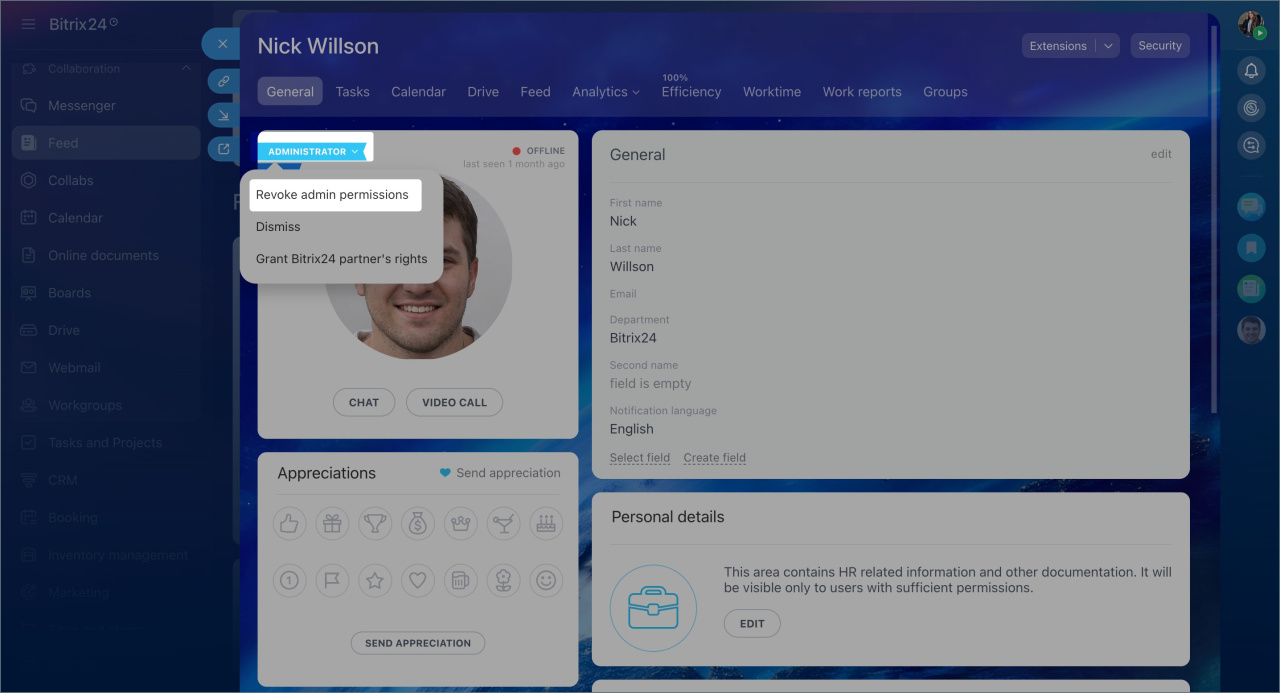
1. Go to the primary administrator’s profile. Click Administrator > Revoke administrator permissions.
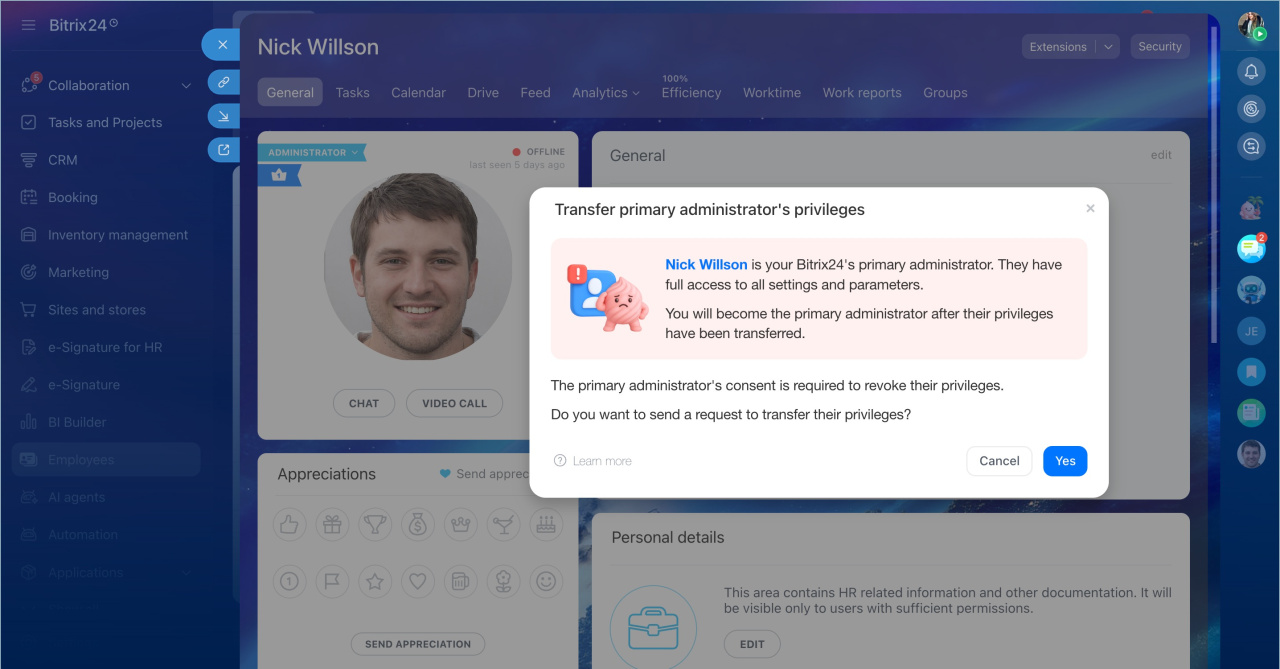
2. Confirm the action by clicking Yes, send.
Once the administrator responds, you will receive a message in the chat from the Admin Bot.
Receive confirmation
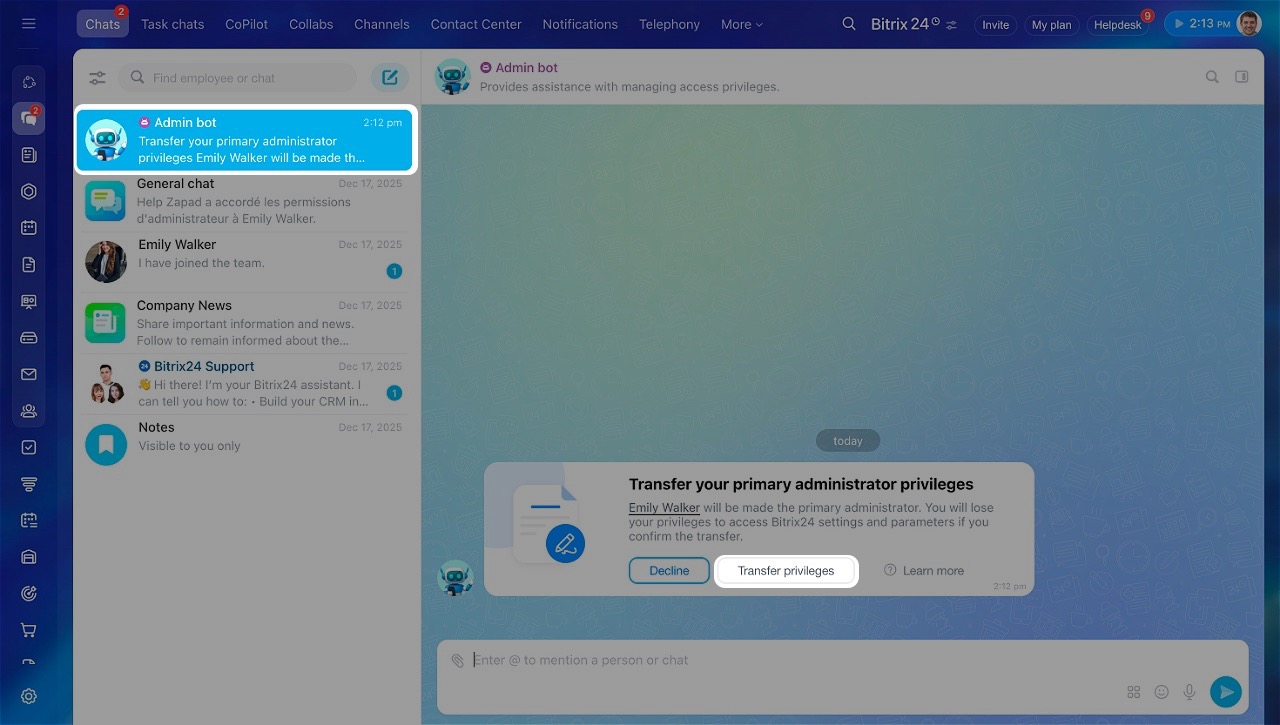
The primary administrator will receive a message from the Admin Bot requesting the transfer of rights and information about the employee who sent the request.
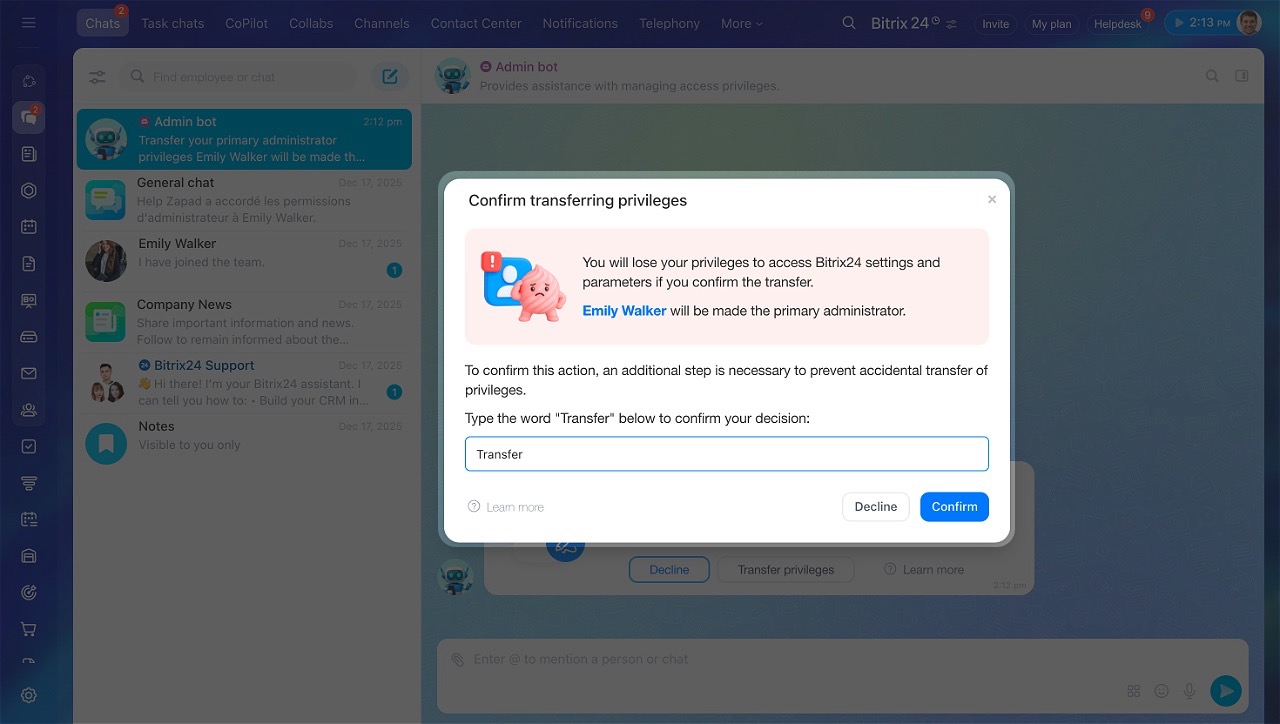
To confirm the transfer of rights:
- Click Transfer previleges.
- Enter the word Transfer in the confirmation field.
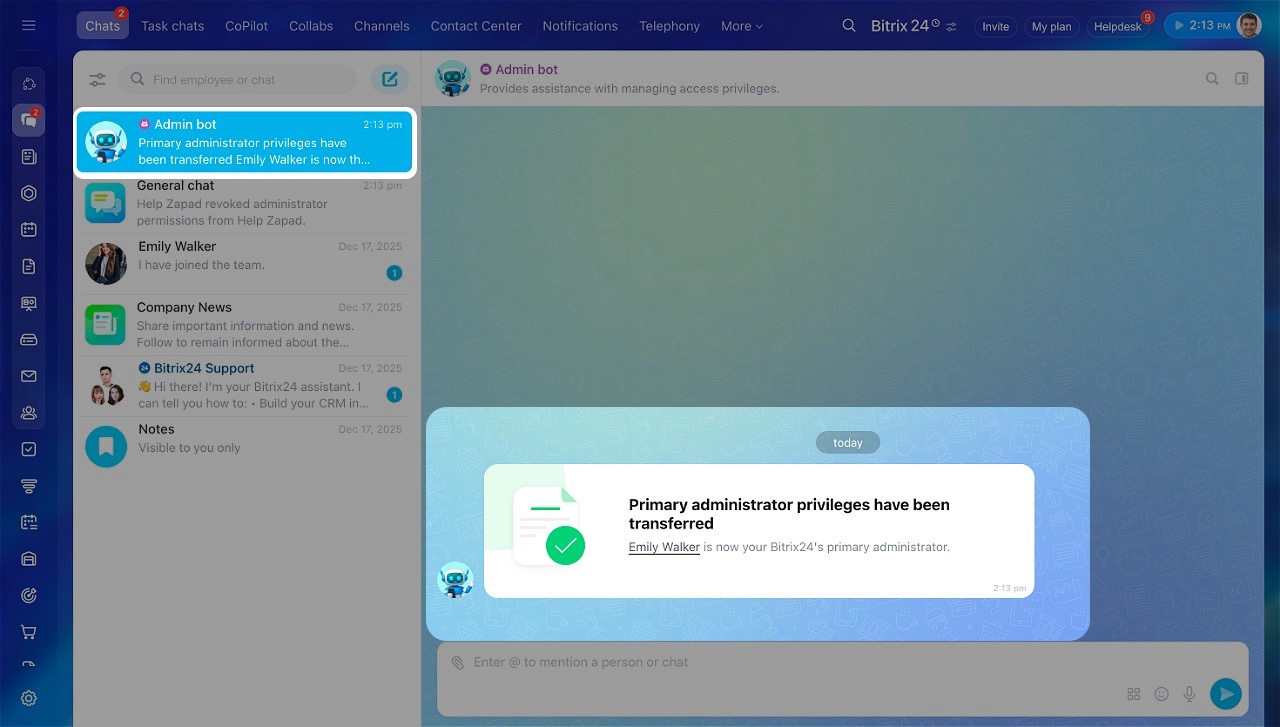
- Click Confirm. After this, the primary administrator rights will be transferred to another employee.
Protect your Bitrix24 from scammers
If the administrator refuses to transfer rights. If the primary administrator does not confirm the transfer, contact this person to clarify the reason for the refusal. Explain why the transfer is necessary. If needed, send a new request.
If there is only one administrator in Bitrix24.
- On commercial plans, except Basic — the primary administrator should first assign a new administrator, who can then request the transfer of rights.
Assign admin permissions - On the Basic plan — ask the administrator to manually grant rights to another employee. After the transfer, the current administrator will automatically become a regular user.
In brief
- The primary administrator is the employee who created your Bitrix24 account. This person receives system notifications like plan renewal, news, and webinar invitations.
- The primary administrator has the same permissions as other administrators, but only the main one can confirm the transfer of rights or their own dismissal.
- The process of transferring rights and dismissing the primary administrator is the same. The difference is that after dismissal, they will no longer be able to access your Bitrix24 account.
- To obtain the primary administrator rights, send them a request. Only another administrator can do this. Go to the primary administrator’s profile and click Administrator > Revoke administrator permissions.
- The primary administrator will receive a message from the Admin Bot requesting the transfer of rights and information about the employee who sent the request.
- They can agree or refuse to transfer rights. If the primary administrator refuses, contact them and explain why the transfer is necessary.
