
The primary administrator is the employee who created your Bitrix24 account. System notifications are sent to their email address, including plan renewals, Feed updates, and webinar invitations.
If this employee leaves the company or no longer manages Bitrix24, transfer their rights to another user. Only another administrator can perform this action.
The primary administrator has the same permissions as other administrators, with one key difference: only this user can approve the transfer of ownership and confirm their own removal. This prevents unauthorized changes to the account owner.
Bitrix24 plans and pricing
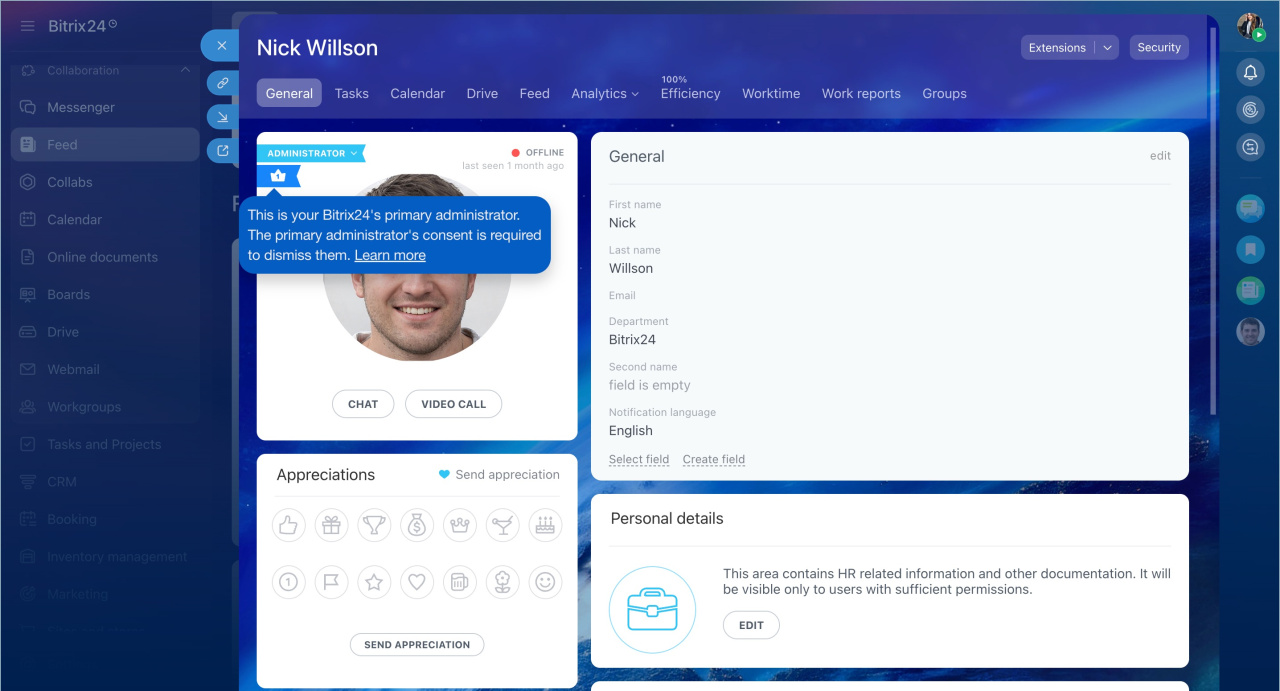
Transferring rights and removing the primary administrator follow the same steps. The difference is that after removal, the employee can no longer sign in to Bitrix24.
In this article:
Send a request
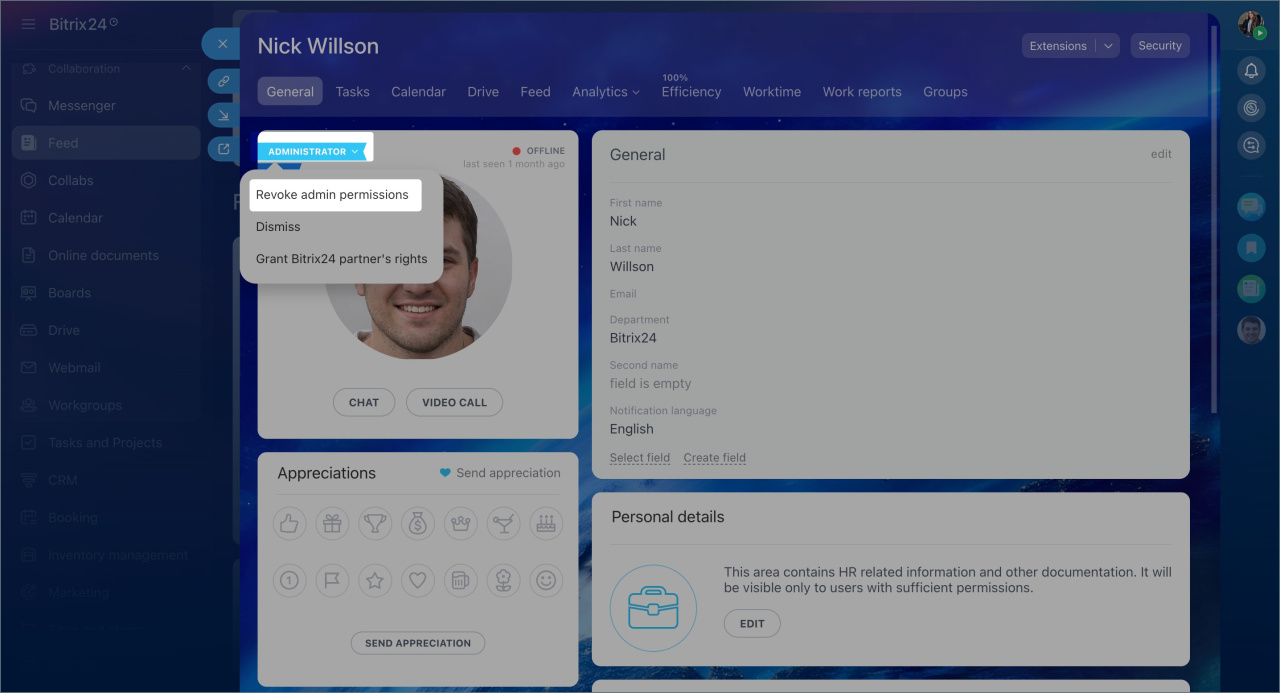
To get primary administrator rights, send a request to the current primary administrator.
1. Open the primary administrator’s profile. Click Administrator > Revoke administrator permissions.
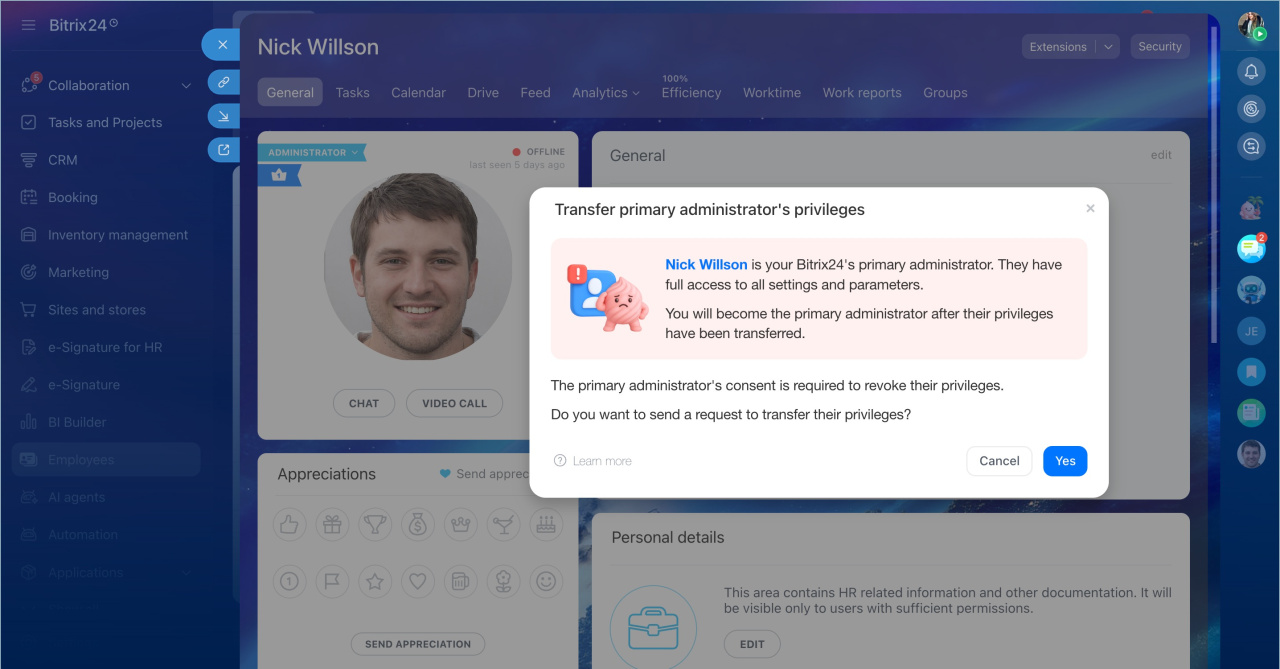
2. Confirm the action and click Yes, send.
When the administrator responds, you will receive a message from the Admin bot in chat.
Confirm the transfer
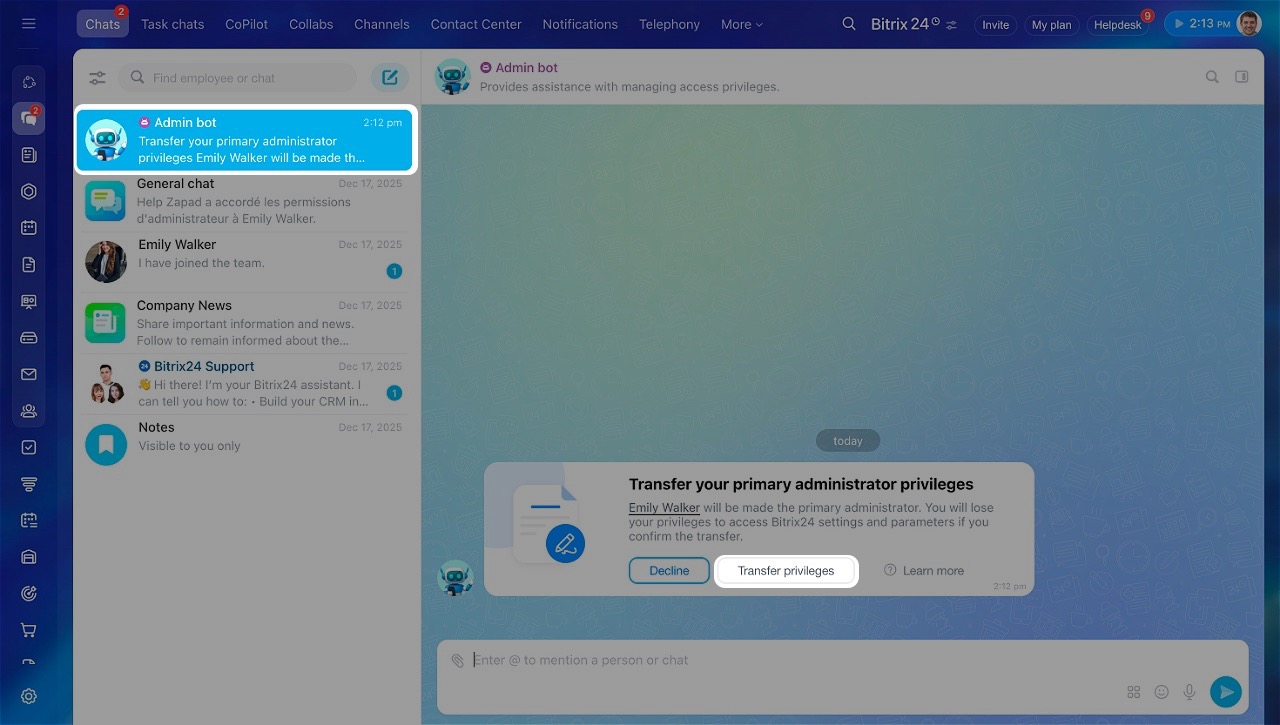
The primary administrator receives a message from the Admin bot with the request details.
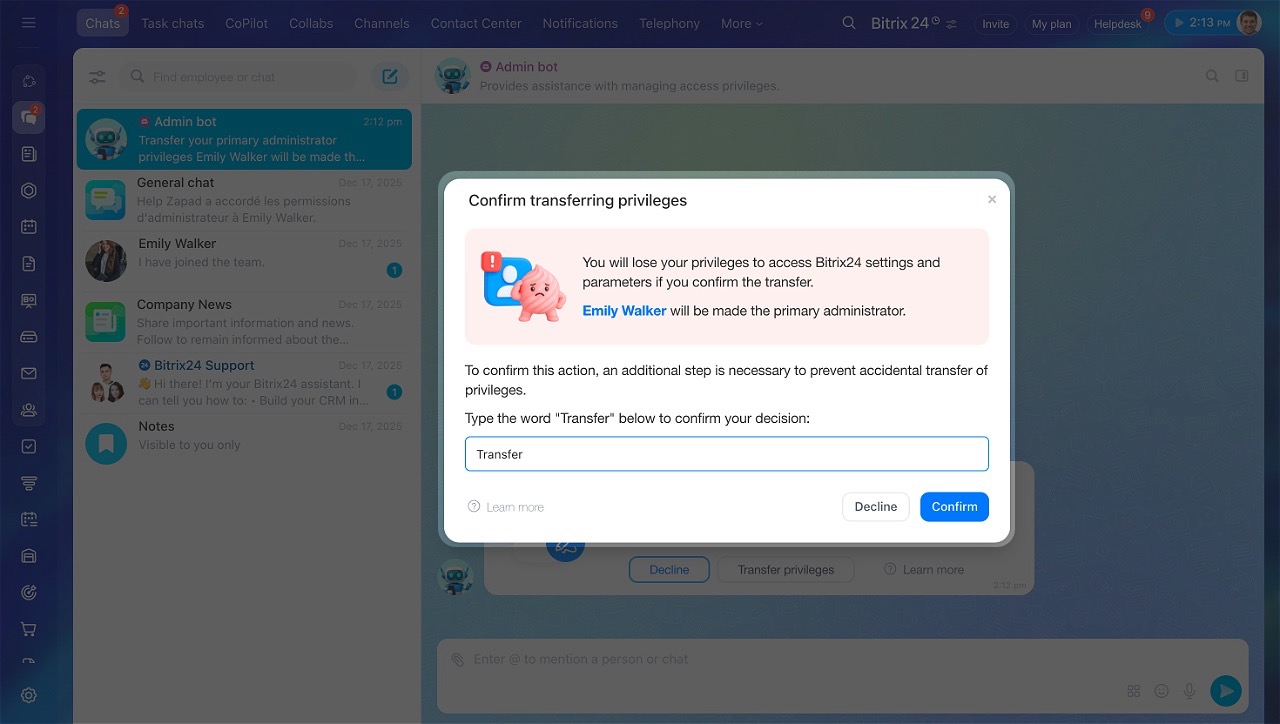
To approve the transfer:
- Click Transfer previleges.
- Enter Transfer in the confirmation field.
- Click Confirm.
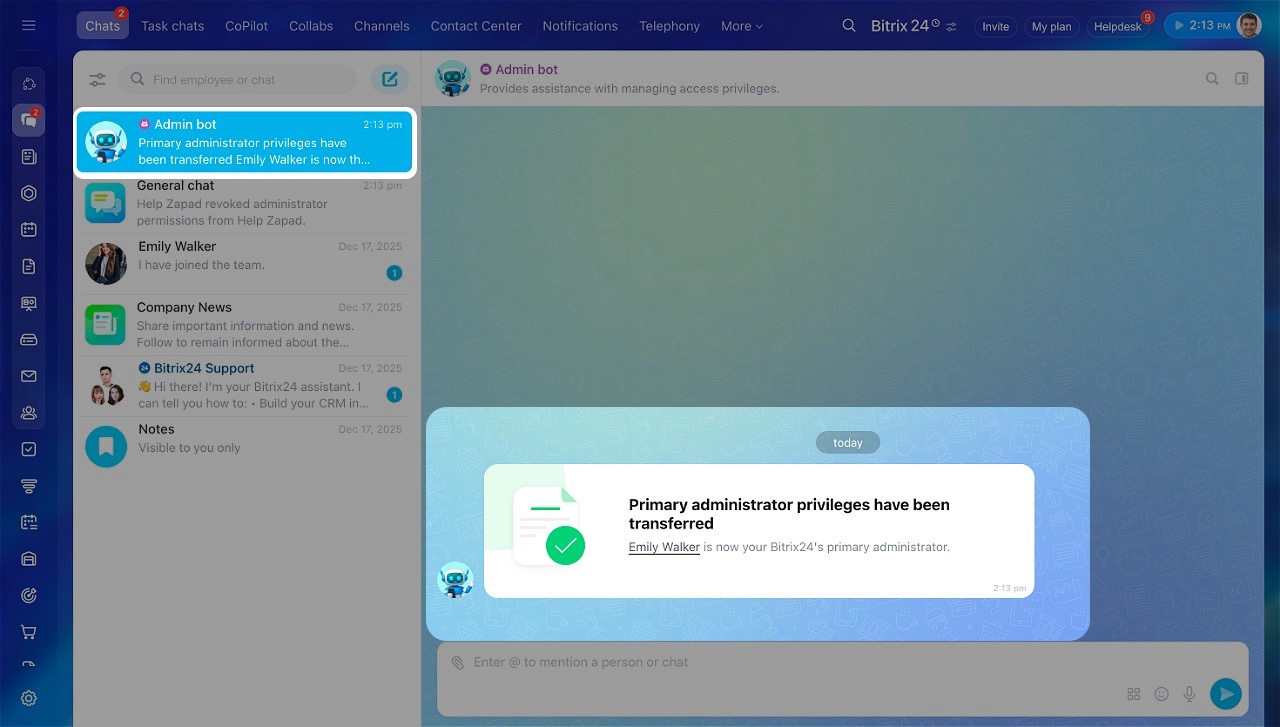
After confirmation, primary administrator rights are assigned to the new user.
Protect your Bitrix24 from scammers
If the transfer is declined
If the primary administrator declines the request, contact them to understand why. Explain the reason for the transfer and send a new request if needed.
If there is only one administrator
- On paid plans (except Basic), the primary administrator must first assign another administrator. That user can then request the transfer.
Assign admin permissions - On the Basic plan, the administrator must manually grant admin rights to another employee. After the transfer, the original administrator becomes a regular user. The new administrator can then remove them and take over the role.
In brief
- The primary administrator is the account owner who created the Bitrix24 account.
- They have full admin rights and are the only user who can approve ownership transfer or confirm their own removal.
- To transfer ownership, send a request to the current primary administrator.
- The administrator can approve or decline the request. If declined, follow up and resend if needed.