Bitrix24 Helpdesk

Invite a customer to Telegram chat

You can invite a customer to Telegram directly from a CRM item form. After following the link, the conversation will continue in Telegram, and all correspondence will automatically be saved in the CRM timeline.

This allows you to communicate with the customer in their preferred messenger while keeping the chat history intact. The invitation is sent to the customer via SMS, which includes a link to the Telegram chat.

To invite a customer to chat, connect Telegram to Bitrix24.
Get access token to connect Telegram bot

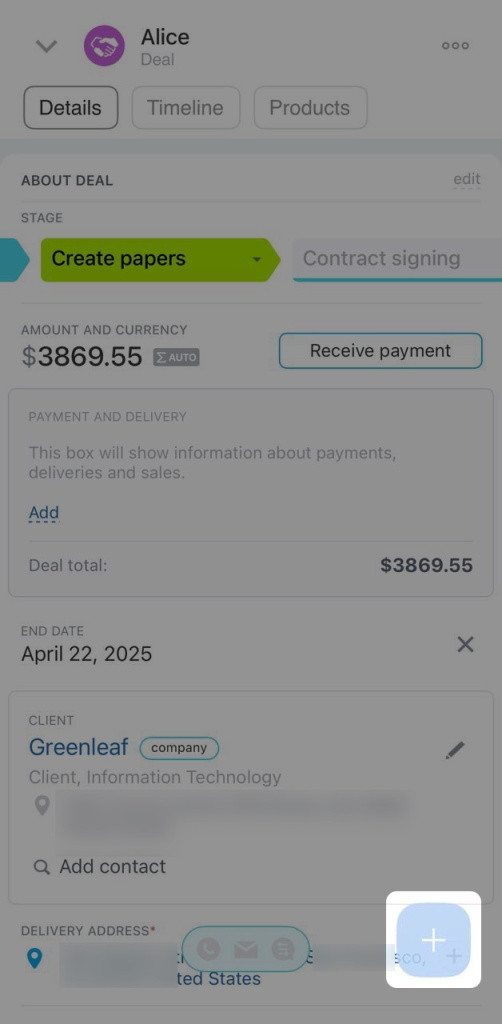
1. Open the CRM item form and click Plus (+).
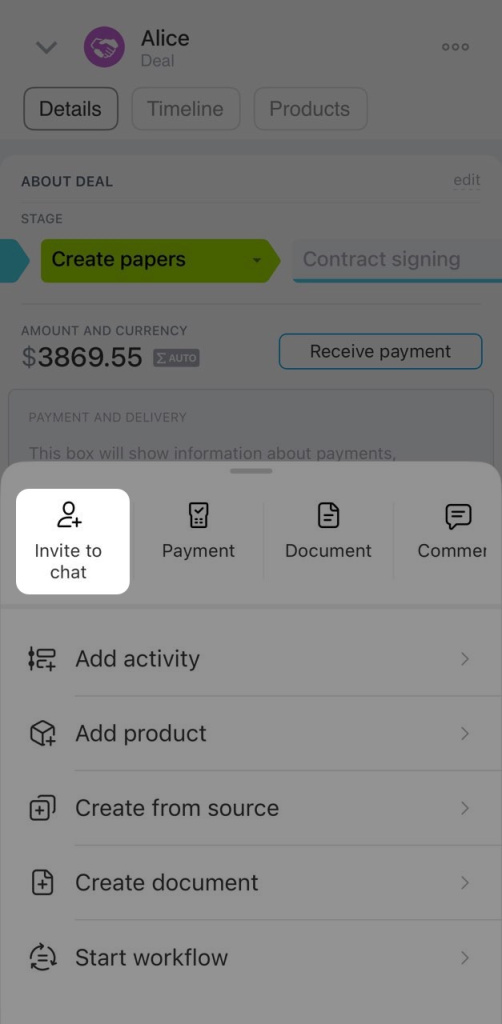
2. Select Invite to chat.
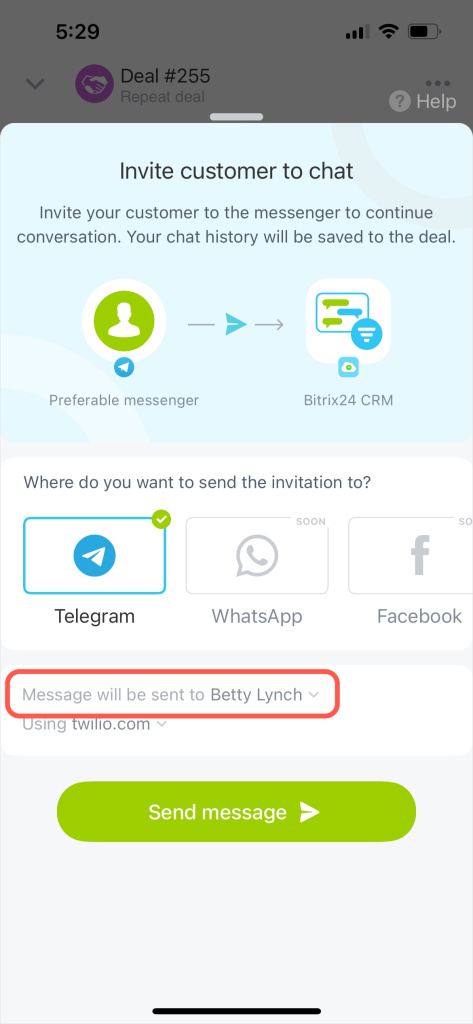
3. Select the customer you want to invite to the chat in the Message will be sent to field.
4. Choose the service to send the invitation, such as Bitrix24 or another SMS provider.
5. Click Send message.
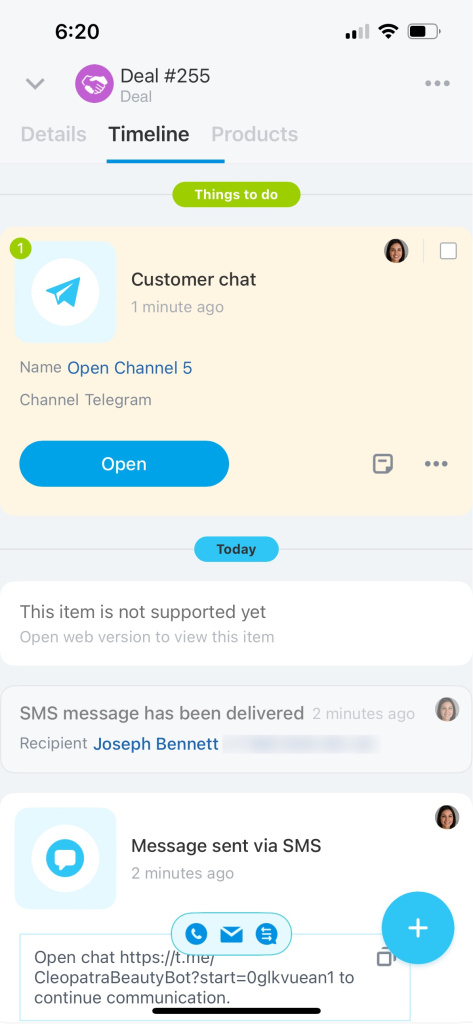
6. The customer will receive a message with a link to the Telegram chat.

7. Once the customer follows the link, the conversation will appear in the CRM item timeline. Click Open to message the customer.

Was this information helpful?
Thank you for your feedback.
Integration specialist assistance
That's not what I'm looking for
Complicated and incomprehensible text
The information is outdated
It's too short. I need more information
I don't like the way this tool works
Get your Bitrix24 set up by local professionals
FIND BITRIX24 PARTNER NEAR ME
implementation_helper_man
Go to Bitrix24
Don't have an account? Create for free
Related articles
Deadline view in tasks Flows in the Bitrix24 mobile app Create an event in the Bitrix24 mobile calendar Work with estimates in the mobile CRM Employee list in the Bitrix24 mobile app Message or call a colleague in the Bitrix24 mobile app Create and send an invoice to a customer Create CRM entities from source Get access token to connect Telegram bot Configure Single Sign-On (SSO) for Bitrix24