
If you no longer use a rented phone number, disconnect the number to stop paying for a service you no longer need. For example, you may have changed your company phone number or finished an advertising campaign.
How to disconnect a phone number
You can disconnect a number from the list of phone numbers or from that number's settings. Use whichever method works best for you.
Configure access permissions to Telephony
From the number list.
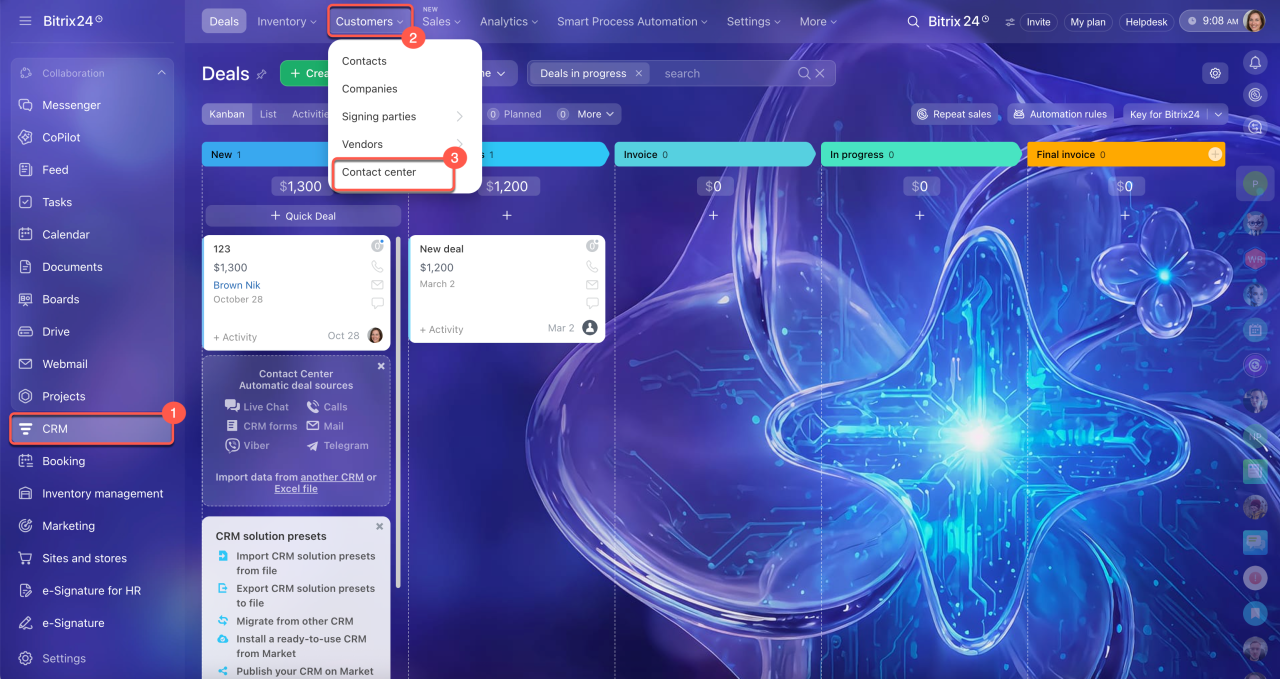
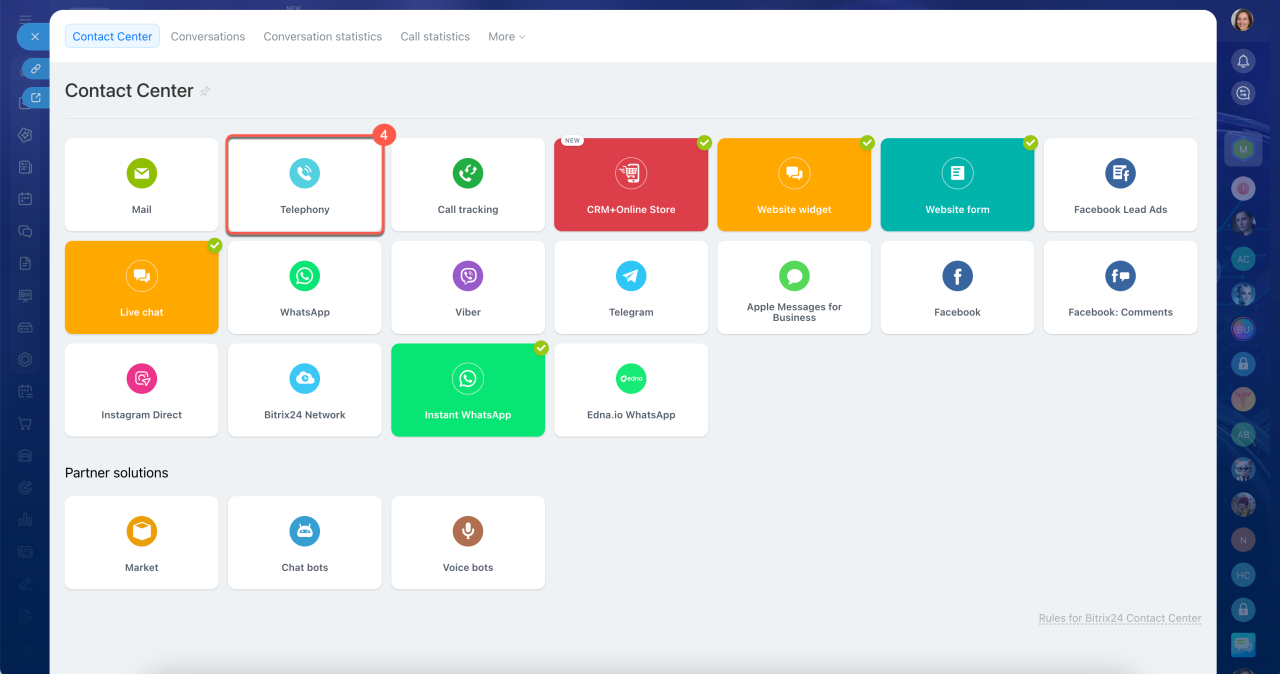
1–4. Open CRM > Customers > Contact Center > Telephony.
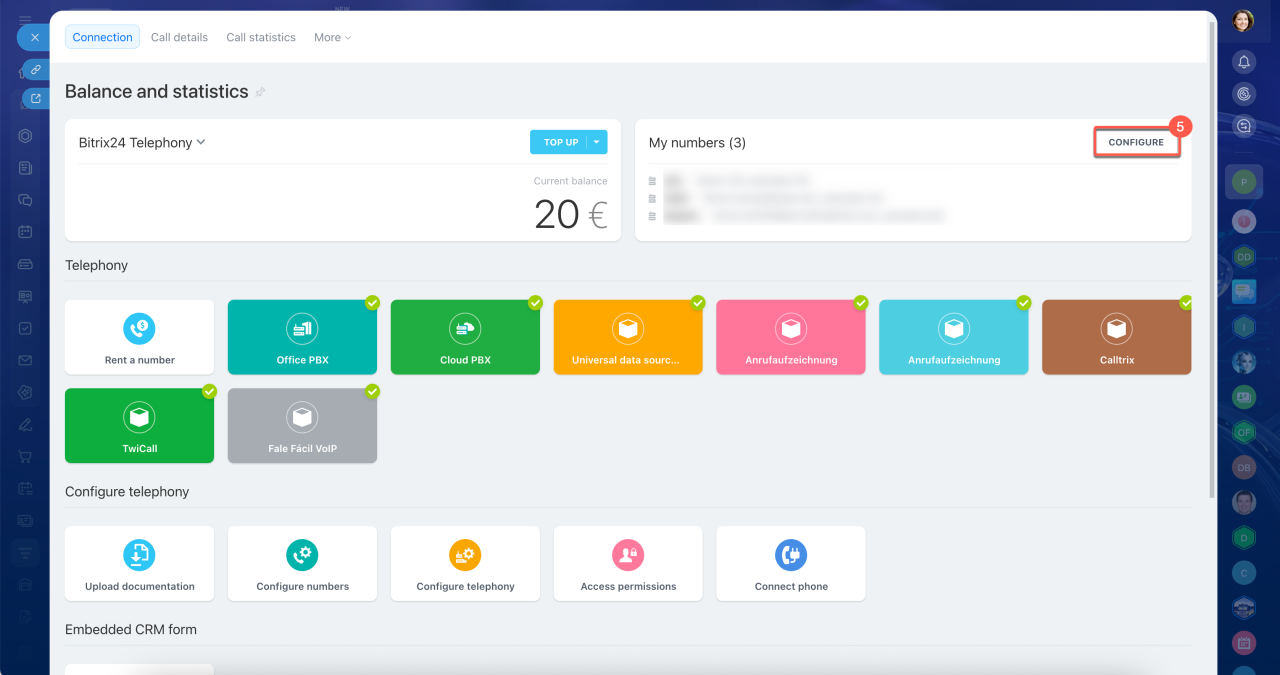
5. In the My numbers section, click Set up — this opens the number list.
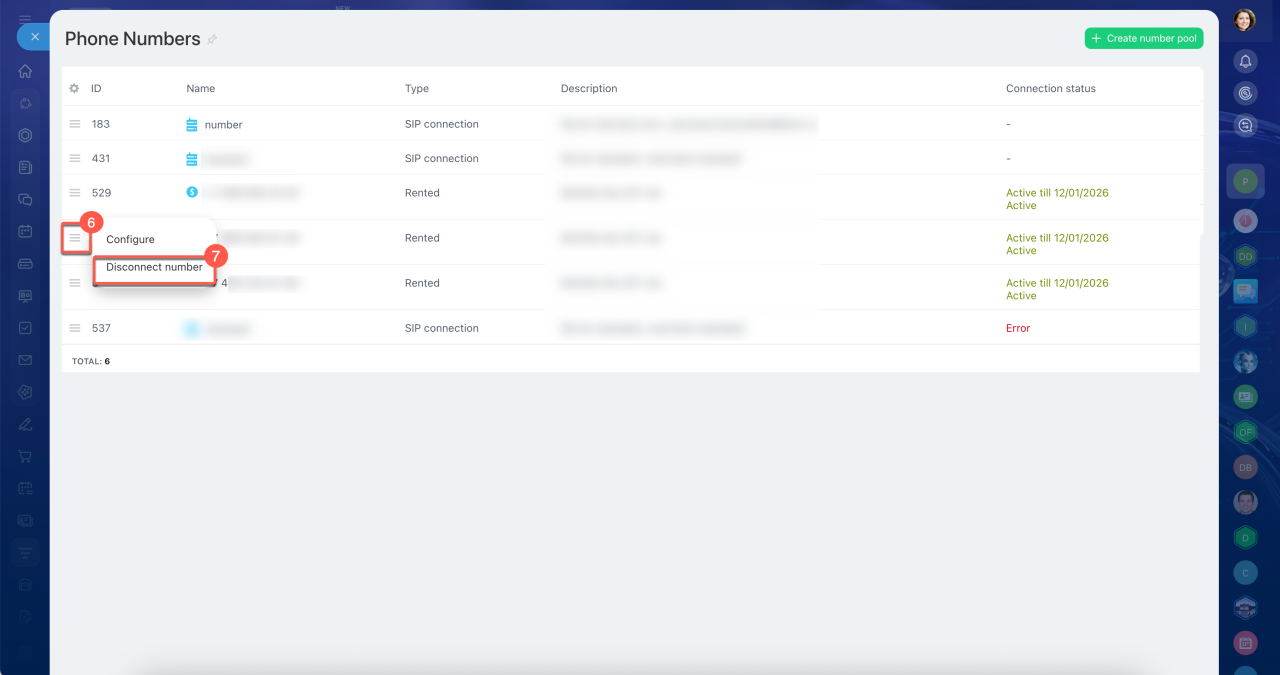
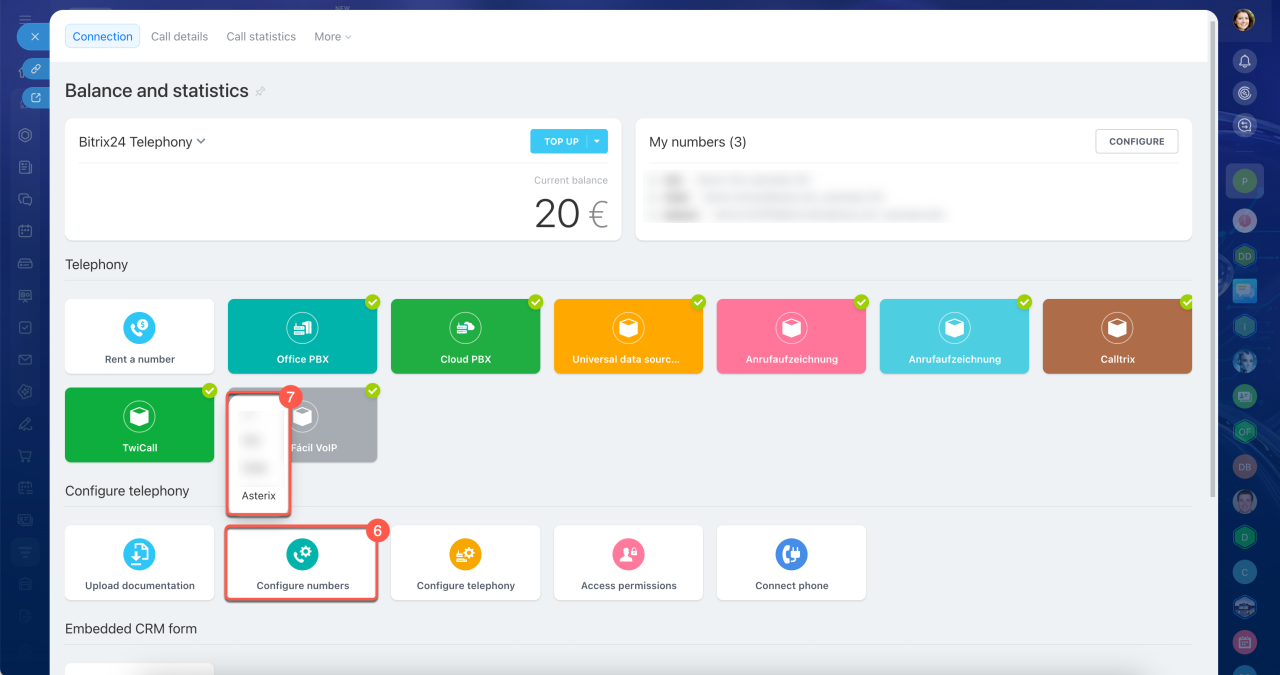
6–7. Next to the number you need, click Menu (≡) > Disconnect number.
From the settings of a specific number.
1–4. Open CRM > Customers > Contact Center > Telephony.
5–7. On the Connection tab, click Set up numbers and select the number you need from the list.
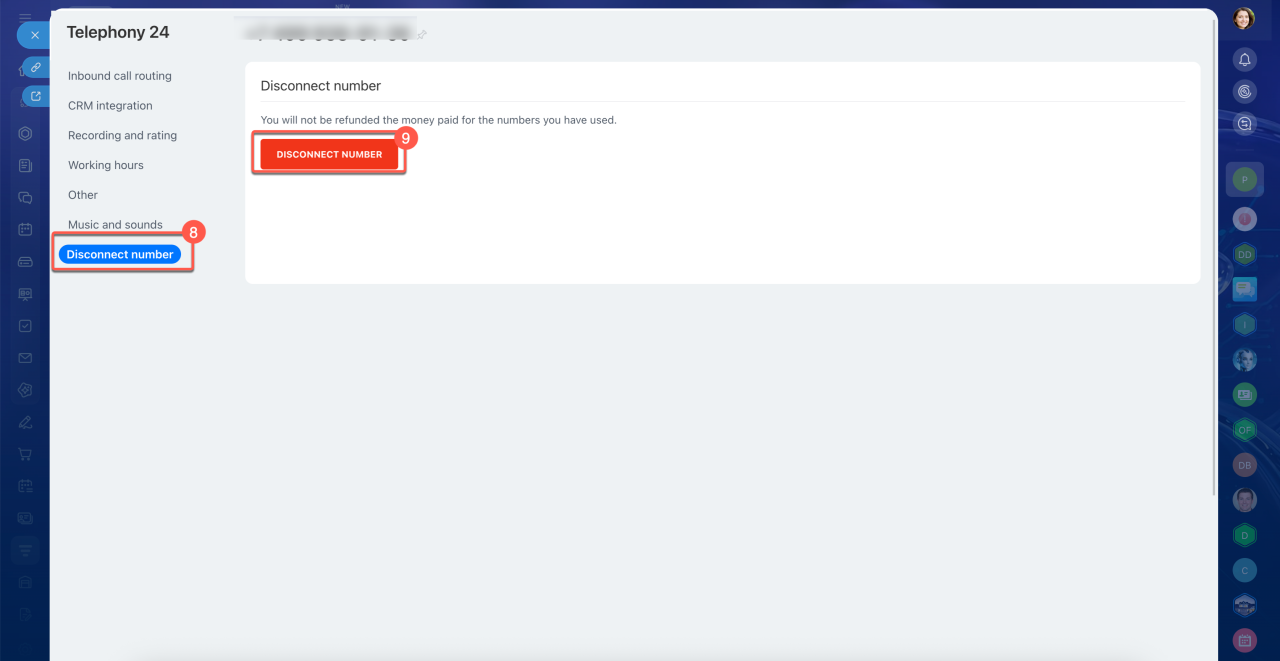
8. The number settings open. Go to the Disconnect number tab.
9. Click Disconnect number.
What happens after you disconnect a phone number
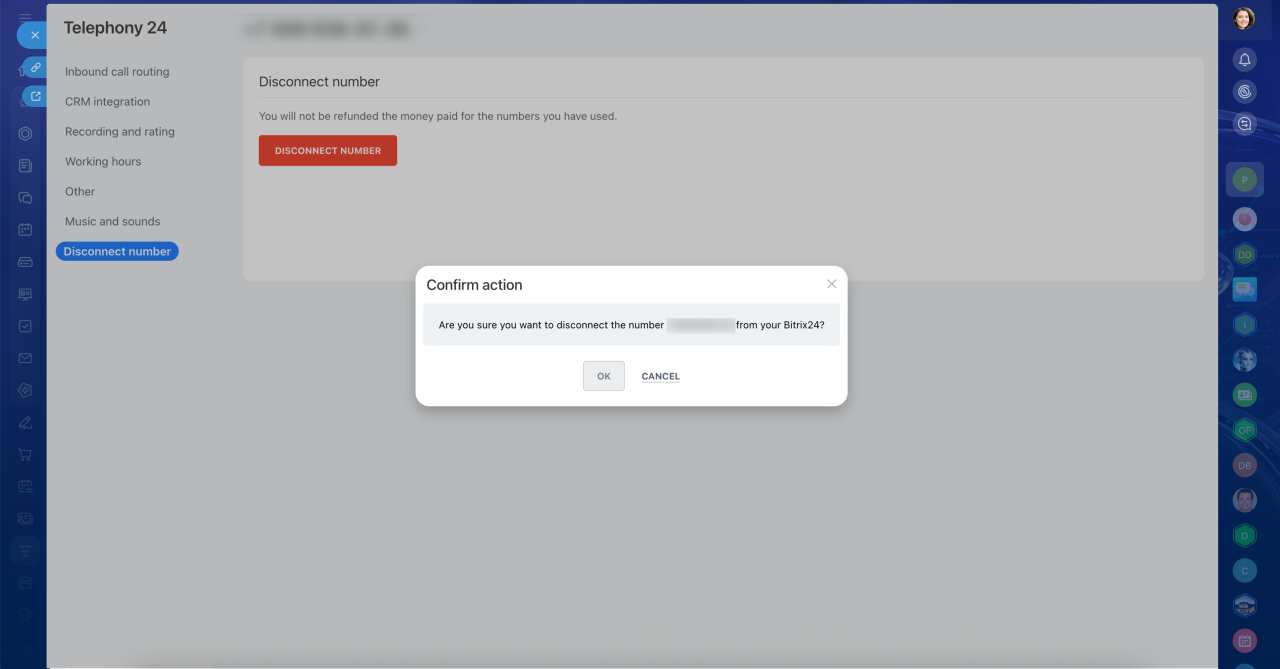
After you click Disconnect number, a confirmation pop-up appears. Choose an option:
- Click OK to confirm the disconnection.
- Click Cancel to keep the number connected.
The account administrator will receive an email about the number disconnection, along with a link to cancel it. If you disconnected the number by mistake or changed your mind, follow the link in the email within 24 hours.
If you don't cancel the disconnection, the number will be disconnected permanently after 24 hours. You can use this time to update your contact information if needed. After the number is disconnected, it won't be available for a new rental for three months. After that, it may be assigned to another user.
In brief
- You can disconnect a rented phone number if you no longer need it.
- If you cancel the rental, you won't receive a refund for the current paid month.
- You can disconnect a number from the list of phone numbers or from that number's settings.
- After you click Disconnect number, confirm the disconnection by clicking OK, or click Cancel to keep the number connected.
- The account administrator will receive an email with a link to cancel the disconnection. If you change your mind, follow the link within 24 hours.