
In Sales Intelligence reports, you can analyze ad costs from Google Ads. Earlier, these reports showed only the total spend. Now, you can review each campaign in detail. See which ad groups bring in more customers and which keywords perform best.
Use the Google Ads Advertising ROI report to improve your campaigns and reduce costs while increasing conversions.
If you have trouble tracking ad expenses, review how to set up UTM tags for Google Ads.
Set up UTM tags to Google Ads
Before using Sales Intelligence, make sure you connect your traffic sources and run active ad campaigns.
Connect traffic sources
Check if this option is available on your Bitrix24 plan.
How it works
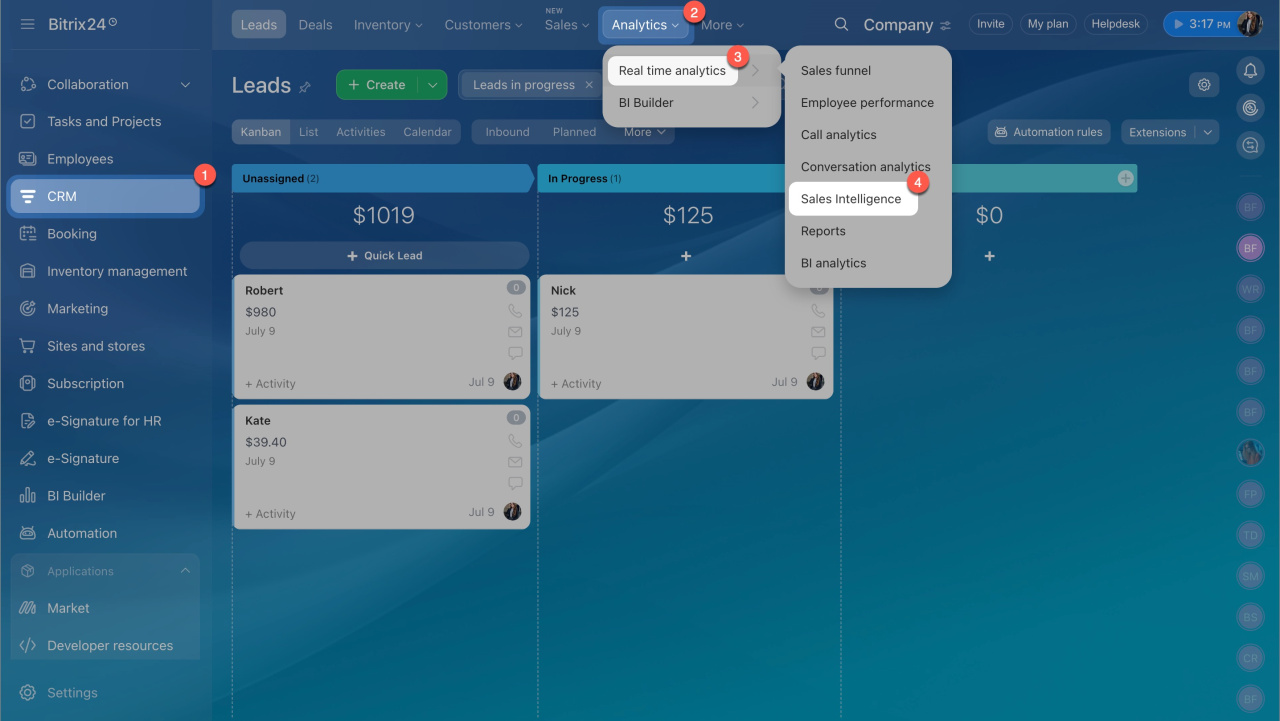
- Go to CRM > Analytics > Real time analytics > Sales Intelligence.
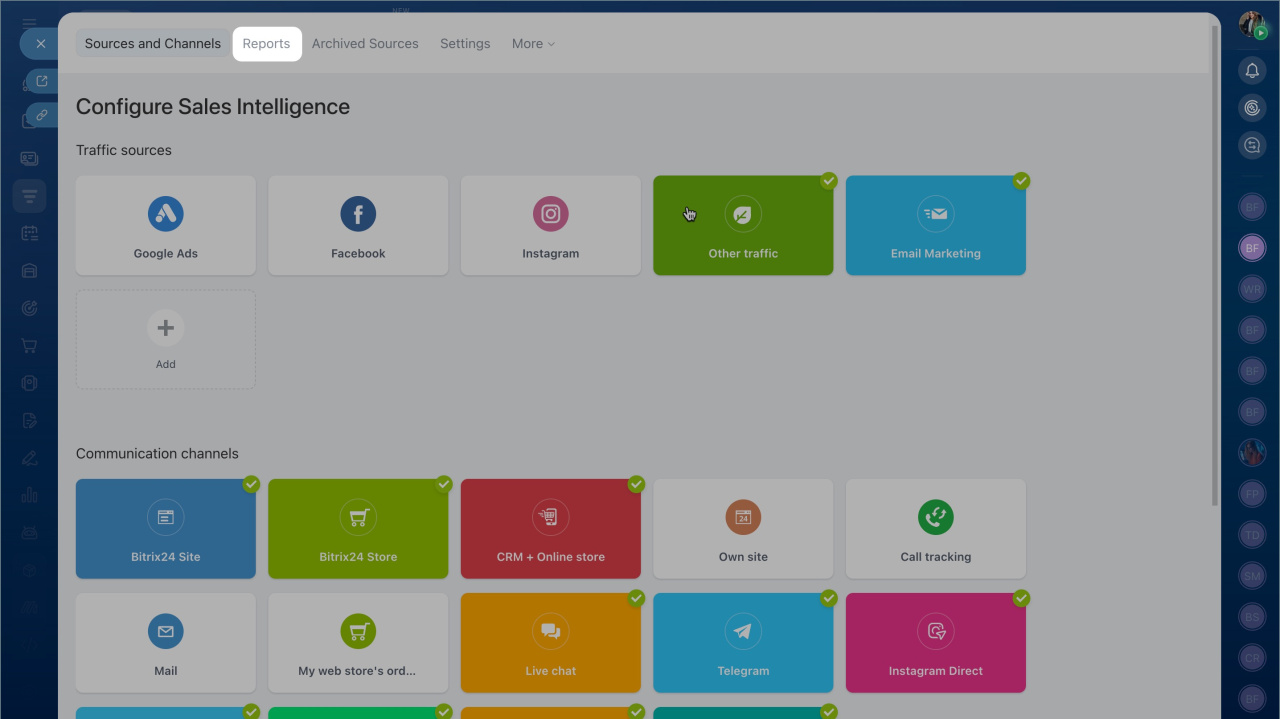
- Click Reports.
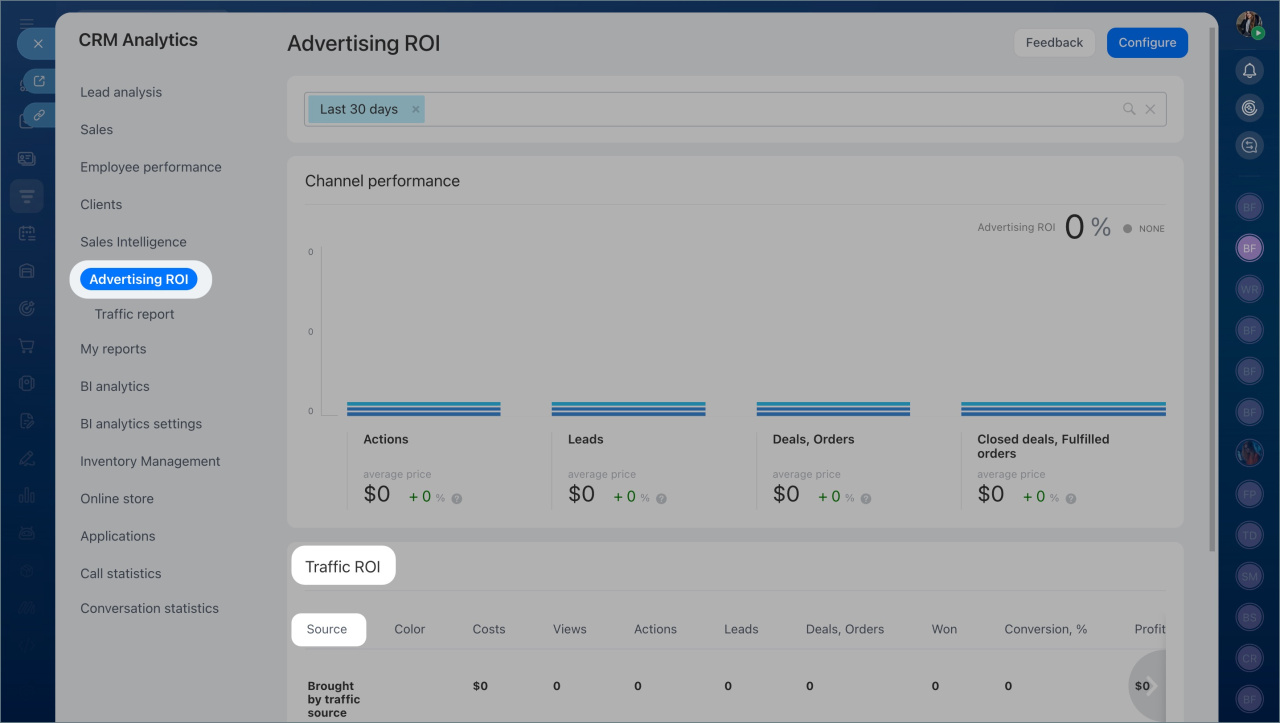
- Open the Advertising ROI tab and select Google Ads as the traffic source.
Sales Intelligence currently includes data only from Google Ads search campaigns. Other campaign types are not supported yet.
In the report view:
- Review the list of ad campaigns and their metrics.
- Click a campaign name to see ad group performance and compare results.
- Select an ad to view keyword performance and see which search terms customers used to find your ads.