Read FAQ
NEW
Bitrix24 Support
Registration and Login
Bitrix24 Security
Plans and Payments
Alaio Vibecode
Employee Widget
CoPilot - AI in Bitrix24
Booking
Contact Center
Sales Center
Analytics
BI Builder
e-Signature
Knowledge base
Telephony
Bitrix24 Messenger
General questions
Log In
Your Bitrix24
Authorize to enter
your company's Bitrix24.
Enter

Bitrix24 Helpdesk

Inventory management in the mobile app

Use Inventory Management in the Bitrix24 mobile app to track current product stock. You can check product availability and view product movement data.

You can create and manage different document types. To create a document, tap +.
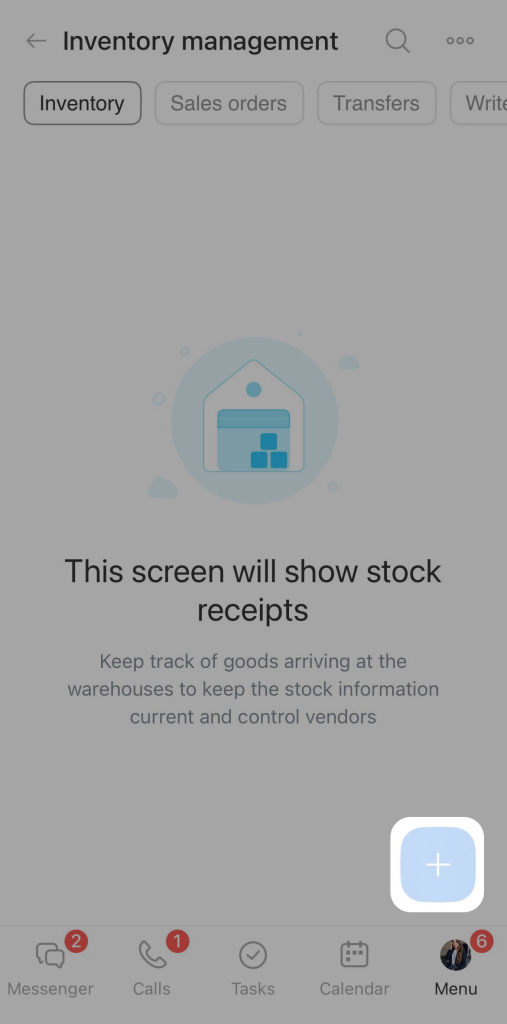
Add document

Select a document type:

  • Stock receipt. Use this document to record products received in a warehouse.

  • Stock adjustment. Use this document to record items found during inventory.

  • Sales orders. Use this document to update stock data after a sale.

  • Stock transfers. Use this document to record products moved from one warehouse to another.

  • Write-offs. Use this document to write off goods because of shortages or damage.
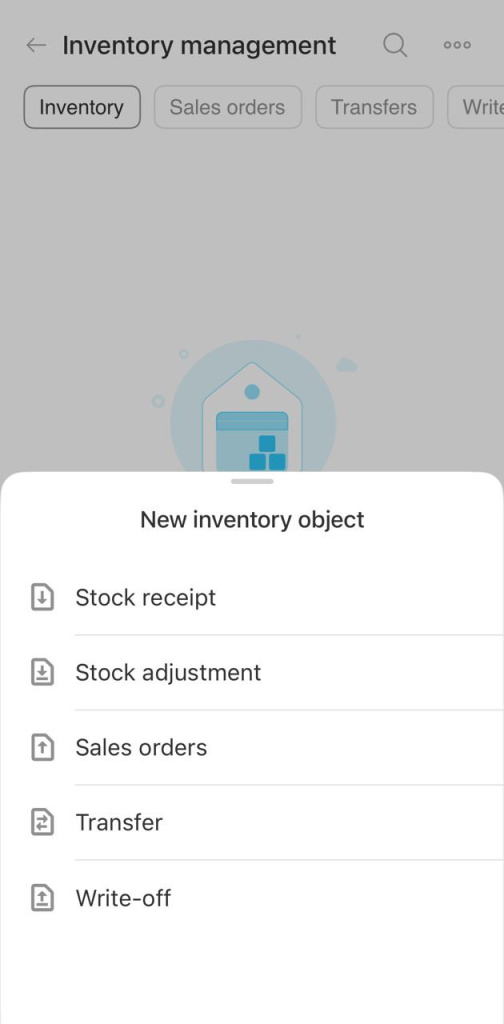
Document type

Learn how to fill out document forms in these articles:

Was this information helpful?
Thank you for your feedback.
Get Implementation Help from a Partner
That's not what I'm looking for
Complicated and incomprehensible text
The information is outdated
It's too short. I need more information
I don't like the way this tool works
Get your Bitrix24 set up by local professionals
FIND BITRIX24 PARTNER NEAR ME
implementation_helper_man
Go to Bitrix24
Don't have an account? Create for free
Related articles
CoPilot Follow-Up: AI-powered speech analytics for video calls Dismiss the primary administrator in Bitrix24 Employee profile in the Bitrix24 mobile app Auto delete messages option in Bitrix24 chats Invite a customer to Telegram chat Work with documents in the mobile CRM Planner view in tasks Configure Single Sign-On (SSO) for Bitrix24 Invite a customer to Telegram chat Create CRM entities from source