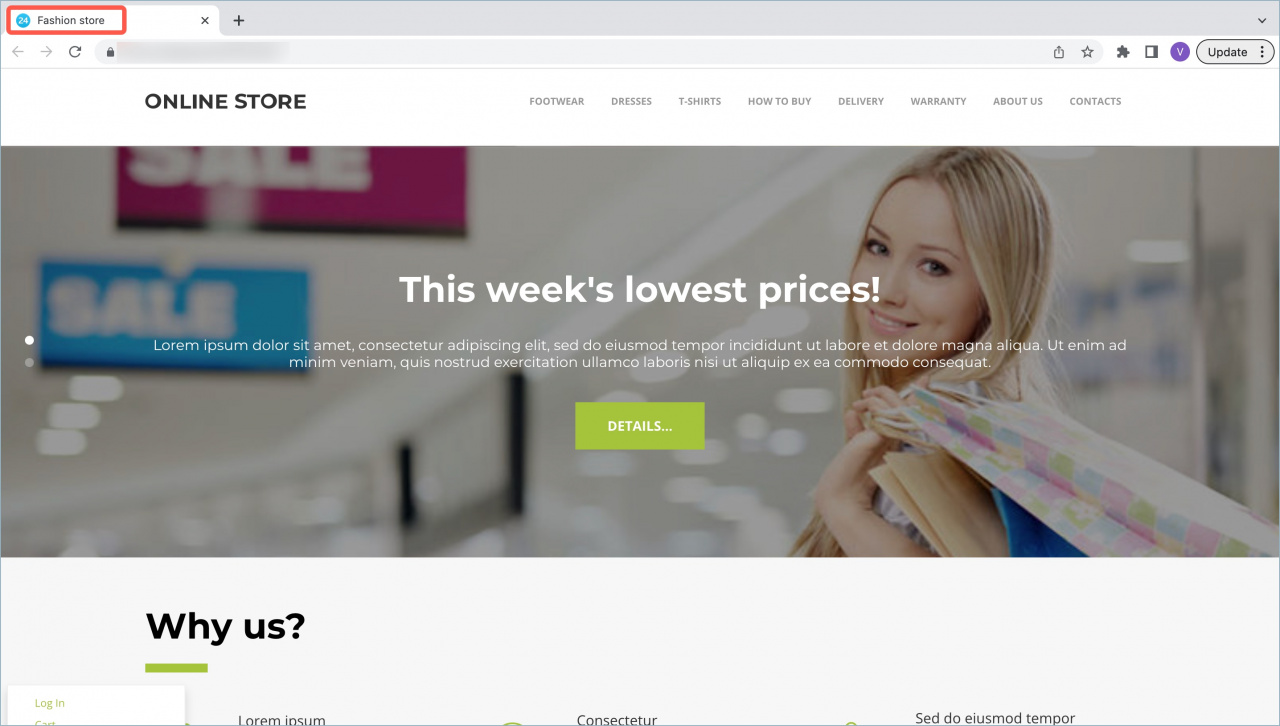
You can change the default catalog title for your online store. This title appears in the browser tab and helps search engines show your store in search results.
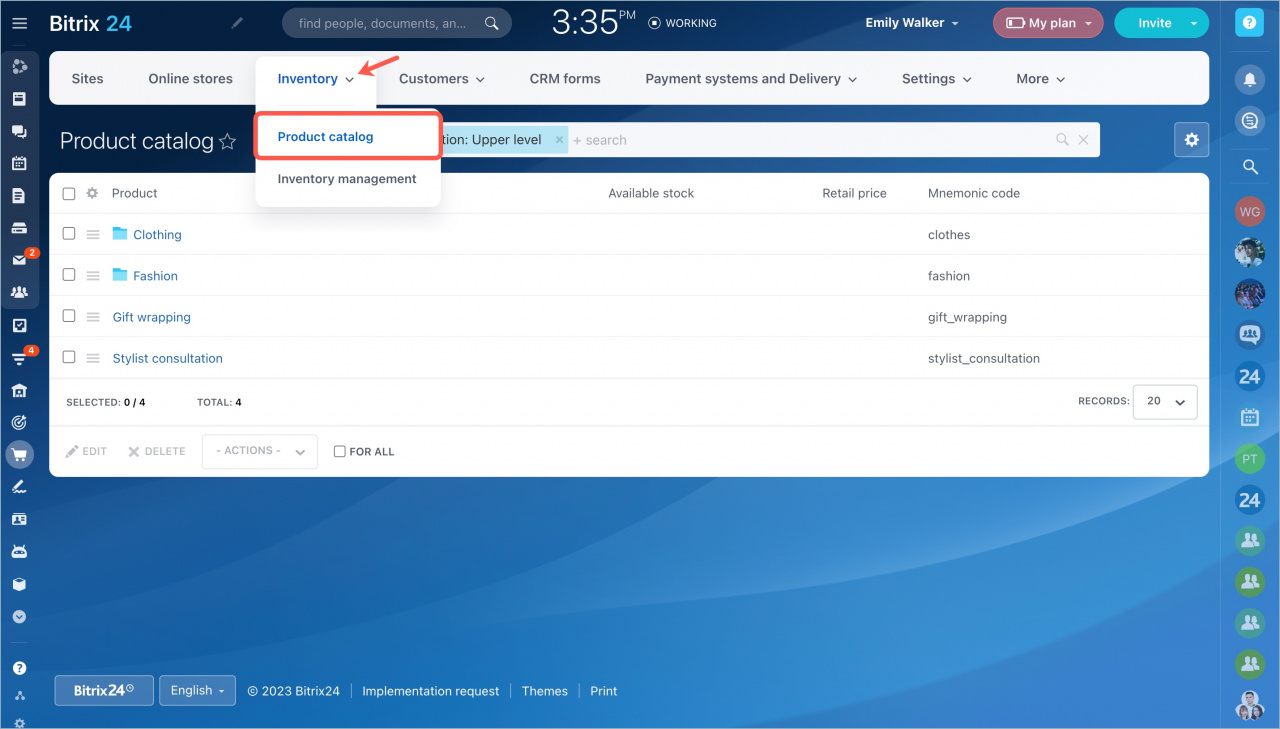
To change the catalog title, go to Sites and stores, open the Inventory tab, and select Product catalog.
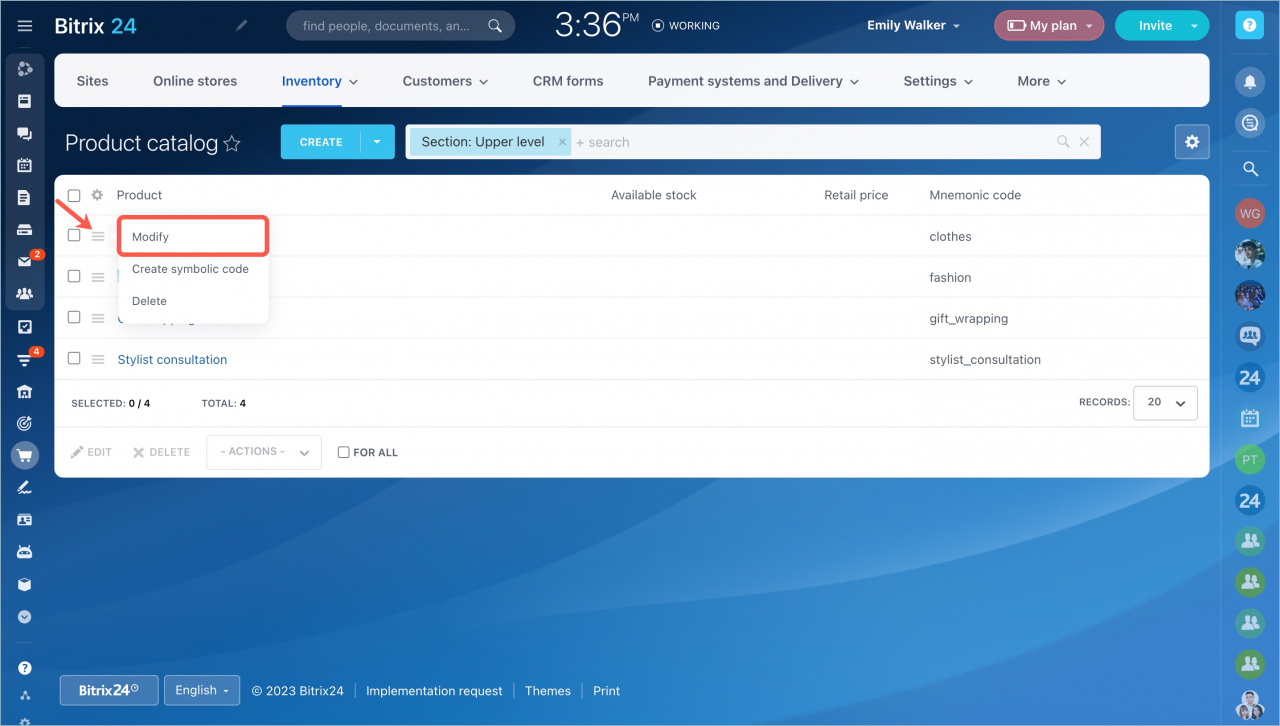
Select the catalog section used in your online store. Click the menu button next to it, then select Modify.
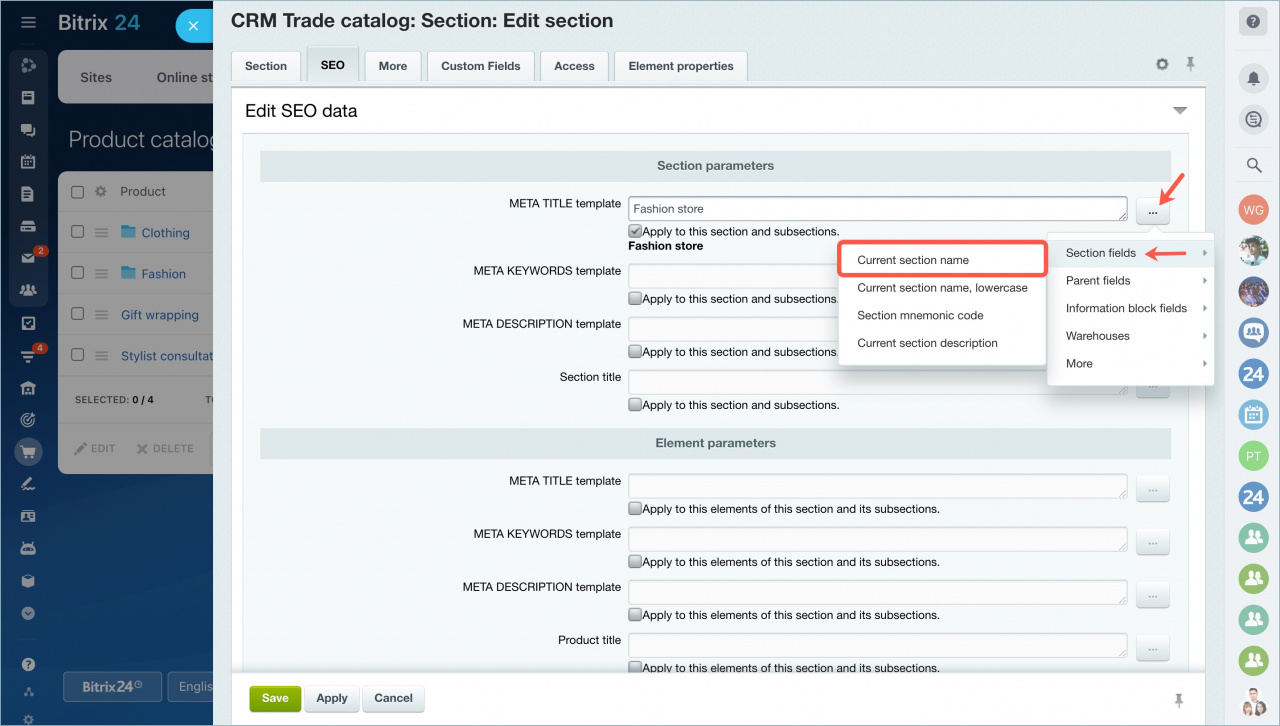
Open the SEO tab. In the META TITLE template field, enter the online store catalog title. Click Save.
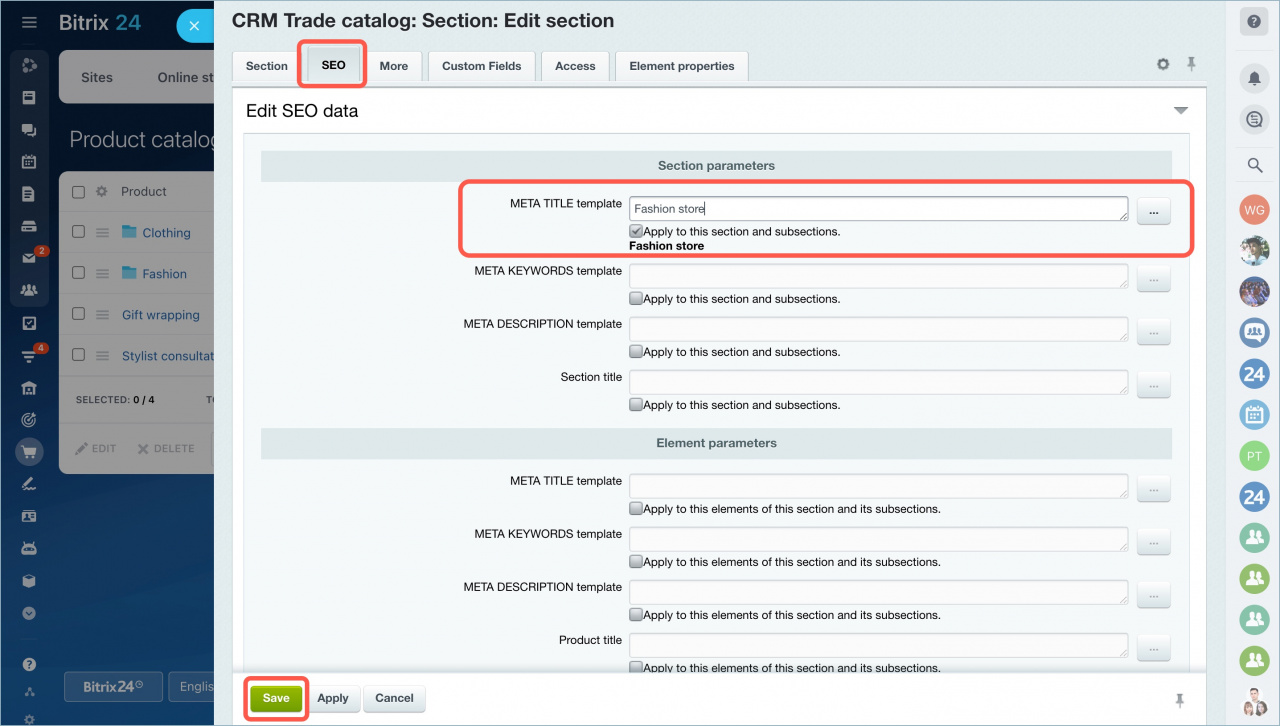
The title will appear in the browser tab.
You can also change catalog section titles on the same settings page.
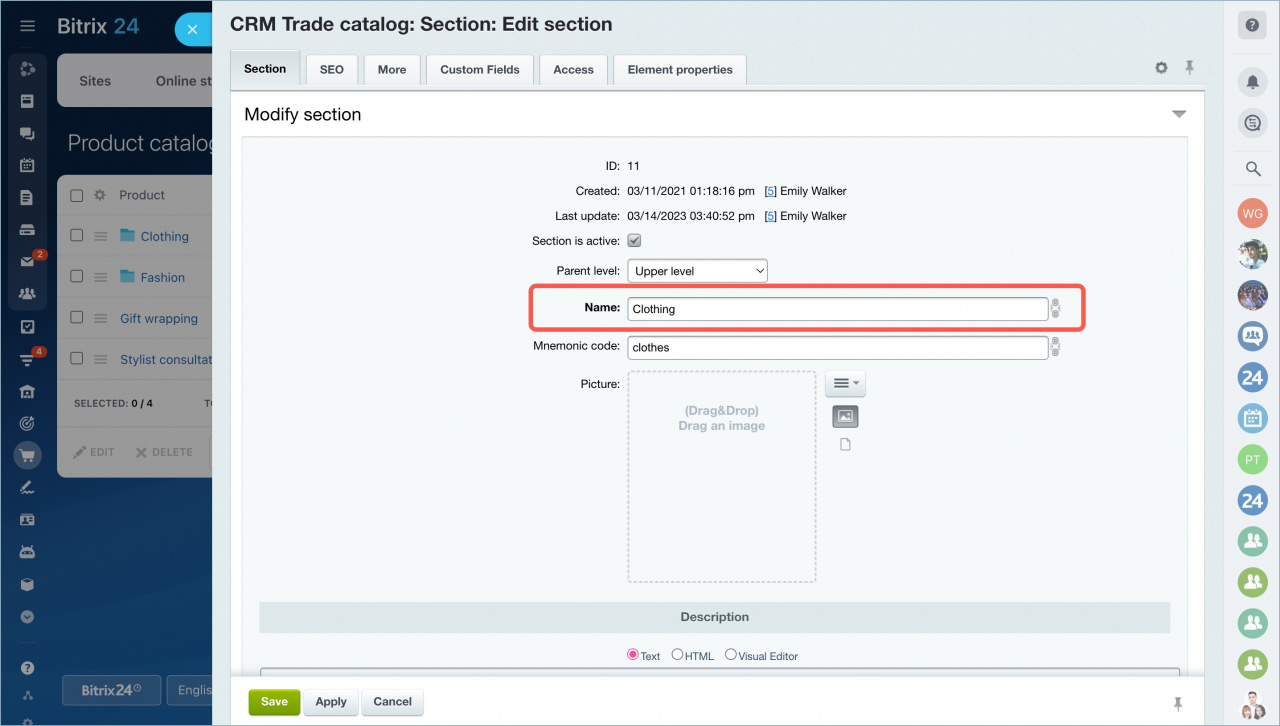
You can also enable auto-fill for the online store catalog title.